PDF Scanner- App for Documents
ダウンロード: App Store

このページはアプリまたはその開発者の公式ページではなく、情報提供および論評を目的として作成された独立した編集出版物です。明示的に別段の記載がない限り、アプリおよびその開発者は、MWM、Apple、Google Play、アプリのパブリッシャー、またはアプリの開発者と提携、承認、後援、認可、またはその他の公式的な関係はなく、このページのいかなる内容も、アプリがMWMのサービスを使用して開発されたことを意味するものではありません。すべての商標、ロゴ、スクリーンショット、その他のコンテンツはそれぞれの所有者の財産です。

ロゴ: PDF Scanner- App for Documents
ダウンロード: App Store

PDF Scanner- App for Documents

デスクトップレベルの編集、即時のデジタル署名、強力な検索機能でワークフローを強化。iPhoneやiPadから安全に注釈を付け、変換し、ドキュメントを管理します。

主要数値

ダウンロード

100

ユーザー評価

1.0/5

評価数

0

開発元

Muhammad Ammar Aslam

カテゴリ

Utilities

対応言語

1

最新バージョン

1.0.1

サイズ

137.0 MB

リリース日

2023年2月10日
機能

オールインワンモバイルオフィス

iPhoneやiPadをプロフェッショナルなパワーハウスに変えましょう。どこにいても、デスクトップレベルの精度でドキュメントをスキャン、編集、署名できます。

数秒でスキャン&署名

プロフェッショナルグレードのスキャンと安全な手書き署名で、より早く契約をクローズ。現代のフリーランサーやリモートプロフェッショナル向けにカスタマイズされています。

スマート注釈&検索

ライブラリ全体を横断する全文検索で、研究をマスターしましょう。ファイルに音声メモや写真注釈を追加して、より豊かで整理された学習体験を実現します。

以下のスクリーンショットと説明は、アプリの公式ストアリスティングから直接取得されたものであり、アプリ開発者の所有物です。

アプリストア

スクリーンショット
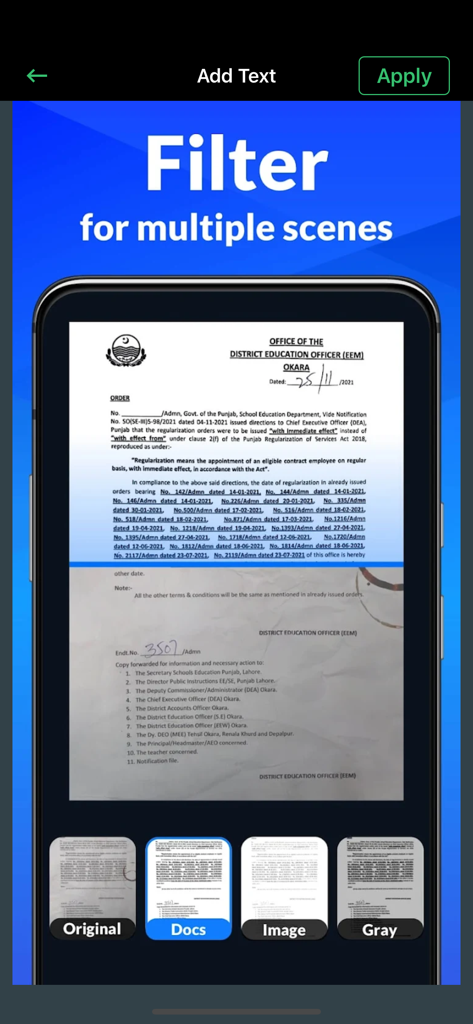
PDF Scanner- App for Documents - PDFスキャナーアプリのインターフェース。Docs、Image、Grayモードを含むドキュメントフィルタリングオプションを表示
PDFスキャナーアプリのインターフェース。Docs、Image、Grayモードを含むドキュメントフィルタリングオプションを表示

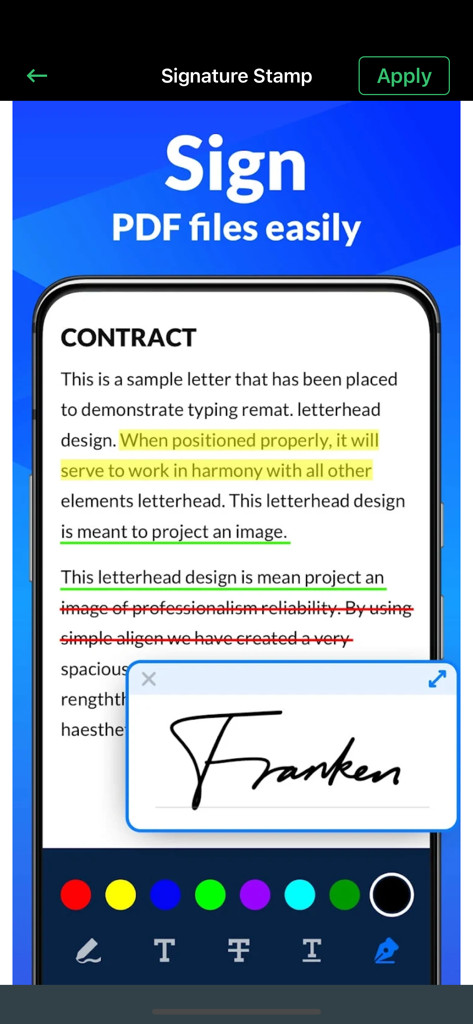
PDF Scanner- App for Documents - PDFスキャナーアプリのインターフェース。注釈ツールと共に、契約書ドキュメント上のデジタル署名を表示
PDFスキャナーアプリのインターフェース。注釈ツールと共に、契約書ドキュメント上のデジタル署名を表示

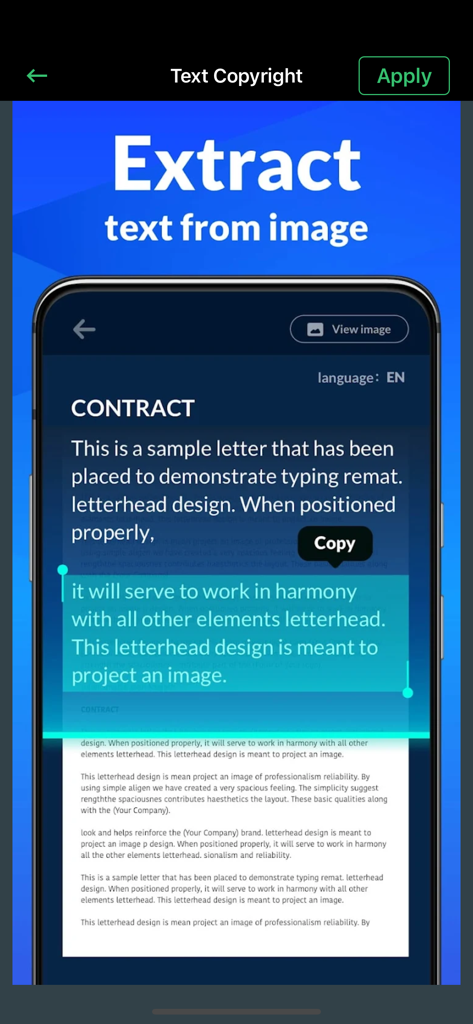
PDF Scanner- App for Documents - PDF Proアプリのインターフェース。スキャンされたドキュメントからのテキスト抽出を実演
PDF Proアプリのインターフェース。スキャンされたドキュメントからのテキスト抽出を実演

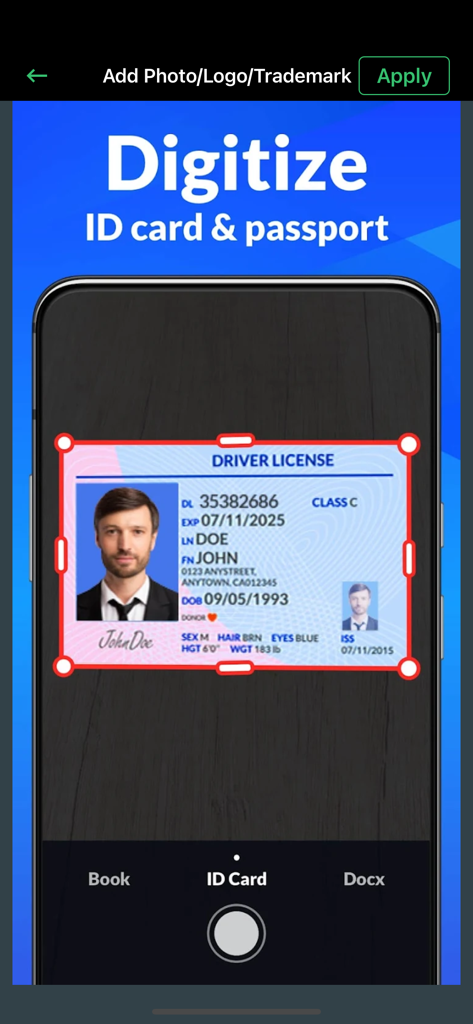
PDF Scanner- App for Documents - IDカードとパスポートをデジタル化するスキャンプロセスを表示するモバイルアプリのインターフェース
IDカードとパスポートをデジタル化するスキャンプロセスを表示するモバイルアプリのインターフェース

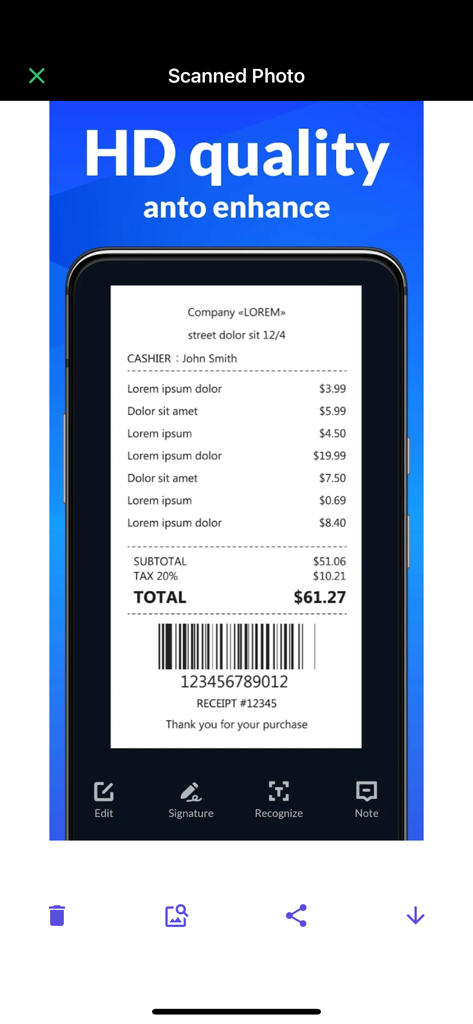
PDF Scanner- App for Documents - 編集および署名オプションと共に、高品質でスキャンされたレシートを表示するモバイルアプリのインターフェース
編集および署名オプションと共に、高品質でスキャンされたレシートを表示するモバイルアプリのインターフェース

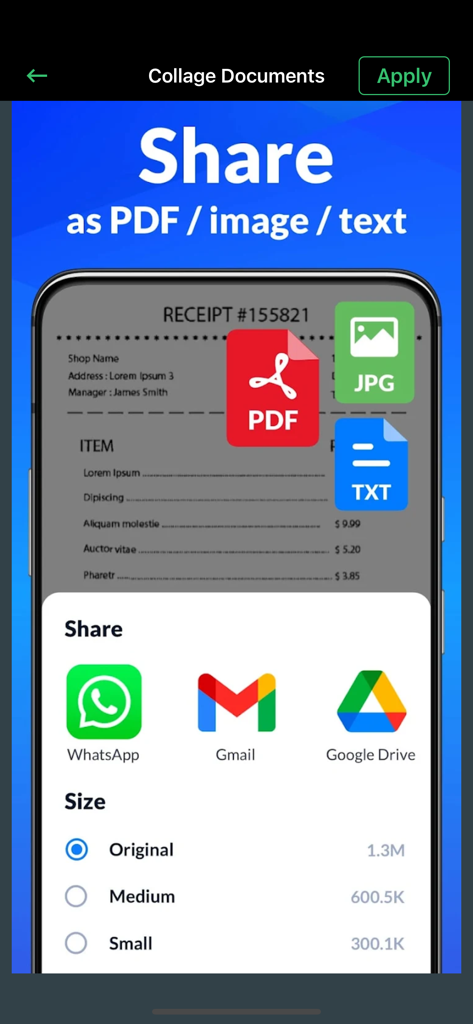
PDF Scanner- App for Documents - メールおよびクラウドサービスを介したPDF、画像、またはテキストとしてのドキュメント共有用のインターフェース

メールおよびクラウドサービスを介したPDF、画像、またはテキストとしてのドキュメント共有用のインターフェース

説明

Asi PDF Pro lets you read, edit and annotate your PDF documents directly on your iPhone and iPad. Highlight text, take notes, embed shapes or draw with your finger. You can even embed voice recordings or photo annotations. Full-text-search your entire PDF library with just a single tap. Above all PDF Pro comes with full-featured PDF form and signature support. Asi PDF Pro Key-Features At A Glance: • POWERFUL SEARCH: ∙ Full-text-search your entire PDF library. ∙ Search inside specific documents with easy navigation through the search results. ∙ Look-up selected text directly on Wikipedia or in the included dictionaries. • CLEAR VIEW: ∙ Easily browse through all your annotations. ∙ Full PDF outline support. You can even search the outline. ∙ Get an overview of all your bookmarked or annotated pages just with a single tap. • SHARE and PRINT: ∙ Easily share your annotated documents with your friends or co-workers. ∙ Print your annotated and edited PDFs. ∙ You can even share or print single pages of a document. • HIGH SPEED and STABILITY: ∙ Rapid viewing of PDF documents. ∙ Smooth display of very large PDF files. • ANNOTATIONS and NOTES: ∙ Highlight text, take notes or draw with your finger. ∙ Powerful shape editor for arrows, rectangles, circles, lines and much more. ∙ Embed audio and photo annotations into your PDFs. ∙ Use predefined stamps or create your own. • DOCUMENT EDITOR: ∙ Create new pages. ∙ Export pages or merge them into existing documents. ∙ Reorder, rotate and delete pages. • MULTITASKING: ∙ Work with multiple PDFs at a time. ∙ Copy and paste annotations, shapes, images or text from one PDF document into another. • FORM SUPPORT: ∙ Just fill out your PDF form, sign it with your handwritten signature and you are ready to send it via E-Mail or print it via AirPrint®. • AND MUCH MORE... That’s not all: Don’t waste your time on retyping, just reuse existing reports, notes, invoices and other documents with the help of PDF to Word Converter. Conversion is performed on our powerful servers, and once it is completed the file is being downloaded to your device and deleted from our servers, therefore your privacy is guaranteed. Because the conversion is not being performed on your device, the app will not burden your device’s resources or drain its battery.

Download

ダウンロード: App Store

このページはアプリまたはその開発者の公式ページではなく、情報提供および論評を目的として作成された独立した編集出版物です。明示的に別段の記載がない限り、アプリおよびその開発者は、MWM、Apple、Google Play、アプリのパブリッシャー、またはアプリの開発者と提携、承認、後援、認可、またはその他の公式的な関係はなく、このページのいかなる内容も、アプリがMWMのサービスを使用して開発されたことを意味するものではありません。すべての商標、ロゴ、スクリーンショット、その他のコンテンツはそれぞれの所有者の財産です。








