pdf scanner-cam scan app

pdf scanner-cam scan app


ダウンロード: App Storeダウンロード: Google Play
ロゴ: pdf scanner-cam scan app
pdf scanner-cam scan app:完璧なPDFのためのプロ仕様モバイルスキャナー

iPhoneをパワフルなポータブルオフィスに変えましょう。AI搭載の影除去、OCRテキスト抽出、シームレスなクラウド共有で、ドキュメント、レシート、メモを楽々スキャンし、生産性を最大化します。

開発元

Xiamen Worldscan Information Technology Co., Ltd.

カテゴリ

Business

ダウンロード

3M+

ユーザー評価

4.8/5

評価数

76K+

対応言語

9

すべてのスキャンに精度を

このインターフェースを利用する 3M+ 人のユーザー.

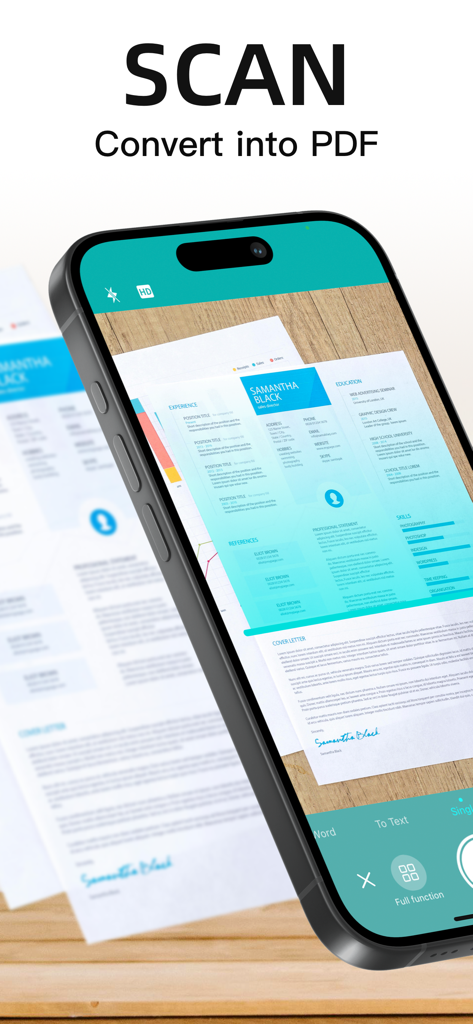
紙のドキュメントをスキャンしてPDFに変換するモバイルアプリ

紙のドキュメントをスキャンしてPDFに変換するモバイルアプリ

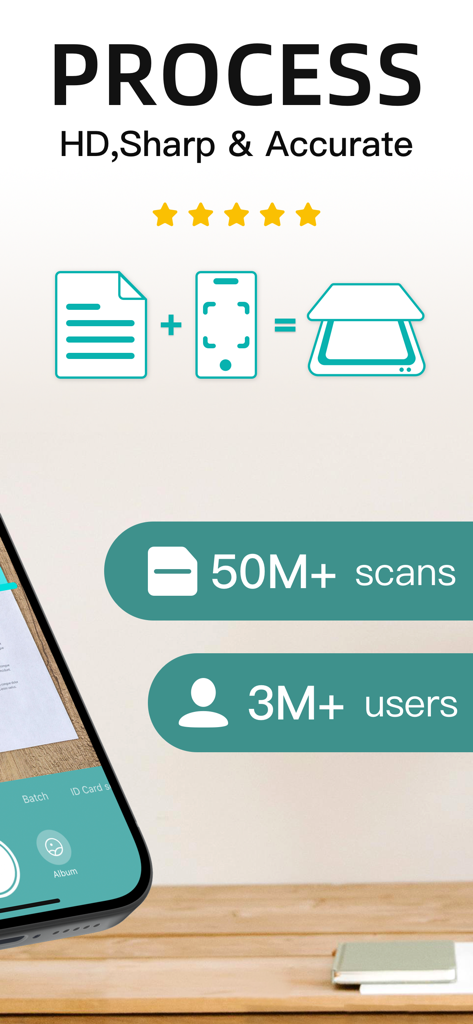
PDFスキャナーアプリのHDスキャン処理とユーザー統計を表示するモバイルアプリのグラフィック

PDFスキャナーアプリのHDスキャン処理とユーザー統計を表示するモバイルアプリのグラフィック

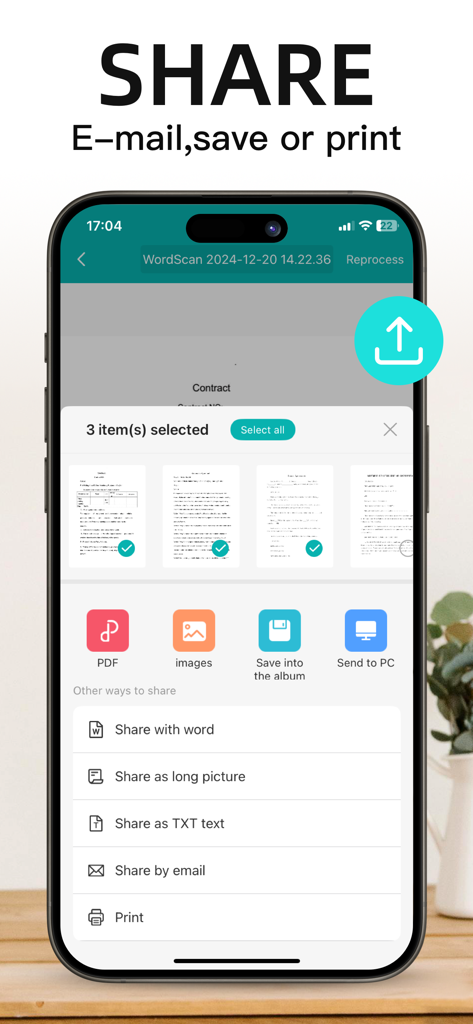
PDF、画像、メール、印刷などのドキュメント共有オプションを表示するモバイルアプリのインターフェース

PDF、画像、メール、印刷などのドキュメント共有オプションを表示するモバイルアプリのインターフェース

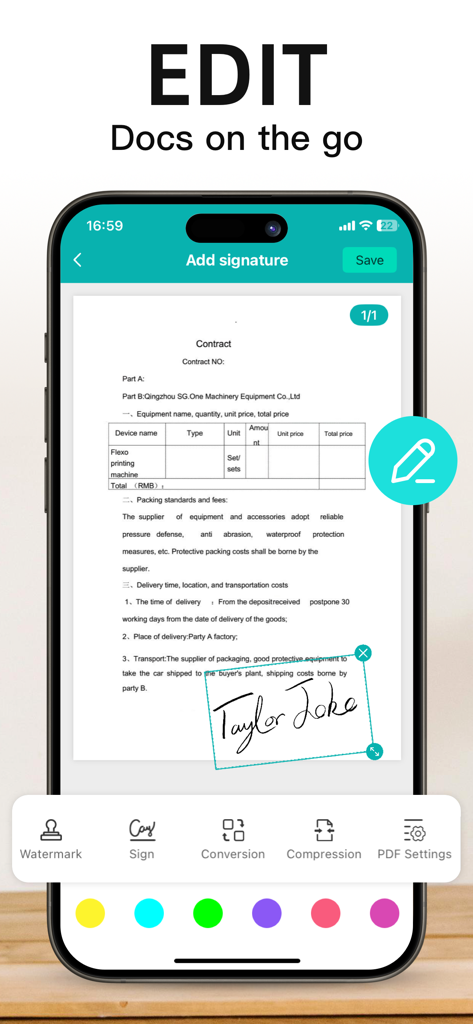
スマートフォンで契約書にデジタル署名を追加するPDFスキャナーアプリのインターフェース

スマートフォンで契約書にデジタル署名を追加するPDFスキャナーアプリのインターフェース

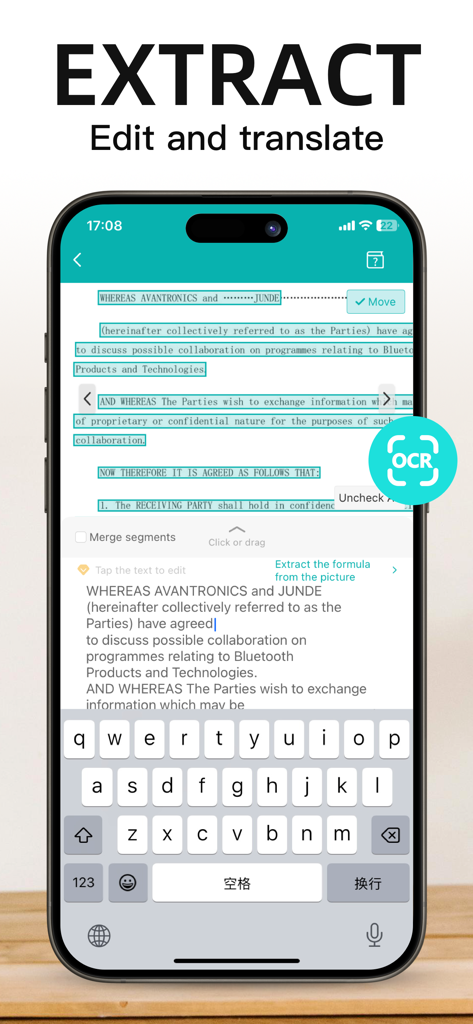
PDFスキャナーアプリのOCR機能を使用して、ドキュメントからテキストを抽出および編集するモバイルデバイス

PDFスキャナーアプリのOCR機能を使用して、ドキュメントからテキストを抽出および編集するモバイルデバイス

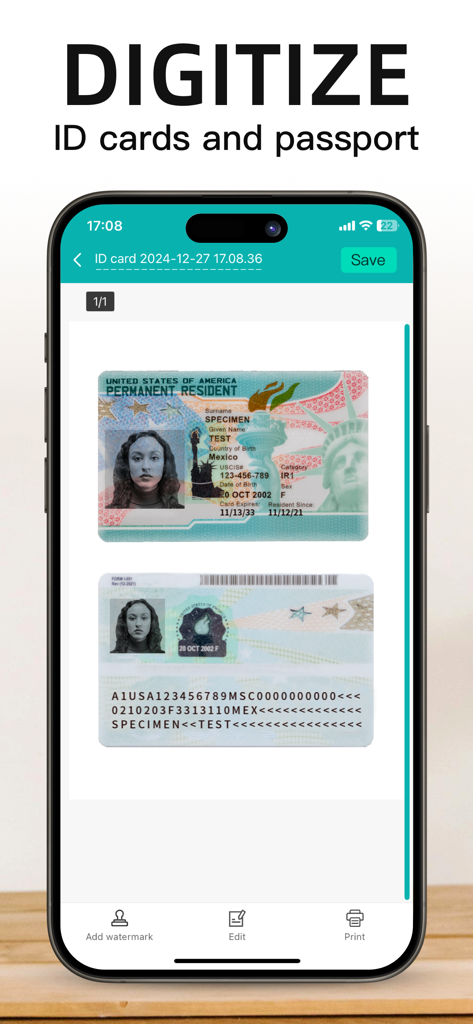
PDFスキャナーアプリを使用して、IDカードとパスポートをデジタル化するモバイルアプリの画面

PDFスキャナーアプリを使用して、IDカードとパスポートをデジタル化するモバイルアプリの画面

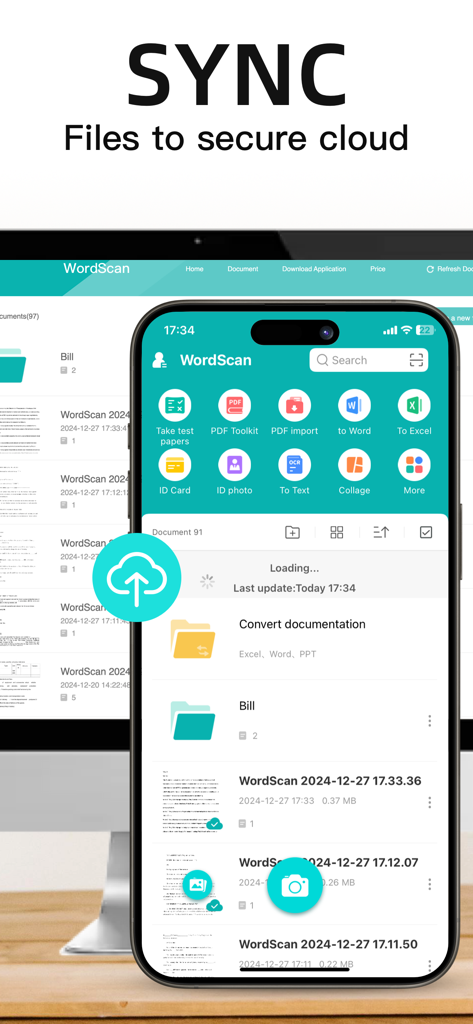
WordScanアプリのインターフェースで、モバイルおよびデスクトップデバイス間で安全なクラウドファイル同期を実演

WordScanアプリのインターフェースで、モバイルおよびデスクトップデバイス間で安全なクラウドファイル同期を実演

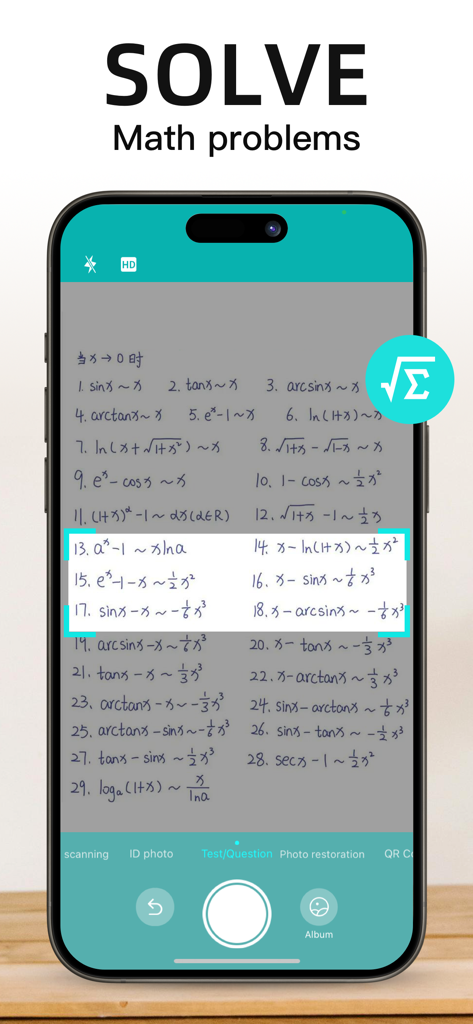
手書きの数学の問題をスキャンして解決するモバイルアプリのインターフェース

手書きの数学の問題をスキャンして解決するモバイルアプリのインターフェース

ワークフローを簡素化するパワフルなツール

このアプリを際立たせるツール、 3M+ 人のユーザーが選択.

プロ品質のバッチスキャン

複数ページのドキュメントを数秒でキャプチャ。高度なアルゴリズムが、自動的に影を除去し、パースペクティブを補正して、シャープでプロフェッショナルなPDFを作成します。

🔍

スマートテキスト認識 (OCR)

画像を編集可能なテキストに即座に変換。レシート、メモ、契約書からデータを抽出し、手入力やデータ入力を何時間も節約します。

📂

即座に整理&共有

カスタムタグでスキャンを分類し、クラウドに同期。デジタルオフィスを整理整頓し、ワンタップでメール送信。

アプリについて

について知っておくべきこと pdf scanner-cam scan app.

説明

Scanner App Scan ererything into clear & sharp image/PDF. With Scanner app, you can rapidly scan documents, and convert them into PDF format, as well as save them or send them by email, Print and save to cloud. * Scan documents, photos, receipts, or just about anything. * Batch mode combines multiple scans into a single PDF. *Adopting advanced and fast algorithm, Scanner App use Advanced color processing algorithms remove shadows, correct perspective and distortion, making your scans as readable as possible. *With powerful and easily operated interface, Scanner app can fast and simply adjust brightness, rotation and color through one click on one page. Scanner app features: 1. Mobile Scanner ----scan and manage your document that may include multipage. 2. Fast scan in batch----scan continuously in batch without process waiting, which is fast and convenient. 3. Automatic side cut----utilize professional image processing algorithm to automatically help you cut the images. 4. Image enhancement----ensure document is clear and readable. 5. Text Recognition (OCR) ---- OCR (optical character recognition) feature extracts texts from single page for further editing or sharing. 6. Multi-sized PDFs----more than 10 PDF sizes are available (Letter,A4,B5, etc).You can customize the size or use self-adaption mode. 7. Save image to image library----conveniently process images so as to save them to image library. 8. Email----send your documents (PDF) or processed images by email. 9. Add Header----seach page of document may add headers, which can be searched. 10. Custom category----set custom category for your document to achieve convenient management and search. 11. Multiple browse modes----support browse modes, such as list and document-categorization. 12. Copy----support function of document copy to achieve convenient document management. 13. Search----Fast locate documents by searching document headers, page headers, etc. Scanning tips: make sure your document is smooth and sensitive to light. Background of dead color may help to achieve the best detection result of document edge. *********************************************************** VIP Subscription Instructions: 1. Subscription cycle: 1 quarter, 1 month, 6 months,1 year,1 week 2. Subscription price: ¥58 for continuous quarterly subscription, ¥28 for continuous monthly subscription,¥9 for continuous weekly subscription, ¥68 for continuous every 6 months subscription,and ¥198 for continuous annual subscription 3. 24 hours before the expiration of the VIP privilege, the fee will be automatically deducted from the iTunes account and the renewal fee will be determined. 4. Cancel automatic renewal: If you need to cancel automatic renewal, please manually turn off the automatic renewal function in iTunes/Apple ID settings management 24 hours before expiration. This subscription will automatically renew if not turned off at least 24 hours before expiration. 5. If a free trial period is offered, any unused portion will be forfeited when the user purchases a subscription to that publication (if applicable) 6. Privacy Policy: https://www.wordscan.net/ps/ws_privacy 7. Terms of use: https://www.wordscan.net/ps/ws_service

最新バージョン

5.12.36

サイズ

176.4 MB

リリース日

2012年6月15日

ペーパーレス化して生産性を向上させませんか?

300万人以上のプロフェッショナルや学生が信頼するハイスピードスキャナーで、どんなドキュメントも瞬時に鮮明なPDFに。今すぐダウンロードして、プロのオフィスをポケットに。

ダウンロード: App Storeダウンロード: Google Play
FAQ

よくある質問

について知っておくべきこと pdf scanner-cam scan app

Scanner Appの主な機能は何ですか?

Scanner Appは、ドキュメント、写真、領収書などを、鮮明でシャープな画像/PDF形式に変換します。スキャンしたドキュメントの保存、メール送信、印刷、クラウドへの保存が可能です。

pdf scanner-camアプリは複数のドキュメントを一度に処理できますか?

はい、pdf scanner-camアプリはバッチモード機能をサポートしています。このモードでは、複数のスキャンをプロセス待機なしで単一のPDFに結合できるため、スキャンが迅速かつ便利になります。

Scanner Appはテキスト認識(OCR)機能を提供していますか?

はい、Scanner AppにはOCR(光学文字認識)機能が搭載されています。単一ページからテキストを抽出し、編集や共有を可能にします。

pdf scanner-camアプリでエクスポートまたは共有できるファイル形式は何ですか?

pdf scanner-camアプリは、ドキュメントをPDFまたは処理済み画像としてエクスポートできます。共有オプションには、メール、画像ライブラリへの保存、アプリに表示されるさまざまな共有方法が含まれます。

pdf scanner-camアプリ内でスキャンしたドキュメントを編集できますか?

はい、pdf scanner-camアプリは、スキャンしたドキュメントの編集機能を提供しています。透かしの追加、ドキュメントへの署名、ファイルの圧縮、PDF設定の調整が可能です。

Scanner AppはIDカードやパスポートのスキャンをサポートしていますか?

はい、Scanner AppはIDカードやパスポートのデジタル化をサポートしています。ユーザーはこれらのドキュメントをアプリ内で直接スキャンして保存できます。

Scanner Appはスキャンの品質をどのように向上させますか?

Scanner Appは高度なカラー処理アルゴリズムを使用して、影を取り除き、パースペクティブと歪みを補正します。この技術により、スキャンしたドキュメントは可能な限り読みやすくなります。

ユーザーはpdf scanner-camアプリでPDFサイズをカスタマイズできますか?

はい、pdf scanner-camアプリは複数サイズのPDFオプションを提供しています。10種類以上のPDFサイズが利用可能で、ユーザーはサイズをカスタマイズしたり、自己適応モードを使用したりできます。

Scanner Appはドキュメントの端を自動的に切り取りますか?

はい、Scanner Appには自動サイドカット機能が搭載されています。プロフェッショナルな画像処理アルゴリズムを使用して、スキャン画像の端を自動的に切り取るのを支援します。

pdf scanner-camアプリはスキャンファイルのクラウド同期を提供していますか?

はい、pdf scanner-camアプリはクラウド同期をサポートしています。ユーザーはスキャンファイルを安全なクラウドに同期して、保存およびアクセスできます。

Scanner Appで利用可能なサブスクリプションオプションは何ですか?

Scanner Appは、1週間、1か月、1四半期、6か月、1年のVIPサブスクリプションサイクルを提供しています。それぞれに継続更新価格があります。

Scanner AppのVIPサブスクリプションの自動更新をキャンセルするにはどうすればよいですか?

Scanner AppのVIPサブスクリプションの自動更新をキャンセルするには、現在のサブスクリプションが失効する少なくとも24時間前に、iTunes/Apple ID設定管理で自動更新機能を手動でオフにしてください。

pdf scanner-camアプリのVIPサブスクリプションに無料トライアルはありますか?

はい、無料トライアル期間が提供される場合があります。ユーザーがサブスクリプションを購入すると、無料トライアルの未使用部分は失効します。

pdf scanner-camアプリのプライバシーポリシーはどこで見られますか?

pdf scanner-camアプリのプライバシーポリシーは、提供されたURL(https://www.wordscan.net/ps/ws_privacy)で入手できます。このリンクはアプリの説明に記載されています。

App information, icons, screenshots, and descriptions displayed on this page are sourced from the Apple App Store and are the property of their respective developers. Download estimates and rankings are based on MWM's proprietary models and may not reflect actual figures. This page is provided for informational and analytical purposes only.

Believe this page infringes your intellectual property? File a dispute