WorldScan HD - Scan Documents

WorldScan HD - Scan Documents


ダウンロード: App Storeダウンロード: Google Play
ロゴ: WorldScan HD - Scan Documents
WorldScan HD:指先でプロ仕様のドキュメントスキャン

iPadをパワフルなモバイルオフィスに変えましょう。比類なき精度、高度な影除去、インテリジェントなファイル管理で、ドキュメントをスキャン、OCR、整理しましょう。

開発元

Xiamen Worldscan Information Technology Co., Ltd.

カテゴリ

Business

ダウンロード

67K+

ユーザー評価

4.1/5

評価数

400

対応言語

9

すべてのスキャンにおける精度

このインターフェースを利用する 67K+ 人のユーザー.

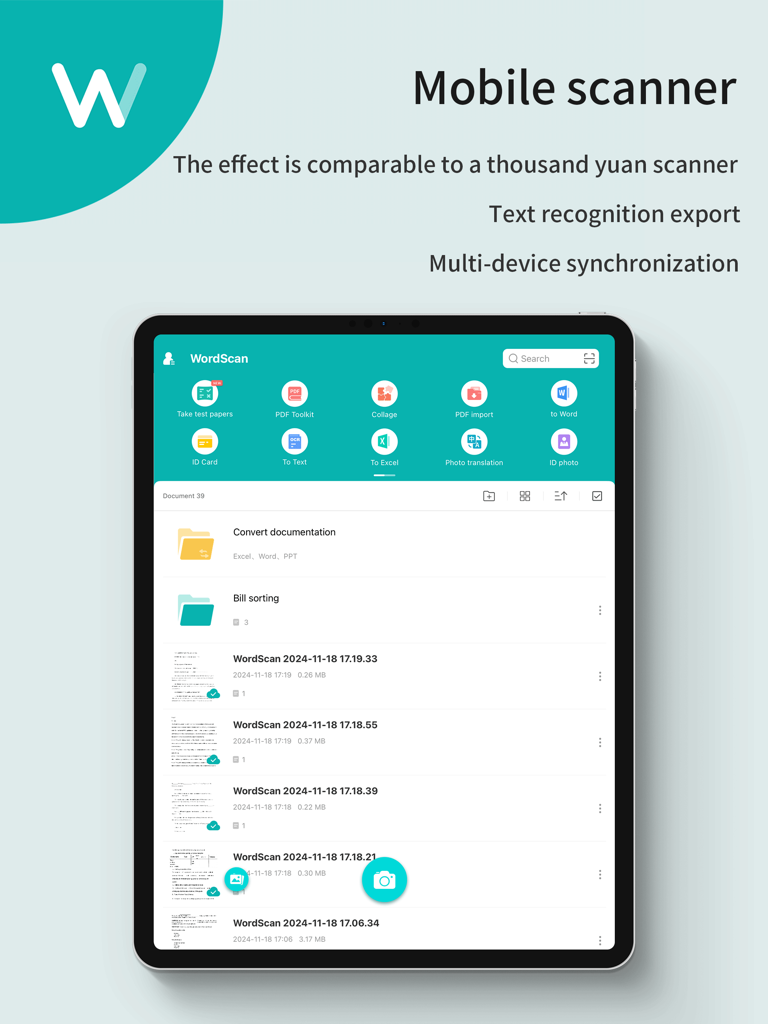
ドキュメントフォルダとテキスト認識機能が表示されているiPad上のWorldScan HDモバイルスキャナーのインターフェイス。

ドキュメントフォルダとテキスト認識機能が表示されているiPad上のWorldScan HDモバイルスキャナーのインターフェイス。

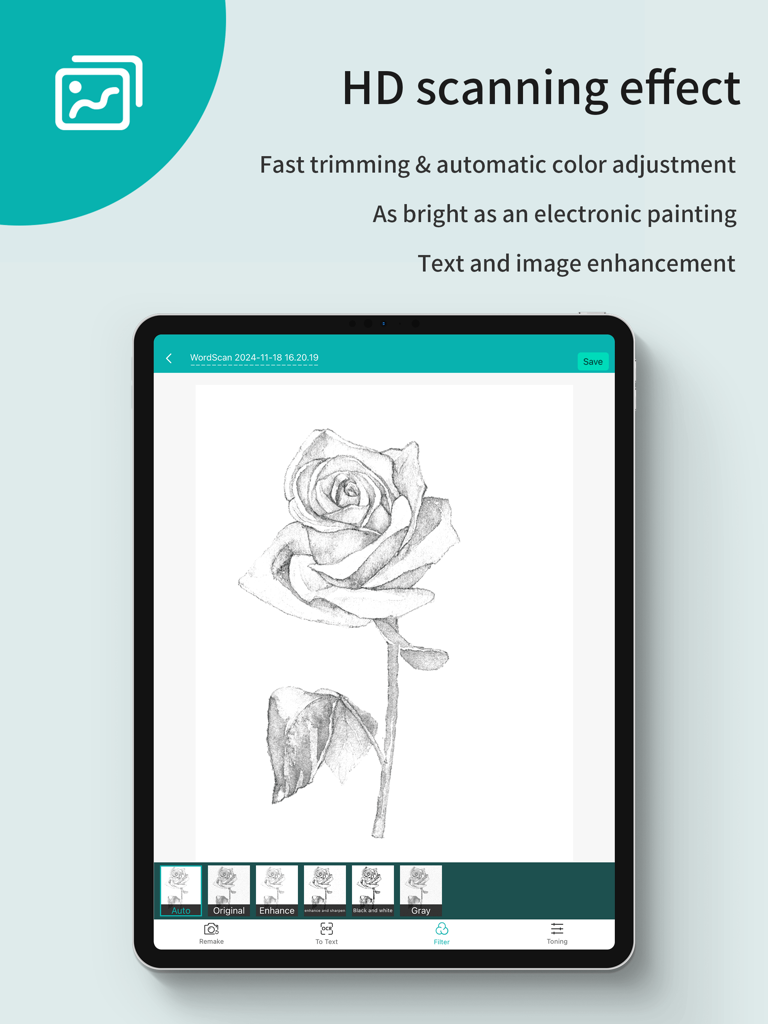
iPad上のWorldScan HDアプリ。画像強化とHDスキャン効果を表示。

iPad上のWorldScan HDアプリ。画像強化とHDスキャン効果を表示。

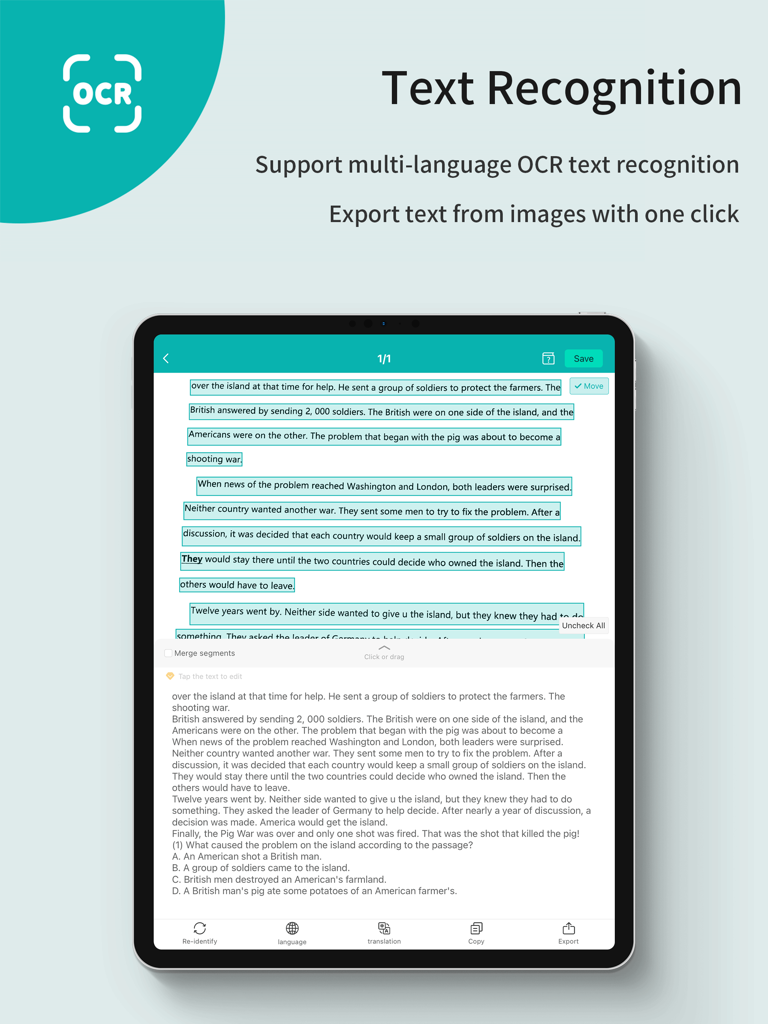
iPad上のOCRテキスト認識と抽出を表示するWorldScan HDアプリのインターフェイス。

iPad上のOCRテキスト認識と抽出を表示するWorldScan HDアプリのインターフェイス。

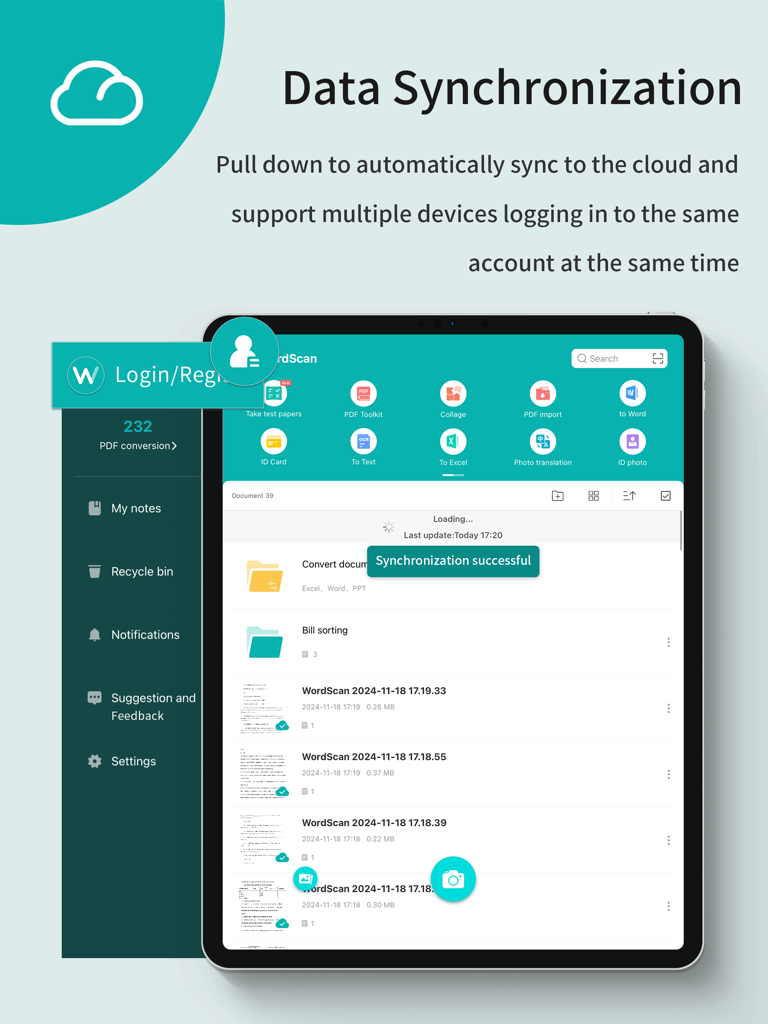
iPad上のWorldScan HDアプリ。成功したクラウドデータ同期メッセージを表示。

iPad上のWorldScan HDアプリ。成功したクラウドデータ同期メッセージを表示。

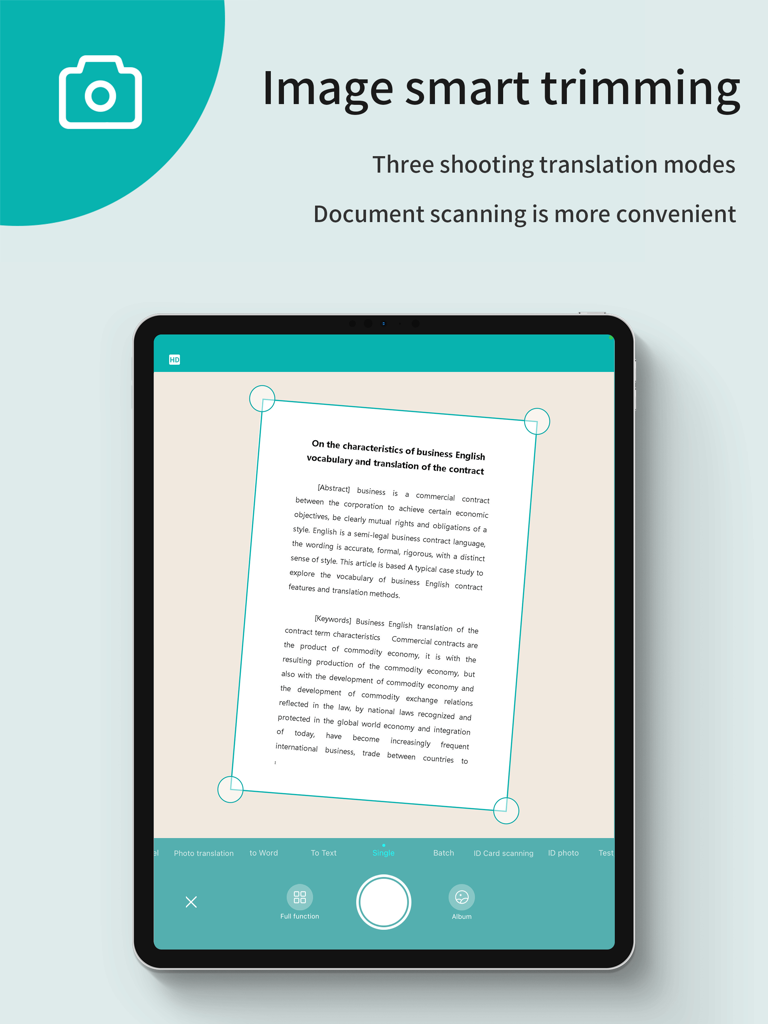
iPad上のWorldScan HDアプリ。プロフェッショナルなドキュメントスキャンのための自動画像スマートトリミングを表示。

iPad上のWorldScan HDアプリ。プロフェッショナルなドキュメントスキャンのための自動画像スマートトリミングを表示。

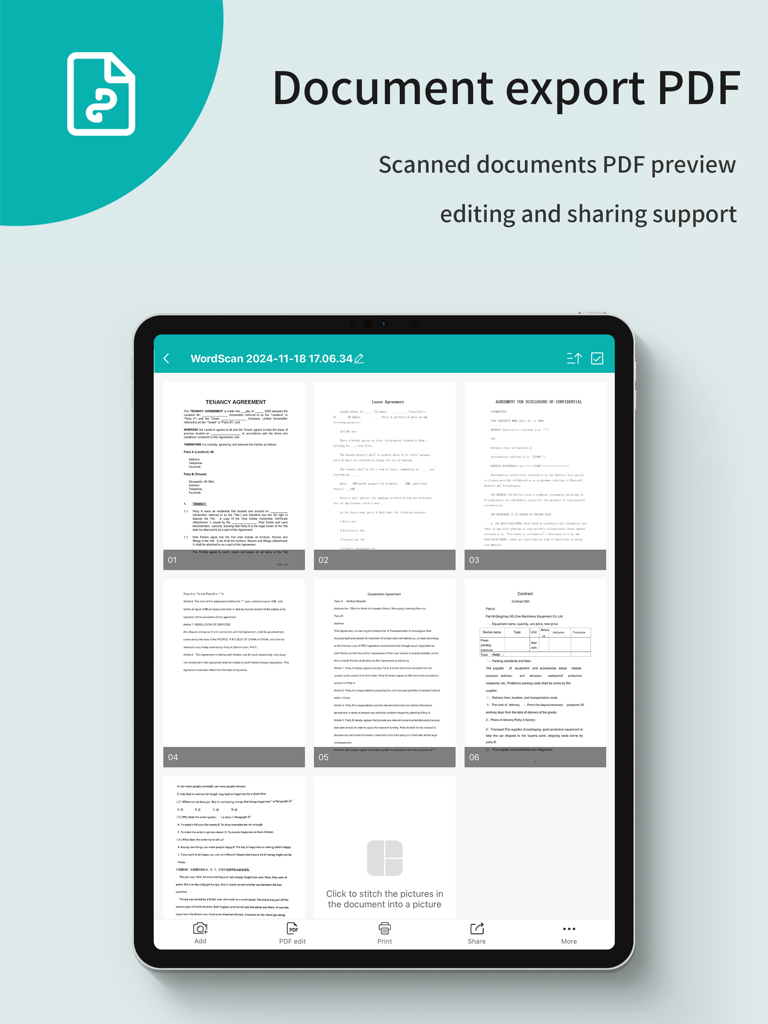
iPad画面。PDFエクスポートとプレビュー用のスキャン済みドキュメントのグリッドが表示されているWorldScan HDアプリ。

iPad画面。PDFエクスポートとプレビュー用のスキャン済みドキュメントのグリッドが表示されているWorldScan HDアプリ。

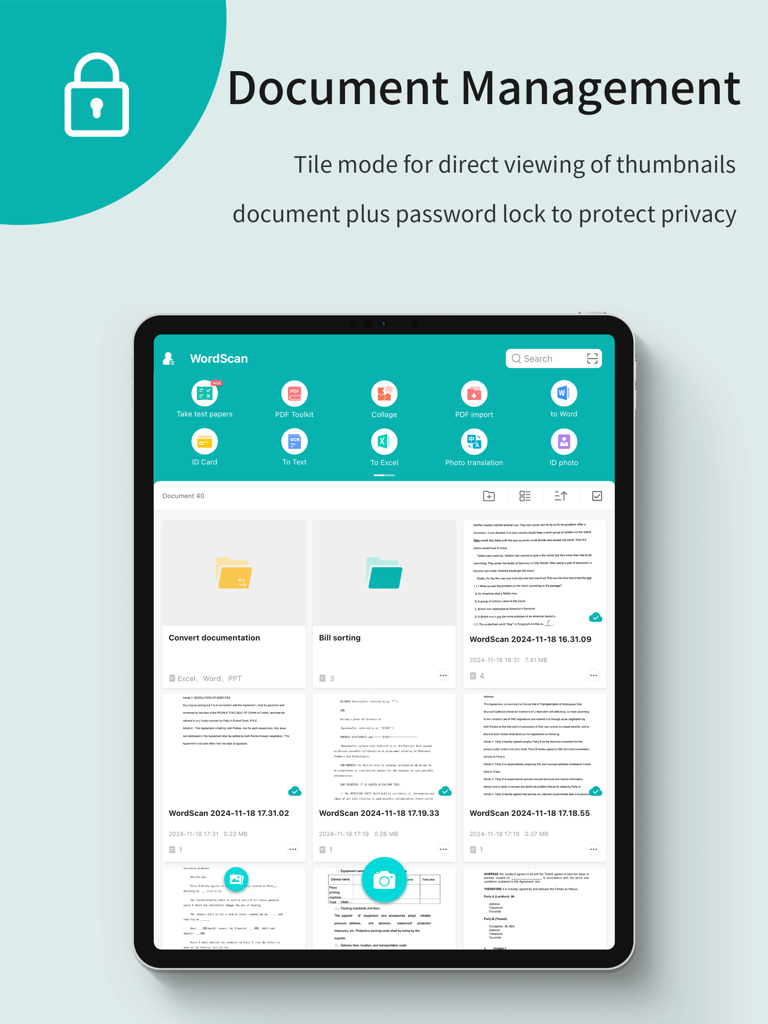
フォルダとファイルサムネイルを使用したドキュメント管理を示すWorldScan HD iPadインターフェイス。

フォルダとファイルサムネイルを使用したドキュメント管理を示すWorldScan HD iPadインターフェイス。

iPadをプロ仕様のスキャナーに変える

このアプリを際立たせるツール、 67K+ 人のユーザーが選択.

鮮明なHDスキャン

高度なカラー処理アルゴリズムが影を除去し、パースペクティブを補正することで、契約書やレポートが常に完璧にプロフェッショナルに見えるようにします。

🔍

スマートテキスト認識(OCR)

スキャンしたテキストを即座に抽出して編集または共有できます。物理的なドキュメントを検索可能なデジタル資産に変換することで、何時間もの手作業によるデータ入力を節約できます。

📁

シームレスなドキュメント整理

カスタムカテゴリとバッチ処理で整理整頓。ドキュメントヘッダーとタグ全体を高速検索して、数秒で任意のファイルを見つけられます。

🔍

スマートテキスト認識(OCR)

スキャンしたテキストを即座に抽出して編集または共有できます。物理的なドキュメントを検索可能なデジタル資産に変換することで、何時間もの手作業によるデータ入力を節約できます。

📁

シームレスなドキュメント整理

カスタムカテゴリとバッチ処理で整理整頓。ドキュメントヘッダーとタグ全体を高速検索して、数秒で任意のファイルを見つけられます。

アプリについて

について知っておくべきこと WorldScan HD - Scan Documents.

説明

Scanner App Scan ererything into clear & sharp image/PDF. With Scanner app, you can rapidly scan documents, and convert them into PDF format, as well as save them or send them by email, Print and save to cloud. * Scan documents, photos, receipts, or just about anything. * Batch mode combines multiple scans into a single PDF. *Adopting advanced and fast algorithm, Scanner App use Advanced color processing algorithms remove shadows, correct perspective and distortion, making your scans as readable as possible. *With powerful and easily operated interface, Scanner app can fast and simply adjust brightness, rotation and color through one click on one page. Scanner app features: 1. Mobile Scanner ----scan and manage your document that may include multipage. 2. Fast scan in batch----scan continuously in batch without process waiting, which is fast and convenient. 3. Automatic side cut----utilize professional image processing algorithm to automatically help you cut the images. 4. Image enhancement----ensure document is clear and readable. 5. Text Recognition (OCR) ---- OCR (optical character recognition) feature extracts texts from single page for further editing or sharing. 6. Multi-sized PDFs----more than 10 PDF sizes are available (Letter,A4,B5, etc).You can customize the size or use self-adaption mode. 7. Save image to image library----conveniently process images so as to save them to image library. 8. Email----send your documents (PDF) or processed images by email. 9. Add Header----seach page of document may add headers, which can be searched. 10. Custom category----set custom category for your document to achieve convenient management and search. 11. Multiple browse modes----support browse modes, such as list and document-categorization. 12. Copy----support function of document copy to achieve convenient document management. 13. Search----Fast locate documents by searching document headers, page headers, etc. *********************************************************** VIP Subscription Instructions: 1. Subscription cycle: 1 quarter, 1 month, 6 months,1 year,1 week 2. Subscription price: ¥58 for continuous quarterly subscription, ¥28 for continuous monthly subscription,¥9 for continuous weekly subscription, ¥68 for continuous every 6 months subscription,and ¥198 for continuous annual subscription 3. 24 hours before the expiration of the VIP privilege, the fee will be automatically deducted from the iTunes account and the renewal fee will be determined. 4. Cancel automatic renewal: If you need to cancel automatic renewal, please manually turn off the automatic renewal function in iTunes/Apple ID settings management 24 hours before expiration. This subscription will automatically renew if not turned off at least 24 hours before expiration. 5. If a free trial period is offered, any unused portion will be forfeited when the user purchases a subscription to that publication (if applicable) 6. Privacy Policy: https://www.wordscan.net/ps/ws_privacy 7. Terms of use: https://www.wordscan.net/ps/ws_service

最新バージョン

5.1.12

サイズ

163.2 MB

リリース日

2012年11月7日

プロ仕様の鮮明さでペーパーレス化する準備はできましたか?

WorldScan HDを信頼してiPadをパワフルで検索可能なデジタルファイリングキャビネットに変えた67,000人以上のモバイルプロフェッショナルに加わりましょう。今日、契約書、領収書、メモの鮮明なスキャンを入手してください。

ダウンロード: App Storeダウンロード: Google Play

App information, icons, screenshots, and descriptions displayed on this page are sourced from the Apple App Store and are the property of their respective developers. Download estimates and rankings are based on MWM's proprietary models and may not reflect actual figures. This page is provided for informational and analytical purposes only.

Believe this page infringes your intellectual property? File a dispute