Peakbagger
Peakbagger
ダウンロード: App Store

このページはアプリまたはその開発者の公式ページではなく、情報提供および論評を目的として作成された独立した編集出版物です。明示的に別段の記載がない限り、アプリおよびその開発者は、MWM、Apple、Google Play、アプリのパブリッシャー、またはアプリの開発者と提携、承認、後援、認可、またはその他の公式的な関係はなく、このページのいかなる内容も、アプリがMWMのサービスを使用して開発されたことを意味するものではありません。すべての商標、ロゴ、スクリーンショット、その他のコンテンツはそれぞれの所有者の財産です。

ロゴ: Peakbagger
ダウンロード: App Store

Peakbagger

Peakbagger.comとListsOfJohn.comと登山記録を同期し、オフライン地形図でナビゲートし、データに基づいた精度で公式ピークリストの進捗を追跡しましょう。

主要数値

ダウンロード

400

ユーザー評価

4.8/5

評価数

0

開発元

Andrew Kirmse

カテゴリ

Health & Fitness

対応言語

11

最新バージョン

1.63.2

サイズ

140.6 MB

リリース日

2015年10月17日
機能

リストを制覇し、山をマスターしよう

リアルタイムGPS追跡から世界のピークデータベースまで、真剣な登山家やリスト達成者のために構築されたプロフェッショナルツールの数々にアクセスできます。

統合ピークデータベース

Peakbagger.comとListsOfJohnと即座に同期し、公式ピークリストの進捗を管理し、すべての成功した登頂を記録しましょう。

信頼性の高いオフグリッドナビゲーション

ダウンロード可能な地形図、標高プロファイル、オフラインGPS追跡を利用して、遠隔地のバックカントリー向けに設計された、自信を持ってより深く冒険しましょう。

以下のスクリーンショットと説明は、アプリの公式ストアリスティングから直接取得されたものであり、アプリ開発者の所有物です。

アプリストア

スクリーンショット
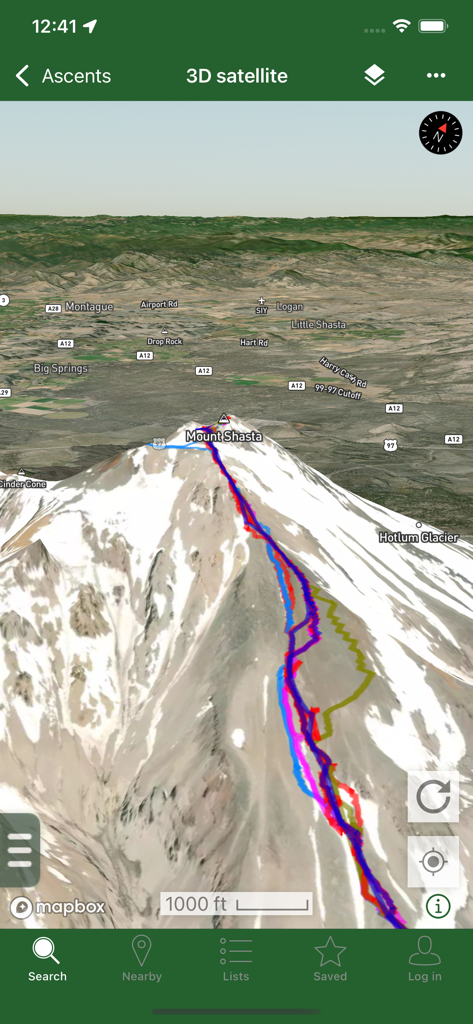
Peakbagger - Peakbaggerアプリに表示されたシャスタ山の3D衛星地図ビュー。複数のカラフルなGPSトラックが山頂への登山経路を示している。
Peakbaggerアプリに表示されたシャスタ山の3D衛星地図ビュー。複数のカラフルなGPSトラックが山頂への登山経路を示している。

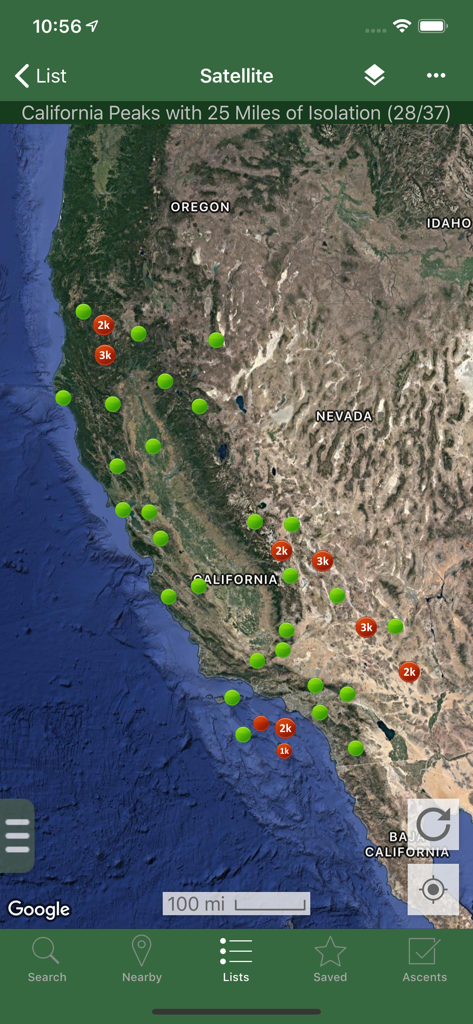
Peakbagger - Peakbaggerアプリのカリフォルニアのピークを示す衛星地図。孤立度マーカーが表示されている。
Peakbaggerアプリのカリフォルニアのピークを示す衛星地図。孤立度マーカーが表示されている。

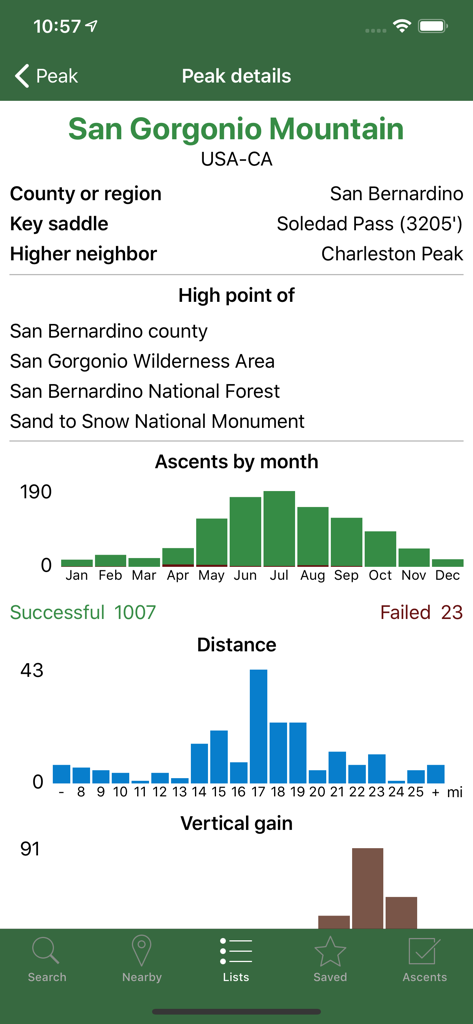
Peakbagger - Peakbaggerアプリに表示されたサン・ゴルゴニオ山の詳細な技術データと登頂統計。
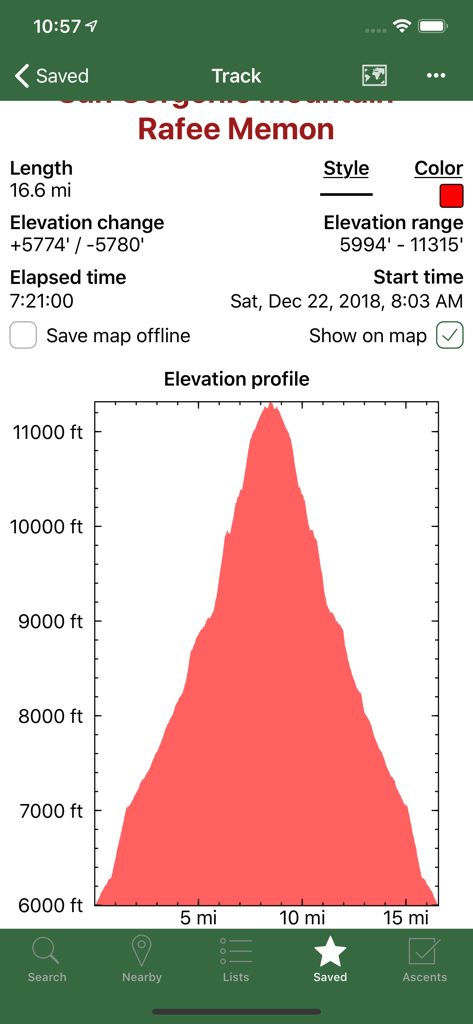
Peakbaggerアプリに表示されたサン・ゴルゴニオ山の詳細な技術データと登頂統計。

Peakbagger - Peakbaggerアプリのスクリーンショット。記録された登山トラックの詳細な標高プロファイルグラフとハイキング統計が表示されている。
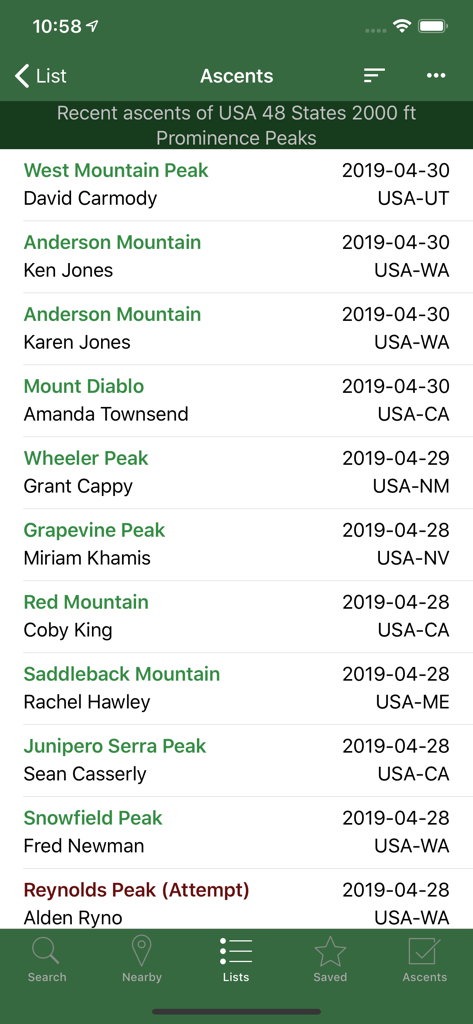
Peakbaggerアプリのスクリーンショット。記録された登山トラックの詳細な標高プロファイルグラフとハイキング統計が表示されている。

Peakbagger - Peakbaggerアプリのスクリーンショット。登山者名と場所を含む、最近の登頂記録の時系列リストが表示されている。
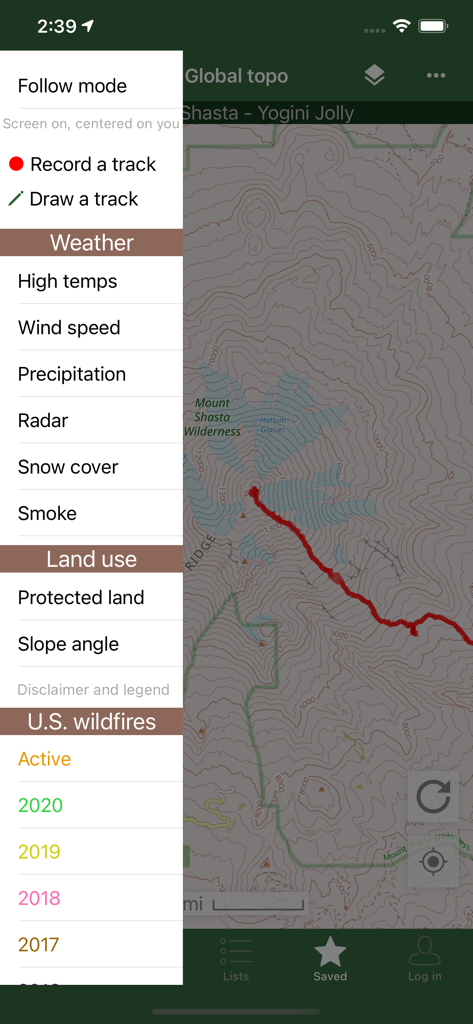
Peakbaggerアプリのスクリーンショット。登山者名と場所を含む、最近の登頂記録の時系列リストが表示されている。

Peakbagger - Peakbaggerアプリのインターフェース。地形図と、天気および山火事データオーバーレイ用のサイドバーメニューが表示されている。
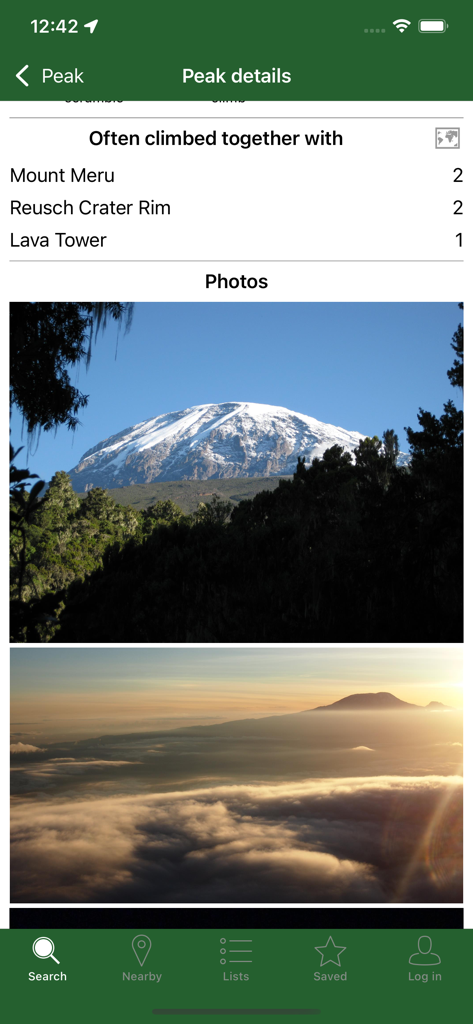
Peakbaggerアプリのインターフェース。地形図と、天気および山火事データオーバーレイ用のサイドバーメニューが表示されている。

Peakbagger - Peakbaggerアプリに、ピークの詳細写真と、よく一緒に登られる山頂のリストが表示されている。

Peakbaggerアプリに、ピークの詳細写真と、よく一緒に登られる山頂のリストが表示されている。

説明

Bring the mountains with you wherever you go! * Search the huge database of mountains and trip reports from Peakbagger.com and ListsOfJohn.com * Keep track of your climbs, even when offline * Measure your progress against hundreds of peak lists * Get route information and directions from SummitPost and ListsofJohn.com * Find peaks near your current location, or near other peaks * Filter peaks by prominence, or climbed vs. unclimbed, or inclusion on a peak list * See what other peaks are often climbed together with your target peak * Create custom peak lists and order them by your personal priorities * See weather forecasts for all U.S. peaks from the National Weather Service, and for 11,000+ major peaks worldwide from mountain-forecast.com * See topographic maps for anywhere in the world (+/- 60 degrees latitude) * See protected land area coverage in North America, Europe, Japan, and Australia and New Zealand * US Forest Service maps * Save a peak to your device for offline use, including topographic maps * Download topographic maps along a route for offline use * Import and display GPS tracks and waypoints instantly * On-screen compass keeps you oriented along your track * Long click on the map to get Street View, elevation, and driving directions * Record your starting elevation, distance, and information about the gear and route you used * Leaderboards show the top climbers for each peak list * See peaks your Peakbagger buddies have climbed recently * Update your buddy list from right in the app * Automatically upload your ascents to ListsOfJohn (U.S. peaks) * Show daily satellite imagery for any location on any day since 2011 * Display elevation profile for a GPS track, and show your current location along the profile * See sunrise and sunset times at a peak, even when offline * Daily forest fire coverage, and historical coverage for the last 20 years (U.S.) * Constantly updated weather radar and smoke layers on the map * Record GPS tracks, including timestamps, and add them to your ascents * Record waypoints along your route * Organize your tracks in folders * Create and edit tracks right in the app * Automatically find survey benchmarks near peaks (U.S.) * Hunt benchmarks and get your finds recorded in the official government benchmark data sheets HOW TO IMPORT GPS TRACKS - 2 OPTIONS 1) Click on the "Load GPS track" link on the ascent details page for an ascent that has a GPS track. 2) Click on a GPX, KML, KMZ or FIT file on your phone, for example, in an email attachment or on Google Drive

Download

ダウンロード: App Store

このページはアプリまたはその開発者の公式ページではなく、情報提供および論評を目的として作成された独立した編集出版物です。明示的に別段の記載がない限り、アプリおよびその開発者は、MWM、Apple、Google Play、アプリのパブリッシャー、またはアプリの開発者と提携、承認、後援、認可、またはその他の公式的な関係はなく、このページのいかなる内容も、アプリがMWMのサービスを使用して開発されたことを意味するものではありません。すべての商標、ロゴ、スクリーンショット、その他のコンテンツはそれぞれの所有者の財産です。