
このページはアプリまたはその開発者の公式ページではなく、情報提供および論評を目的として作成された独立した編集出版物です。明示的に別段の記載がない限り、アプリおよびその開発者は、MWM、Apple、Google Play、アプリのパブリッシャー、またはアプリの開発者と提携、承認、後援、認可、またはその他の公式的な関係はなく、このページのいかなる内容も、アプリがMWMのサービスを使用して開発されたことを意味するものではありません。すべての商標、ロゴ、スクリーンショット、その他のコンテンツはそれぞれの所有者の財産です。


Photo Collage Maker・Pic Layout
平凡な写真を瞬時に、印象的なアートワークに変える。このアプリは、あなたの視覚的な物語を、単なる写真の寄せ集めから脱却させます。
ダウンロード
1M+ユーザー評価
評価数
14.6K開発元
カテゴリ
Photo & Video対応言語
22最新バージョン
2.1.1サイズ
63.9 MBリリース日
2024年1月10日視覚的に魅力的な写真コラージュを簡単に作成するための主要機能の評価
Photo Collage Maker・Pic Layout アプリ分析
高品質なエクスポート
アプリは高品質なエクスポート機能を提供します。これにより、作成したコラージュをソーシャルメディアで共有したり、思い出をキュレーションされた形式で保存したりするのに最適です。
テンプレートの多様なコレクション
アプリは、ミニマルなグリッドから特定のムードや機会に対応するテーマ別レイアウトまで、幅広いテンプレートを提供します。これにより、ユーザーは多様なスタイルでコラージュを迅速に作成できます。
クリーンで合理化されたインターフェース
アプリはクリーンで合理化されたインターフェースを備えており、すべての要素が整理されているため、ユーザーは集中してコラージュ作成に取り組めます。
基本的な編集ツール
本アプリは、写真の反転、回転、サイズ変更、および自由な再配置といった基本的な編集ツールを備えています。これにより、ユーザーは完璧な構図を実現できます。
よくある質問
について知っておくべきこと Photo Collage Maker・Pic Layout
What is Photo Collage Maker・Pic Layout?
Photo Collage Maker・Pic Layout is an intuitive app that helps users create stylish photo collages. It features an easy-to-use interface and tools to transform favorite photos into polished layouts quickly.
Does Photo Collage Maker・Pic Layout offer templates?
Yes, Photo Collage Maker・Pic Layout offers a diverse collection of templates. These range from minimal grids to themed layouts for various moods or occasions, enabling users to create polished collages.
Can I edit photos within Photo Collage Maker・Pic Layout?
Yes, Photo Collage Maker・Pic Layout includes essential editing tools. Users can flip, rotate, resize, and freely reposition photos within their collages for perfect composition.
How do I manage subscriptions for Photo Collage Maker・Pic Layout?
Users manage Photo Collage Maker・Pic Layout subscriptions and turn off auto-renewal in their App Store account settings after purchase. Cancellations are also handled through Apple ID settings.
What design options are available in Photo Collage Maker・Pic Layout?
Photo Collage Maker・Pic Layout provides flexible design options. Users can adjust spacing, proportions, and border styles to customize every detail of their photo collages.
Does Photo Collage Maker・Pic Layout support themed collages?
Yes, Photo Collage Maker・Pic Layout supports themed collages. It offers themed layouts for occasions such as travel, birthdays, fashion, and holidays, as seen in its template collections.
How many layouts does Photo Collage Maker・Pic Layout offer?
Photo Collage Maker・Pic Layout offers over 300 layouts. This collection includes both classic and stylish grid options, providing extensive choices for collage creation.
Where can I find the Privacy Policy for Photo Collage Maker・Pic Layout?
The Privacy Policy for Photo Collage Maker・Pic Layout is available at https://polbudapp.com/policy.html. This link provides detailed information on data handling.
Does Photo Collage Maker・Pic Layout forfeit unused free trial periods upon subscription purchase?
Yes, any unused portion of a free trial period for Photo Collage Maker・Pic Layout is forfeited when a user purchases a subscription. This policy applies upon conversion.
Can Photo Collage Maker・Pic Layout export high-quality images?
Photo Collage Maker・Pic Layout enables high-quality exports. These are ideal for sharing on social media platforms or for saving cherished moments in a curated format directly from the app.
以下のスクリーンショットと説明は、アプリの公式ストアリスティングから直接取得されたものであり、アプリ開発者の所有物です。
アプリストア
スクリーンショット
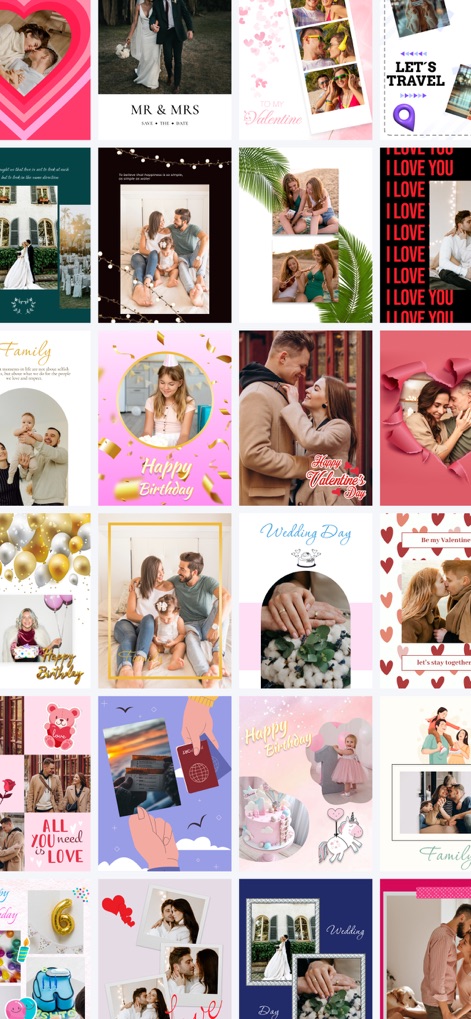
多様なテーマ別レイアウトが用意されており、ユーザーはハート形や結婚式、誕生日といったポップで目を引くデザイン要素を活用できます。
魅せるコラージュ集
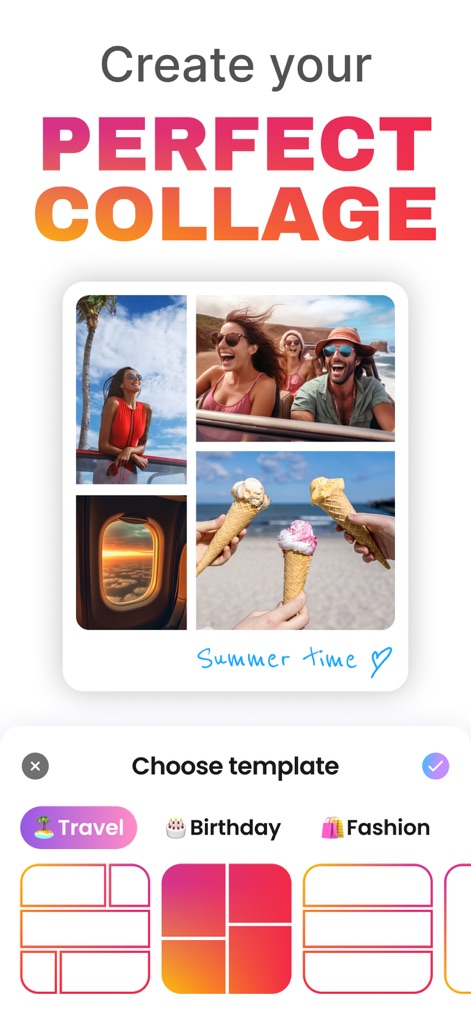
本アプリは「Travel」や「Birthday」など、カテゴリー分けされた豊富なテーマを通じて、ユーザーに直感的なテンプレート選択を提供します。
理想のコラージュ
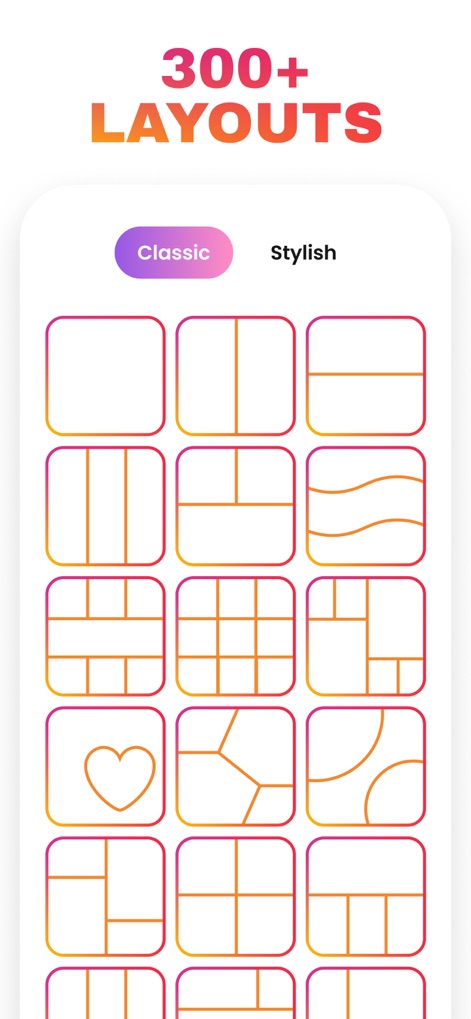
ユーザーは300種類以上の豊富なレイアウトから選択でき、クラシックからスタイリッシュまで多様なデザインを試すことができます。
300+ レイアウト
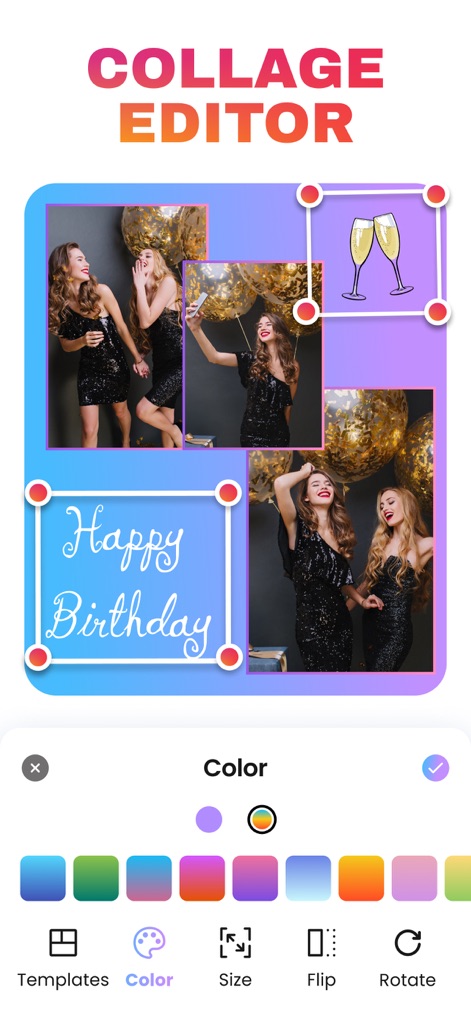
本ツールは直感的な編集ツールを提供し、ユーザーは色彩調整やテキスト追加機能を用いてコラージュを自由にカスタマイズできます。
高機能エディター
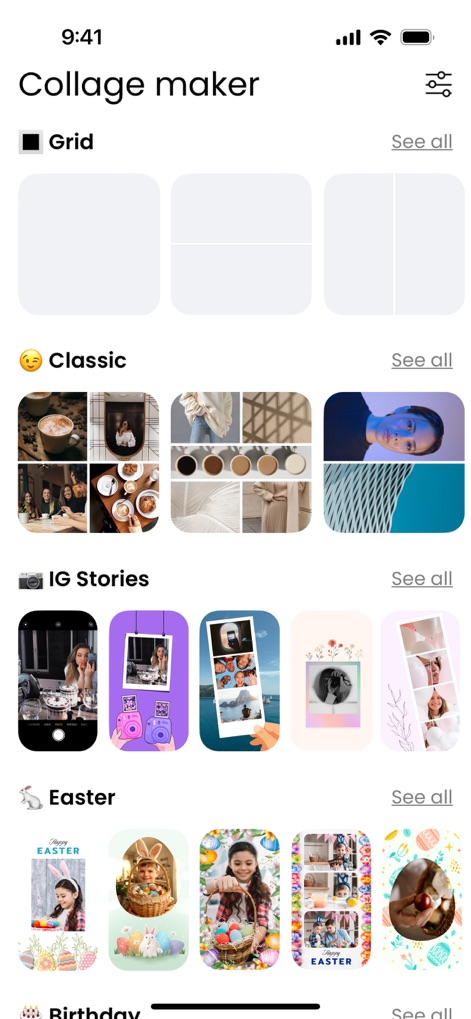
ユーザーはジャンル別に整理されたテンプレートをプレビューでき、Instagram Storiesに最適化されたフォーマットなど、様々なオプションを見つけられます。
カテゴリ別探索
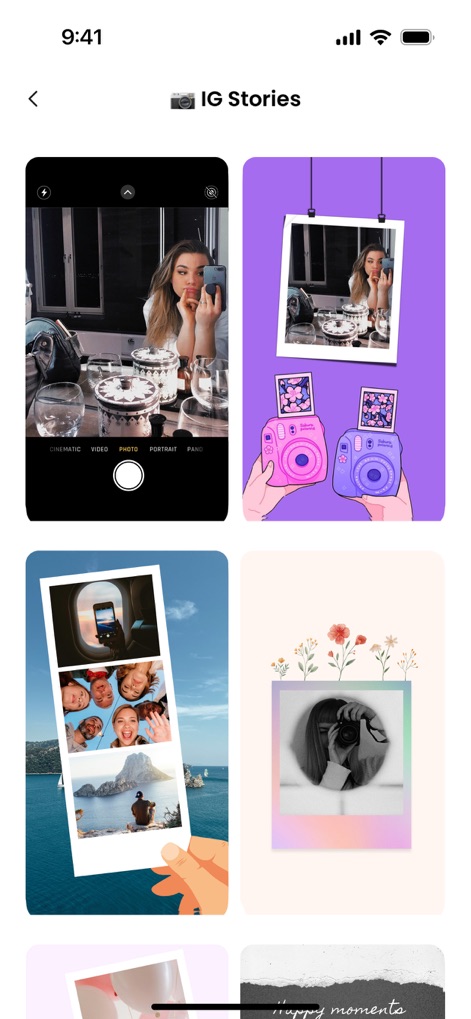
Instagram Stories向けテンプレートが充実しており、ユーザーは個性的なカメラフレームやポラロイド風フレームで魅力を引き出せます。
ストーリーを飾る
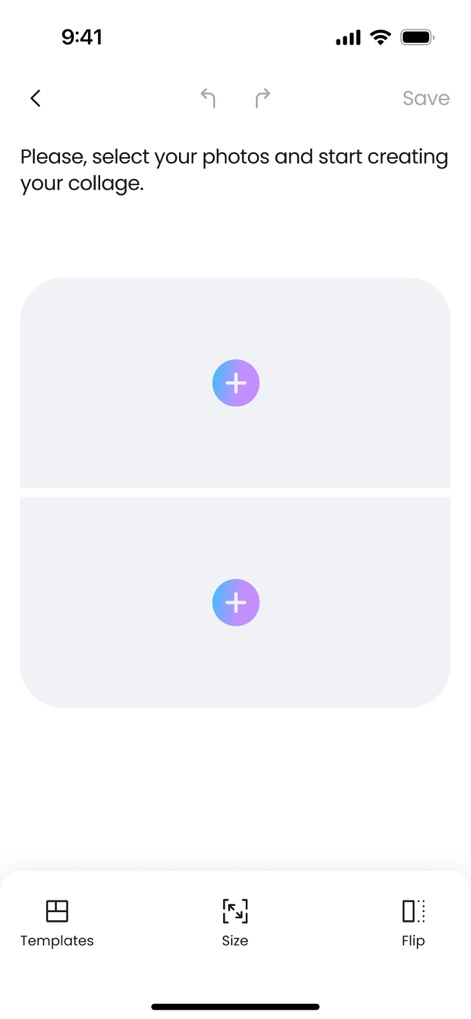
本アプリは直感的な写真選択インターフェースを備えており、ユーザーはシンプルな開始プロセスでコラージュ作成を始められます。
簡単作成スタート
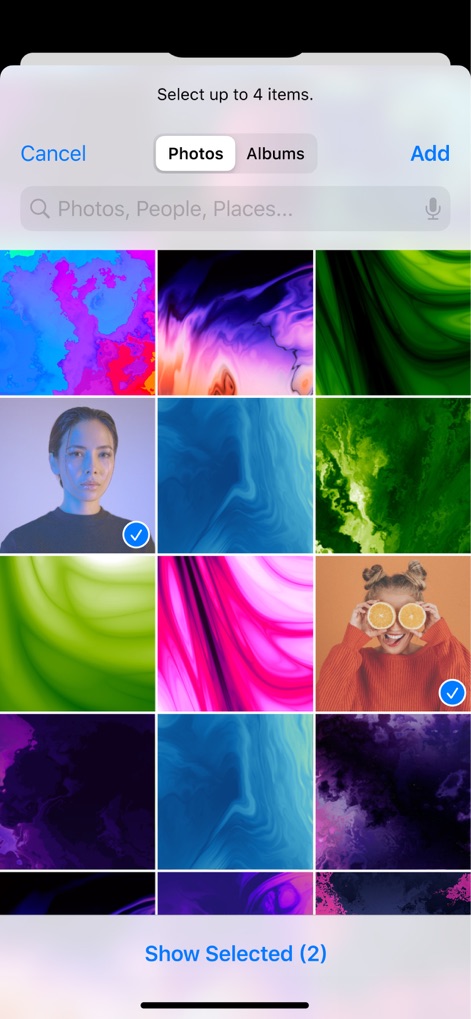
ユーザーはアルバムから複数枚の写真を効率的に選択でき、スムーズな写真インポート機能により手軽にコラージュ素材を集められます。
写真を選択
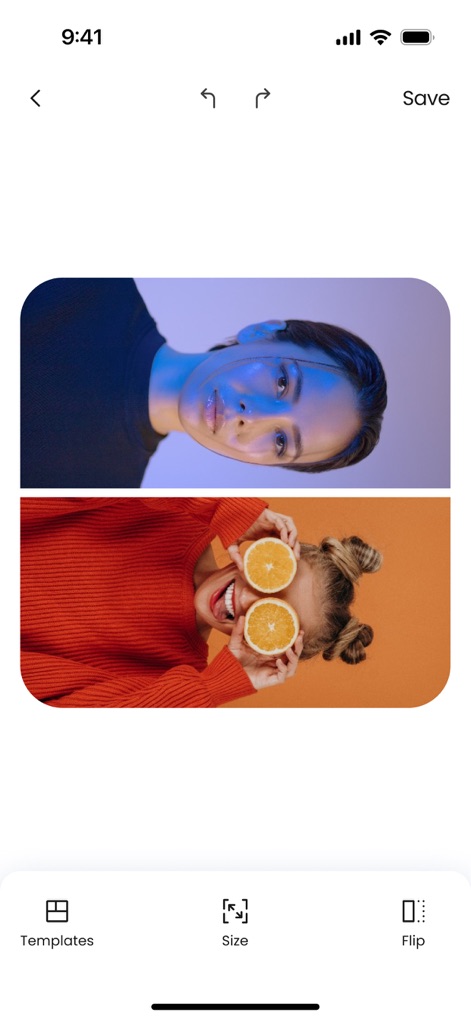
ユーザーは選んだ写真の即時プレビューを確認でき、テンプレート適用前の視覚的確認を通じて仕上がりをイメージできます。
リアルタイムプレビュー
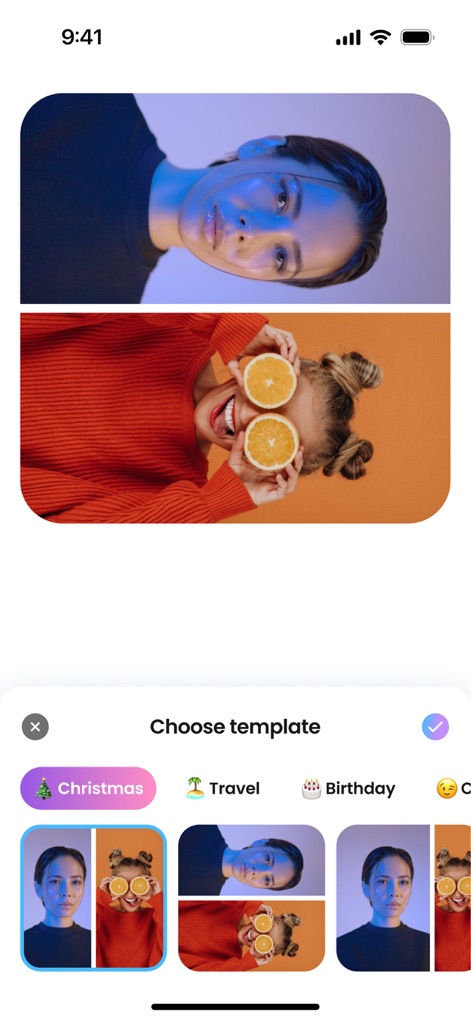
写真を取り込んだ状態でテンプレートを選択でき、ユーザーは「Christmas」や「Travel」などのテーマ別テンプレートを直感的にブラウジングできます。
テンプレート選び
説明
Download
類似アプリ
似た機能とユーザー体験を持つアプリ

SCRL: Photo Collage Maker
Appostrophe AB

PhotoGrid: Video Collage Maker
JUPITER PALACE PTE. LTD.

Layout for Instagram: Collage
Shamble, Inc.

Photo Collage Maker: InCollage
SHANTANU PTE. LTD.

TicPic
Zhuhai Kuxiong Network Technology Co., Ltd.

Collage Maker: CollagePlus
Shamble, Inc.

Photo Collage Montage Maker
Honk Honk Punch Pty Ltd

Photo Collage Maker & Creator
Honk Honk Punch Pty Ltd

Photo Collage Montage & Layout
Honk Honk Punch Pty Ltd
このページはアプリまたはその開発者の公式ページではなく、情報提供および論評を目的として作成された独立した編集出版物です。明示的に別段の記載がない限り、アプリおよびその開発者は、MWM、Apple、Google Play、アプリのパブリッシャー、またはアプリの開発者と提携、承認、後援、認可、またはその他の公式的な関係はなく、このページのいかなる内容も、アプリがMWMのサービスを使用して開発されたことを意味するものではありません。すべての商標、ロゴ、スクリーンショット、その他のコンテンツはそれぞれの所有者の財産です。