Photo Cut: Cutout pro & paste

Photo Cut: Cutout pro & paste

ダウンロード: App Store
ロゴ: Photo Cut: Cutout pro & paste

PhotoCut:切り抜きプロ&ペースト – 数秒でプロ品質の商品写真を制作

再販業者やクリエイター向けの究極のAI搭載背景除去&デザインスタジオ。デザイン経験不要で、あなたの写真をコンバージョン率の高いリスティングや見事なソーシャル投稿に変えましょう。

開発元

IMAGIX AI Private Limited

カテゴリ

Graphics & Design

ダウンロード

527K+

ユーザー評価

4.7/5

評価数

6K+

対応言語

17

デザインのスーパーパワーを解き放つ

このインターフェースを利用する 527K+ 人のユーザー.

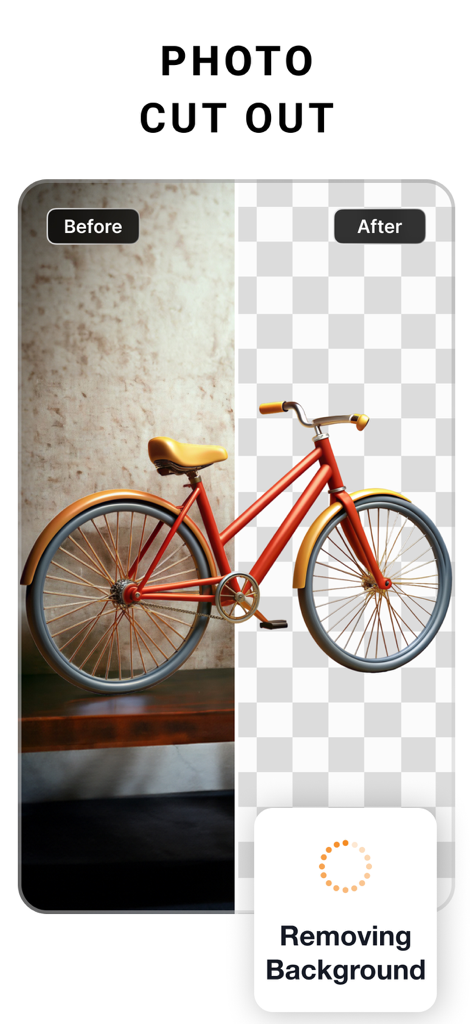
PhotoCutアプリを使用して赤い自転車の背景除去の前後の比較

PhotoCutアプリを使用して赤い自転車の背景除去の前後の比較

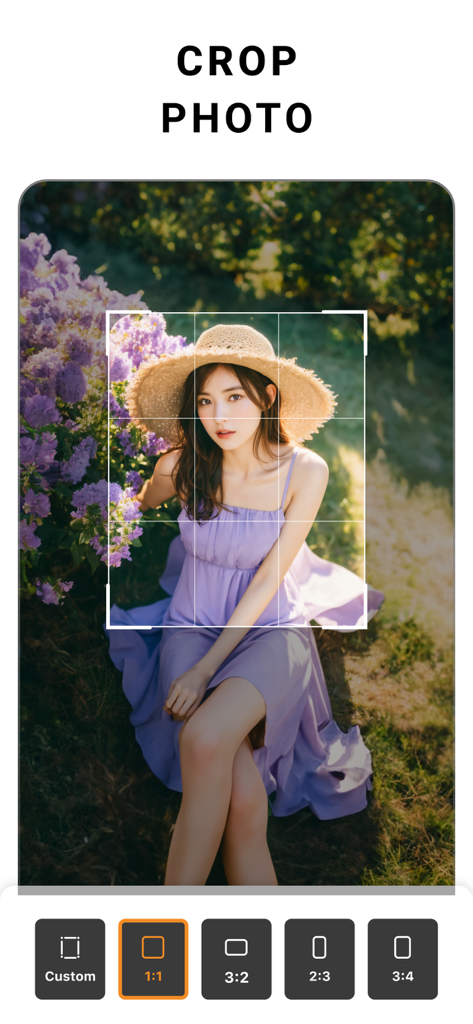
アスペクト比オプションと女性のポートレートが表示された切り抜きツールを示すPhotoCutモバイルアプリインターフェイス
アスペクト比オプションと女性のポートレートが表示された切り抜きツールを示すPhotoCutモバイルアプリインターフェイス

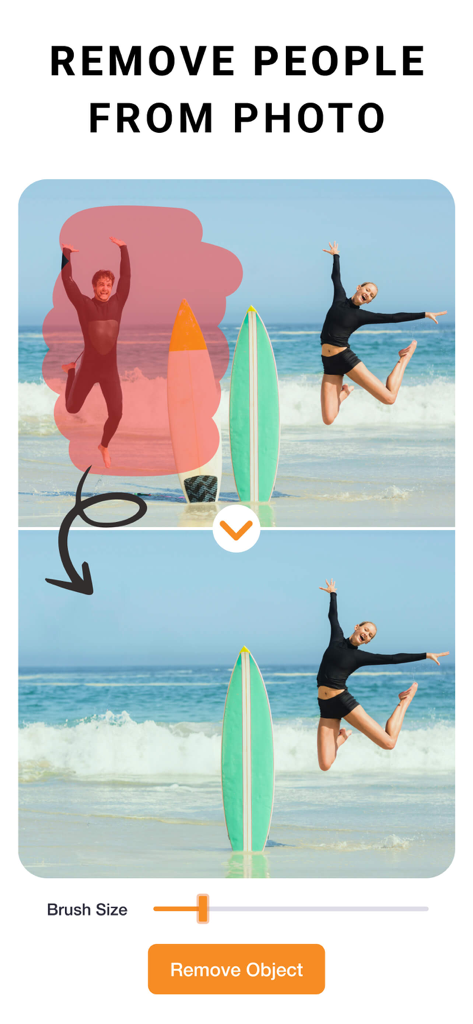
オブジェクト除去ツールを使用してビーチの写真から人物を削除する方法を示すPhotoCutアプリのインターフェイス
オブジェクト除去ツールを使用してビーチの写真から人物を削除する方法を示すPhotoCutアプリのインターフェイス

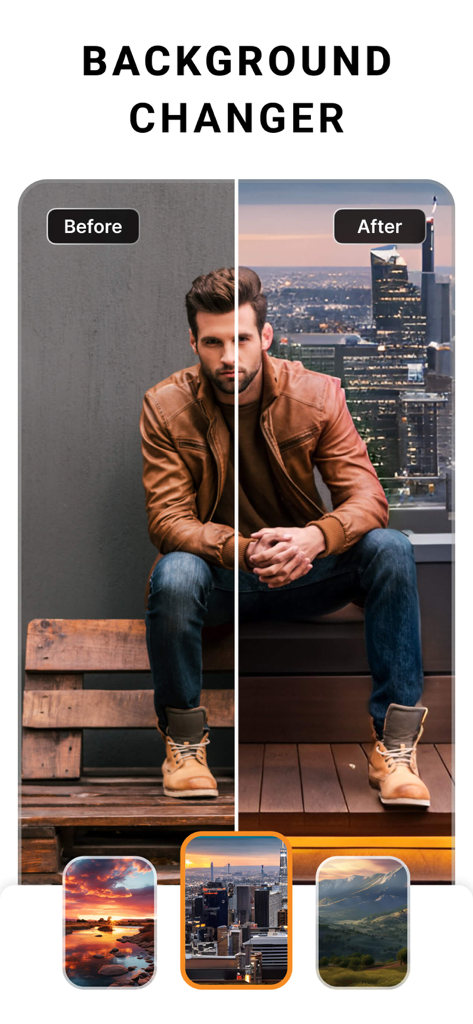
男性が街のスカイラインの前に立っているPhotoCut背景チェンジャー機能のオンとオフのデモンストレーション
男性が街のスカイラインの前に立っているPhotoCut背景チェンジャー機能のオンとオフのデモンストレーション

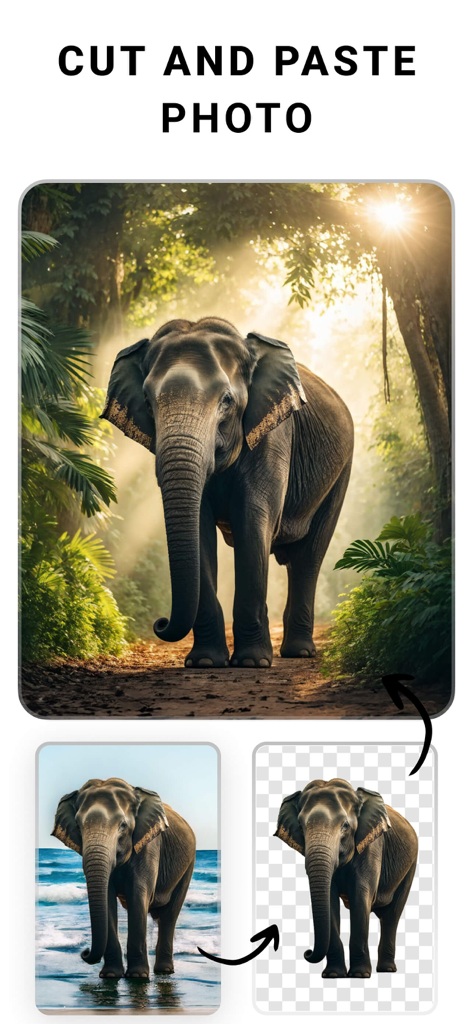
PhotoCutアプリを使用して、象の切り抜きをビーチの背景からジャングルのシーンに移動するデモンストレーション
PhotoCutアプリを使用して、象の切り抜きをビーチの背景からジャングルのシーンに移動するデモンストレーション

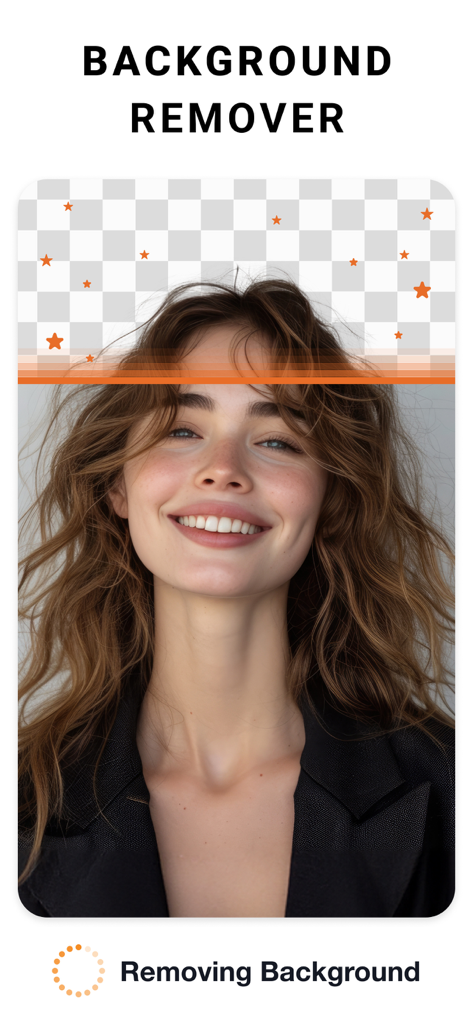
透明な市松模様が表示された背景除去ツールで編集されている女性のポートレート
透明な市松模様が表示された背景除去ツールで編集されている女性のポートレート

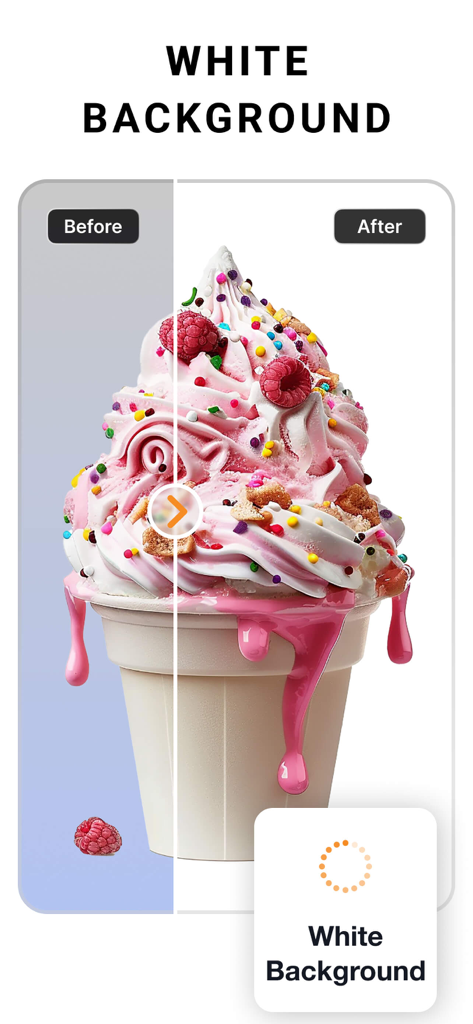
クリーンな白い背景に置き換えられた背景除去を示すアイスクリーム写真のオンとオフの比較
クリーンな白い背景に置き換えられた背景除去を示すアイスクリーム写真のオンとオフの比較

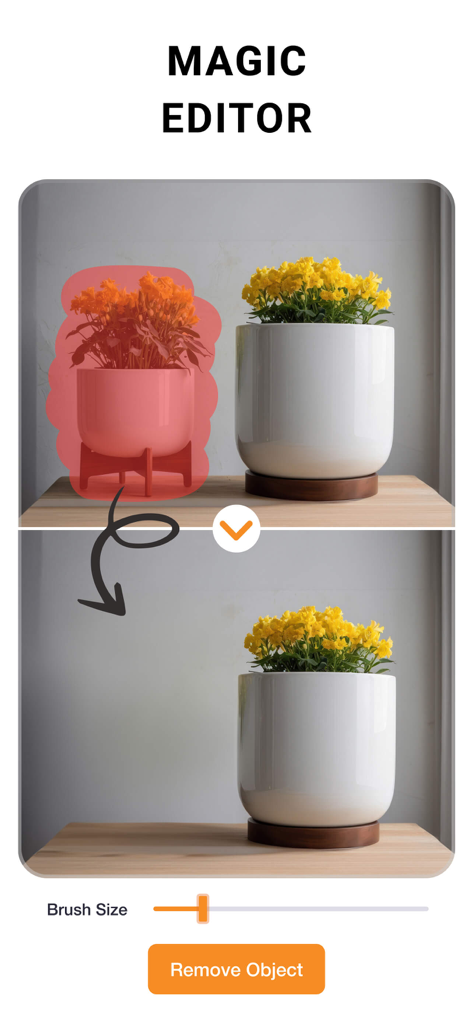
マジックエディター機能が写真から鉢植えの植物を削除するオンとオフのデモンストレーション
マジックエディター機能が写真から鉢植えの植物を削除するオンとオフのデモンストレーション

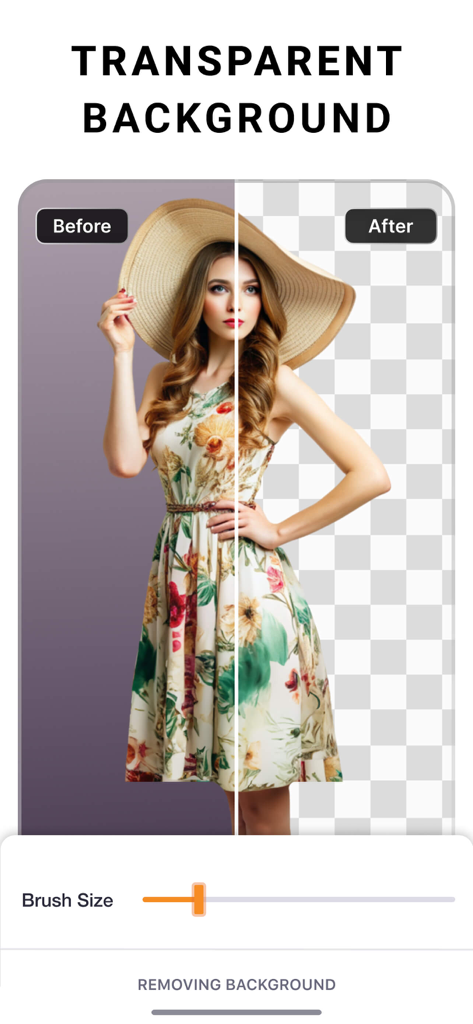
PhotoCutアプリの透明背景除去機能を示すオンとオフの比較
PhotoCutアプリの透明背景除去機能を示すオンとオフの比較

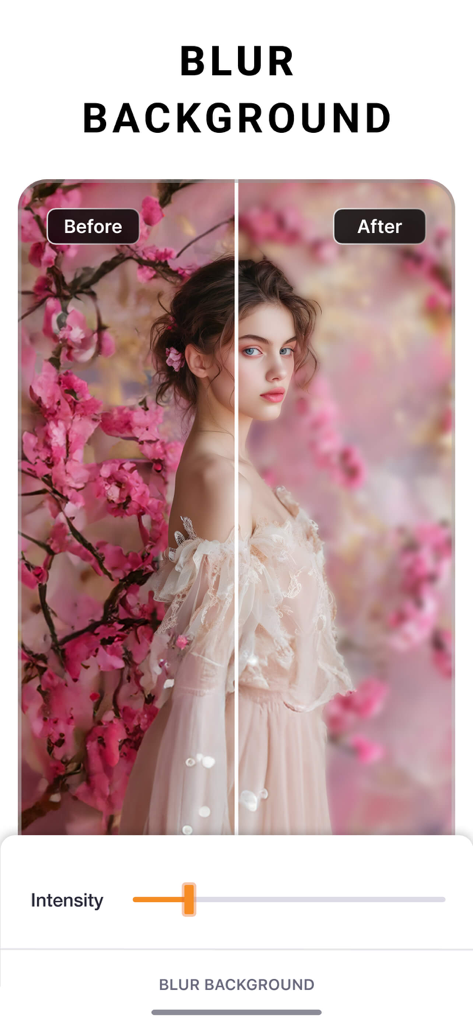
PhotoCutアプリのポートレート写真における背景ぼかし効果のオンとオフの比較

PhotoCutアプリのポートレート写真における背景ぼかし効果のオンとオフの比較

プロのようにデザインし、ブランドのように売る

このアプリを際立たせるツール、 527K+ 人のユーザーが選択.

📸

瞬時にスタジオ背景

ワンタップで散らかった背景を削除し、Etsy、Poshmark、Shopify向けのクリーンでプロフェッショナルな商品写真を作成します。

数秒で一括編集

プロフェッショナルな編集や背景の切り替えを、商品カタログ全体に一度に適用することで、時間を節約できます。

目を引くマーケティングアセット

デザインの学位なしで、カーブしたテキストやカスタムシャドウを使って、見事なチラシ、ソーシャル投稿、ロゴを作成します。

レビュー分析

ユーザーレビューの分析.

感情スコア

31%
ネガティブ

概要

This app receives widely mixed feedback, with a notable decline in user satisfaction following recent updates that many users report have ruined core functionality and complicated the user interface. While some praise its effective photo cutout capabilities and general ease of use, particularly in older versions, a significant number of complaints focus on an aggressive payment model that restricts essential features like saving photos without a subscription. Users also frequently highlight issues such as inconsistent background removal, the removal of previously available features like custom backgrounds, and general bugs related to saving edits and project management.

主なテーマ

Core Functionality(16)
Payment Model(4)
Ad Experience(1)

アプリについて

について知っておくべきこと Photo Cut: Cutout pro & paste.

説明

PhotoCut is an easy-to-use design studio and photo editor. No design experience required. From online selling to digital marketing to social media posting, PhotoCut is here to help. Get your design superpowers today! Seamlessly create, edit, and manage perfect product shots with just a few taps. Get Creative Create flyers, posters, invitations, cards, collages, logos, memes, profile pics, product photography, and stickers. Powerful Editing & Design Tools • Remove the background from photos. • Remove people & objects from any photo. • Change backgrounds behind models. Create various looks and scenes without a reshoot. • Swap backgrounds behind products for creating high-quality, professional product images. • Change the background of your photo with a quick touch. • Effortlessly cut out images like a pro using select, eraser and cutout tools. • Create professional-looking social media posts, flyers or posters for your business. • Save time by instantly editing multiple photos. Image Correction & More • Adjust and Customize Photos: Change contrast, exposure, saturation, fade, sharpness, vibrance, warmth, tint, shadows, highlights, and blur. • Apply stunning filters to your photos to add a “wow” effect. • Add special effects to the edges of your photos using outline and shadow tools. • Perfectly align photos, text, and any element with guided positioning, or auto alignment. • Create custom edge styles for photos with the outline and shadow tools. • Curve your text to match an arc or a circle. • Edit and modify text with alignment, letter and line spacing. • Position elements precisely with the nudge tool. Upgrade to PhotoCut Plus Create professional looking designs in seconds with Plus! Try PhotoCut Plus with a free trial! You’ll only be charged if you decide to keep it after the trial. Cancel anytime before the trial ends to avoid any charges. PhotoCut Plus subscriptions are charged annually to your iTunes Account after your 7 day trial ends. Subscriptions will then auto-renew every month or year unless turned off at least 24 hours before the end of the current period. Your iTunes account will be charged for renewal within 24 hours prior to the end of the current period. To stop auto-renewal, visit Account Settings in iTunes after purchase. - Terms of use: https://imagixai.com/terms.html - Privacy policy: https://imagixai.com/privacy_policy.html Please write to us at support.photocut@imagixai.com for any support queries.

最新バージョン

1.4.4

サイズ

182.6 MB

リリース日

2019年5月17日

あなたのビジネスにプロフェッショナルなエッジを与える準備はできましたか?

PhotoCutを使って日常の写真をコンバージョン率の高いアセットに変えている527,000人以上の起業家やクリエイターの仲間入りをしましょう。今すぐ無料トライアルを開始して、デザインのスーパーパワーを手に入れましょう。

ダウンロード: App Store

App information, icons, screenshots, and descriptions displayed on this page are sourced from the Apple App Store and are the property of their respective developers. Download estimates and rankings are based on MWM's proprietary models and may not reflect actual figures. This page is provided for informational and analytical purposes only.

Believe this page infringes your intellectual property? File a dispute