Photo Transfer: Send via WiFi
ダウンロード: App Store

このページはアプリまたはその開発者の公式ページではなく、情報提供および論評を目的として作成された独立した編集出版物です。明示的に別段の記載がない限り、アプリおよびその開発者は、MWM、Apple、Google Play、アプリのパブリッシャー、またはアプリの開発者と提携、承認、後援、認可、またはその他の公式的な関係はなく、このページのいかなる内容も、アプリがMWMのサービスを使用して開発されたことを意味するものではありません。すべての商標、ロゴ、スクリーンショット、その他のコンテンツはそれぞれの所有者の財産です。

ロゴ: Photo Transfer: Send via WiFi
ダウンロード: App Store

Photo Transfer: Send via WiFi

ケーブルやクラウド料金なしで高解像度の写真や動画を移動する最も簡単な方法。プライベートなローカルネットワークでファイルを保護し、メタデータをそのまま保持します。

主要数値

ダウンロード

1M+

ユーザー評価

4.6/5

評価数

53K+

開発元

Mobileware Studio SL

カテゴリ

Photo & Video

対応言語

6

最新バージョン

10.1.3

サイズ

37.5 MB

リリース日

2010年4月4日
機能

手間いらずのメディア転送、完全なコントロール

Wi-Fi経由でiPhone、iPad、コンピュータ間で写真や動画を即座に移動—ケーブル不要、クラウドサブスクリプション不要、画質劣化ゼロ。

あらゆるデバイスを接続

Appleのエコシステムから解放されます。ケーブルやiTunesの煩わしさなしに、Windows PCやMacへメディアをシームレスに転送できます。

100%プライベート&セキュア

あなたの思い出はローカルネットワークから離れることはありません。外部サーバーをスキップし、あなたのデータをあなたの管理下で保持する安全な直接接続をお楽しみください。

以下のスクリーンショットと説明は、アプリの公式ストアリスティングから直接取得されたものであり、アプリ開発者の所有物です。

アプリストア

スクリーンショット

Photo Transfer: Send via WiFi - Wi-Fi経由での写真と動画のフルクオリティでのワイヤレス転送を強調するPhoto Transferアプリの機能紹介スクリーンショット
Wi-Fi経由での写真と動画のフルクオリティでのワイヤレス転送を強調するPhoto Transferアプリの機能紹介スクリーンショット

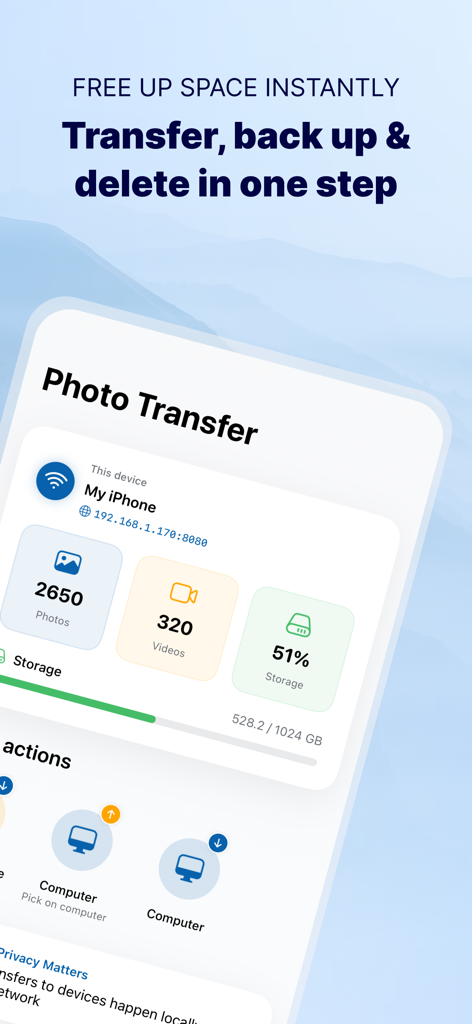
Photo Transfer: Send via WiFi - Photo Transferアプリのダッシュボード。Wi-Fi経由でコンピュータへのストレージ使用状況統計とバックアップオプションを表示
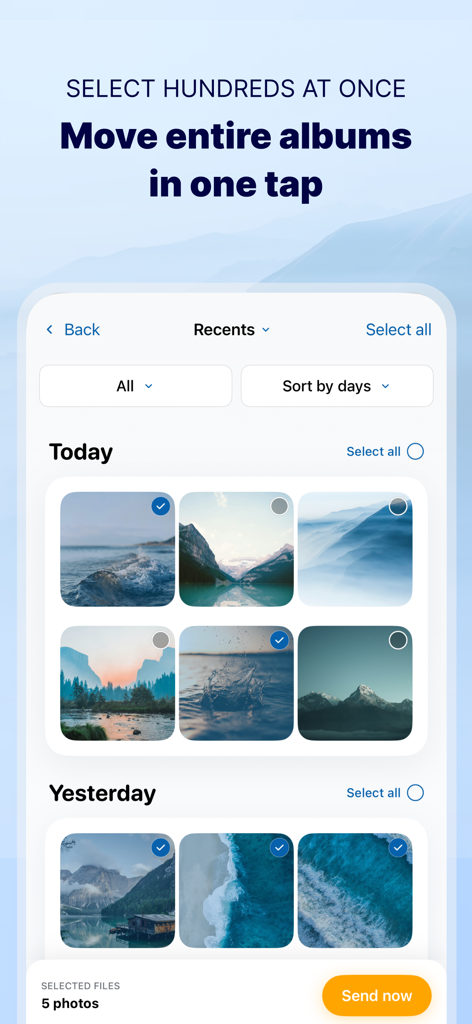
Photo Transferアプリのダッシュボード。Wi-Fi経由でコンピュータへのストレージ使用状況統計とバックアップオプションを表示

Photo Transfer: Send via WiFi - Wi-Fi経由でのバッチ転送のために複数の写真が選択されているアプリ画面

Wi-Fi経由でのバッチ転送のために複数の写真が選択されているアプリ画面

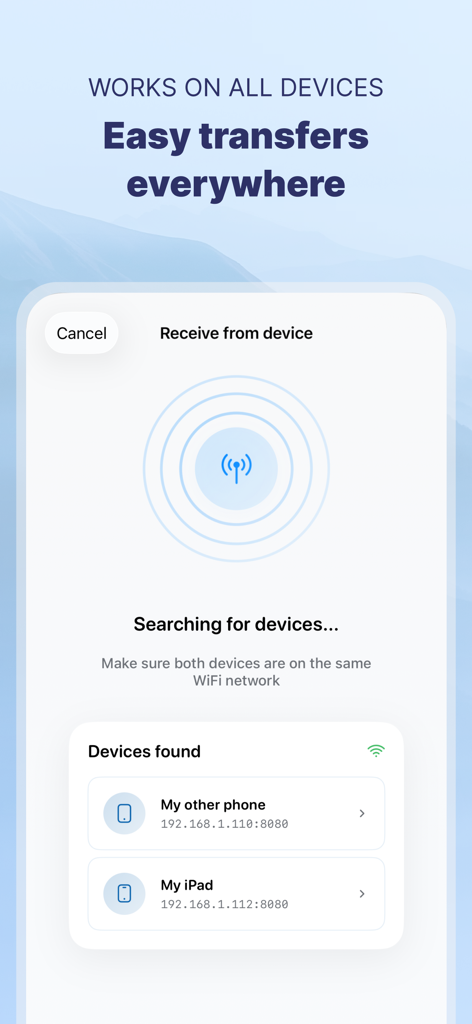
Photo Transfer: Send via WiFi - Wi-Fi経由でローカルデバイスを検索し、簡単ファイル共有のために検出するPhoto Transferアプリを表示するスマートフォンの画面
Wi-Fi経由でローカルデバイスを検索し、簡単ファイル共有のために検出するPhoto Transferアプリを表示するスマートフォンの画面

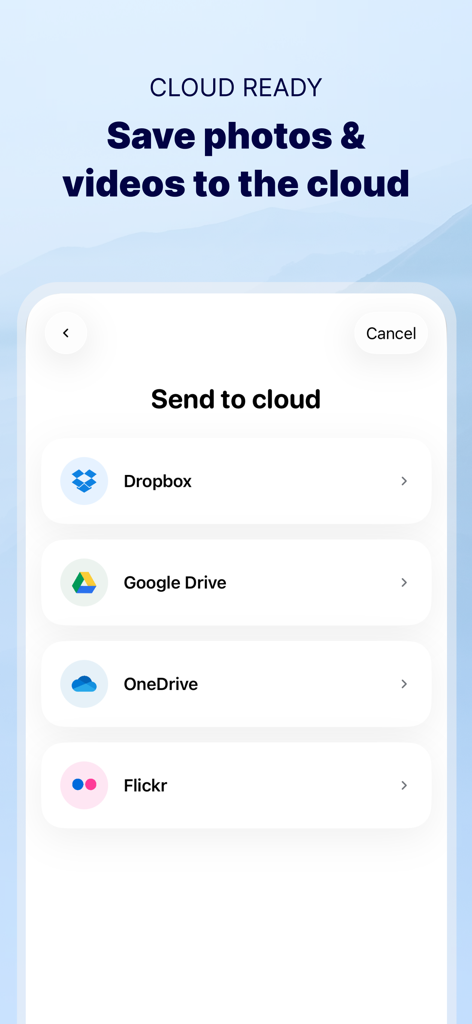
Photo Transfer: Send via WiFi - Photo Transferアプリのインターフェース。Dropbox、Google Drive、OneDrive、Flickrなどのクラウドストレージサービスオプションを表示
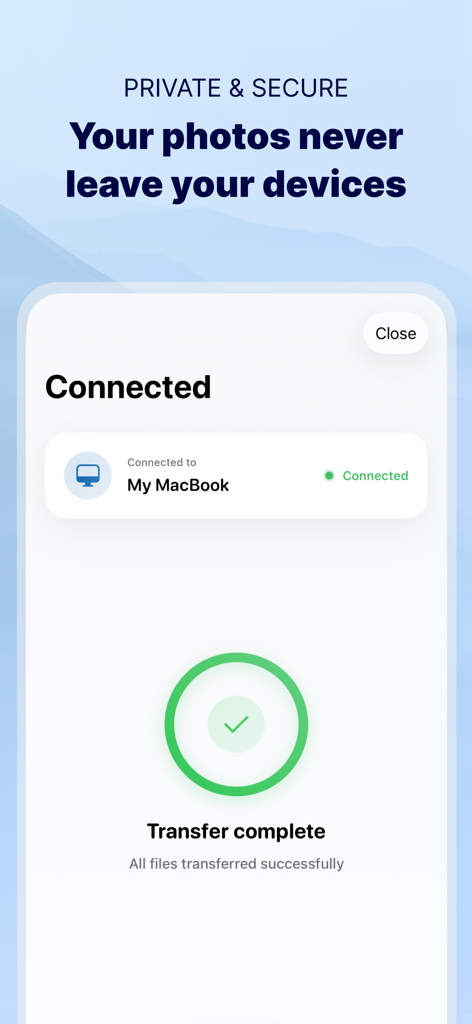
Photo Transferアプリのインターフェース。Dropbox、Google Drive、OneDrive、Flickrなどのクラウドストレージサービスオプションを表示

Photo Transfer: Send via WiFi - プライベートWi-Fiネットワーク経由でiPhoneとMacBook間で安全かつ成功した写真転送を示す確認画面
プライベートWi-Fiネットワーク経由でiPhoneとMacBook間で安全かつ成功した写真転送を示す確認画面

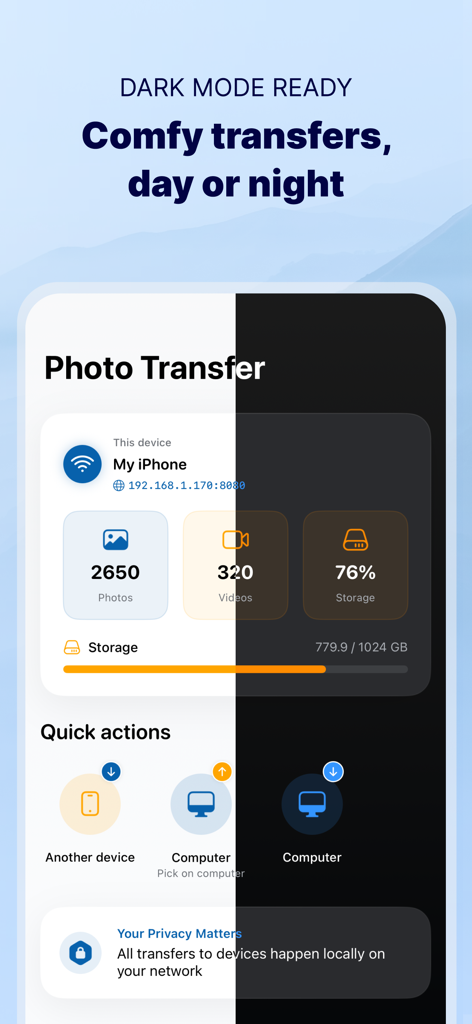
Photo Transfer: Send via WiFi - Photo Transferアプリのインターフェースをライトモードとダークモードの分割表示で表示。写真ストレージと転送オプションを示す。

Photo Transferアプリのインターフェースをライトモードとダークモードの分割表示で表示。写真ストレージと転送オプションを示す。

説明

Photo Transfer allows you to easily send and share photos and videos through your WiFi. Make a backup of your photos and videos quickly and move your files from other mobile devices to iOS, iPad or computer and vice versa. With over 2,5M downloads, more than 9k reviews in the App Store coming from happy users and millions of photo transfers made, this app is an indispensable tool for your iOS device. Photo Transfer enables easy wifi transfer to send photos and videos between devices. It also allows users to make a backup. Whether you're an experienced user or a novice, you'll find it easy to use. To send photos and videos, you will only need to have the app installed in both devices and a stable WiFi connection. You don’t need any cable! ▶ Main features: · Download multiple photos from your iPad, iPhone or iPod touch to your computer. · Upload photos and videos from your computer to your iOS or other mobile devices. · Transfer and delete photos and videos stored on your iOS or other devices via WiFi. · Transfer full-resolution photos and videos without losing quality and preserve files metadata in all transfer directions. ▶ More features you will love: · Drag & drop photos from the app to any folder on your Mac and create new albums to upload photos. · Use Photo Transfer with any web browser and preview your photos. · Transfer your photos and videos directly from device to device using your local WiFi network. They are not stored in an external server and they never leave your local WiFi network, so your pictures will be safe! · Use the USB cable to transfer photos between your Mac and your device when there is no access to a valid or stable WiFi signal. · Pay only once when both devices use the same Apple account to purchase apps. · Support to automatically convert HEIC files (High-Efficiency Image) to JPG when transferring from iPhone to any device or cloud service that we support. With Photo Transfer you can transfer photos and videos from: ◉ Mobile device to iPhone: · Transfer photos and videos from mobile device to iOS via wifi. ◉ iOS to another device: · Move your photos and videos from your gallery to any mobile device. · Send photos from an iPhone or iPad to your mobile device (photos and videos are saved on the default folder of Photo Transfer, but you can set your own album Gallery as destination). ◉ Any device or iOS to a computer (and vice versa): · Use the wifi transfer feature to share photos and videos between Windows or Mac and Iphone, iPad, or another mobile device. You can also use the desktop app while transferring to Windows or MAC, or use the web browser as an alternative. · Upload photos from your computer to your device. Some requirements for using Photo Transfer: · Access to a stable wifi network · Public or private WiFi networks usually block communication between devices preventing the transfer connection. · The app should be installed and opened on your devices when you transfer files. Subscriptions: ► If you choose to purchase the PRO Upgrade subscription for 1 year, payment will be charged to your Apple account, and your account will be charged for renewal 24 hours before the end of the current period. ► Auto-renewal may be turned off at any time by going to your Apple ID settings after purchase. ► Any unused portion of a free trial period, if offered, will be forfeited when the user purchases a subscription to that publication, where applicable. Privacy Policy: phototransferapp.com/privacy/app/ Terms of Service: phototransferapp.com/terms/app/ IMPORTANT: Free version allows you to transfer up to 5 photos in full resolution. Upgrade to PRO version and transfer more photos and videos at once! If you have any issue, visit phototransferapp.com or contact us at: support@phototransferapp.com Download Photo Transfer to send and share photos, pictures, images and videos via wifi transfer.

Download

ダウンロード: App Store

このページはアプリまたはその開発者の公式ページではなく、情報提供および論評を目的として作成された独立した編集出版物です。明示的に別段の記載がない限り、アプリおよびその開発者は、MWM、Apple、Google Play、アプリのパブリッシャー、またはアプリの開発者と提携、承認、後援、認可、またはその他の公式的な関係はなく、このページのいかなる内容も、アプリがMWMのサービスを使用して開発されたことを意味するものではありません。すべての商標、ロゴ、スクリーンショット、その他のコンテンツはそれぞれの所有者の財産です。