PhotoCut - AI Photo Editor

PhotoCut - AI Photo Editor

ダウンロード: App Store
ロゴ: PhotoCut - AI Photo Editor

PhotoCut - AI写真編集アプリ:数秒でプロ並みの編集を

クリエイターやソロプレナーのためのオールインワンAIツールキット。ジェネレーティブフィルで背景を簡単に削除したり、オブジェクトを置き換えたり、ソーシャルメディアやeコマース向けのスタジオ品質のビジュアルをデザインしたりできます。

開発元

Human Apps - F.Z.E.

カテゴリ

Graphics & Design

ダウンロード

423K+

ユーザー評価

4.3/5

評価数

900

対応言語

14

魔法を実際に体験

このインターフェースを利用する 423K+ 人のユーザー.

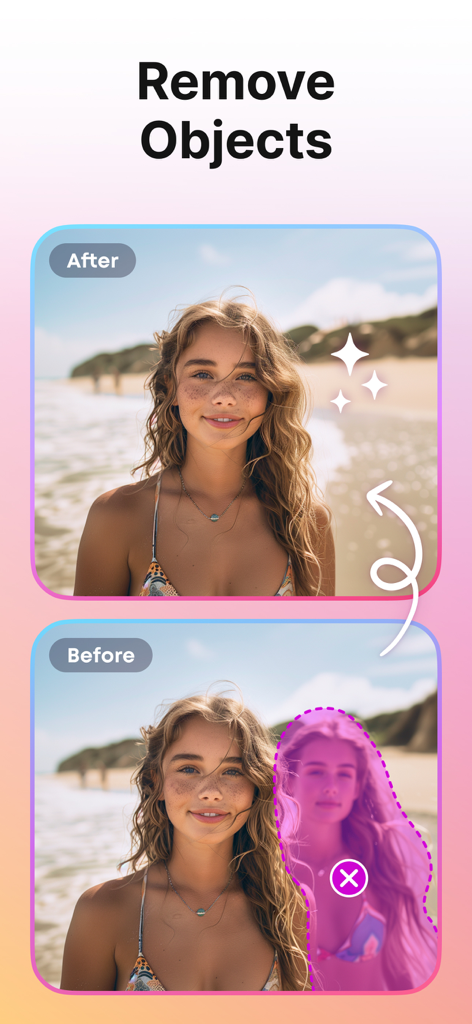
PhotoCut AIオブジェクト除去ツールを使用してビーチ写真から人物が削除された様子を示す、変更前後の比較画像。
PhotoCut AIオブジェクト除去ツールを使用してビーチ写真から人物が削除された様子を示す、変更前後の比較画像。

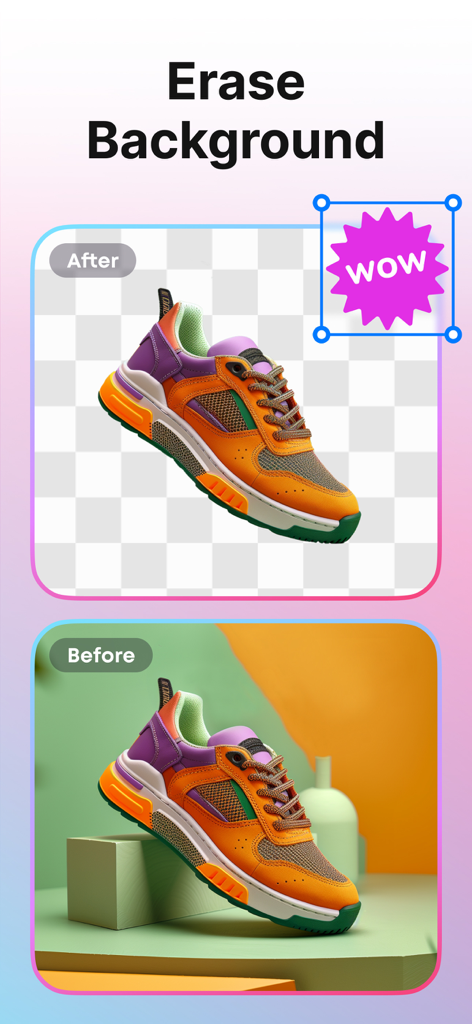
PhotoCut AIを使用して背景が削除されたスニーカーの変更前後の比較画像
PhotoCut AIを使用して背景が削除されたスニーカーの変更前後の比較画像

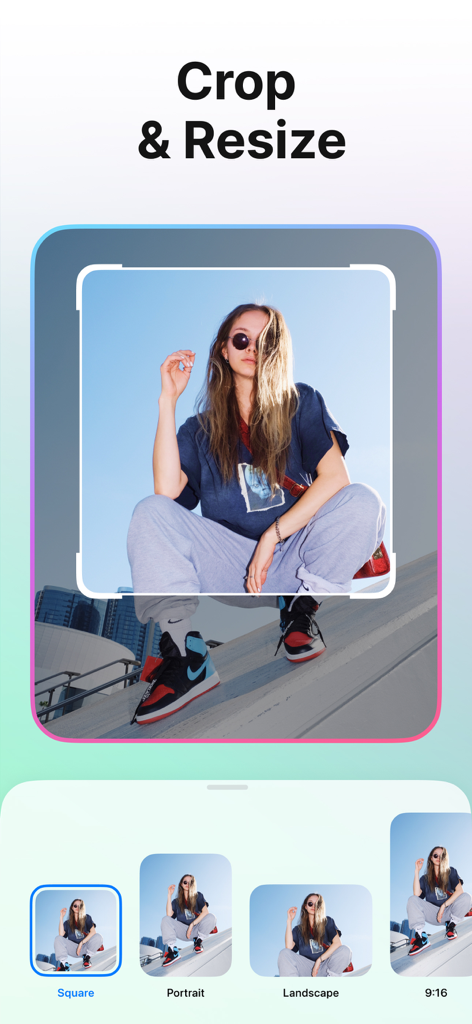
さまざまなアスペクト比プリセットを備えたPhotoCutアプリのクロップおよびリサイズ機能を示すスマートフォン画面

さまざまなアスペクト比プリセットを備えたPhotoCutアプリのクロップおよびリサイズ機能を示すスマートフォン画面

人物写真および商品写真向けのさまざまなクリエイティブな写真テンプレート
人物写真および商品写真向けのさまざまなクリエイティブな写真テンプレート

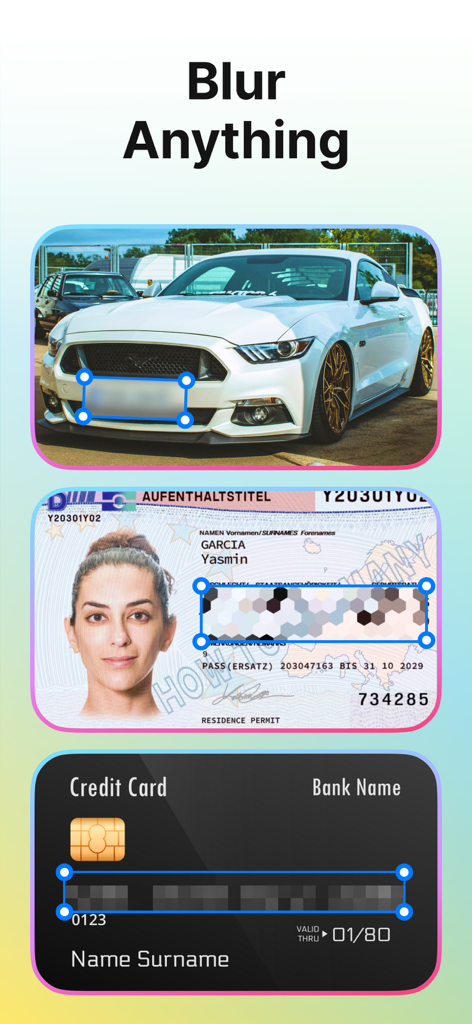
自動車、IDカード、クレジットカードの機密情報を隠すためのぼかし機能を示すPhotoCutアプリ
自動車、IDカード、クレジットカードの機密情報を隠すためのぼかし機能を示すPhotoCutアプリ

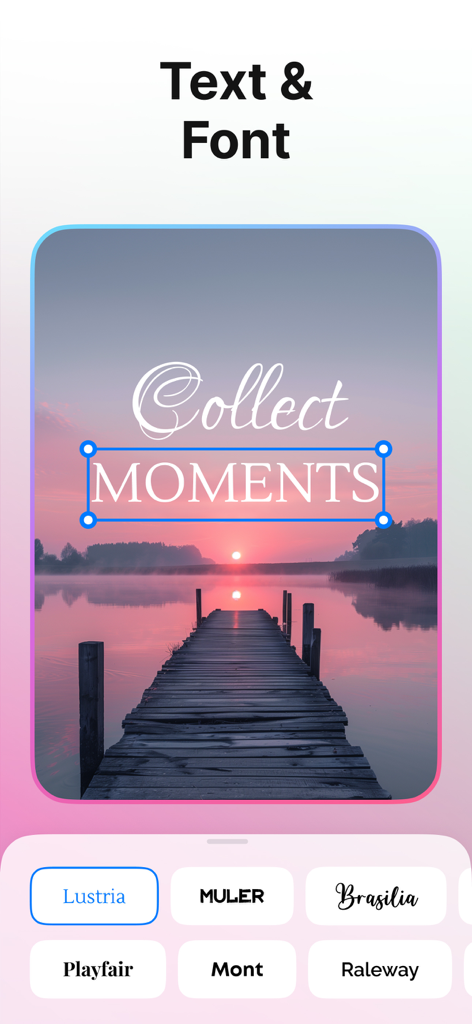
夕日の風景写真にテキストオーバーレイとフォント選択オプションを示すPhotoCutアプリのインターフェイス

夕日の風景写真にテキストオーバーレイとフォント選択オプションを示すPhotoCutアプリのインターフェイス

AIパワーの精度でブランドを格上げ

このアプリを際立たせるツール、 423K+ 人のユーザーが選択.

🪄

インスタントスタジオ背景

散らかった部屋をクリーンでプロフェッショナルな背景に交換。Etsyセラーやインフルエンサーがワンタップでハイエンドな美学を求めている場合に最適です。

AIマジックオブジェクト除去

フォトボマーや邪魔なものを除去して、あなたのショットをきれいにしましょう。ジェネレーティブフィルを使用してオブジェクトを置き換え、フィードを完璧に保ちましょう。

📈

ビジネス対応テンプレート

写真をプロの広告や商品アイコンに即座に変換。エンゲージメントの高いレイアウトでサイドハッスルのワークフローをスピードアップしましょう。

レビュー分析

ユーザーレビューの分析.

感情スコア

31%
ネガティブ

概要

This app receives overwhelmingly negative feedback, largely due to an aggressive and often deceptive monetization model. Users frequently report unauthorized charges, difficulty canceling subscriptions, and high, unexpected costs after supposed "free trials," with many labelling it a scam. Core features like background and object removal are often deemed ineffective, producing poor quality results or failing to work as advertised, while some users also experience app instability, freezing, and issues with the app not opening, including on iOS 18.4.1 and iPhone 16 Pro Max. Although a few users found the interface easy to use and appreciated its ability to maintain image quality, these positives are overshadowed by widespread complaints about its functionality and billing practices.

主なテーマ

Subscription & Billing Issues(22)
Feature Effectiveness(12)
App Stability(6)
Monetization Model(6)
Ease of Use(2)
Image Quality(1)

アプリについて

について知っておくべきこと PhotoCut - AI Photo Editor.

説明

Discover a professional photo editor with AI! PhotoCut is designed to make your photos look great instantly and efficiently. MAIN FUNCTIONS: BACKGROUND ERASER Remove backgrounds automatically or manually. High quality and accurate removal is ensured by our AI technology. Exactly deletes backgrounds even in the most difficult areas! BACKGROUND CHANGER Change background to any other picture you want. We have many variants for this: a large selection of colors, gradients, textures. And also a big stock of photos, where you will definitely be able to find something suitable for your idea and photo! LAYERS Create collages, add as many layers as you like, swap layers easily, duplicate, replace, edit and more. Make your photos unique! OBJECT REMOVAL Remove unwanted objects, people, blemishes and whatever you want. MAGIC REPLACE Use generative filling to replace a thing with any other thing. BLUR - Automatically blur background in a photo - Manual blur. This way you can censor photos, documents, hide important information, blur faces and more. - Apply awesome effects like motion blur, pixel blur, zoom blur and more. TEMPLATES Use templates to speed up photo editing! Instantly make photos for ads, social media, products, sales, icons and more. CROP Cut and resize photos to required formats. TRANSFORM Transfigure and mirror your photo in the direction you want. OPACITY Adjust photo transparency. BORDER Add frames to photos of any size and color. SHADOWS Add shadows to your photo, change its transparency, direction, color and degree of blurring. FLIP You can mirror your image. Time to be creative! PhotoCut is always here to help you! Additional Subscription Information - Subscription may be cancelled at any time within the iTunes and App Store Apple ID Settings. All prices include applicable local sales taxes. - Payment will be charged to iTunes Account at confirmation of purchase. - Subscription automatically renews unless auto-renew is turned off at least 24-hours before the end of the current period. - Account will be charged for renewal within 24-hours prior to the end of the current period, and identify the cost of the renewal. - Subscriptions may be managed by the user and auto-renewal may be turned off by going to the user's Account Settings after purchase. We respect the privacy of users and don’t store any of our user's data, users' requests, and so on and do not have access to any private or non-public content. Privacy Policy: https://humanapps.net/privacy.html Terms of Use: https://humanapps.net/terms.html If you have any questions or suggestions for improving the app, please contact us at support@humanapps.net.

最新バージョン

1.6.0

サイズ

115.0 MB

リリース日

2023年1月12日

今日からプロのようにクリエイトを始めよう

PhotoCutを使って写真を数秒で魅力的な高コンバージョンビジュアルに変えている423,000人以上のクリエイターやソロプレナーの仲間入りをしましょう。

ダウンロード: App Store
FAQ

よくある質問

について知っておくべきこと PhotoCut - AI Photo Editor

PhotoCut - AI Photo Editorとは何ですか?

PhotoCutは、写真を即座かつ効率的に編集するためのプロフェッショナルなAI写真編集アプリです。背景削除、オブジェクト削除、レイヤー、ぼかしなどの機能を提供します。

PhotoCut - AI Photo Editorで写真の背景を削除できますか?

はい、PhotoCutにはAI搭載の背景消しゴム機能があり、自動または手動で背景を削除できます。複雑な部分でも高品質で正確な削除を実現します。

PhotoCut - AI Photo Editorで写真の背景を変更できますか?

はい、PhotoCutでは、さまざまな色、グラデーション、テクスチャ、豊富なストック写真を使用して背景を変更できます。ユーザーは自分のアイデアに合ったオプションを見つけることができます。

PhotoCut - AI Photo Editorで写真から不要なオブジェクトを削除できますか?

はい、PhotoCutには、写真から不要なオブジェクト、人物、シミなどを削除するオブジェクト削除機能が含まれています。

PhotoCut - AI Photo EditorのMagic Replace機能とは何ですか?

PhotoCutのMagic Replaceは、生成AI技術を使用して、写真内のオブジェクトを別の希望するオブジェクトに置き換えます。

PhotoCut - AI Photo Editorは写真編集用のテンプレートを提供していますか?

はい、PhotoCutは、広告、ソーシャルメディア、製品、セール、アイコンなど、さまざまな目的の写真編集を迅速に行うためのテンプレートを提供しています。100以上のテンプレートが利用可能です。

PhotoCut - AI Photo Editorのサブスクリプションをキャンセルするにはどうすればよいですか?

iTunesとApp StoreのApple ID設定から、いつでもPhotoCutのサブスクリプションをキャンセルできます。すべての価格には、適用される地方消費税が含まれています。

PhotoCut - AI Photo Editorはユーザーデータやプライベートコンテンツを保存しますか?

いいえ、PhotoCutはユーザーのプライバシーを尊重し、ユーザーデータ、リクエストを保存せず、プライベートまたは非公開のコンテンツにアクセスしません。

PhotoCut - AI Photo Editorで写真の機密情報をぼかすことはできますか?

はい、PhotoCutには、写真、ドキュメントを検閲し、顔やクレジットカードの詳細のぼかしを含む重要な情報を隠すための手動ぼかしオプションがあります。

PhotoCut - AI Photo Editorは画像にテキストを追加することをサポートしていますか?

はい、PhotoCutではユーザーが画像にテキストを追加できます。アプリは、テキストの外観をカスタマイズするためのさまざまなフォントオプションを提供しています。

App information, icons, screenshots, and descriptions displayed on this page are sourced from the Apple App Store and are the property of their respective developers. Download estimates and rankings are based on MWM's proprietary models and may not reflect actual figures. This page is provided for informational and analytical purposes only.

Believe this page infringes your intellectual property? File a dispute