Photos Measure - Image meter
ダウンロード: App Store

このページはアプリまたはその開発者の公式ページではなく、情報提供および論評を目的として作成された独立した編集出版物です。明示的に別段の記載がない限り、アプリおよびその開発者は、MWM、Apple、Google Play、アプリのパブリッシャー、またはアプリの開発者と提携、承認、後援、認可、またはその他の公式的な関係はなく、このページのいかなる内容も、アプリがMWMのサービスを使用して開発されたことを意味するものではありません。すべての商標、ロゴ、スクリーンショット、その他のコンテンツはそれぞれの所有者の財産です。


ロゴ: Photos Measure - Image meter
ダウンロード: App Store

Photos Measure - Image meter

写真上で直接測定値を可視化するための、DIY愛好家やプロフェッショナルにとって不可欠なツールです。住宅改修、家具の購入、現場調査を正確かつ簡素化します。

主要数値

ダウンロード

12K+

ユーザー評価

4.9/5

評価数

9K+

開発元

捷 吴

カテゴリ

Utilities

対応言語

8

最新バージョン

6.4.3

サイズ

112.9 MB

リリース日

2017年1月3日
機能

よりスマートに測定し、より速く構築する

住宅所有者、デコレーター、業者がプロの精度で空間を記録するための不可欠なビジュアルツールキットです。

直感的なビジュアル注釈

簡単なジェスチャーで写真に直接線、角度、テキストメモを描き込み、瞬時に寸法をタグ付けできます。

レーザー精度の正確さ

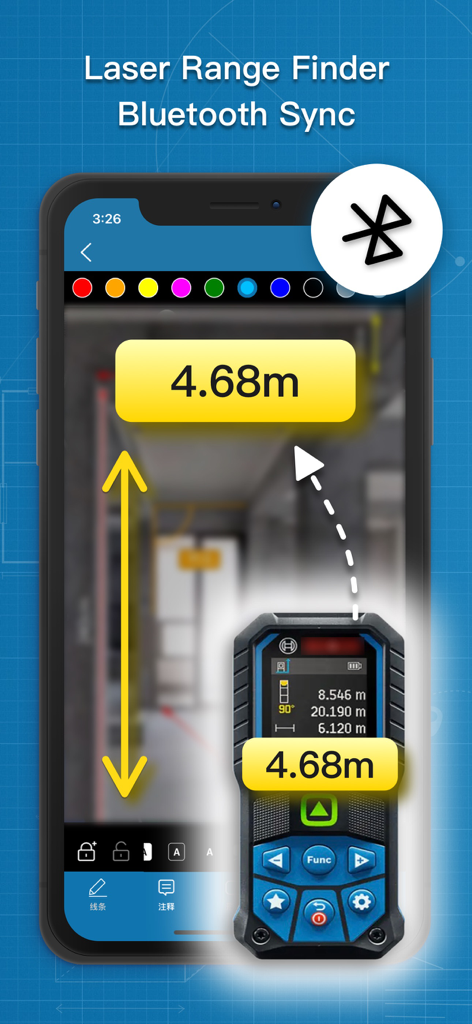
Bluetoothレーザー距離計とシームレスに同期して正確な測定値をインポートし、手入力によるエラーを排除します。

以下のスクリーンショットと説明は、アプリの公式ストアリスティングから直接取得されたものであり、アプリ開発者の所有物です。

アプリストア

スクリーンショット
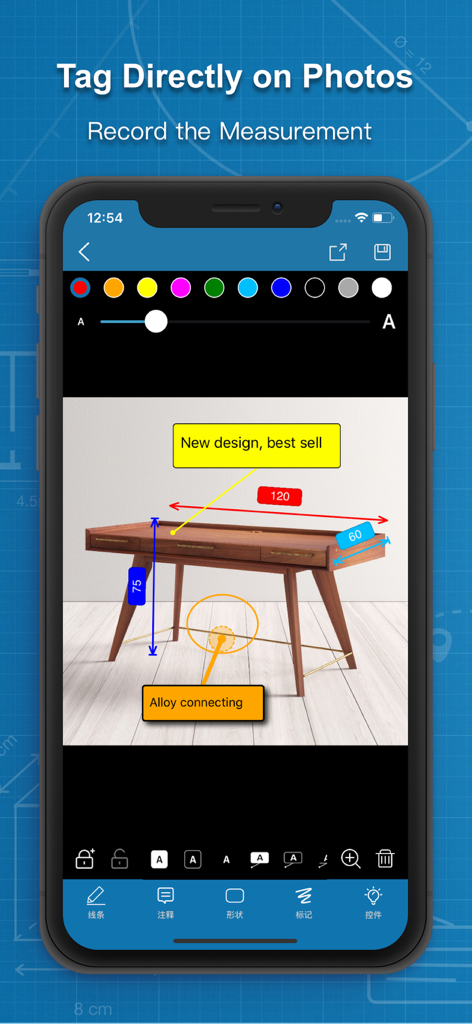
Photos Measure - Image meter - 家具の写真に測定値やメモをタグ付けするためのアプリインターフェース

家具の写真に測定値やメモをタグ付けするためのアプリインターフェース

Photos Measure - Image meter - Bluetoothレーザー距離計と同期して写真に測定値を表示するスマートフォンアプリ
Bluetoothレーザー距離計と同期して写真に測定値を表示するスマートフォンアプリ

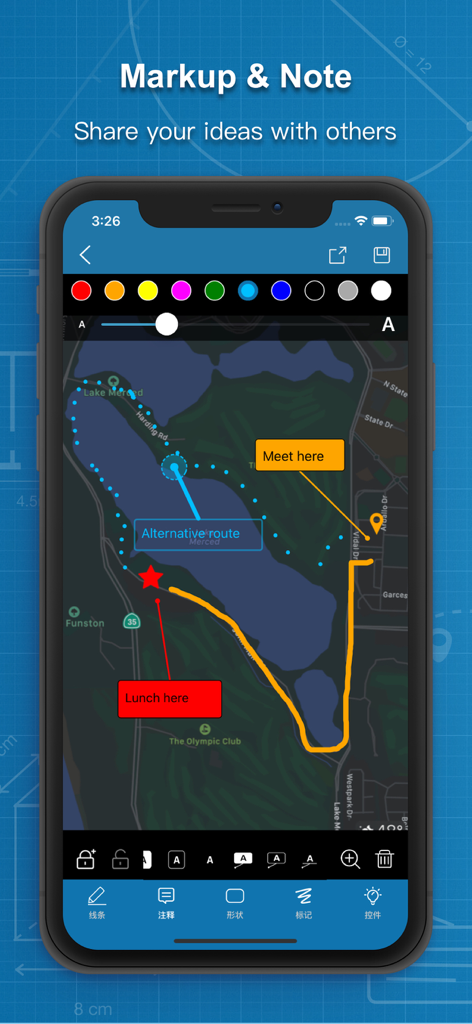
Photos Measure - Image meter - Photos Measureアプリでアイデアを共有するための、カラフルな注釈とテキストメモが表示された地図のスクリーンショット。
Photos Measureアプリでアイデアを共有するための、カラフルな注釈とテキストメモが表示された地図のスクリーンショット。

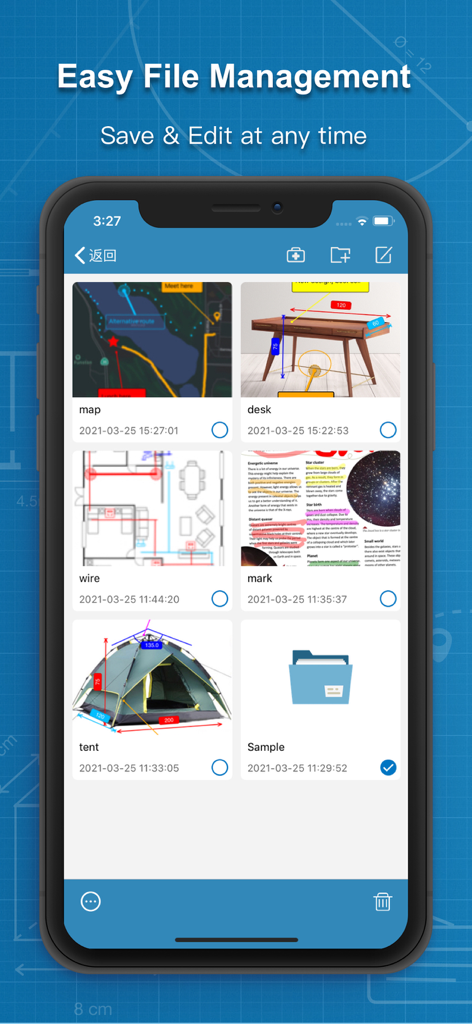
Photos Measure - Image meter - 保存された測定プロジェクトとフォルダーのギャラリーを表示するモバイルアプリの画面
保存された測定プロジェクトとフォルダーのギャラリーを表示するモバイルアプリの画面

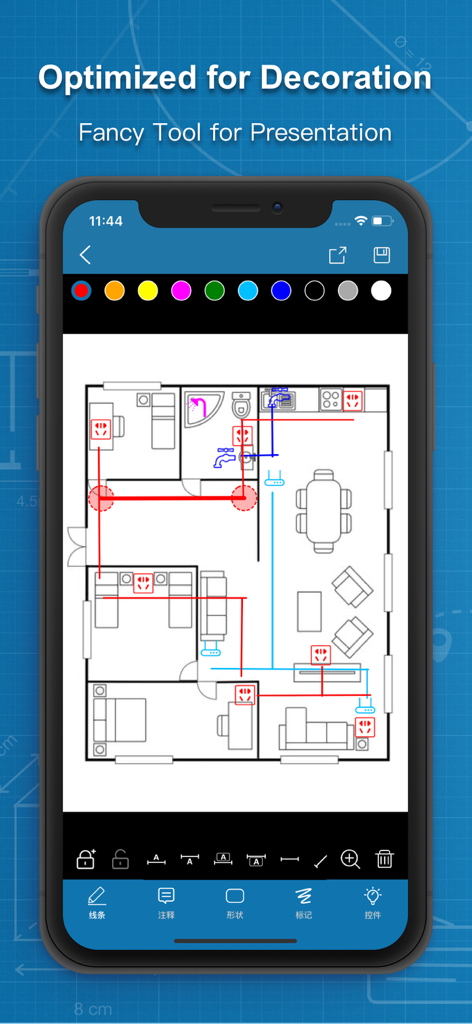
Photos Measure - Image meter - 住宅装飾用の色分けされた注釈とコンセントマーカーが含まれた詳細な間取り図を表示するiPhone画面。
住宅装飾用の色分けされた注釈とコンセントマーカーが含まれた詳細な間取り図を表示するiPhone画面。

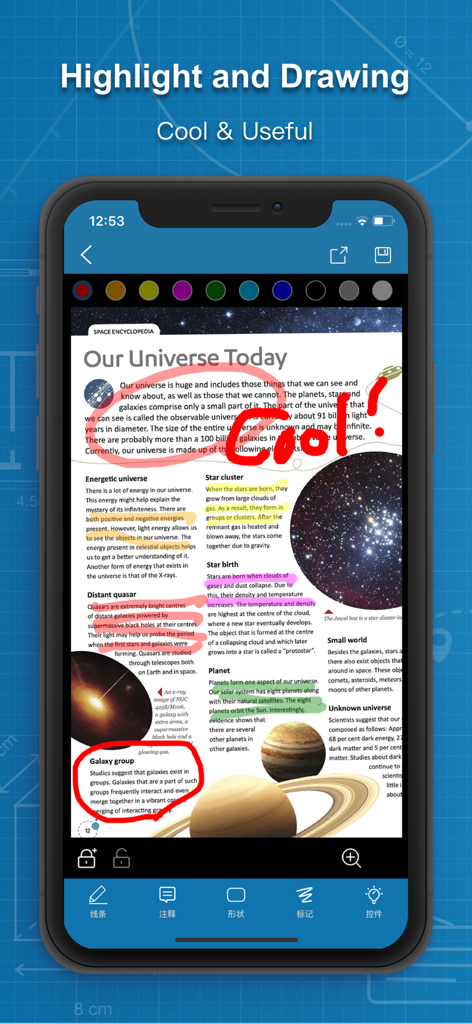
Photos Measure - Image meter - ドキュメント上でのPhotos Measureアプリのハイライトおよび描画機能を示すスマートフォン画面

ドキュメント上でのPhotos Measureアプリのハイライトおよび描画機能を示すスマートフォン画面

説明

PhotosMeasure is a fancy small convenient utility which can allow you tag the size of or comment on something on picture very quickly and conveniently. It can significantly reduce the working time when you're doing decoration or measuring, improving your work efficiency. PhotosMeasure has the following(not limited to) features: 1) Finger gestures to draw and tag; 2) Multiple colors for lines and texts; 3) Different types of line endpoints; 4) Text tags and comments; 5) Angle tags; 6) Shapes tags; 7) Export to album; 8) Project saving and importing; 9) Image zoom in and out; 10) Multiple widget icons; 11) Batch image export; 12)Support Bluetooth laser range finder Wish you enjoy it! We now offer multiple purchase/subscription options for you to upgrade to VIP. Becoming our VIP would help you unlock the follwing features: - Much more line types & note styles - Highlight drawing - More widgets - Lock/unlock drawing layers - Fully support new features In-App purchase options*: Lifetime VIP: - One time purchase for lifetime - One time purchase at $9.99 Monthly Autorenew Subscription - Period: 1 month - $2.99 / month Yearly Autorenew Subscription - Period: 1 year - $6.99 / year * The price is for reference only, and the actual price is subject to the in-app purchase option. The subscription fee will be charged to your iTunes account after confirmation of purchase. The subscription automatically renews unless auto-renew is turned off at least 24 hours before the end of the current period. Account will be charged for renewal within 24 hours prior to the end of the current period. Terms of Use: https://bigfeetstudio.cn/app/updates/tou.html Contact us: feedback@bigfeet.com.cn

Download

ダウンロード: App Store

このページはアプリまたはその開発者の公式ページではなく、情報提供および論評を目的として作成された独立した編集出版物です。明示的に別段の記載がない限り、アプリおよびその開発者は、MWM、Apple、Google Play、アプリのパブリッシャー、またはアプリの開発者と提携、承認、後援、認可、またはその他の公式的な関係はなく、このページのいかなる内容も、アプリがMWMのサービスを使用して開発されたことを意味するものではありません。すべての商標、ロゴ、スクリーンショット、その他のコンテンツはそれぞれの所有者の財産です。