Photos PDF - Pdf Converter
ダウンロード: App Store

このページはアプリまたはその開発者の公式ページではなく、情報提供および論評を目的として作成された独立した編集出版物です。明示的に別段の記載がない限り、アプリおよびその開発者は、MWM、Apple、Google Play、アプリのパブリッシャー、またはアプリの開発者と提携、承認、後援、認可、またはその他の公式的な関係はなく、このページのいかなる内容も、アプリがMWMのサービスを使用して開発されたことを意味するものではありません。すべての商標、ロゴ、スクリーンショット、その他のコンテンツはそれぞれの所有者の財産です。

ロゴ: Photos PDF - Pdf Converter
ダウンロード: App Store

Photos PDF - Pdf Converter

画像を高品質PDFに簡単に変換し、契約書に署名し、プロレベルの暗号化で機密ファイルを保護します。ワークフローを合理化し、スキャナーなしでどこからでもドキュメントを管理できます。

主要数値

ダウンロード

1K+

ユーザー評価

4.9/5

評価数

0

開発元

Jayotsanaben Hadiya

カテゴリ

Business

対応言語

14

最新バージョン

1.22

サイズ

29.3 MB

リリース日

2023年6月15日
機能

あなたの完全なモバイルPDFコマンドセンター

デスクトップを捨てて、プロフェッショナルなドキュメントを簡単に管理しましょう。どこでも、いつでもファイルを変換、署名、保護できます。

インスタントスキャン&変換

写真、ウェブページ、ドキュメントをプロレベルのPDFに変換します。レシートやスケッチを即座にデジタル化するのに最適です。

合理化された電子署名

iPhoneまたはiPadで直接契約書や合意書に署名します。プリンターやスキャナーをスキップして、移動中に取引を完了しましょう。

以下のスクリーンショットと説明は、アプリの公式ストアリスティングから直接取得されたものであり、アプリ開発者の所有物です。

アプリストア

スクリーンショット
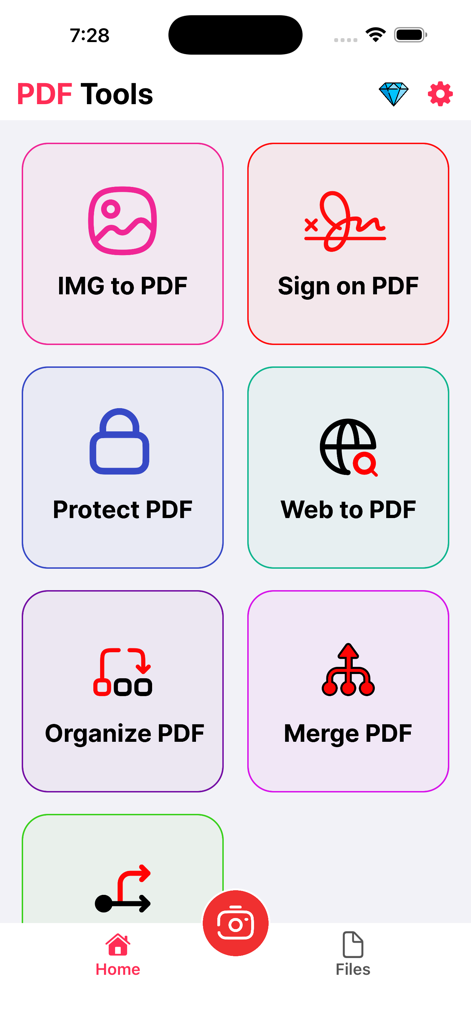
Photos PDF - Pdf Converter - 画像からPDFへの変換、電子署名、ドキュメント保護のツールを備えたPhotos PDFアプリのメインメニュー
画像からPDFへの変換、電子署名、ドキュメント保護のツールを備えたPhotos PDFアプリのメインメニュー

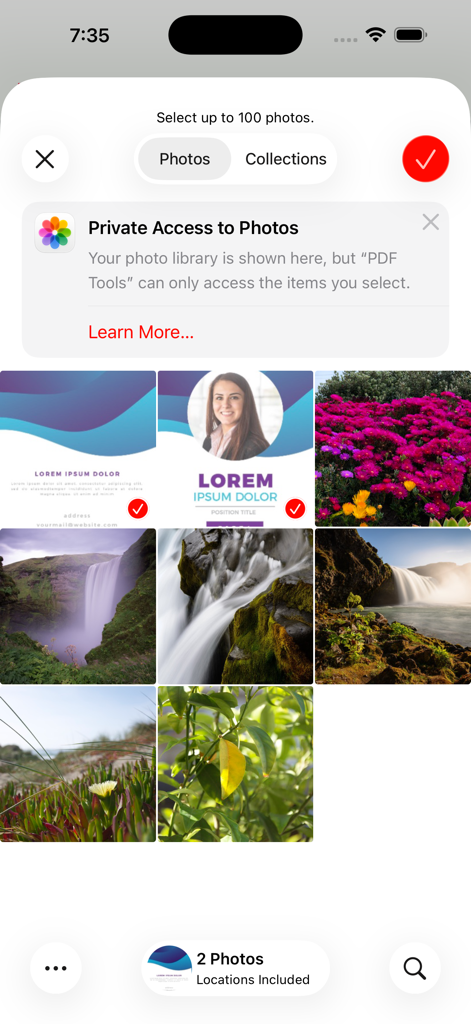
Photos PDF - Pdf Converter - プライバシーアクセス通知付きの写真選択グリッドを表示するPhotos PDFアプリのインターフェース
プライバシーアクセス通知付きの写真選択グリッドを表示するPhotos PDFアプリのインターフェース

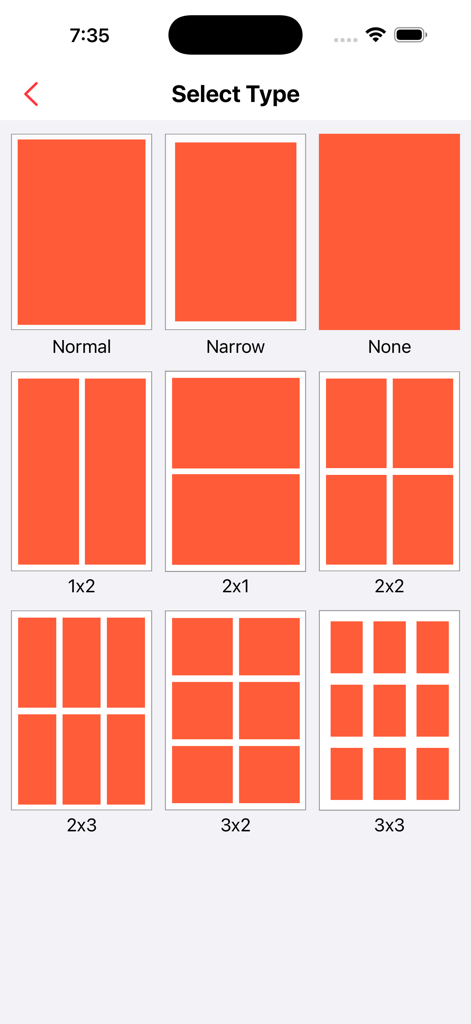
Photos PDF - Pdf Converter - PDFドキュメント作成用の2x2や3x3などの写真グリッドレイアウトを選択するインターフェース
PDFドキュメント作成用の2x2や3x3などの写真グリッドレイアウトを選択するインターフェース

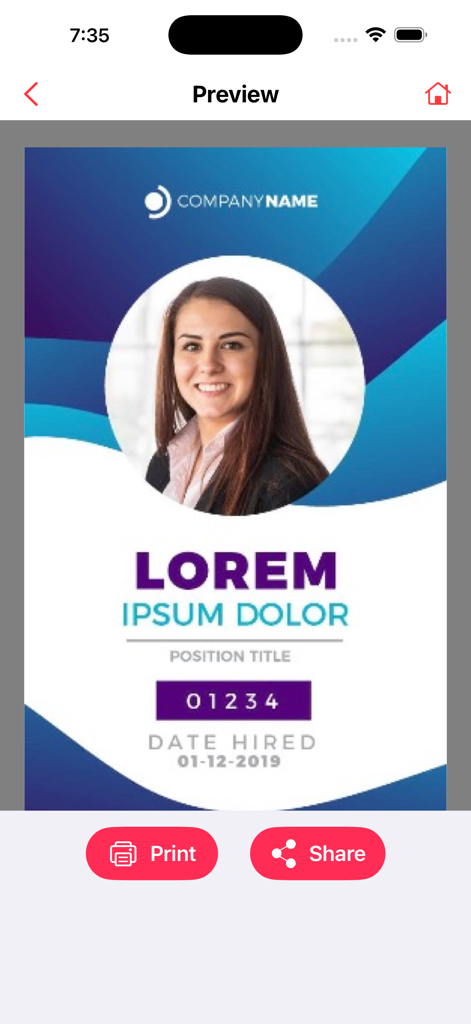
Photos PDF - Pdf Converter - 印刷および共有ボタンを備えたPDFコンバーターアプリのプロフェッショナルドキュメントのプレビュースクリーン。

印刷および共有ボタンを備えたPDFコンバーターアプリのプロフェッショナルドキュメントのプレビュースクリーン。

説明

PDF Toolkit: Convert, Edit & Secure PDFs is the ultimate iOS app for efficient PDF document management. With powerful features that allow you to convert images and web pages to high-quality PDFs, securely sign and protect your PDFs, and organize or edit documents seamlessly, this app simplifies your workflow and puts complete control over your PDFs in the palm of your hand. Effortless PDF Conversion: Convert images, documents, and web pages to high-quality PDFs with just a few taps. Maintain the original layout, formatting, and quality, while creating compact and shareable PDFs for easy distribution. Streamlined E-Signatures: Sign your PDFs securely and conveniently with our built-in e-signature functionality. Say goodbye to printing, signing, and scanning. Add, manage, and request signatures wherever you are, at any time. Protect Your PDFs: Keep your PDF files safe with built-in password protection. Secure sensitive documents with a PIN or password to ensure your files remain confidential and protected from unauthorized access. Powerful Editing and Annotation Tools: Enhance your PDFs with a comprehensive set of editing tools. Merge or split documents, rearrange pages, add text, insert images, and annotate with highlights, notes, and drawings. Tailor your PDFs to fit your needs. Efficient Document Management: Stay organized by creating folders, categorizing documents, and quickly searching for specific files. Keep all your PDFs neatly organized and easily accessible, ensuring a smooth and efficient document management experience. Intuitive and User-Friendly: With an easy-to-use interface, PDF Toolkit ensures a seamless experience for everyone, from beginners to professionals. Its robust features and simple navigation make it the perfect tool for anyone working with PDF documents. Download PDF Toolkit: Convert, Edit & Secure PDFs now to unlock the full potential of your PDFs. Simplify document conversion, enhance collaboration with e-signatures, and keep your PDFs safe and organized. Experience the power of PDF management today. Contact Us: universeassistant083@gmail.com If you choose to subscribe to any of the “Image to PDF Pro” Subscriptions, the payment will be charged to your iTunes account at confirmation of purchase. any unused portion of the free trial period, if offered, will be forfeited when you purchase a subscription to that publication. From that moment and further, the subscription automatically renews until auto-renew is turned off at least 24 hours before the end of the current period. You may manage your subscription and turn off auto-renewal by going to your account settings after purchase. No cancellation of the current subscription is allowed during the active period. If you have any questions while using this app, please contact us via email at universeassistant083@gmail.com. Terms of Use - https://sites.google.com/view/javascript-terms-of-usecript/home

Download

ダウンロード: App Store

このページはアプリまたはその開発者の公式ページではなく、情報提供および論評を目的として作成された独立した編集出版物です。明示的に別段の記載がない限り、アプリおよびその開発者は、MWM、Apple、Google Play、アプリのパブリッシャー、またはアプリの開発者と提携、承認、後援、認可、またはその他の公式的な関係はなく、このページのいかなる内容も、アプリがMWMのサービスを使用して開発されたことを意味するものではありません。すべての商標、ロゴ、スクリーンショット、その他のコンテンツはそれぞれの所有者の財産です。








