
このページはアプリまたはその開発者の公式ページではなく、情報提供および論評を目的として作成された独立した編集出版物です。明示的に別段の記載がない限り、アプリおよびその開発者は、MWM、Apple、Google Play、アプリのパブリッシャー、またはアプリの開発者と提携、承認、後援、認可、またはその他の公式的な関係はなく、このページのいかなる内容も、アプリがMWMのサービスを使用して開発されたことを意味するものではありません。すべての商標、ロゴ、スクリーンショット、その他のコンテンツはそれぞれの所有者の財産です。

Phraseboard Keyboard
忙しいプロフェッショナルやクリエイターのためのオールインワンキーボード。あらゆるアプリで、カスタムフレーズ、100種類以上のクリエイティブなフォント、インスタント翻訳にワンタップでアクセスできます。
ダウンロード
168K+ユーザー評価
評価数
600開発元
カテゴリ
Utilities対応言語
11最新バージョン
6.9サイズ
156.3 MBリリース日
2014年9月23日コミュニケーションをレベルアップ
ワンタップのカスタムフレーズで毎週数時間節約し、100種類以上のクリエイティブなフォントで独自のスタイルを表現しましょう。すべてキーボードから直接。
インスタントワンタップ返信
同じ返信を何度も入力するのをやめましょう。最もよく使うメッセージをカテゴリ別に整理し、あらゆるアプリで数秒で送信できます。
100種類以上のクリエイティブフォント
デジタルプレゼンスを向上させましょう。ユニークなフォントの巨大なライブラリにアクセスして、ソーシャルメディアのプロフィール、キャプション、テキストを目立たせましょう。
よくある質問
について知っておくべきこと Phraseboard Keyboard
Phraseboard Keyboardとは何ですか?
Phraseboard Keyboardは、アクセスしやすいカテゴリ別のフレーズでキーボードをカスタマイズします。これにより、ユーザーはさまざまなアプリケーションで一般的な応答をすばやく入力、編集、翻訳、共有できます。
デバイスでPhraseboard Keyboardを有効にするにはどうすればよいですか?
Phraseboard Keyboardを有効にするには、デバイスの設定に移動してから「キーボード」を選択します。Phraseboardを選択し、「フルアクセスを許可」スイッチをオンにします。この手順は、カスタムフレーズを表示するために必要です。
Phraseboard Keyboardは私のキーストロークを記録しますか?
いいえ、Phraseboard Keyboardはキーストロークを保存またはログに記録しません。カスタムフレーズをキーボードインターフェイスに表示するためにのみ、「フルアクセスを許可」を必要とします。
Phraseboard Keyboardの見た目をカスタマイズできますか?
はい、Phraseboard Keyboardは外観を大幅にカスタマイズできます。ボタンや背景の色など、キーボードスタイルをデザインしたり、カスタム写真をキーボードの背景として使用したりできます。
Phraseboard Keyboardで利用可能なフォントオプションは何ですか?
Phraseboard Keyboardは、100を超えるクリエイティブなフォントを提供します。ユーザーはフレーズのフォントを変更し、サイズをカスタマイズし、色を変更できます。これらの特定のフォントカスタマイズ機能には、アクティブなサブスクリプションが必要です。
Phraseboard Keyboardは私のフレーズを翻訳できますか?
はい、Phraseboard Keyboardはフレーズを59以上の言語に翻訳します。また、フレーズを読み上げるためのスピークモードも提供します。これらの翻訳およびスピーク機能には、アクティブなサブスクリプションが必要です。
Phraseboard Keyboardのどの機能にPremiumサブスクリプションが必要ですか?
Phraseboard Premiumサブスクリプションは、フレーズフォントの変更、キーボードスタイルのデザイン、フレーズの翻訳、スピークモード、GIFの送信、高度なフォントカスタマイズオプションなどの機能を利用できるようにします。
Phraseboard Premiumの無料トライアルはありますか?
はい、Phraseboard Premiumには、参加時に3日間の無料トライアルが含まれています。トライアルが終了する前にサブスクリプションを購入した場合、残りの無料トライアル期間は失効します。
Phraseboard Premiumサブスクリプションをキャンセルまたは管理するにはどうすればよいですか?
購入後、ユーザーのアカウント設定でPhraseboard Premiumサブスクリプションを管理し、自動更新を無効にすることができます。自動更新は、現在の期間が終了する少なくとも24時間前にオフにする必要があります。
Phraseboard Keyboardはカスタムフレーズをどのように整理しますか?
Phraseboard Keyboardは、ユーザーが作成したカテゴリ別にカスタムフレーズを整理します。また、保護されたフレーズ用の「セキュア」カテゴリを備え、デバイス間でiCloud同期をサポートしています。
以下のスクリーンショットと説明は、アプリの公式ストアリスティングから直接取得されたものであり、アプリ開発者の所有物です。
アプリストア
スクリーンショット
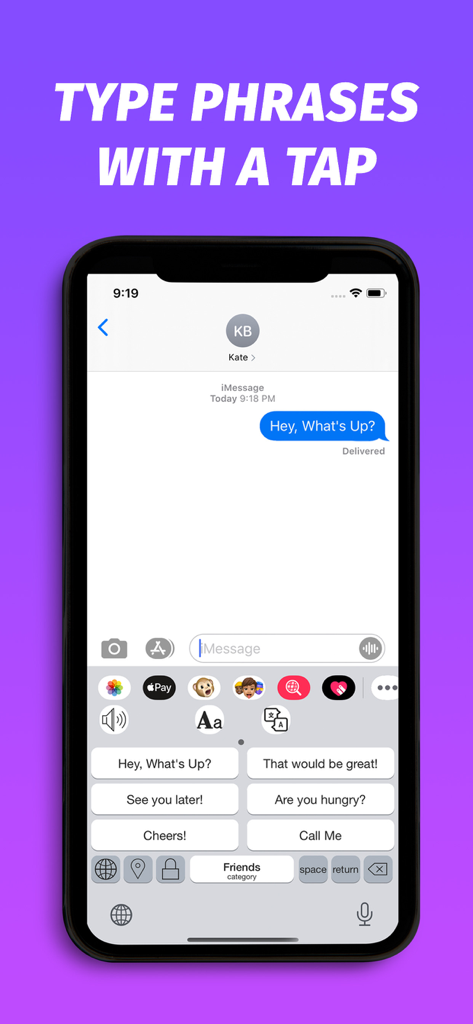
Phraseboardカスタムキーボードインターフェース。iMessageチャットで高速メッセージングのためのクイック返信フレーズボタンを表示。
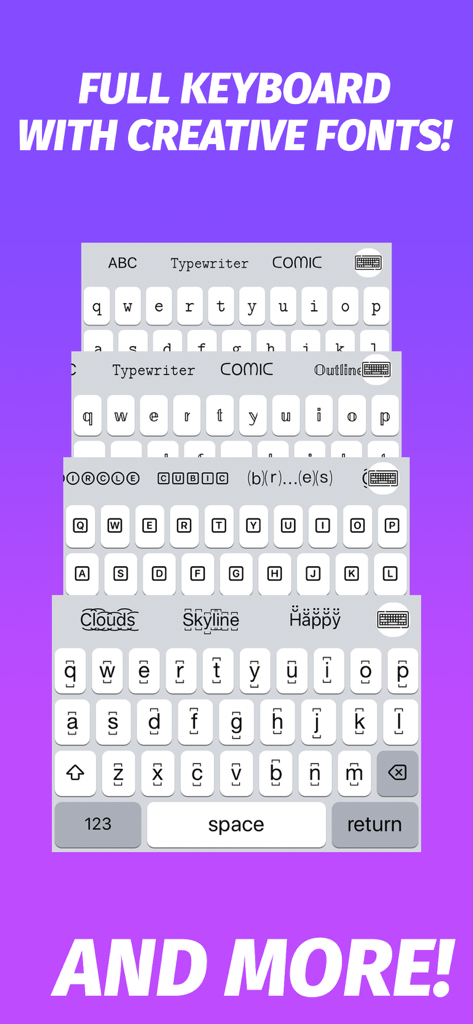
タイプライター、コミック、アウトラインなどの様々なクリエイティブフォントスタイルを示すモバイルキーボードインターフェースのスタック。
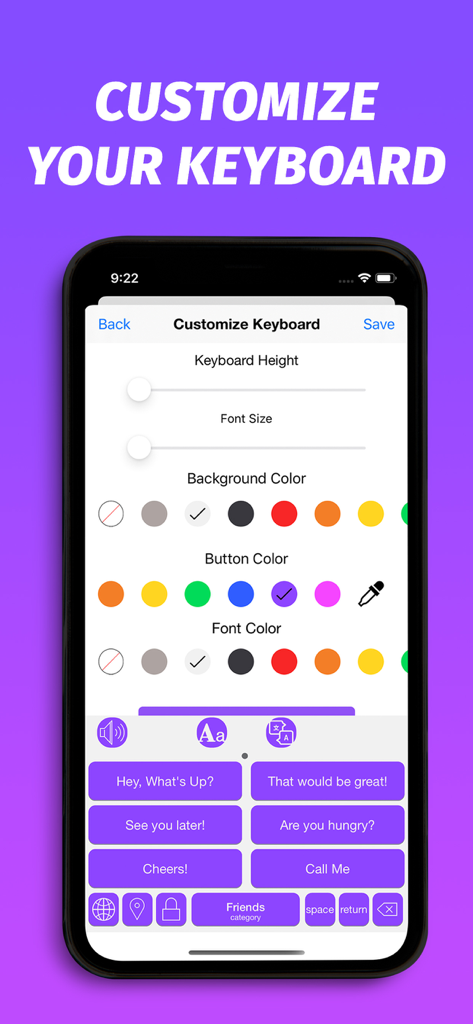
Phraseboardアプリでキーボードの高さ、フォントサイズ、カラーテーマのカスタマイズ設定を表示するモバイル画面。
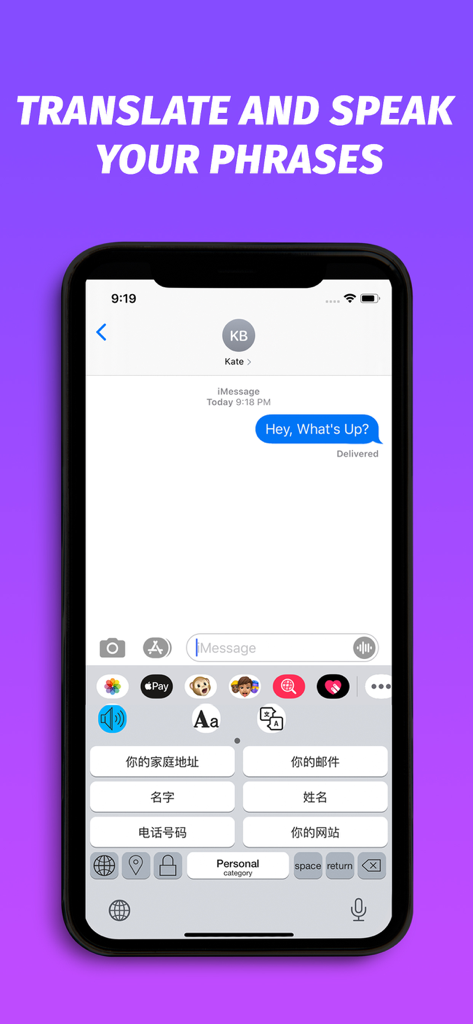
Phraseboard Keyboardの翻訳機能が表示されたスマートフォンスクリーン。中国語のクイック返信フレーズ付き。
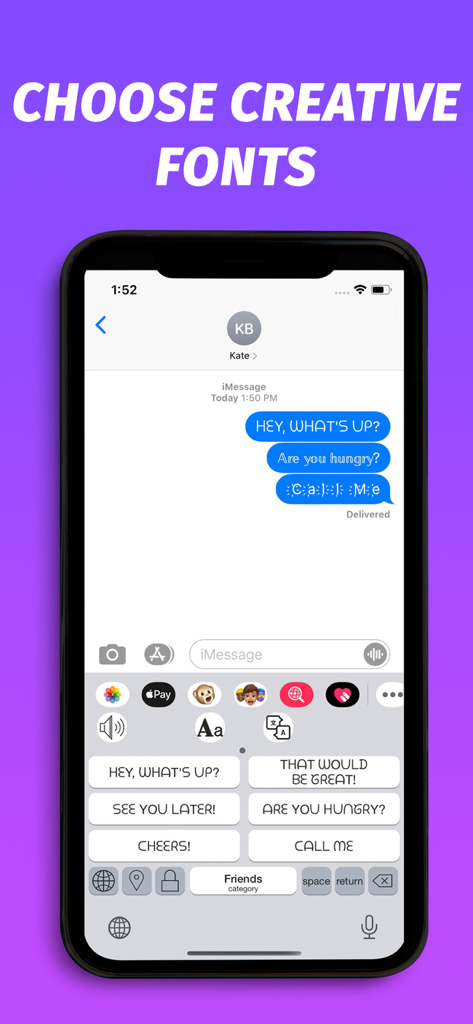
カスタムフォントとクイック返信フレーズを備えたPhraseboard Keyboardインターフェース。
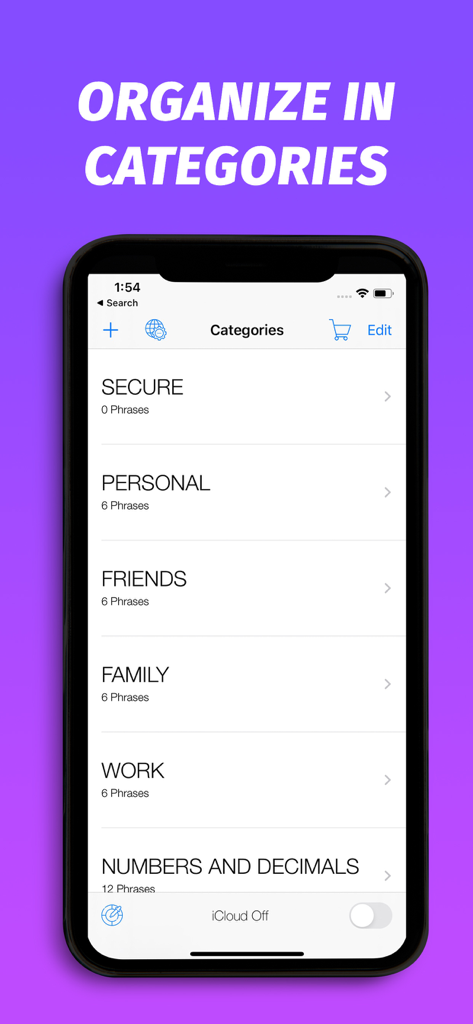
Secure Personal FriendsやWorkなどのメッセージカテゴリを表示するPhraseboard Keyboardのスクリーンショット。
説明
Download
類似アプリ
同じカテゴリのトップランクアプリ

Google LLC

Google Chrome
Google LLC

中国移动(手机营业厅)
China Mobile Online Services Co., Ltd.

Google Authenticator
Google LLC

CNH do Brasil
Servicos e Informacoes do Brasil

Cleanup: Phone Storage Cleaner
DEEP FLOW SOFTWARE SERVICES - FZCO

gov.br
Servicos e Informacoes do Brasil

中国电信-全国统一官方服务平台
CHINA TELECOM Corporation Ltd.

Microsoft Edge: AI Browser
Microsoft Corporation
このページはアプリまたはその開発者の公式ページではなく、情報提供および論評を目的として作成された独立した編集出版物です。明示的に別段の記載がない限り、アプリおよびその開発者は、MWM、Apple、Google Play、アプリのパブリッシャー、またはアプリの開発者と提携、承認、後援、認可、またはその他の公式的な関係はなく、このページのいかなる内容も、アプリがMWMのサービスを使用して開発されたことを意味するものではありません。すべての商標、ロゴ、スクリーンショット、その他のコンテンツはそれぞれの所有者の財産です。