PianoMeter – Piano Tuner
ダウンロード: App Store

このページはアプリまたはその開発者の公式ページではなく、情報提供および論評を目的として作成された独立した編集出版物です。明示的に別段の記載がない限り、アプリおよびその開発者は、MWM、Apple、Google Play、アプリのパブリッシャー、またはアプリの開発者と提携、承認、後援、認可、またはその他の公式的な関係はなく、このページのいかなる内容も、アプリがMWMのサービスを使用して開発されたことを意味するものではありません。すべての商標、ロゴ、スクリーンショット、その他のコンテンツはそれぞれの所有者の財産です。

ロゴ: PianoMeter – Piano Tuner
ダウンロード: App Store

PianoMeter – Piano Tuner

プロの技術者向けに設計されたPianoMeterは、各ピアノ固有の音響特性を測定して完璧なストレッチを計算し、電子的なスピードで聴覚品質の結果を提供します。

主要数値

ダウンロード

17K+

ユーザー評価

4.5/5

評価数

100

開発元

Willey Piano LLC

カテゴリ

Music

対応言語

17

最新バージョン

3.0.0

サイズ

29.3 MB

リリース日

2020年8月4日
機能

精密チューニングの芸術をマスターする

アクティブな倍音測定とカスタムチューニングカーブであなたの技術を向上させ、デジタル効率で聴覚品質の結果を提供します。

カスタム倍音マッピング

一般的な平均律を超えましょう。PianoMeterは、各楽器に最適なカスタムストレッチを計算するために、アクティブに各音符固有の音響特性を測定します。

高効率ピッチレイズ

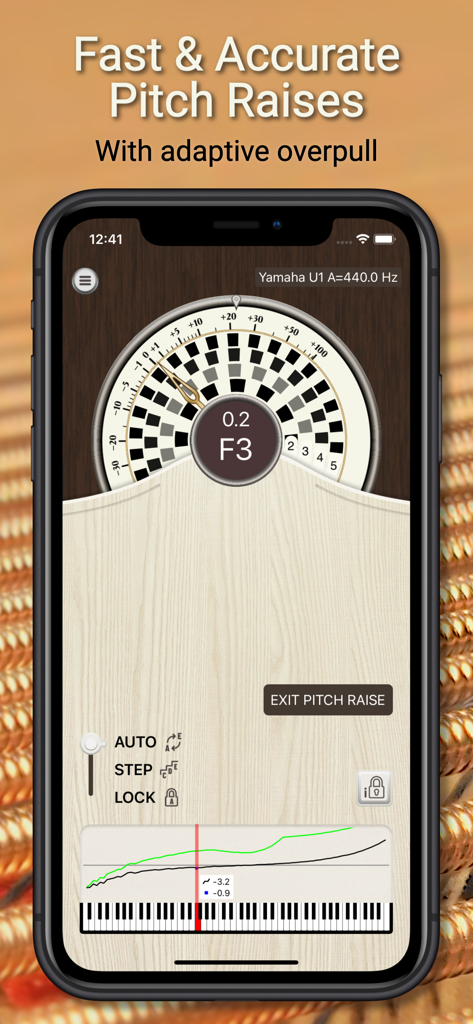
極端にフラットなピアノの初回チューニングを迅速に行うために設計されたオーバープル計算により、プロフェッショナルなワークフローを加速します。

以下のスクリーンショットと説明は、アプリの公式ストアリスティングから直接取得されたものであり、アプリ開発者の所有物です。

アプリストア

スクリーンショット
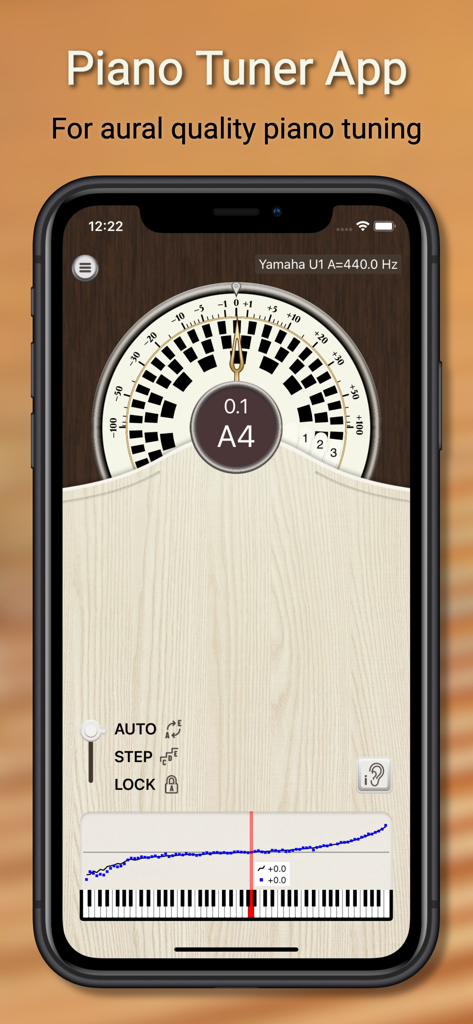
PianoMeter – Piano Tuner - PianoMeterアプリのインターフェース、ストロボチューナーとカスタムピアノチューニングカーブを表示
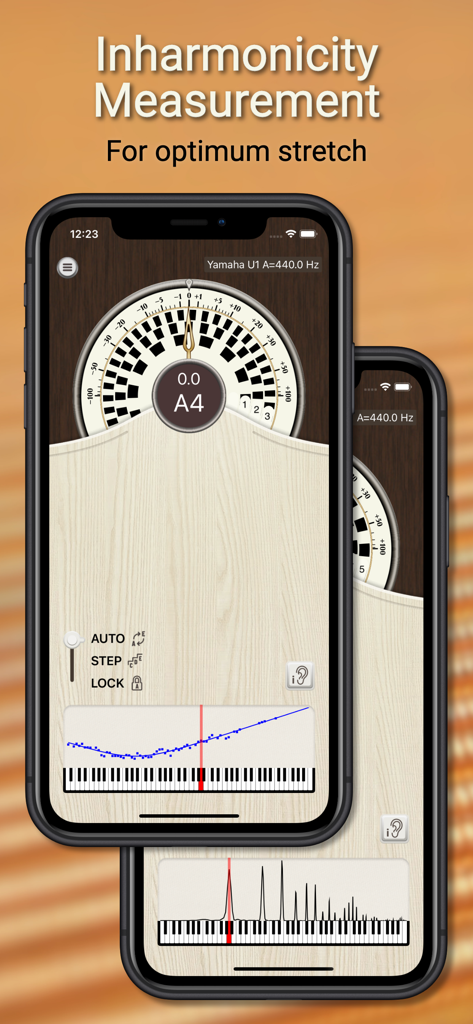
PianoMeterアプリのインターフェース、ストロボチューナーとカスタムピアノチューニングカーブを表示

PianoMeter – Piano Tuner - PianoMeterアプリ、倍音測定とプロのピアノチューニングのためのチューニングストレッチを表示
PianoMeterアプリ、倍音測定とプロのピアノチューニングのためのチューニングストレッチを表示

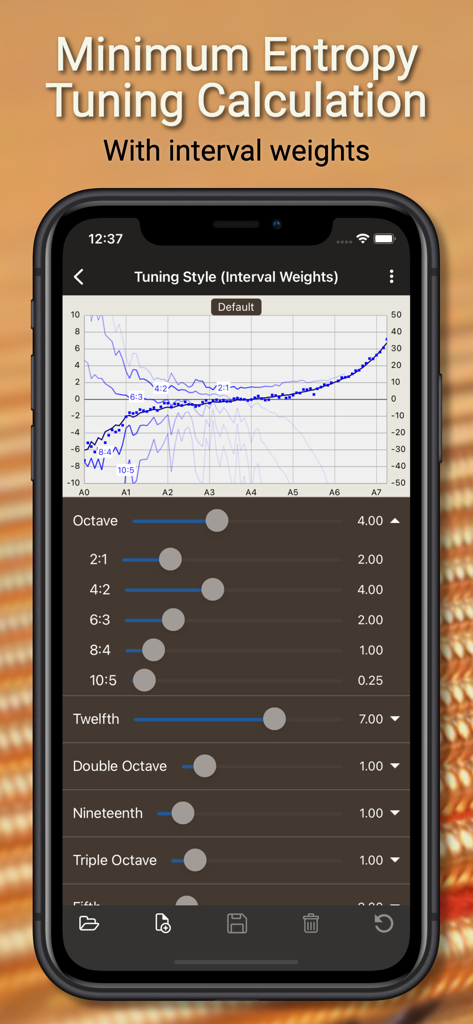
PianoMeter – Piano Tuner - PianoMeterアプリのインターフェース、最小エントロピーチューニング計算とインターバルウェイトスライダー
PianoMeterアプリのインターフェース、最小エントロピーチューニング計算とインターバルウェイトスライダー

PianoMeter – Piano Tuner - PianoMeterアプリのインターフェース、プロのピアノチューニングのための適応型オーバープルを備えたピッチレイズモードを表示
PianoMeterアプリのインターフェース、プロのピアノチューニングのための適応型オーバープルを備えたピッチレイズモードを表示

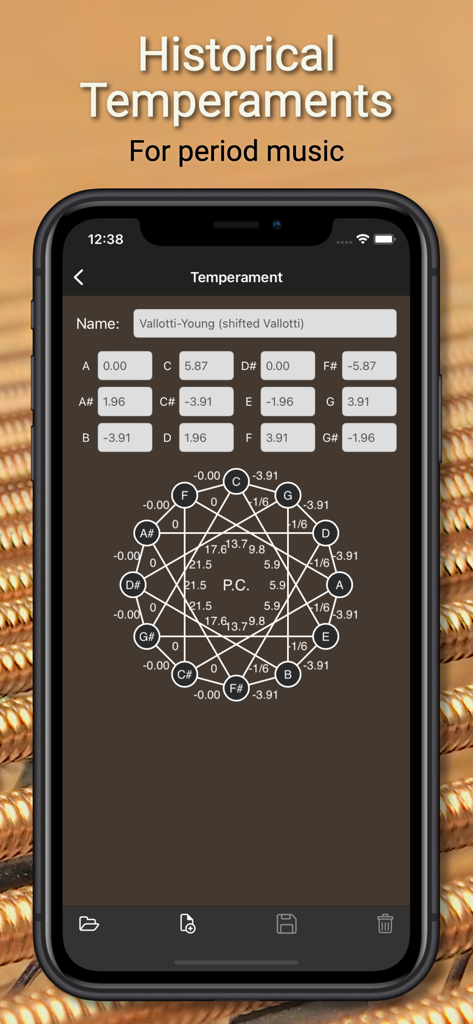
PianoMeter – Piano Tuner - PianoMeterアプリのインターフェース、時代の音楽のための幾何学的なチューニングチャートを備えた履歴テンパメント設定を表示
PianoMeterアプリのインターフェース、時代の音楽のための幾何学的なチューニングチャートを備えた履歴テンパメント設定を表示

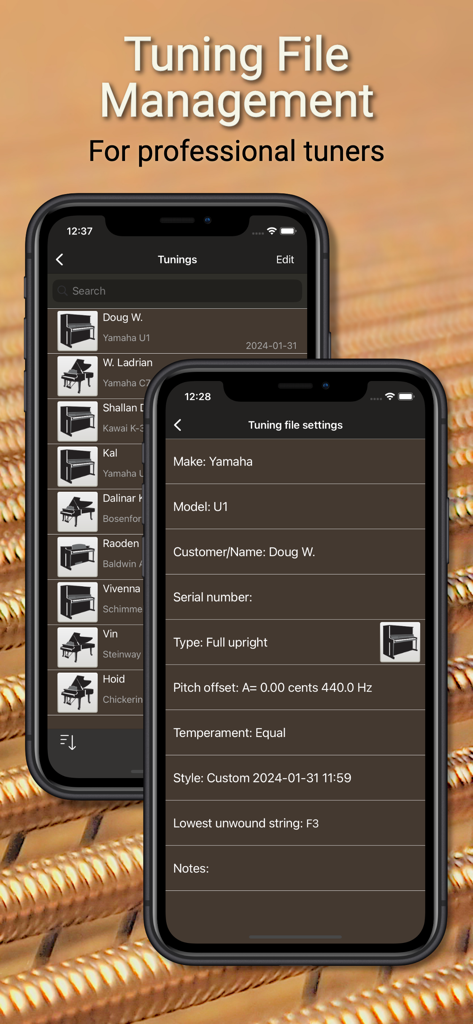
PianoMeter – Piano Tuner - PianoMeterアプリのインターフェース、チューニングファイル管理とプロフェッショナル設定用

PianoMeterアプリのインターフェース、チューニングファイル管理とプロフェッショナル設定用

説明

PianoMeter is a piano tuning app that will transform your iPhone or iPad into a professional quality electronic tuning aid. NOTE The "free" version of this app is primarily for evaluation, and it only allows you to tune notes on the piano between C3 and C5. To tune the entire piano you will need to buy an upgrade through an in-app purchase. What makes PianoMeter unique: Unlike regular chromatic tuning apps that simply tune to a pre-calculated equal temperament, PianoMeter actively measures the tonal characteristics of each note and automatically calculates the ideal “stretch” or offset from equal temperament. In other words, it creates a custom tuning for each piano with the best compromise between intervals like fifths, fourths, octaves, and twelfths, the way aural piano tuners do when fine-tuning. Functionality and pricing: There are three levels of functionality: a free (evaluation) version, a paid "plus" version with basic tuning functionality, and a "professional" version with features geared towards professional piano tuners. The extra functionality is unlocked through one-time in-app purchases. The Free version includes the following limited functionality: • Tuning functionality for the mid-range of the piano only • Automatic note detection • Ability to measure each note on the piano to see how its current tuning compares to the ideal tuning curve (see if a piano is roughly in tune) • Swipe in the graphing area to show a live frequency spectrum or the inharmonicity of measured notes. Upgrading to "Plus" adds the following functionality: • Tuning functionality for the entire piano • Tune to frequency standards other than A=440 • Tune to historical or custom temperaments • Calibrate device to an external frequency source Upgrading to Professional unlocks all features of the "Plus" version, plus the following: • Save and load tuning files, so a piano doesn't need to be re-measured each time it is tuned • Pitch raise mode that calculates overpull for an initial first pass "rough" tuning (for pianos that are extremely flat) • Custom tuning styles: create a custom tuning curve by adjusting interval weighting and stretch • Multi-partial tone generator that plays the target frequencies • New colorful "Tonal Energy" display that shows a brief history of the pitch • Access to all future features and enhancements Upgrade costs: Free to Plus (approximately US$30) Free to Pro (approximately US$350) Note about permissions This app requires permission to access the microphone on your device and permission to read and write files.

Download

ダウンロード: App Store

このページはアプリまたはその開発者の公式ページではなく、情報提供および論評を目的として作成された独立した編集出版物です。明示的に別段の記載がない限り、アプリおよびその開発者は、MWM、Apple、Google Play、アプリのパブリッシャー、またはアプリの開発者と提携、承認、後援、認可、またはその他の公式的な関係はなく、このページのいかなる内容も、アプリがMWMのサービスを使用して開発されたことを意味するものではありません。すべての商標、ロゴ、スクリーンショット、その他のコンテンツはそれぞれの所有者の財産です。