TuneLab Piano Tuner

TuneLab Piano Tuner

ダウンロード: App Store
ロゴ: TuneLab Piano Tuner

TuneLab ピアノチューナー:マスター技術者のためのプロフェッショナルな精度

高度な異音度測定、自動ノート切り替え、およびクライアントベース全体のためのクラウド同期チューニングファイルを使用して、完璧なカスタムストレッチを構築します。

開発元

Real-Time Specialties, inc.

カテゴリ

Music

ダウンロード

77K+

ユーザー評価

4.7/5

評価数

200

対応言語

1

一目でわかる精度

このインターフェースを利用する 77K+ 人のユーザー.

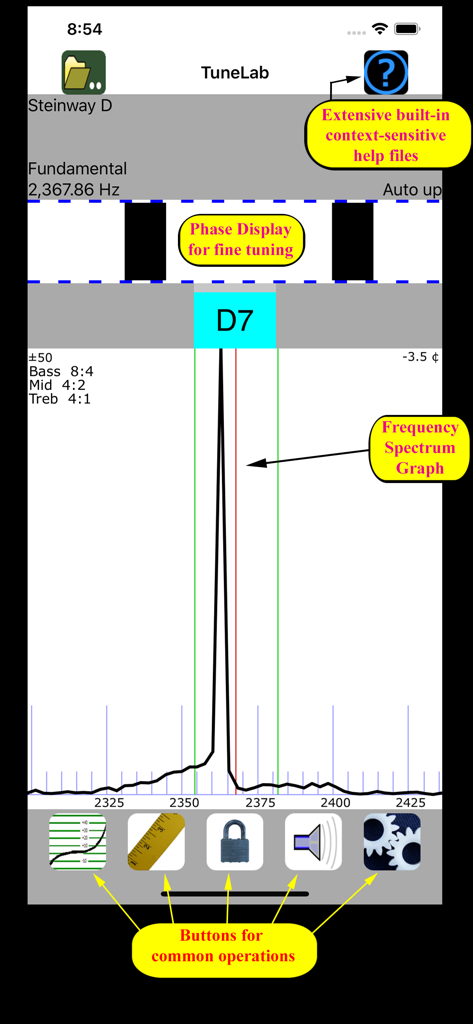
周波数スペクトルグラフと位相表示を示すTuneLab ピアノチューナーアプリのインターフェイス
周波数スペクトルグラフと位相表示を示すTuneLab ピアノチューナーアプリのインターフェイス

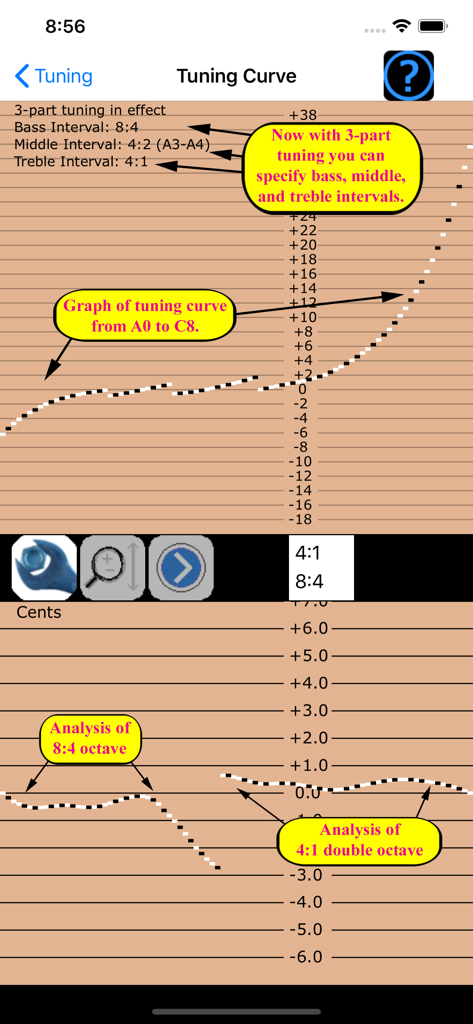
TuneLabアプリのプロフェッショナルピアノチューニングカーブグラフとインターバル設定
TuneLabアプリのプロフェッショナルピアノチューニングカーブグラフとインターバル設定

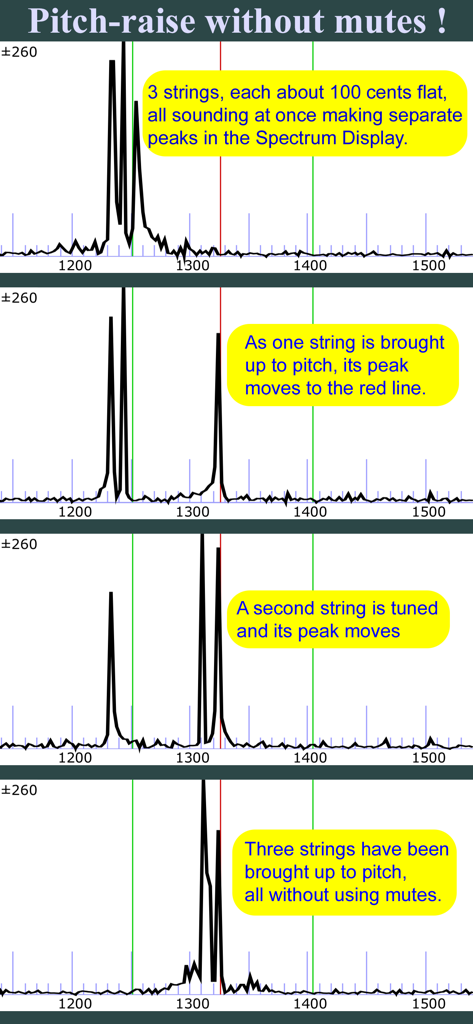
ミュートを使用せずに3つの弦にピッチ上げを示するTunelabアプリのスペクトル表示
ミュートを使用せずに3つの弦にピッチ上げを示するTunelabアプリのスペクトル表示

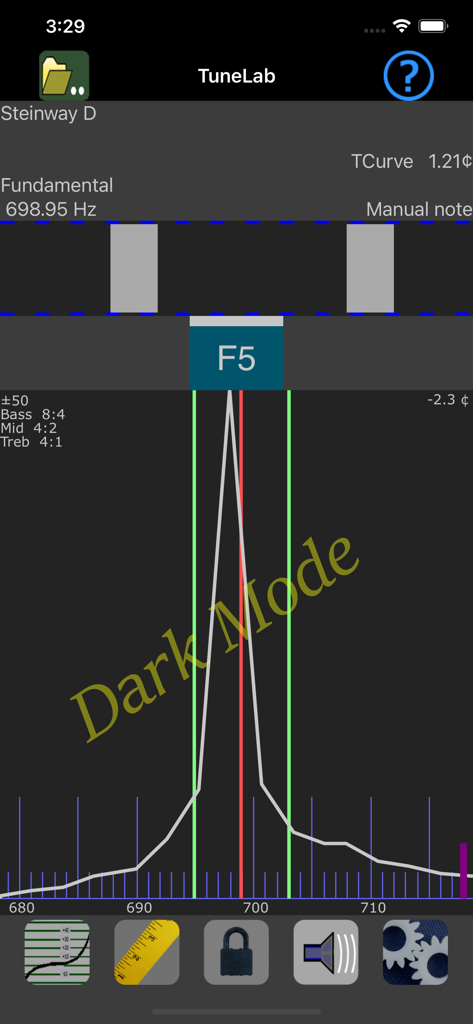
スタインウェイDピアノのノートの周波数スペクトルとストロボ表示を示す、ダークモードのTuneLab ピアノチューナーインターフェイス
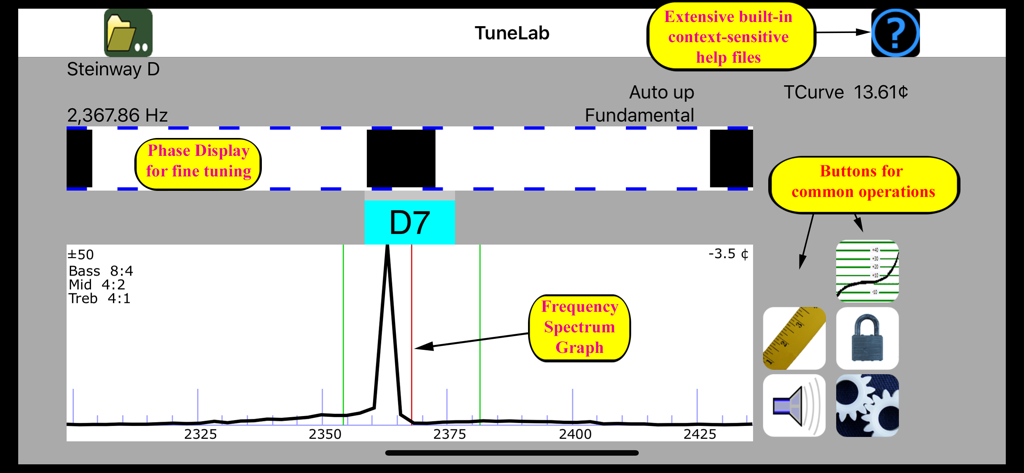
スタインウェイDピアノのノートの周波数スペクトルとストロボ表示を示す、ダークモードのTuneLab ピアノチューナーインターフェイス

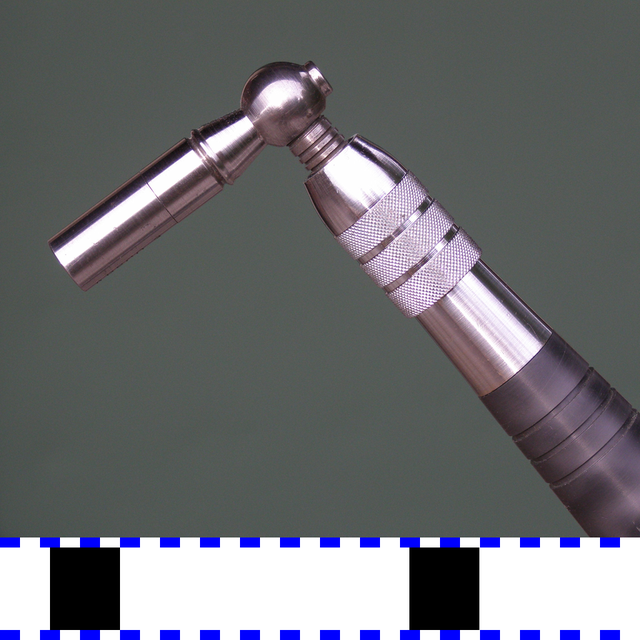
ストロボ位相表示と周波数スペクトルグラフを備えたプロフェッショナルピアノチューニングインターフェイス

ストロボ位相表示と周波数スペクトルグラフを備えたプロフェッショナルピアノチューニングインターフェイス

マスターピアノ技術者のための精密ツール

このアプリを際立たせるツール、 77K+ 人のユーザーが選択.

📐

科学的な異音度マッピング

すべてのピアノのユニークな物理的特性を測定することで推測を排除し、その特定の楽器に合わせたカスタムストレッチプロファイルを作成します。

高効率ワークフロー

迅速なピッチ上げのための特殊なオーバープルモードと、微調整中のハンズフリー自動ノート切り替えにより、請求可能な時間を最大化します。

☁️

プロフェッショナルクライアントライブラリ

Dropbox経由で何百ものカスタムチューニングファイルを安全に保存および同期し、繰り返しサービスコール中にピアノの履歴を即座に呼び出すことができます。

アプリについて

について知っておくべきこと TuneLab Piano Tuner.

説明

This app is for professional piano technicians. This is a professional tool that produces a custom piano tuning for any piano. It is part of the TuneLab line of piano tuning programs for smartphones, tablet computers and laptops that piano technicians have been using sine 2001. Notable features: * Measures and uses inharmonicity of the piano to construct a custom tuning. * Provides an over-pull mode for more accurate pitch-raises. * Can store hundreds of tuning files for individual pianos. * Tuning files can be stored locally and in the Cloud on Dropbox. * Provides many historical temperaments for period music. * Switches notes automatically when you play the next note. * Provides a strobe-like Phase Display for fine-tuning. * Provides a versatile frequency spectrum display. TuneLab lets you customize a tuning by sampling the inharmonicity for a few notes of the particular piano. You can choose the kind of tuning stretch you want by specifying different intervals for the bass, the treble, and the mid-range of the scale. These intervals can be octaves, 12ths, double octaves, etc. Good defaults are in place if you are not sure which settings you prefer. After a custom tuning has been created from inharmonicity measurements you can store this tuning by name. The next time you need to tune that piano, or one very much like it, you simply load that same tuning file and start tuning. There is essentially no limit to the number of tuning files that you can store. TuneLab comes with some sample tuning files and an "Average" tuning file so you can start tuning right away without bothering to measure inharmonicity. TuneLab covers the normal piano range from A0 to C8 (88 notes). The automatic note-switching feature makes it possible to enjoy hands-free operation. There is also easy one-touch manual note switching. TuneLab has two different displays that are visible at the same time. One is the strobe-like Phase Display. This is a band where black squares move left or right depending on whether the note is sharp or flat. Tune the note to make the pattern stop moving. The other is the Spectrum Display. This is a graph of the frequency spectrum around the desired note that shows a peak in the audio frequency spectrum for every pitch present in the sound. The object in using this display is to tune the note until the peak in the graph is positioned at a central red line. The Spectrum Display makes it possible to do a rough pitch-raise without mutes since each string of a unison produces its own peak in the graph. Having both the Phase Display and the Spectrum Display visible at the same time gives you a more complete picture of the tuning than any single spinner-type or needle-type display.

最新バージョン

4.7.2

サイズ

11.7 MB

リリース日

2009年12月3日

プロフェッショナルグレードの精度であなたの技術を向上させましょう

カスタム異音度測定とクラウド同期チューニングファイルに依存して、より少ない時間で優れた結果をもたらす、エリートピアノ技術者のコミュニティに参加しましょう。

ダウンロード: App Store

App information, icons, screenshots, and descriptions displayed on this page are sourced from the Apple App Store and are the property of their respective developers. Download estimates and rankings are based on MWM's proprietary models and may not reflect actual figures. This page is provided for informational and analytical purposes only.

Believe this page infringes your intellectual property? File a dispute