
このページはアプリまたはその開発者の公式ページではなく、情報提供および論評を目的として作成された独立した編集出版物です。明示的に別段の記載がない限り、アプリおよびその開発者は、MWM、Apple、Google Play、アプリのパブリッシャー、またはアプリの開発者と提携、承認、後援、認可、またはその他の公式的な関係はなく、このページのいかなる内容も、アプリがMWMのサービスを使用して開発されたことを意味するものではありません。すべての商標、ロゴ、スクリーンショット、その他のコンテンツはそれぞれの所有者の財産です。


Pic Stitch - Collage Editor
ソーシャルメディアの猛者たちは、このアプリで平凡な写真の羅列から抜け出す。まるで秘密兵器のように、彼らは瞬時に傑作を量産する。
ダウンロード
7.5M+ユーザー評価
評価数
111.3K開発元
カテゴリ
Photo & Video対応言語
18最新バージョン
8.3.25サイズ
417.5 MBリリース日
2011年8月15日ソーシャルメディアユーザーとコンテンツクリエイターのための視覚的表現ツール
「Pic Stitch - Collage Editor」機能分析
SNS最適化された共有機能
ユーザーは、Instagram、Facebook、Twitterなどの主要SNSに最適化された15種類のアスペクト比を利用して、作成したコラージュをシームレスに共有できます。これにより、コンテンツの露出とエンゲージメントを最大化することが可能です。
豊富なコラージュレイアウト
本アプリは400種類以上の豊富なレイアウトオプションを提供しており、ユーザーは複数の写真や動画を創造的に組み合わせて、独自の視覚的物語を作り出すことができます。
高度な写真編集機能
本ツールは25種類以上のフィルターパック、30種類以上のボーダーパックに加え、露出、コントラスト、彩度調整など、プロレベルの多様な編集機能を提供し、ユーザーはコンテンツの視覚的魅力を最大限に高めることができます。
写真と動画の組み合わせ
このアプリは写真だけでなく動画もコラージュに組み込むことができ、ユーザーは静止画と動画を組み合わせることで、よりダイナミックで魅力的なストーリーテリングを可能にします。
高解像度出力
ユーザーは作成したコラージュを高解像度でエクスポートする機能を利用でき、共有するコンテンツの品質を維持し、プロフェッショナルな印象を与えることが可能です。
表現豊かな編集ツール
テキストオーバーレイ、Giphy提供のステッカー、簡単なミーム作成機能により、ユーザーは視覚的なコンテンツに個性、ユーモア、そしてメッセージ性を加え、オーディエンスとの繋がりを深めることができます。
カスタムウォーターマーク機能
コンテンツクリエーターは、ブランドロゴやカスタムテキストのウォーターマークを追加する機能を利用して、自身の作品に署名し、ブランドを保護しながらコンテンツの認知度を高めることができます。
直感的な操作性
本アプリはシンプルで使いやすいインターフェースを備えており、ユーザーは写真編集やコラージュ作成の経験に関わらず、迅速かつ効率的に美しいビジュアルコンテンツを生み出すことができます。
よくある質問
について知っておくべきこと Pic Stitch - Collage Editor
What is Pic Stitch?
Pic Stitch is a collage maker app for iPhone and iPad. It transforms your camera roll into stunning photo and video collages using robust editing tools and various layouts.
How many collage layouts does Pic Stitch offer?
Pic Stitch offers over 400 different collage layouts. Users can explore trending layouts and also create custom layouts for their photos and videos to fit any creative need.
Can Pic Stitch edit both photos and videos?
Yes, Pic Stitch works with both photos and videos. It provides robust editing tools for trimming videos and enhancing photos with various filters, effects, and adjustments.
What social media platforms does Pic Stitch support for sharing?
Pic Stitch supports sharing masterpieces directly to popular social media networks including Facebook, Twitter, and Instagram. Users can also save their creations to their device's photo album.
Does Pic Stitch include filters and borders for collages?
Yes, Pic Stitch includes 25 filter packs to enhance photos and over 30 border packs to customize layouts. These options help users make their collages visually appealing.
Has Pic Stitch received notable recognition for its performance?
Yes, Mashable recognized Pic Stitch as one of the Top 7 photo apps and among the Top 100 apps of all time. This highlights its significant standing in the app market.
Does Pic Stitch offer iOS Home Screen Widgets?
Yes, Pic Stitch features iOS Home Screen Widget Wallpapers. Users can explore these widgets to display their most recent collages directly on their device's home screen for quick access.
What photo aspect ratios are available in Pic Stitch?
Pic Stitch provides 15 different photo aspect ratios, optimized for sharing on various platforms. Examples include 9x16 for social stories and common ratios like 4x3, 5x7, and 8x10.
Can users add text and stickers to their collages in Pic Stitch?
Yes, Pic Stitch allows users to add text overlays with various font styles, colors, and backgrounds. Users can also decorate their photo collages with favorite stickers powered by Giphy.
Where can I find the Privacy Policy for Pic Stitch?
The Privacy Policy for Pic Stitch is available at the provided URL: https://maplemedia.io/privacy/. This document outlines how the app handles user data and ensures transparency.
以下のスクリーンショットと説明は、アプリの公式ストアリスティングから直接取得されたものであり、アプリ開発者の所有物です。
アプリストア
スクリーンショット

このアプリは、複数の写真を一つの美しいコラージュにまとめるための、直感的なコラージュ編集画面を提供します。ユーザーは、下部にある豊富なレイアウト選択肢から最適なものを選び、写真の配置を自由にカスタマイズできます。
簡単コラージュ作成
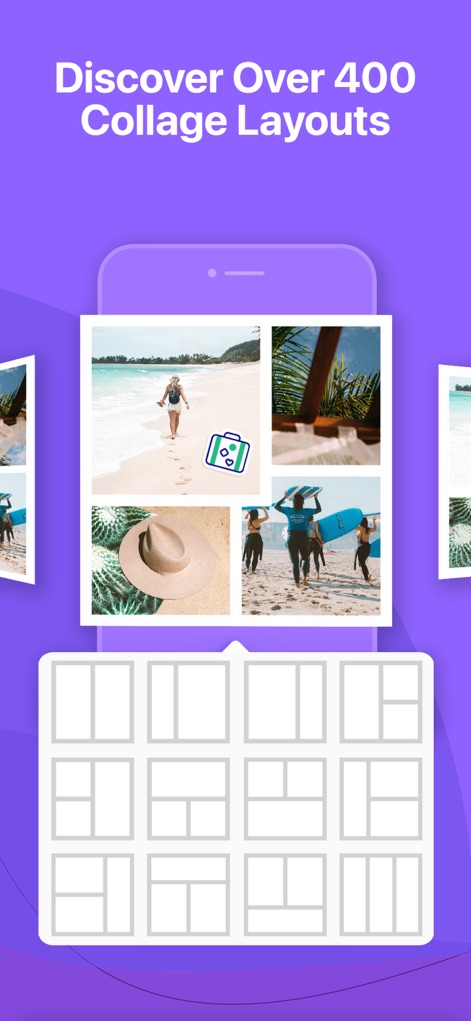
このアプリは、コラージュ作成のために400種類以上のコラージュレイアウトを提供し、ユーザーの創造性を刺激します。表示されているレイアウトプレビューグリッドから、目的のスタイルを簡単に発見できます。
400以上のレイアウト

本アプリは、強力な写真と動画の編集機能を提供します。ユーザーは、動画トリミング機能を使って最適な部分を切り出し、また豊富な写真フィルターから選択して、作品にプロフェッショナルな仕上げを施せます。
高機能な編集ツール

ユーザーは、多彩なカスタムボーダーを使用して、コラージュに個性的な魅力を加えることができます。画像に示されているように、幾何学模様やテーマ別フレームデザインなど、幅広い選択肢が用意されています。
魅力的なカスタムボーダー
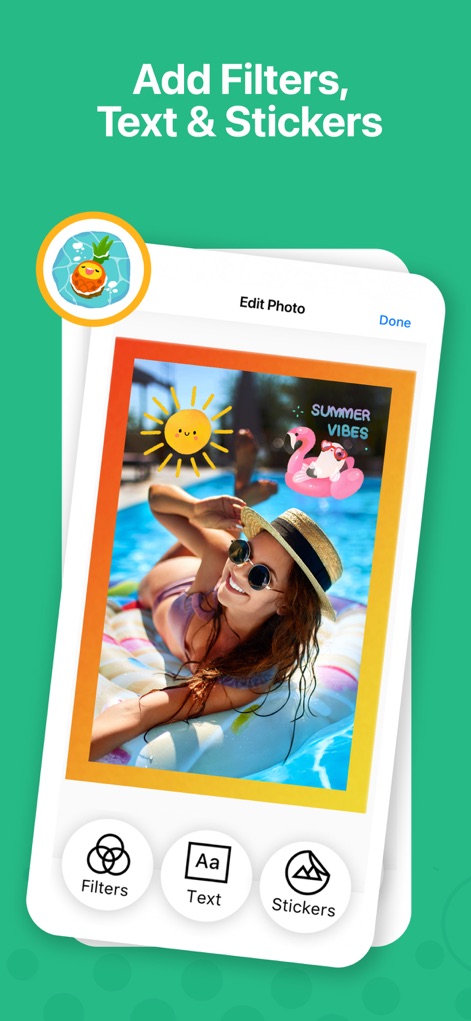
このアプリでは、写真にテキストオーバーレイを加えたり、Giphyによるステッカーで装飾したりすることで、ユーザーの創造性を自由に表現できます。フィルターオプションも利用可能で、瞬時に写真の雰囲気を変えられます。
創造力を解き放つ

本アプリは、季節やイベントに合わせたテーマコラージュのアイデアを豊富に提供します。ユーザーは、多様なレイアウトとボーダーの組み合わせを活用し、特別な瞬間を魅力的に表現できます。
楽しいテーマコラージュ

ユーザーは、カスタムレイアウト作成機能を用いて、完全に独自のコラージュデザインを構築できます。ドラッグ&ドロップ操作でレイアウトセルの分割と結合を行い、写真の配置を自由自在に調整することが可能です。
オリジナルレイアウト作成
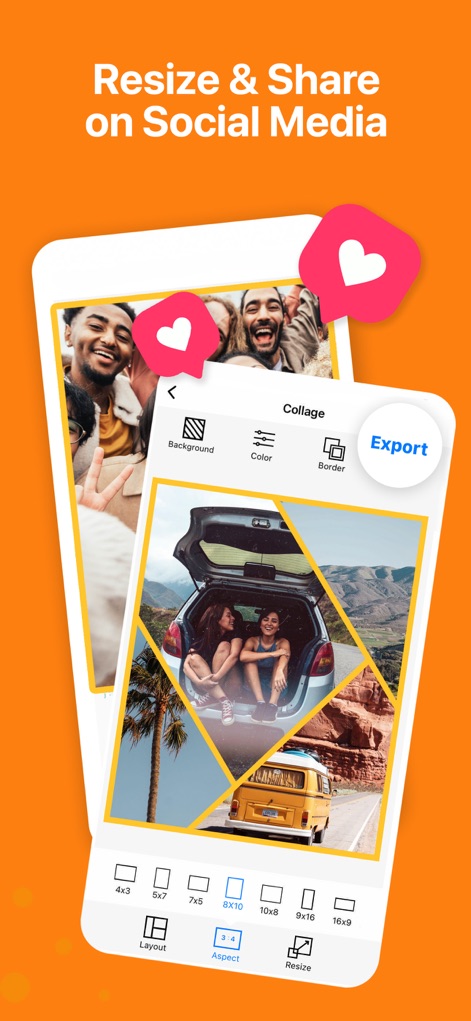
このアプリは、15種類の写真アスペクト比を提供し、ユーザーはソーシャルメディア向けに最適化されたサイズでコラージュを作成できます。完成した作品は、アプリから主要なソーシャルメディアへ直接共有することが可能です。
最適化された共有

ユーザーは、iOSホームスクリーンウィジェットを活用して、お気に入りのコラージュをホーム画面に表示できます。これにより、最新のコラージュが常に手元にあり、簡単に視覚的な魅力を楽しめます。
便利なホーム画面ウィジェット
説明
Download
類似アプリ
似た機能とユーザー体験を持つアプリ

SCRL: Photo Collage Maker
Appostrophe AB

PhotoGrid: Video Collage Maker
JUPITER PALACE PTE. LTD.

Layout for Instagram: Collage
Shamble, Inc.

Photo Collage Maker: InCollage
SHANTANU PTE. LTD.

TicPic
Zhuhai Kuxiong Network Technology Co., Ltd.

Collage Maker: CollagePlus
Shamble, Inc.

Photo Collage Montage Maker
Honk Honk Punch Pty Ltd

Photo Collage Maker & Creator
Honk Honk Punch Pty Ltd

Photo Collage Montage & Layout
Honk Honk Punch Pty Ltd
このページはアプリまたはその開発者の公式ページではなく、情報提供および論評を目的として作成された独立した編集出版物です。明示的に別段の記載がない限り、アプリおよびその開発者は、MWM、Apple、Google Play、アプリのパブリッシャー、またはアプリの開発者と提携、承認、後援、認可、またはその他の公式的な関係はなく、このページのいかなる内容も、アプリがMWMのサービスを使用して開発されたことを意味するものではありません。すべての商標、ロゴ、スクリーンショット、その他のコンテンツはそれぞれの所有者の財産です。