Picai - Photo
Picai - Photo
ダウンロード: App Store

このページはアプリまたはその開発者の公式ページではなく、情報提供および論評を目的として作成された独立した編集出版物です。明示的に別段の記載がない限り、アプリおよびその開発者は、MWM、Apple、Google Play、アプリのパブリッシャー、またはアプリの開発者と提携、承認、後援、認可、またはその他の公式的な関係はなく、このページのいかなる内容も、アプリがMWMのサービスを使用して開発されたことを意味するものではありません。すべての商標、ロゴ、スクリーンショット、その他のコンテンツはそれぞれの所有者の財産です。


ロゴ: Picai - Photo
ダウンロード: App Store

Picai - Photo

AIを活用した背景置き換え機能で、どんな写真もスタジオ品質のポートレートに。プロフェッショナルなLinkedInプロフィール、パスポート写真、ビジネス用顔写真を、プライバシーを完全に保護しながら作成する最速の方法です。

主要数値

ダウンロード

7K+

ユーザー評価

4.6/5

評価数

1K+

開発元

Kunming Dianhao Technology Co., Ltd.

カテゴリ

Developer Tools

対応言語

1

最新バージョン

1.1.0

サイズ

30.1 MB

リリース日

2025年11月26日
機能

数秒でプロのポートレートを作成

高度なAIを活用して、自宅にいながら、どんな写真もスタジオ品質の顔写真や政府基準に準拠したID写真に変換できます。

高精度AI背景除去

最先端のアルゴリズムが、ピクセル単位の精度で被写体をインテリジェントに分離し、自然でプロフェッショナルな外観のためにすべてのディテールを保持します。

プライバシー重視の処理

セキュリティ意識の高いプロフェッショナルのために設計されています。顔データや個人画像をサーバーに保存することはありません。プライバシーは保証されます。

以下のスクリーンショットと説明は、アプリの公式ストアリスティングから直接取得されたものであり、アプリ開発者の所有物です。

アプリストア

スクリーンショット

Picai - Photo - Picaiアプリのスクリーンショット。ワンタップAI outfitチェンジャー機能で、白いシャツがカラフルなビキニに変換される様子を示しています。
Picaiアプリのスクリーンショット。ワンタップAI outfitチェンジャー機能で、白いシャツがカラフルなビキニに変換される様子を示しています。

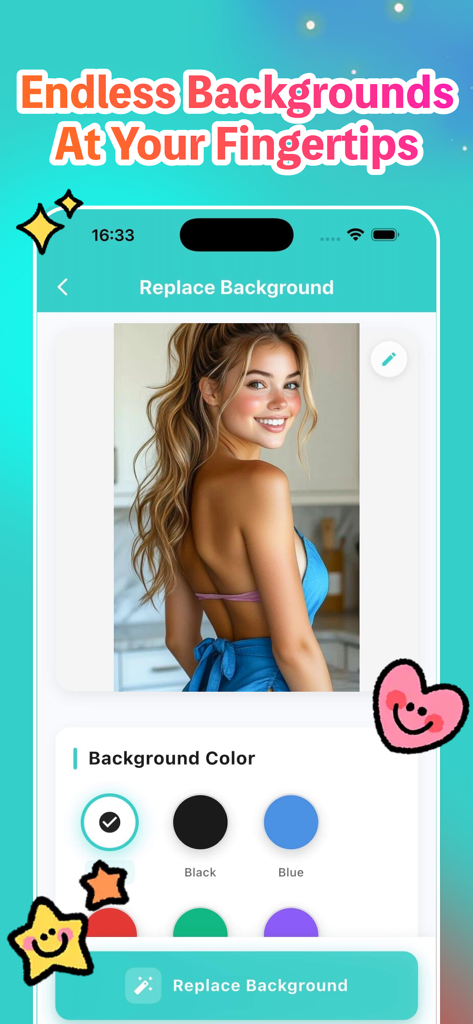
Picai - Photo - Picaiアプリのインターフェース。ユーザーがポートレート写真の単色背景を選択している様子を示しています。
Picaiアプリのインターフェース。ユーザーがポートレート写真の単色背景を選択している様子を示しています。

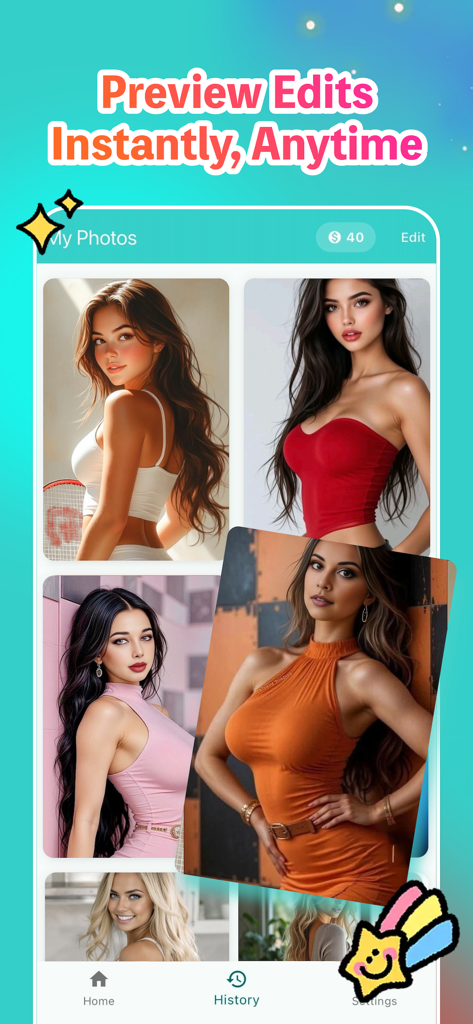
Picai - Photo - Picai Photoアプリの履歴画面。AIで編集された背景を持つポートレート画像のコレクションを表示しています。
Picai Photoアプリの履歴画面。AIで編集された背景を持つポートレート画像のコレクションを表示しています。

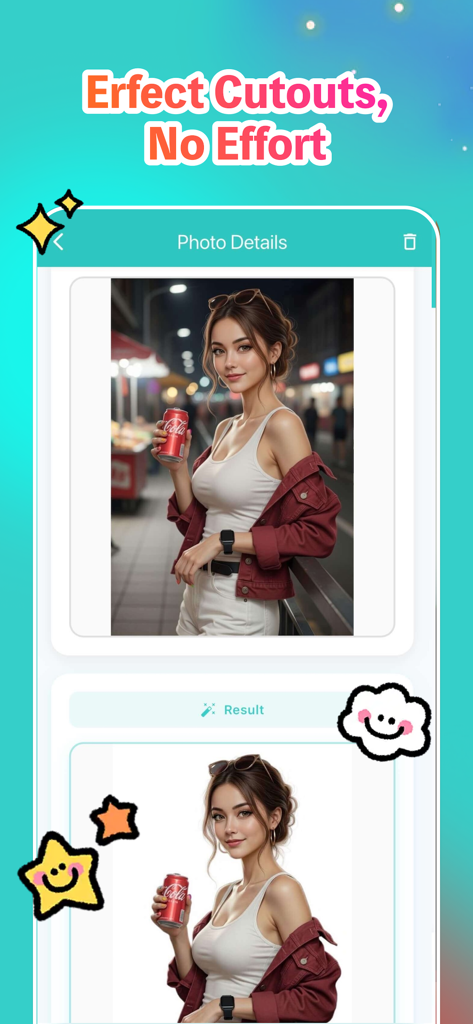
Picai - Photo - Picai AIを使用して、街の背景がある写真がクリーンな白い背景に置き換えられる、前後の比較。

Picai AIを使用して、街の背景がある写真がクリーンな白い背景に置き換えられる、前後の比較。

説明

Picai is a powerful yet simple iOS app that helps you replace photo backgrounds with solid colors using advanced AI technology. Perfect for creating professional ID photos, social media content, or business headshots - all with just a few taps. Key Features: AI-Powered Background Replacement Transform your photos instantly with intelligent AI that automatically detects and preserves your subject while replacing the background with a clean, solid color. Our advanced AI technology ensures natural-looking results while maintaining the original quality of your photos. Multiple Background Colors Choose from 9 carefully selected background colors: White, Black, Blue, Red, Green, Purple, Pink, Orange, and Gray. Each color is optimized for different use cases, from professional ID photos to creative social media posts. Easy Photo Upload Upload photos directly from your photo library or take a new photo using your device's camera. The app supports various image formats and maintains the original aspect ratio of your photos. High-Quality Results Generate high-resolution images that preserve all the details of your original photo. All processing is done using advanced AI algorithms to ensure professional-quality results. Save & Share Save your edited photos directly to your device's photo library in high quality. Share your creations with friends, family, or colleagues through any app that supports image sharing. History Management Keep track of all your edited photos in one convenient place. View your creation history, compare original and edited versions, and easily access previous work for saving or sharing again. Flexible Pricing Options Choose the plan that works best for you: - Pay-per-use with coins: Purchase coins to use the app as needed - Subscription plans: Monthly, 6-month, or annual subscriptions for unlimited use Privacy & Security Your privacy is our top priority. Picai does not collect, store, or transmit any personal information, facial data, or biometric information. All photo processing happens locally on your device or through secure, privacy-focused AI services that do not retain your images. We do not track your usage, collect analytics, or share your data with third parties. Your photos remain yours - we simply provide the tools to enhance them. Perfect For: - Creating professional ID photos and passport photos - Social media profile pictures and posts - Business headshots and professional portraits - Creative projects requiring clean backgrounds - Any scenario where you need a solid color background How It Works: 1. Upload a photo from your library or take a new one 2. Select your preferred background color 3. Let our AI process your image (usually takes just a few seconds) 4. Review the result with side-by-side comparison 5. Save to your photo library or share with others Subscription Information: Subscriptions automatically renew unless cancelled at least 24 hours before the end of the current period. Manage your subscription and turn off auto-renewal in your Apple ID Account Settings after purchase. Privacy Commitment: Picai is designed with privacy in mind. We do not collect facial recognition data, biometric information, or any personal identifiers from your photos. All images are processed securely, and we never store your photos on our servers. Your data stays on your device, giving you complete control over your privacy. The subscription service provided: Monthly Subscription, Price: $24 / month, Half Year Subscription, Price: $96 / 6 months, Yearly Subscription, Price: $160 / year User Agreement: https://docs.google.com/document/d/1iecMEMty61RZpLgY8w5vXdPqrauaauvAVbhM46cuxzg/edit?usp=sharing Privacy Policy: https://docs.google.com/document/d/1xVb445dXsdmzuZeZ_kbBu7gKFRxBBd2cPseTWfTT7Gk/edit?usp=sharing Subscription Agreement: https://docs.google.com/document/d/1n90wD9U--2Hx_0Td5ATYOpmJQR-h3oUDS7wJ5O2Z_sg/edit?usp=sharing

Download

ダウンロード: App Store

このページはアプリまたはその開発者の公式ページではなく、情報提供および論評を目的として作成された独立した編集出版物です。明示的に別段の記載がない限り、アプリおよびその開発者は、MWM、Apple、Google Play、アプリのパブリッシャー、またはアプリの開発者と提携、承認、後援、認可、またはその他の公式的な関係はなく、このページのいかなる内容も、アプリがMWMのサービスを使用して開発されたことを意味するものではありません。すべての商標、ロゴ、スクリーンショット、その他のコンテンツはそれぞれの所有者の財産です。








