Picasso App Screenshot Studio
ダウンロード: App Store

このページはアプリまたはその開発者の公式ページではなく、情報提供および論評を目的として作成された独立した編集出版物です。明示的に別段の記載がない限り、アプリおよびその開発者は、MWM、Apple、Google Play、アプリのパブリッシャー、またはアプリの開発者と提携、承認、後援、認可、またはその他の公式的な関係はなく、このページのいかなる内容も、アプリがMWMのサービスを使用して開発されたことを意味するものではありません。すべての商標、ロゴ、スクリーンショット、その他のコンテンツはそれぞれの所有者の財産です。

ロゴ: Picasso App Screenshot Studio
ダウンロード: App Store

Picasso App Screenshot Studio

手動でのサイズ変更の苦痛はもうやめましょう。デバイスのフレーミングを自動化し、.xcstringsでローカライズし、Appleエコシステムのために構築されたネイティブエディタを使用してApp Store Connectに直接アップロードします。

主要数値

ダウンロード

23K+

ユーザー評価

4.4/5

評価数

100

開発元

ASO Ventures LLC

カテゴリ

Developer Tools

対応言語

1

最新バージョン

3.4

サイズ

160.3 MB

リリース日

2023年12月24日
機能

より良いスクリーンショットを、より速く

デザインツールとの格闘はもうやめましょう。Picassoは、アプリストアのマーケティングを自動化し、数時間かかる手動でのサイズ変更を、数分でコンバージョン率の高い出力に変換します。

App Storeへの直接同期

手動でのエクスポートは不要です。APIキーをリンクして、アプリを離れることなく、完成したアセットをApp Store Connectに直接アップロードできます。

瞬時のグローバルローカライズ

リーチを簡単に拡大しましょう。.xcstringsファイルをインポートして、サポートしているすべての言語のローカライズされたスクリーンショットを自動生成します。

以下のスクリーンショットと説明は、アプリの公式ストアリスティングから直接取得されたものであり、アプリ開発者の所有物です。

アプリストア

スクリーンショット
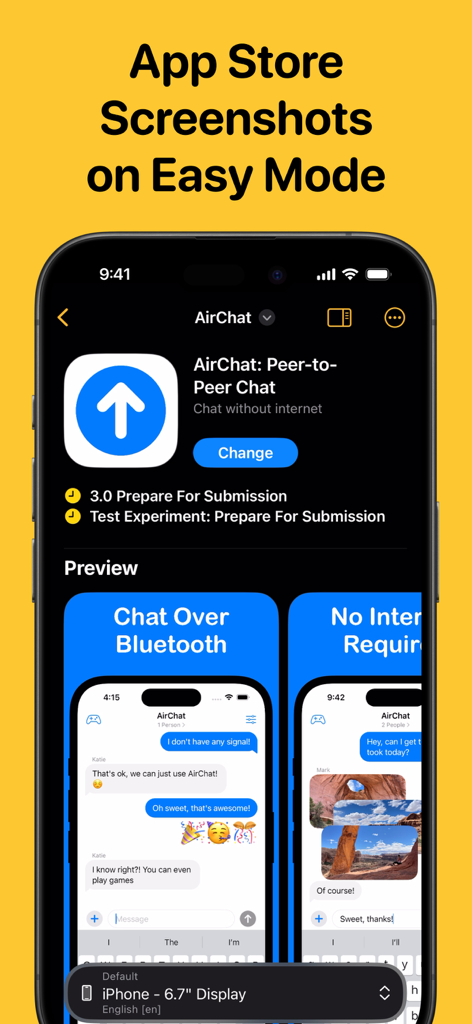
Picasso App Screenshot Studio - Picasso App Screenshot Studioのインターフェース。iPhoneアプリのApp Storeスクリーンショットのカスタマイズが表示されている。
Picasso App Screenshot Studioのインターフェース。iPhoneアプリのApp Storeスクリーンショットのカスタマイズが表示されている。

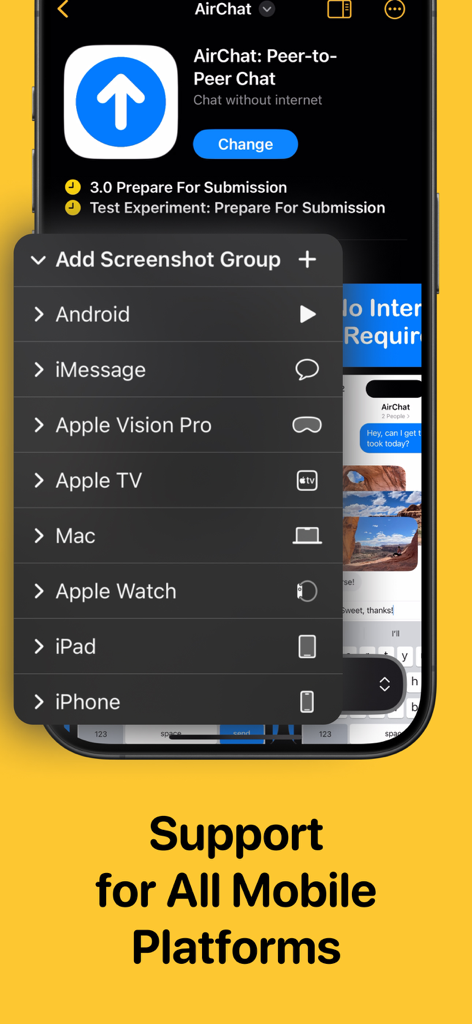
Picasso App Screenshot Studio - Picasso App Screenshot Studioのメニュー。iPhone、iPad、Mac、Apple Vision Proのスクリーンショット生成サポートが表示されている。

Picasso App Screenshot Studioのメニュー。iPhone、iPad、Mac、Apple Vision Proのスクリーンショット生成サポートが表示されている。
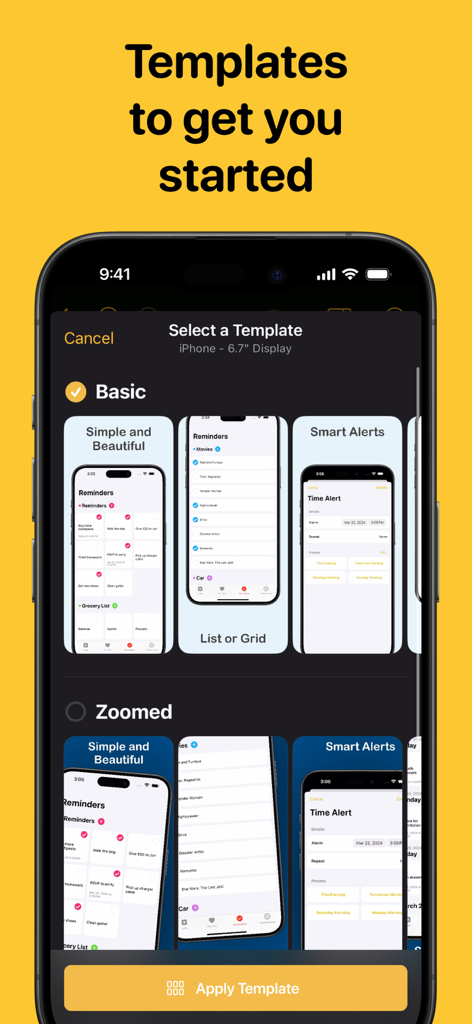
Picasso App Screenshot Studio - PicassoアプリのiPhoneディスプレイ用スクリーンショットテンプレートのセレクション。
PicassoアプリのiPhoneディスプレイ用スクリーンショットテンプレートのセレクション。

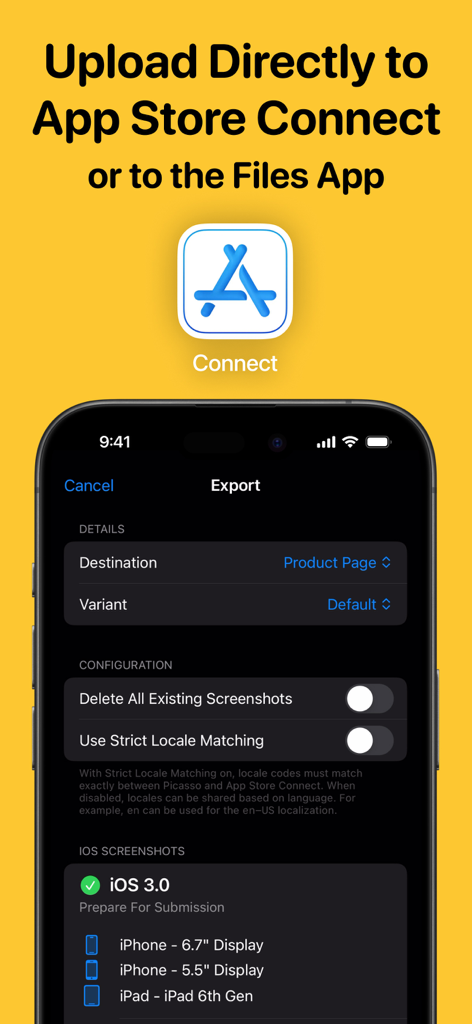
Picasso App Screenshot Studio - Picasso App Screenshot Studioのエクスポートインターフェース。App Store Connectへの直接アップロードオプションが表示されている。
Picasso App Screenshot Studioのエクスポートインターフェース。App Store Connectへの直接アップロードオプションが表示されている。

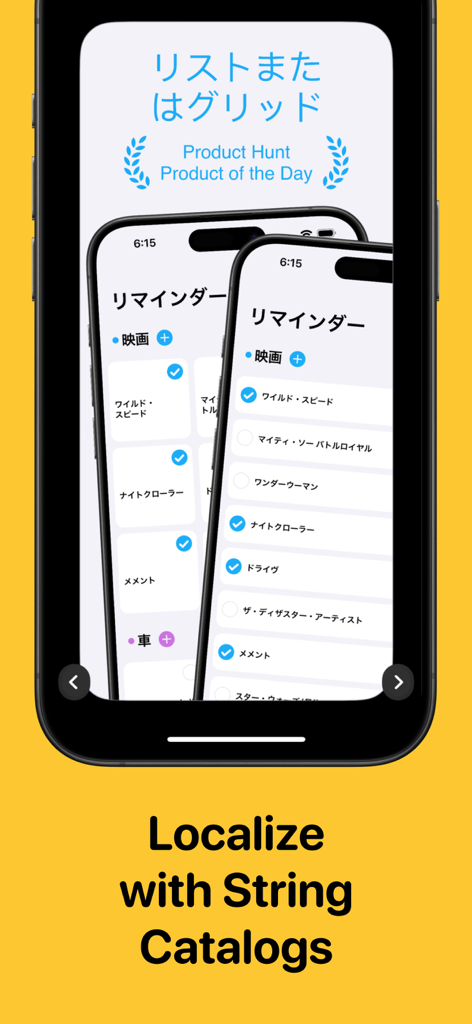
Picasso App Screenshot Studio - iPhoneスクリーンショット。Picassoアプリで日本語ローカライズとString Catalogサポートが特徴。
iPhoneスクリーンショット。Picassoアプリで日本語ローカライズとString Catalogサポートが特徴。

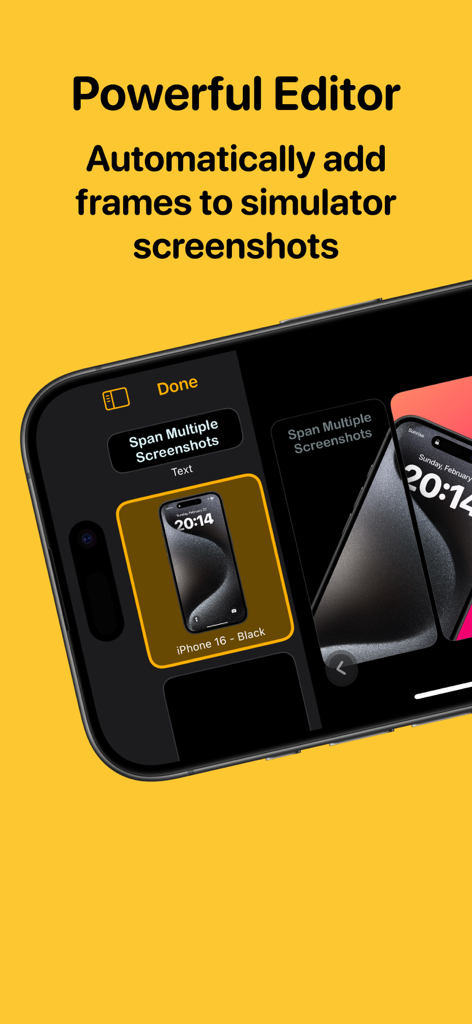
Picasso App Screenshot Studio - Picasso Appエディタインターフェース。iPhoneシミュレータスクリーンショットの自動デバイスフレーミングが表示されている。
Picasso Appエディタインターフェース。iPhoneシミュレータスクリーンショットの自動デバイスフレーミングが表示されている。

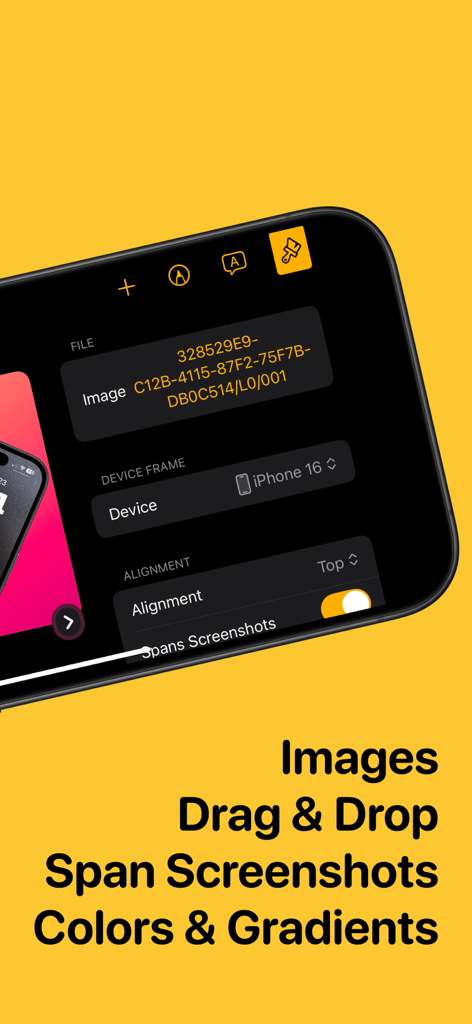
Picasso App Screenshot Studio - Picasso App Screenshot Studioのインターフェース。画像編集とデバイスフレーミングツールが表示されている。
Picasso App Screenshot Studioのインターフェース。画像編集とデバイスフレーミングツールが表示されている。

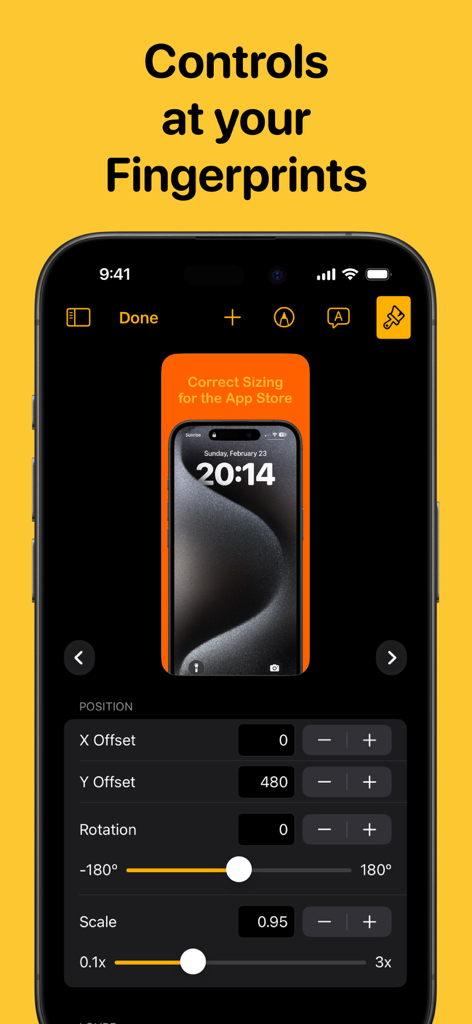
Picasso App Screenshot Studio - Picasso App Screenshot Studioのインターフェース。スクリーンショットの位置、回転、スケーリングの精密なコントロールが表示されている。
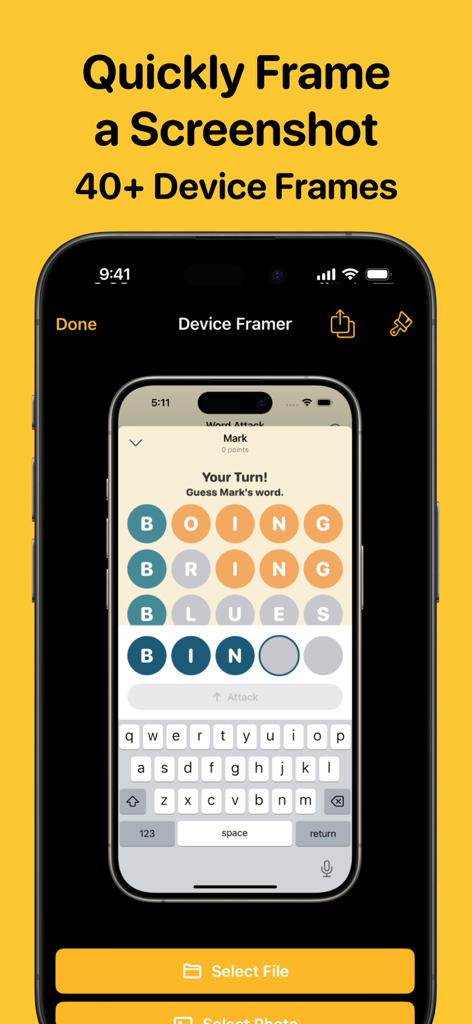
Picasso App Screenshot Studioのインターフェース。スクリーンショットの位置、回転、スケーリングの精密なコントロールが表示されている。

Picasso App Screenshot Studio - Picasso App Screenshot Studioのインターフェース。プロフェッショナルなデバイスフレームで自動的にラップされているiPhoneスクリーンショットが表示されている。

Picasso App Screenshot Studioのインターフェース。プロフェッショナルなデバイスフレームで自動的にラップされているiPhoneスクリーンショットが表示されている。

説明

Take the headache out of generating app screenshots! 60% of users decide whether to download your app based on the screenshots. With Picasso, you can showcase your app to its fullest and increase your conversion rate. Available for iPhone, iPad, and Mac, Picasso offers everything you need to make your app stand out! ** Simple Interface ** Picasso has been optimized for Apple's platforms, taking advantage of everything your device has to offer. And with iCloud, you can edit a document on one device, and seamlessly pick it up on another. ** Device Framing ** Support for over framing 40 devices, including iPhones, iPads, Macs, and Apple Watches. Screenshots are automatically wrapped in the appropriate device frame down to the last pixel. You won't find a better app to frame your screenshots. ** Drag-and-Drop Editor ** Full drag and drop support helps streamline the editing process. ** Templates ** Choose from several templates to hit the ground running! No design skills needed. ** Easy Export ** Picasso makes exporting easy by giving you a preview of your screenshots, as well as automatic naming and ordering, making it a cinch to upload to the App Store. ** Accurate Previews ** See exactly how your screenshots will appear in the App Store, cutting out unnecessary iteration and toil. ** Power Features ** Keyboard shortcuts make navigating the app fast. -- Picasso Pro Features (In-App Purchase required) -- ** Upload Directly to App Store Connect ** Once an app is linked with an App Store Connect API Key, you can upload your screenshots directly to App Store Connect. ** Localization Support ** Simply drag an .xcstrings file into Picasso to localize your screenshots for any language! ** Add Images to Screenshots ** The ability to add any image to a screenshot. ** Gradients and Blurs ** Use captivating gradients and blurs to style your screenshots. ** Span Items across Screenshots ** Span items across multiple screenshots, and Picasso will make sure the spacing is correct. Terms of Service: https://getpicasso.com/terms Privacy Policy: https://getpicasso.com/privacy

Download

ダウンロード: App Store

このページはアプリまたはその開発者の公式ページではなく、情報提供および論評を目的として作成された独立した編集出版物です。明示的に別段の記載がない限り、アプリおよびその開発者は、MWM、Apple、Google Play、アプリのパブリッシャー、またはアプリの開発者と提携、承認、後援、認可、またはその他の公式的な関係はなく、このページのいかなる内容も、アプリがMWMのサービスを使用して開発されたことを意味するものではありません。すべての商標、ロゴ、スクリーンショット、その他のコンテンツはそれぞれの所有者の財産です。









