
このページはアプリまたはその開発者の公式ページではなく、情報提供および論評を目的として作成された独立した編集出版物です。明示的に別段の記載がない限り、アプリおよびその開発者は、MWM、Apple、Google Play、アプリのパブリッシャー、またはアプリの開発者と提携、承認、後援、認可、またはその他の公式的な関係はなく、このページのいかなる内容も、アプリがMWMのサービスを使用して開発されたことを意味するものではありません。すべての商標、ロゴ、スクリーンショット、その他のコンテンツはそれぞれの所有者の財産です。

ダウンロード
50M+ユーザー評価
評価数
5.2M開発元
カテゴリ
Photo & Video対応言語
11最新バージョン
8.60.1サイズ
208.8 MBリリース日
2011年7月13日アプリ「PicCollage: Magic Photo Editor」主要機能分析
カジュアルユーザー向け創造性向上ツールとしての評価
多様な形式でのコンテンツ作成
本アプリは、写真や動画をコラージュ、カード、スライドショーといった思い出に残る多様な形式のコンテンツへ簡単に変換する機能を提供します。
AIによる背景除去と形状切り抜き
本ツールはAIを活用した切り抜き機能を備えており、ユーザーは写真の背景を容易に除去したり、特定の形状に画像を切り抜いたりすることが可能です。
高度な写真と動画の編集機能
このアプリは、写真や動画のトリミング、フィルター適用、レタッチ、動画コラージュ作成など、コンテンツを完璧に仕上げるための編集機能を提供します。
個性的なデコレーションオプション
本アプリは、多彩なフォント、数千種類のステッカー、および手描きドゥードゥルを提供し、ユーザーは作品を個性豊かに飾り付けることが可能です。
Instagramストーリー用テンプレート
このアプリは、Instagramストーリーやリールに特化したテンプレートを備えており、ユーザーは魅力的なソーシャルメディアコンテンツを迅速に作成し、直接共有できます。
豊富なテンプレートとレイアウト
本ツールは、多様なレイアウト、グリッド、アニメーションテンプレートを提供することで、ユーザーがデザインスキルに自信がなくても、迅速かつ魅力的なコラージュやカードを作成できるよう支援します。
独占的な背景とステッカーコレクション
本アプリは、有名アーティストとのコラボレーションを通じて数千種類の独占的な背景とステッカーを提供し、ユーザーは作品にユニークなデザイン要素を加えることが可能です。
多彩なフォントと曲線テキスト編集
このアプリは、幅広い種類のフォントから選択できる機能に加え、曲線テキストエディタを備えており、ユーザーはテキストを写真の周囲に沿わせるなど、創造的に配置することが可能です。
よくある質問
について知っておくべきこと PicCollage: Magic Photo Editor
What is PicCollage: AI Photo Editor?
PicCollage: AI Photo Editor is an app that allows users to create collages, cards, and slideshows from photos and videos. It offers tools for editing, personalizing, and enhancing visual content.
Is PicCollage: AI Photo Editor free to use?
Yes, PicCollage: AI Photo Editor is free to use, offering a starter pack with stickers to edit photos, create collages, and design cards. Additional advanced features are available via a VIP subscription.
What features does PicCollage VIP offer?
PicCollage VIP is a subscription that provides advanced features, removes watermarks and ads, and grants access to thousands of exclusive stickers, backgrounds, fonts, and layouts. It includes a 7-day free trial.
Can I remove photo backgrounds with PicCollage: AI Photo Editor?
Yes, PicCollage: AI Photo Editor features an AI-powered cutout tool that removes backgrounds from photos to isolate subjects like people or pets. It also offers shape-based cutouts.
Does PicCollage: AI Photo Editor have an object eraser tool?
Yes, PicCollage: AI Photo Editor includes an erase tool designed to remove unwanted objects from photos, as demonstrated by removing a trash can in the app's interface.
Can I add videos to collages in PicCollage: AI Photo Editor?
Yes, PicCollage: AI Photo Editor allows users to add videos to their collages, enabling the creation of video collages and slideshows. Users can also add pages and save them as videos.
Does PicCollage: AI Photo Editor offer templates for collages and cards?
Yes, PicCollage: AI Photo Editor provides ready-to-use layouts, grids, and animated templates for creating collages and cards. Users can also design in a freestyle mode.
What kind of fonts are available in PicCollage: AI Photo Editor?
PicCollage: AI Photo Editor offers a variety of fonts, including handwritten and formal styles. It also includes a curved text editor and AI-powered font pairing for designs.
Can I add stickers and backgrounds in PicCollage: AI Photo Editor?
Yes, PicCollage: AI Photo Editor provides thousands of exclusive stickers and backgrounds from collaborations with artists. Users can add these to photos and collages to personalize their creations.
Can PicCollage: AI Photo Editor help create Instagram Stories?
Yes, PicCollage: AI Photo Editor offers templates specifically for creating impressive Instagram posts, stories, or reels, which users can then share directly with their followers.
以下のスクリーンショットと説明は、アプリの公式ストアリスティングから直接取得されたものであり、アプリ開発者の所有物です。
アプリストア
スクリーンショット
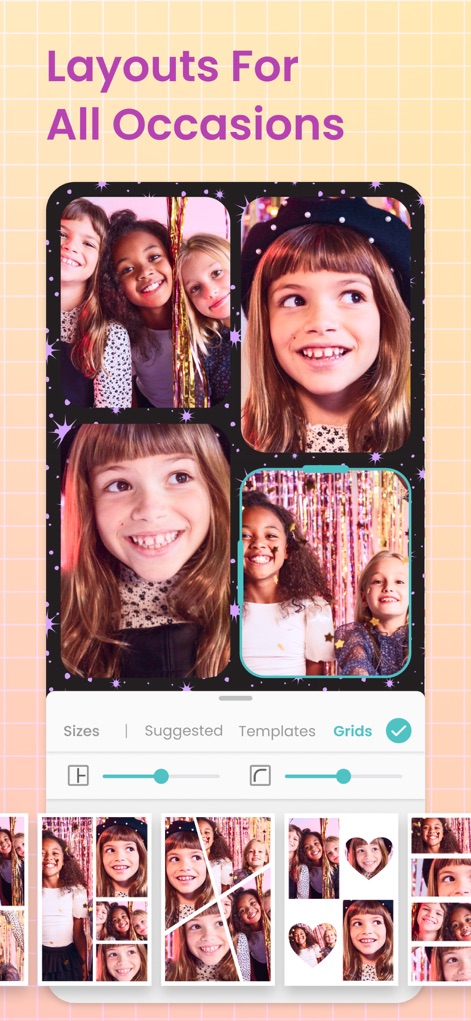
多彩なレイアウト
イベントや気分に合わせて、ユーザーは複数の写真をグリッドレイアウトで組み合わせたり、ハート型などのユニークな形状で配置したりできます。
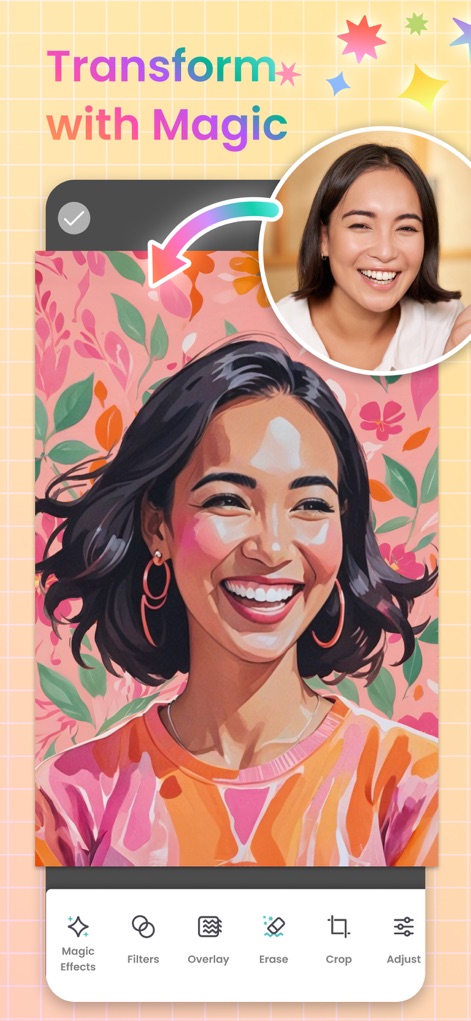
魔法の編集
本ツールは、ユーザーの写真をAIを活用したマジックエフェクトで瞬時にアート作品へ昇華させ、新しい背景と融合させることで魅力的なビジュアルを創出します。
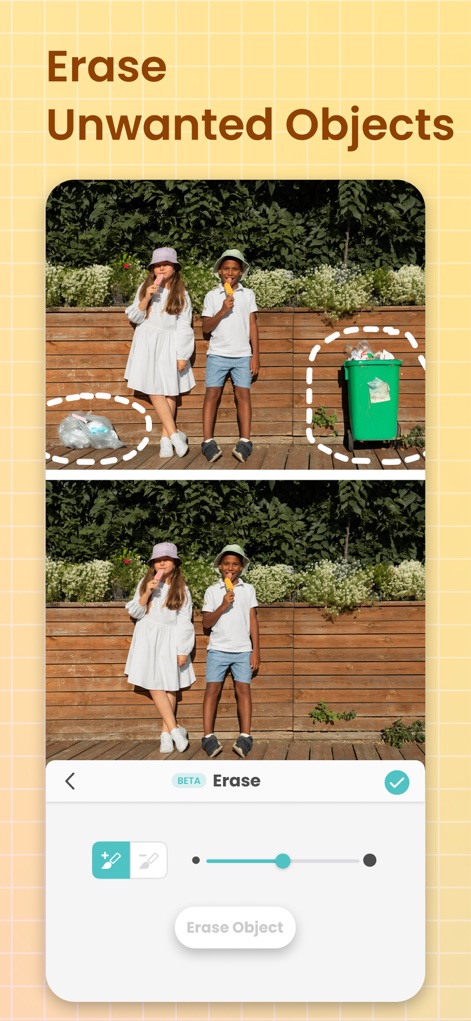
不要物除去
このツールは、写真からユーザーが選択した不要なオブジェクトを精密に除去することを可能にし、作業の精度を調整するスライダーも備えています。
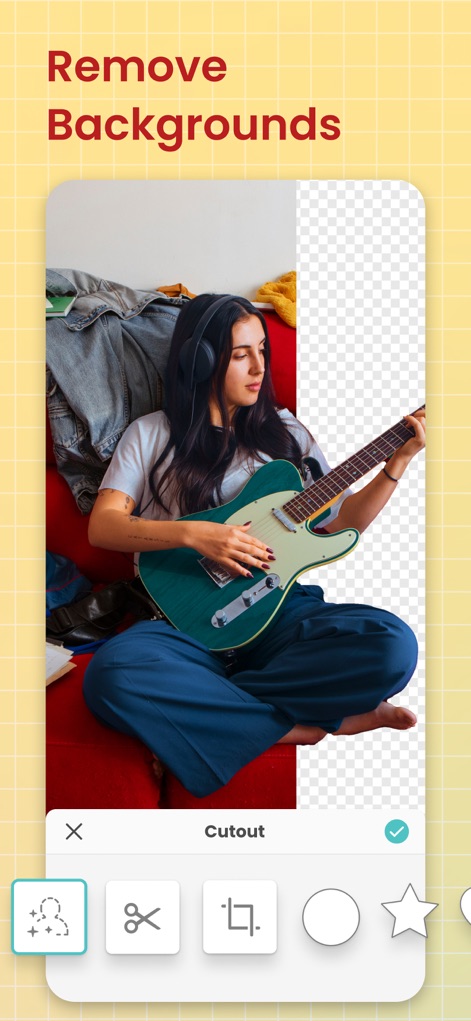
背景を瞬時に削除
本アプリは、被写体の背景をワンタップで自動的に除去するAI搭載の切り抜きツールを提供し、ユーザーは写真の背景を透明にするだけでなく、星形などのカスタムシェイプで切り抜くことも可能です。
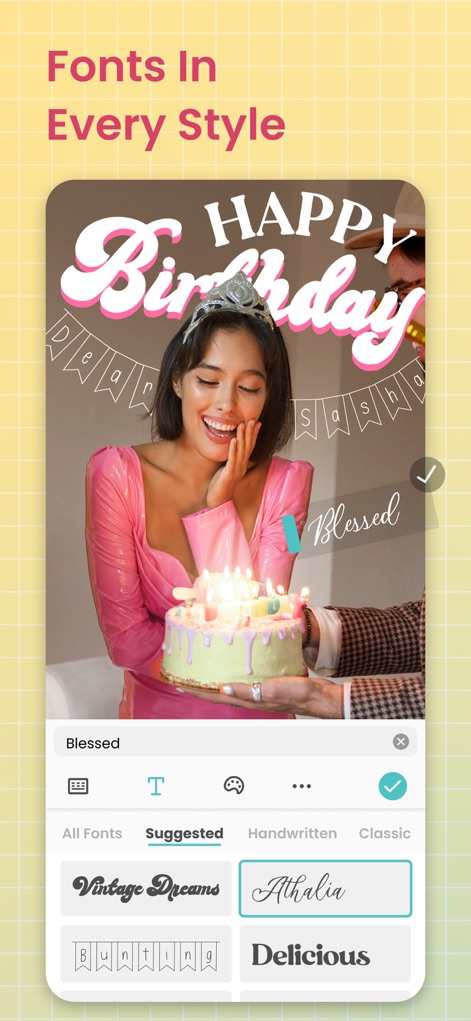
豊富なフォント
このアプリでは、手書き風からフォーマルまで多様なフォントスタイルから選択してテキストを追加でき、ユーザーは曲線のテキストエディタで写真の周囲に沿ったユニークな配置も行えます。
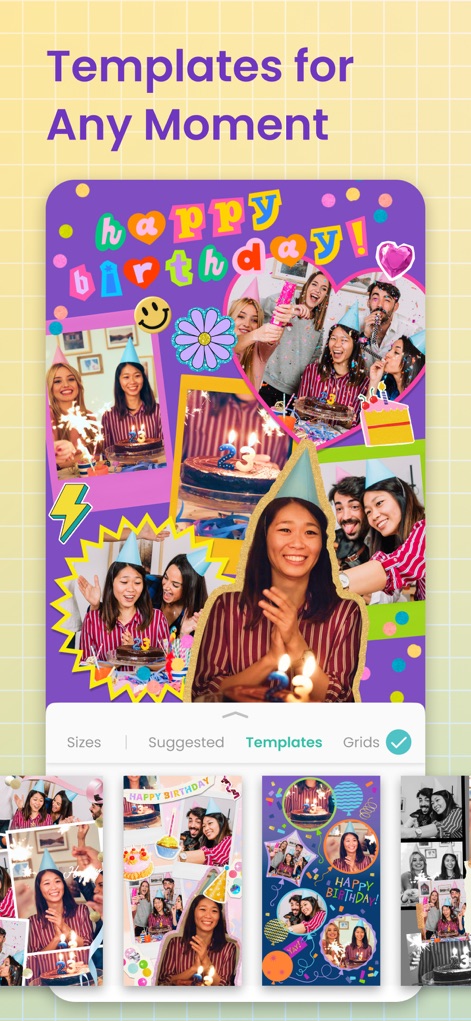
場面別テンプレート
ユーザーは誕生日などの特定のイベントに合わせた魅力的なテンプレートを豊富に利用でき、複数の写真やステッカーを組み合わせて、簡単にテーマ性のあるコラージュを作成できます。

写真に彩りを
本機能を使えば、ユーザーは写真に魅力的なフィルターを適用してムードを調整したり、マジックエフェクトで光の漏れのような特別な視覚効果を追加したりできます。
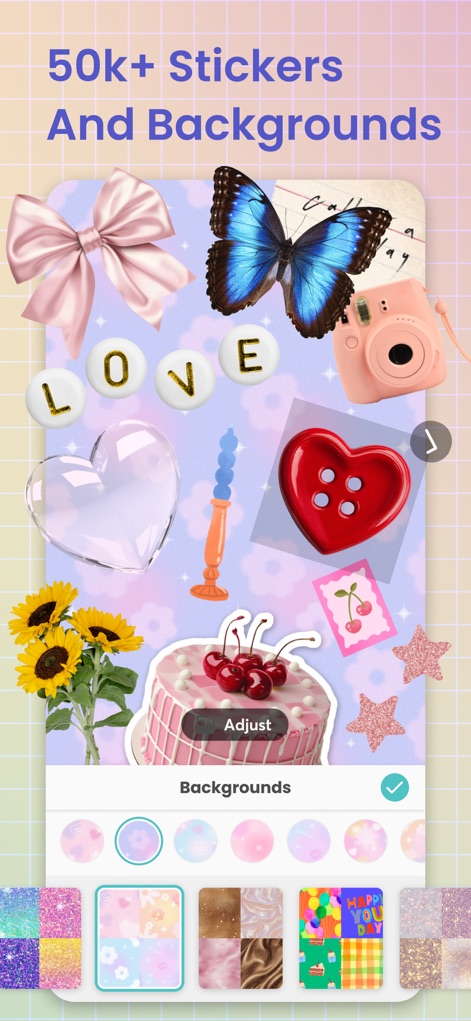
豊富な素材
ユーザーは5万点を超える多種多様なステッカーコレクションから選んで画像を装飾したり、様々なテーマやスタイルに合わせた背景を適用して作品を個性豊かに演出できます。
説明
Download
類似アプリ
似た機能とユーザー体験を持つアプリ

SCRL: Photo Collage Maker
Appostrophe AB

PhotoGrid: Video Collage Maker
JUPITER PALACE PTE. LTD.

Layout for Instagram: Collage
Shamble, Inc.

Photo Collage Maker: InCollage
SHANTANU PTE. LTD.

TicPic
Zhuhai Kuxiong Network Technology Co., Ltd.

Collage Maker: CollagePlus
Shamble, Inc.

Photo Collage Montage Maker
Honk Honk Punch Pty Ltd

Photo Collage Maker & Creator
Honk Honk Punch Pty Ltd

Photo Collage Montage & Layout
Honk Honk Punch Pty Ltd
このページはアプリまたはその開発者の公式ページではなく、情報提供および論評を目的として作成された独立した編集出版物です。明示的に別段の記載がない限り、アプリおよびその開発者は、MWM、Apple、Google Play、アプリのパブリッシャー、またはアプリの開発者と提携、承認、後援、認可、またはその他の公式的な関係はなく、このページのいかなる内容も、アプリがMWMのサービスを使用して開発されたことを意味するものではありません。すべての商標、ロゴ、スクリーンショット、その他のコンテンツはそれぞれの所有者の財産です。