PictoBlox Junior Blocks
ダウンロード: App Store

このページはアプリまたはその開発者の公式ページではなく、情報提供および論評を目的として作成された独立した編集出版物です。明示的に別段の記載がない限り、アプリおよびその開発者は、MWM、Apple、Google Play、アプリのパブリッシャー、またはアプリの開発者と提携、承認、後援、認可、またはその他の公式的な関係はなく、このページのいかなる内容も、アプリがMWMのサービスを使用して開発されたことを意味するものではありません。すべての商標、ロゴ、スクリーンショット、その他のコンテンツはそれぞれの所有者の財産です。

ロゴ: PictoBlox Junior Blocks
ダウンロード: App Store

PictoBlox Junior Blocks

スクリーンタイムをクリエイティブな冒険に変えましょう。初心者向けに設計された簡単なドラッグ&ドロップブロックで、お子様がゲームを作成し、ロボットを制御し、AIの世界を探求できるようにしましょう。

主要数値

ダウンロード

400

ユーザー評価

1.0/5

評価数

0

開発元

Agilo Research Private Limited

カテゴリ

Education

対応言語

1

最新バージョン

1.0.1

サイズ

314.4 MB

リリース日

2025年6月12日
機能

次世代のクリエイターを育成

受動的なスクリーンタイムをイノベーションの遊び場に変え、お子様が実践的な遊びを通してコーディング、AI、ロボット工学をマスターできるようにします。

直感的なブロックベースコーディング

複雑な構文は不要です。子供たちは、視覚的なコードブロックをスナップするだけで、論理的思考力とシーケンススキルを構築し、ゲームやアニメーションを作成します。

AIと機械学習を探求

お子様の教育を未来に対応させましょう。顔認識から音声コマンドまで、子供たちは人工知能の基本を楽しく、アクセスしやすい方法で学びます。

以下のスクリーンショットと説明は、アプリの公式ストアリスティングから直接取得されたものであり、アプリ開発者の所有物です。

アプリストア

スクリーンショット
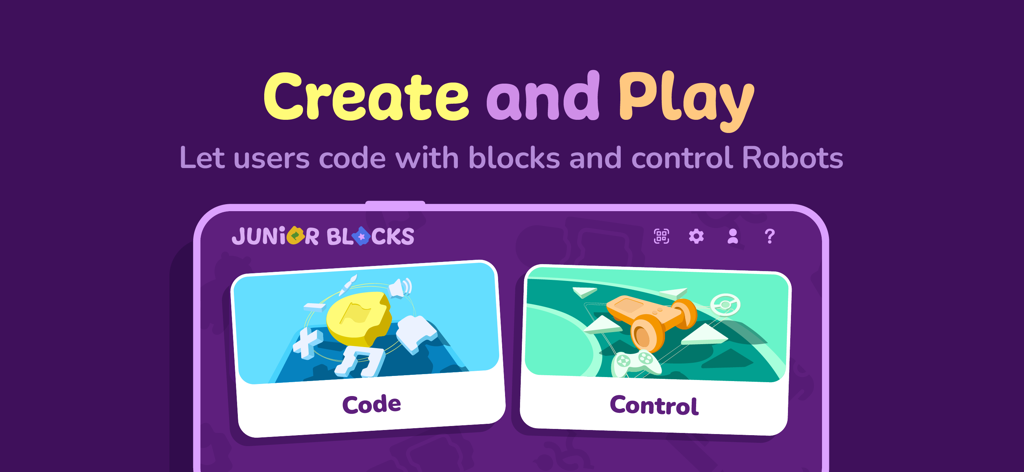
PictoBlox Junior Blocks - PictoBlox Junior Blocksアプリのホーム画面、コーディングとロボット工学の作成とプレイオプションを表示
PictoBlox Junior Blocksアプリのホーム画面、コーディングとロボット工学の作成とプレイオプションを表示

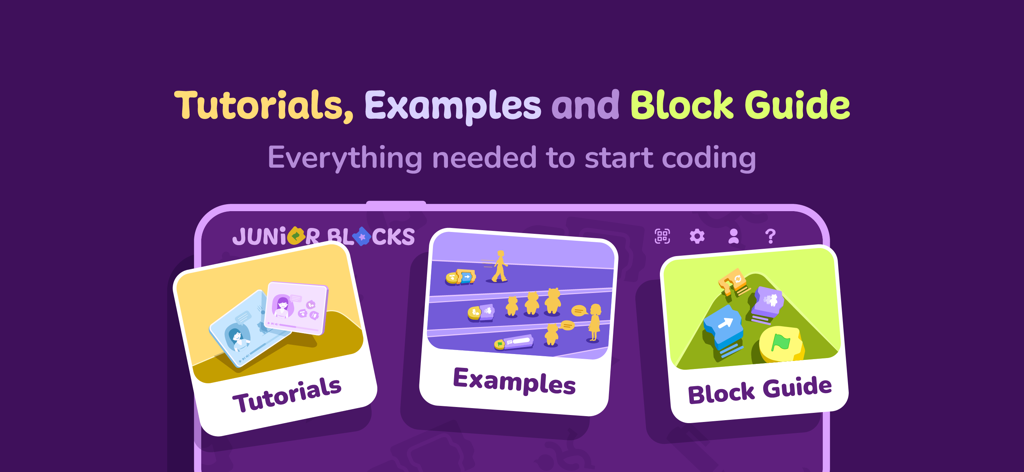
PictoBlox Junior Blocks - PictoBlox Junior Blocksアプリ画面、子供たちがコーディングを学ぶのに役立つチュートリアル、例、ブロックガイドのオプションを表示
PictoBlox Junior Blocksアプリ画面、子供たちがコーディングを学ぶのに役立つチュートリアル、例、ブロックガイドのオプションを表示

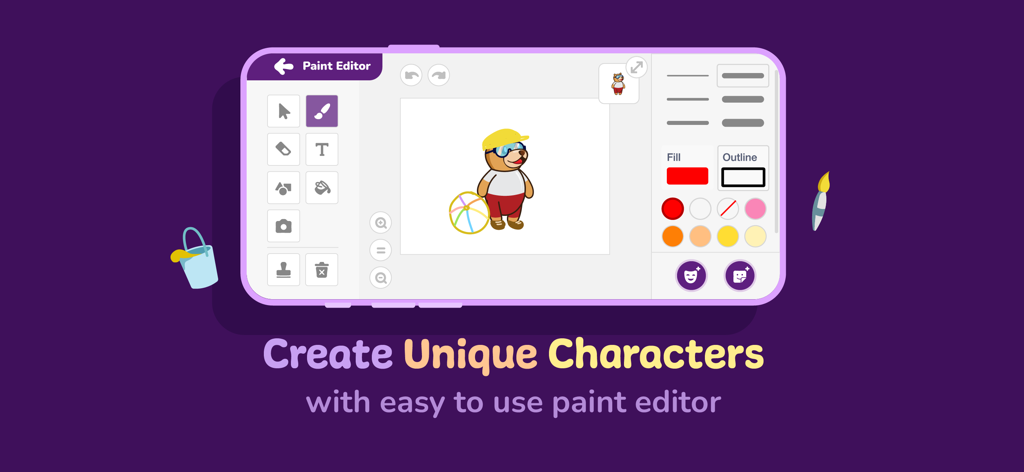
PictoBlox Junior Blocks - PictoBlox Junior Blocksペイントエディタインターフェース、キャラクターカスタマイズツールを表示
PictoBlox Junior Blocksペイントエディタインターフェース、キャラクターカスタマイズツールを表示

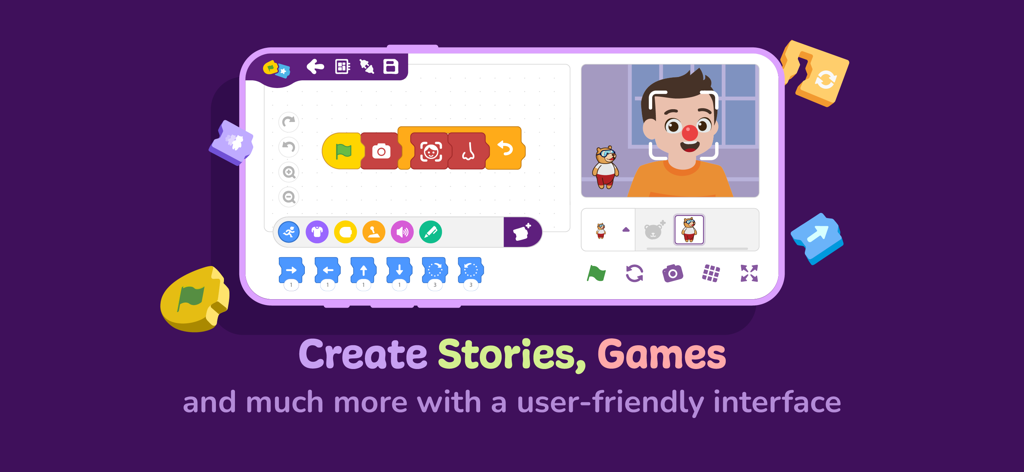
PictoBlox Junior Blocks - PictoBlox Juniorのインターフェース、ブロックベースコーディングと子供向けAI顔認識を表示
PictoBlox Juniorのインターフェース、ブロックベースコーディングと子供向けAI顔認識を表示

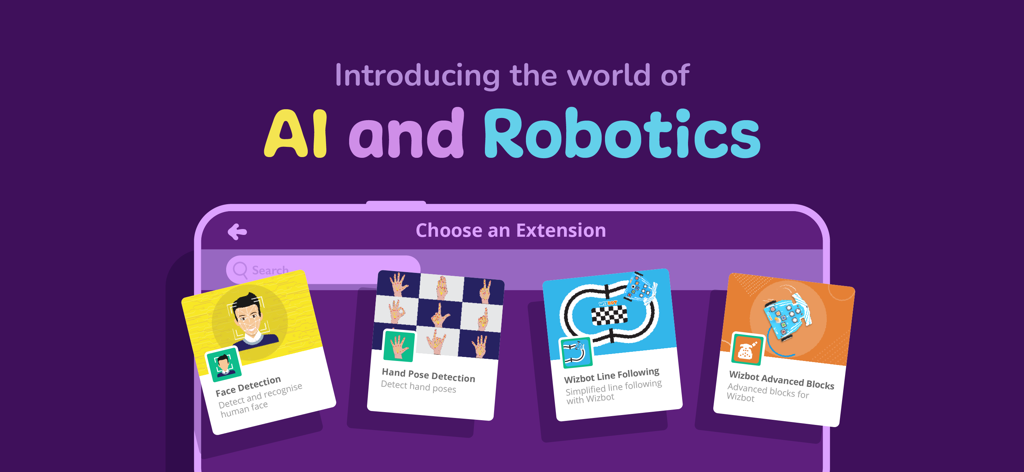
PictoBlox Junior Blocks - PictoBlox Junior Blocksアプリ画面、子供向けAIおよびロボット工学コーディング拡張機能を表示

PictoBlox Junior Blocksアプリ画面、子供向けAIおよびロボット工学コーディング拡張機能を表示

説明

Junior Blocks is a block-based educational coding app for beginners with enhanced hardware-interaction capabilities and emerging technologies such as robotics and AI that make learning to code fun and engaging. Just drag and drop the coding blocks and make cool games, animations, interactive projects, and even control robots the way you want! ● 21st-Century Skills Junior Blocks opens doors for beginners to learn creative and physical computing in an engaging way and helps develop essential skills for today’s technology-driven world such as: - Creativity - Logical reasoning - Critical thinking - Problem-solving ● Coding Skills With Junior Blocks, learners can understand key coding concepts such as: - Logic - Algorithms - Sequencing - Loops - Conditional statements ● AI and ML for Education Users can explore Artificial Intelligence and Machine Learning concepts like: - Face and text recognition - Speech recognition and virtual assistant - AI-based games ● Extensions for Making Countless DIY Projects Junior Blocks offers dedicated extensions to create exciting projects involving AI, robotics, Scratch project control via Bluetooth, programming wheels, sensors, displays, NeoPixel RGB lights, and much more. Boards Compatible with PictoBlox App: - Quarky - Wizbot Want to know more about Junior Blocks? Visit: https://thestempedia.com/product/pictoblox Getting Started with Junior Blocks: Projects that you can make:https://thestempedia.com/project/ Permissions required for: Bluetooth: to provide connectivity. Camera: for taking pictures, videos, face recognition, etc. Microphone: to send voice commands and use the sound meter. Storage: to store the images and videos taken. Location: to use the location sensor and BLE. Download Junior Blocks NOW and start the exciting world of coding and AI with these interactive coding blocks.

Download

ダウンロード: App Store

このページはアプリまたはその開発者の公式ページではなく、情報提供および論評を目的として作成された独立した編集出版物です。明示的に別段の記載がない限り、アプリおよびその開発者は、MWM、Apple、Google Play、アプリのパブリッシャー、またはアプリの開発者と提携、承認、後援、認可、またはその他の公式的な関係はなく、このページのいかなる内容も、アプリがMWMのサービスを使用して開発されたことを意味するものではありません。すべての商標、ロゴ、スクリーンショット、その他のコンテンツはそれぞれの所有者の財産です。








