PID Calculator
PID Calculator
ダウンロード: App Store

このページはアプリまたはその開発者の公式ページではなく、情報提供および論評を目的として作成された独立した編集出版物です。明示的に別段の記載がない限り、アプリおよびその開発者は、MWM、Apple、Google Play、アプリのパブリッシャー、またはアプリの開発者と提携、承認、後援、認可、またはその他の公式的な関係はなく、このページのいかなる内容も、アプリがMWMのサービスを使用して開発されたことを意味するものではありません。すべての商標、ロゴ、スクリーンショット、その他のコンテンツはそれぞれの所有者の財産です。

ロゴ: PID Calculator
ダウンロード: App Store

PID Calculator

PID値を即座に計算するための、エンジニアや技術者向けの現場対応ツール。ハンズフリーの音量ボタンタイマーで振動周期を捉え、制御ループ最適化のための完璧な開始点を得られます。

主要数値

ダウンロード

400

ユーザー評価

1.0/5

評価数

0

開発元

Matthew Bradshaw

カテゴリ

Education

対応言語

1

最新バージョン

1.4.0

サイズ

9.0 MB

リリース日

2015年11月17日
機能

精密にPIDループを最適化

推測や手動計算はやめましょう。定番のZiegler-Nichols法を使用して、信頼性の高いP、PI、PIDの初期値を数秒で生成します。

ハンズフリー周期タイミング

物理的な音量ボタンをストップウォッチとして使用し、計器や機械から目を離さずに振動周期を記録できます。

即座なZ-N計算

業界標準のZiegler-Nichols公式を使用して、限界感度(Ultimate Gain)と振動周期を実行可能な制御値に自動変換します。

以下のスクリーンショットと説明は、アプリの公式ストアリスティングから直接取得されたものであり、アプリ開発者の所有物です。

アプリストア

スクリーンショット
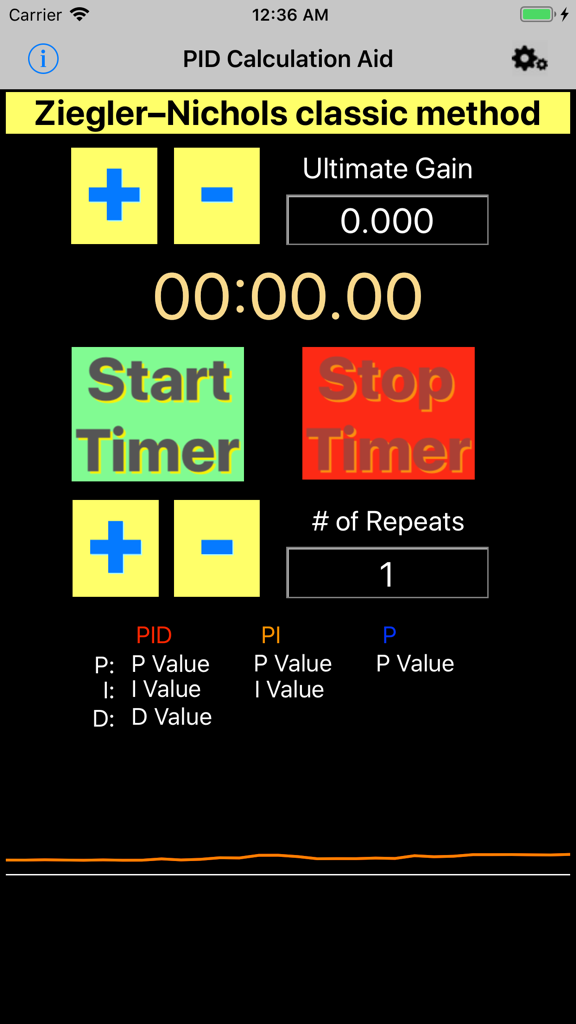
PID Calculator - Ziegler-Nichols法を特徴とするPID計算機アプリ画面

Ziegler-Nichols法を特徴とするPID計算機アプリ画面

PID Calculator - 限界感度とタイマー制御を備えたZiegler-Nichols法を表示するPID計算機アプリインターフェース
限界感度とタイマー制御を備えたZiegler-Nichols法を表示するPID計算機アプリインターフェース

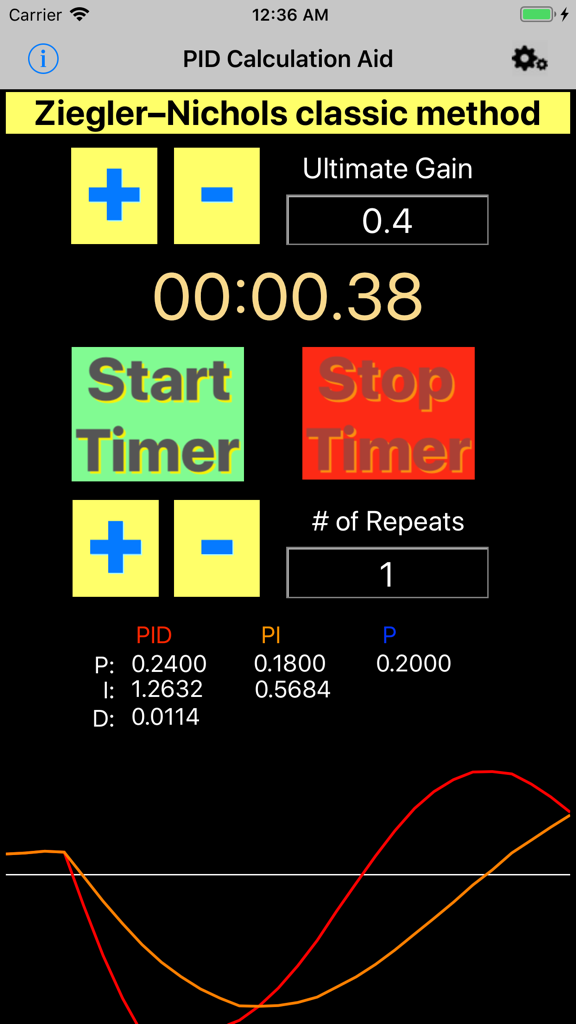
PID Calculator - 限界感度の入力、タイマー、および計算されたPID値を備えたZiegler-Nichols法を表示するPID計算機アプリのユーザーインターフェース。
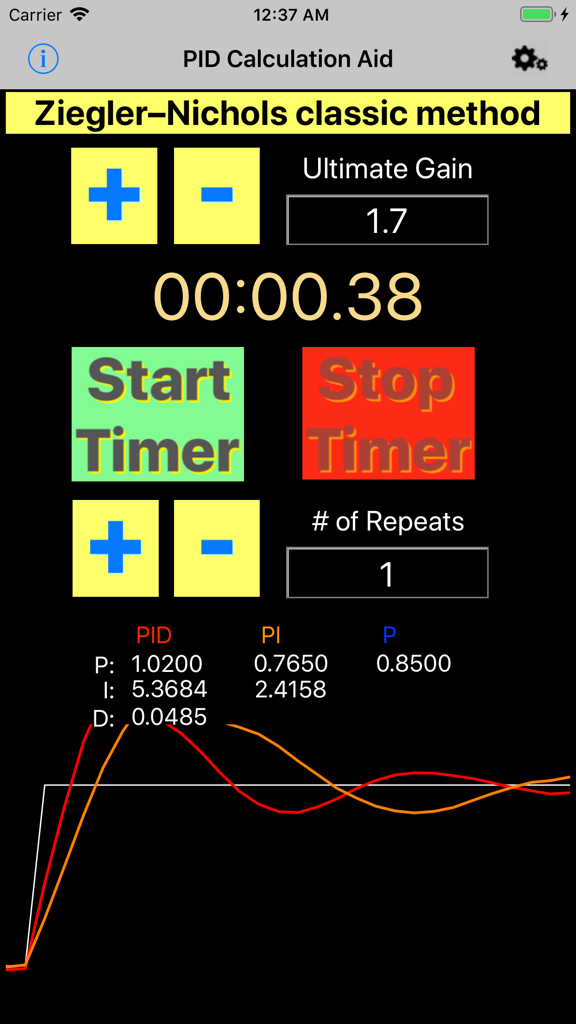
限界感度の入力、タイマー、および計算されたPID値を備えたZiegler-Nichols法を表示するPID計算機アプリのユーザーインターフェース。

PID Calculator - Ziegler-Nicholsチューニング結果と振動タイマーを表示するPID計算機アプリインターフェース
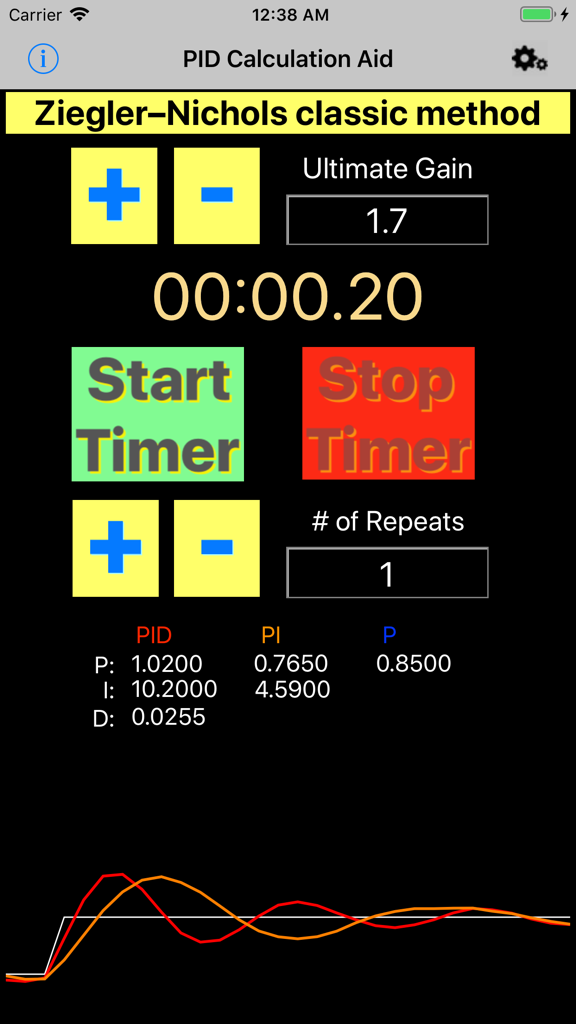
Ziegler-Nicholsチューニング結果と振動タイマーを表示するPID計算機アプリインターフェース

PID Calculator - チューニング結果と振動グラフを表示するZiegler-Nicholsチューニング用PID計算機アプリインターフェース
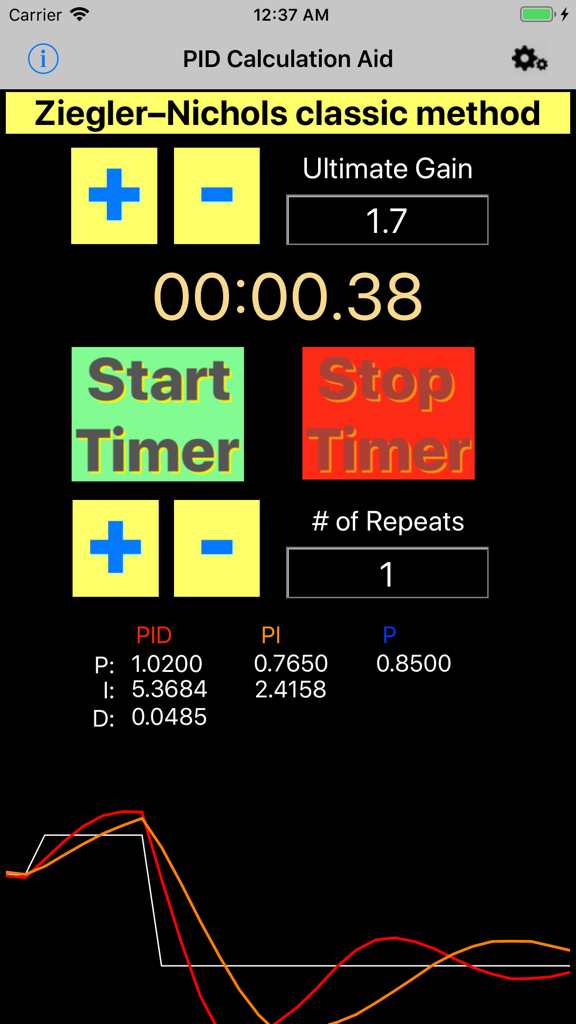
チューニング結果と振動グラフを表示するZiegler-Nicholsチューニング用PID計算機アプリインターフェース

PID Calculator - 制御システムチューニングのためのZiegler-Nichols法を使用するPID計算機アプリのインターフェース

制御システムチューニングのためのZiegler-Nichols法を使用するPID計算機アプリのインターフェース

説明

This program is based on Ziegler-Nichols classic method for approximating PID control values. Operation: 1) Clicking the Ultimate Gain "+" or "-" will increase or decrease the Ultimate Gain value by 0.1 or you may tap the value and enter a value manually. 

2) Clicking the # of Repeats "+" or "-" will increase or decrease the # of Repeats value by 1 or you may tap the value and enter a value manually. 
 3) The Start Timer and Stop Timer controls are used to find the oscillation period. 
This can be done using the buttons on the screen or by clicking the volume button(s). Click the time display to manually enter the time. 4) Clicking on the Time will offer the user a new window to adjust manually the time used in the calculation. 5) The resulting PID values should be used as a good starting point as most systems still require a small amount of manual tuning or a different method of calculation. Notes: Use this software by first setting the intended target's control Integral and Derivative values to 0 on the process to be tuned. Next, starting from 0, raise the Proportional value in small increments until the system oscillates at a steady rate around the set-point. Record this value as the Ultimate Gain and enter it into this software's Ultimate Gain text-box. Next enter the amount of repeats to be used in the calculation into the # of Repeats text-box. Wait to start the timer until the next oscillation cycle begins and stop the timer when the systems number of cycles matches the specified repeat amount. choose the P , PI, or PID column and test the result by changing the intended targets proportional to the P, I, and D values chosen . Next, slowly increase the Integral value from 0 until equal to the I value chosen or a desired result is achieved. Slowly increase the derivative from 0 until equal to the D value chosen or a desired result is achieved. More Information on PID Tuning may be found online @ https://en.wikipedia.org/wiki/PID_controller

Download

ダウンロード: App Store

このページはアプリまたはその開発者の公式ページではなく、情報提供および論評を目的として作成された独立した編集出版物です。明示的に別段の記載がない限り、アプリおよびその開発者は、MWM、Apple、Google Play、アプリのパブリッシャー、またはアプリの開発者と提携、承認、後援、認可、またはその他の公式的な関係はなく、このページのいかなる内容も、アプリがMWMのサービスを使用して開発されたことを意味するものではありません。すべての商標、ロゴ、スクリーンショット、その他のコンテンツはそれぞれの所有者の財産です。