Pixel Converter Pro
Pixel Converter Pro
ダウンロード: App Store

このページはアプリまたはその開発者の公式ページではなく、情報提供および論評を目的として作成された独立した編集出版物です。明示的に別段の記載がない限り、アプリおよびその開発者は、MWM、Apple、Google Play、アプリのパブリッシャー、またはアプリの開発者と提携、承認、後援、認可、またはその他の公式的な関係はなく、このページのいかなる内容も、アプリがMWMのサービスを使用して開発されたことを意味するものではありません。すべての商標、ロゴ、スクリーンショット、その他のコンテンツはそれぞれの所有者の財産です。

ロゴ: Pixel Converter Pro
ダウンロード: App Store

Pixel Converter Pro

ワークフローでの推測作業に終止符を。PPIとタイポグラフィスケールをプロレベルの精度でマスターしながら、ピクセル、rem、インチ間の変換を瞬時に行えます。

主要数値

ダウンロード

2K+

ユーザー評価

1.0/5

評価数

0

開発元

HWY Enigma LLC

カテゴリ

Developer Tools

対応言語

1

最新バージョン

2.0

サイズ

1.2 MB

リリース日

2024年9月27日
機能

デザイン精度をマスターする

日々のワークフローのために設計されたプロレベルのツールで、物理的な測定値とデジタル画面の間のギャップを埋めます。

マルチユニット即時変換

ピクセル、インチ、emまたはremなどの相対単位をリアルタイムで切り替えます。レスポンシブレイアウトのコーディングや、絶対的な精度でのプリントアセットの準備に最適です。

画面サイズ&PPI計算機

あらゆるディスプレイでデザインが鮮明に見えることを保証します。推測することなく、Retinaおよび高密度画面に最適化するために、PPIとアスペクト比を即座に計算します。

以下のスクリーンショットと説明は、アプリの公式ストアリスティングから直接取得されたものであり、アプリ開発者の所有物です。

アプリストア

スクリーンショット
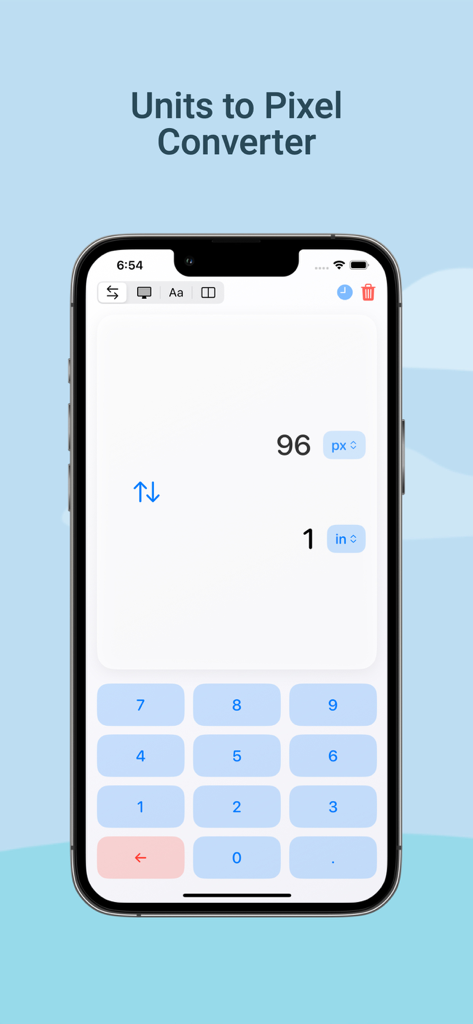
Pixel Converter Pro - 1インチを96ピクセルに変換するPixel Converter Proアプリのインターフェース
1インチを96ピクセルに変換するPixel Converter Proアプリのインターフェース

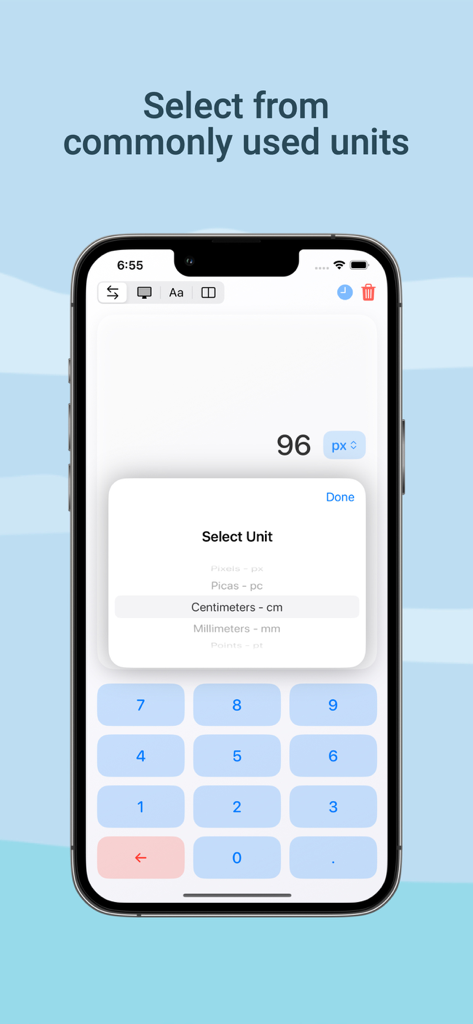
Pixel Converter Pro - ピクセル、パイカ、センチメートルなどのオプションが表示されるPixel Converter Proアプリの単位選択インターフェース
ピクセル、パイカ、センチメートルなどのオプションが表示されるPixel Converter Proアプリの単位選択インターフェース

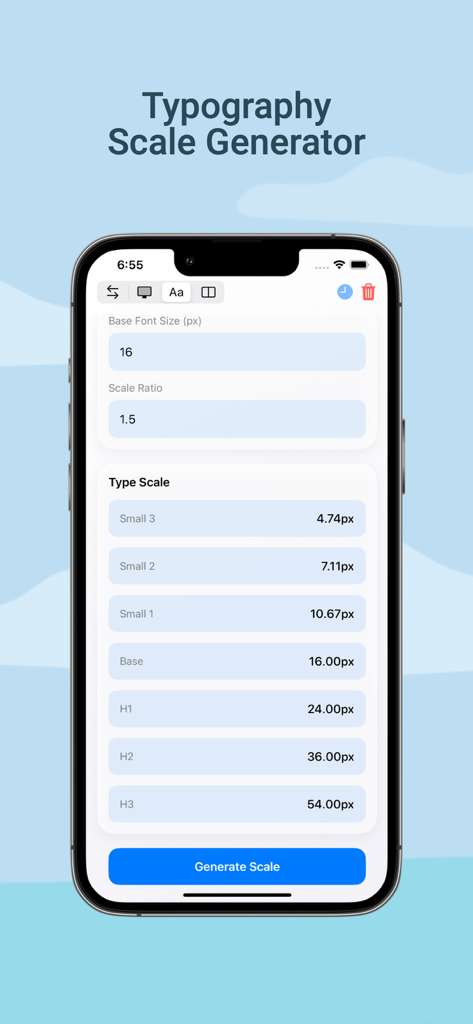
Pixel Converter Pro - デザインプロジェクトのフォントサイズ計算を表示するPixel Converter Proアプリのタイポグラフィスケールジェネレーターツール
デザインプロジェクトのフォントサイズ計算を表示するPixel Converter Proアプリのタイポグラフィスケールジェネレーターツール

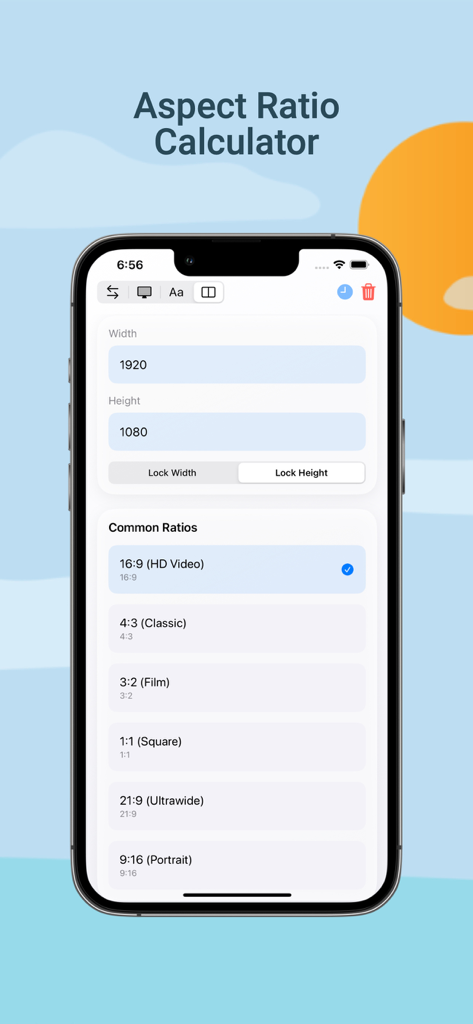
Pixel Converter Pro - 幅と高さの入力と16対9などの一般的なプリセットが表示されるアスペクト比計算機を示すPixel Converter Proアプリのスクリーンショット
幅と高さの入力と16対9などの一般的なプリセットが表示されるアスペクト比計算機を示すPixel Converter Proアプリのスクリーンショット

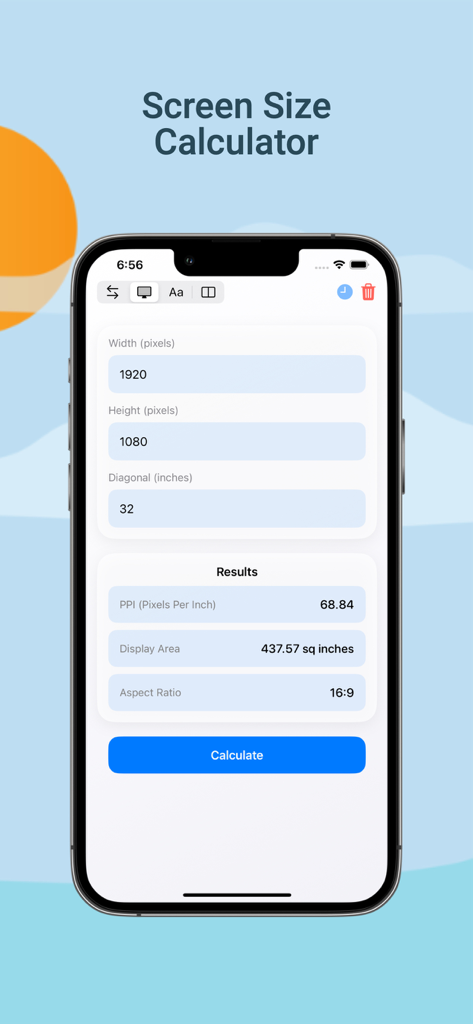
Pixel Converter Pro - PPIとアスペクト比の結果を表示するPixel Converter Pro画面サイズ計算機のiPhoneスクリーンショット

PPIとアスペクト比の結果を表示するPixel Converter Pro画面サイズ計算機のiPhoneスクリーンショット

説明

Pixel Converter Pro is your go-to unit conversion tool, specially designed for graphic designers, web developers, and anyone working with pixels, inches, centimeters, and other measurement units. Whether you're designing websites, working on digital content, or creating print layouts, Pixel Converter Pro makes it simple to convert between inches, centimeters, and pixels with absolute precision. UNIQUE FEATURES: - The ONLY true pixel converter app on the iOS App Store! - Real-time conversions with instant updates - Professional-grade accuracy - Clean, intuitive interface KEY CONVERSIONS: - Inches to Pixels: Convert inches to pixels for pixel-perfect web and digital designs - Centimeters to Pixels: Seamlessly transition between print and digital formats - Screen Size Calculator: Calculate PPI, screen dimensions, and aspect ratios - Typography Scale Generator: Create harmonious type hierarchies SUPPORTED UNITS: - Pixels (px) - Inches (in) - Centimeters (cm) - Millimeters (mm) - Picas (pc) - Points (pt) - em (Base 16) - rem (Base 16) - Viewport (vw) - DPI - PPI PROFESSIONAL TOOLS: - Screen PPI Calculator - Aspect Ratio Calculator - Typography Scale Generator - Conversion History - Common Design Presets PERFECT FOR: - UI/UX Designers - Web Developers - Digital Artists - Print Designers - Design Students Never struggle with unit conversions again. Download Pixel Converter Pro today and experience the most precise and user-friendly conversion tool available for iOS. LICENSE AND USAGE This application is licensed, not sold, to you by HWY Enigma LLC for use strictly in accordance with the Standard License Agreement ("EULA") of Apple Inc. This Standard EULA governs your use of the application and any updates or supplements to it. By downloading, installing, or using this application, you agree to be bound by the terms of Apple's Standard EULA. The full text of Apple's Standard EULA can be found at: https://www.apple.com/legal/internet-services/itunes/dev/stdeula/ PRIVACY POLICY This application does not collect any personal data. Please review our Privacy Policy at https://www.hwyenigma.com/privacy-policy

Download

ダウンロード: App Store

このページはアプリまたはその開発者の公式ページではなく、情報提供および論評を目的として作成された独立した編集出版物です。明示的に別段の記載がない限り、アプリおよびその開発者は、MWM、Apple、Google Play、アプリのパブリッシャー、またはアプリの開発者と提携、承認、後援、認可、またはその他の公式的な関係はなく、このページのいかなる内容も、アプリがMWMのサービスを使用して開発されたことを意味するものではありません。すべての商標、ロゴ、スクリーンショット、その他のコンテンツはそれぞれの所有者の財産です。








