Pixel Studio PRO for pixel art
ダウンロード: App Store

このページはアプリまたはその開発者の公式ページではなく、情報提供および論評を目的として作成された独立した編集出版物です。明示的に別段の記載がない限り、アプリおよびその開発者は、MWM、Apple、Google Play、アプリのパブリッシャー、またはアプリの開発者と提携、承認、後援、認可、またはその他の公式的な関係はなく、このページのいかなる内容も、アプリがMWMのサービスを使用して開発されたことを意味するものではありません。すべての商標、ロゴ、スクリーンショット、その他のコンテンツはそれぞれの所有者の財産です。


ロゴ: Pixel Studio PRO for pixel art
ダウンロード: App Store

Pixel Studio PRO for pixel art

プロフェッショナルなレイヤー、フレームバイフレームアニメーション、シームレスなクロスプラットフォーム同期で、あなたのレトロなビジョンを現実に。インディーゲームのスプライトでもソーシャルメディアの傑作でも、200万人以上のアーティストに信頼されているツールで、いつでもどこでも作成できます。

主要数値

ダウンロード

67K+

ユーザー評価

4.6/5

評価数

200

開発元

Farida Yarullina

カテゴリ

Graphics & Design

対応言語

26

最新バージョン

5.42

サイズ

125.0 MB

リリース日

2019年8月19日
機能

どこでもピクセルの完璧さをクラフト

フレームバイフレームアニメーションから高度なレイヤー管理まで、ゲーム、ソーシャルメディア、またはあなたの次の情熱プロジェクトのためのアセットを構築するために必要なプログレードのツールを入手してください。

シームレスなクロスプラットフォームワークフロー

Apple PencilでiPadで開始し、PCで完成させましょう。Google Driveで同期し、Asepriteファイルをインポートして、どこでもクリエイティブな勢いを維持できます。

プロのアニメーション&ゲームアセット

オニオンスキンでフレームバイフレームアニメーションをマスターしましょう。スプライトシート、GIF、またはMP4として、ゲームエンジンやソーシャルフィード用に音楽を準備して、あなたの作品をエクスポートしましょう。

以下のスクリーンショットと説明は、アプリの公式ストアリスティングから直接取得されたものであり、アプリ開発者の所有物です。

アプリストア

スクリーンショット
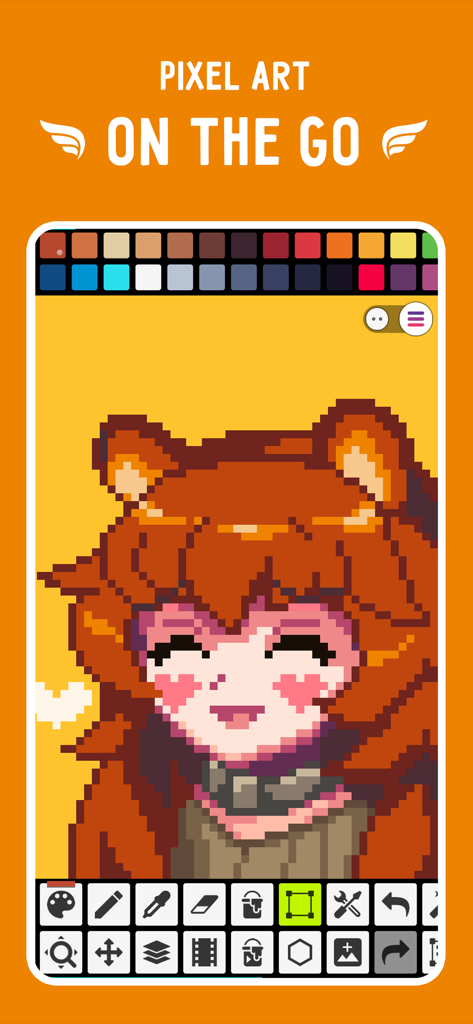
Pixel Studio PRO for pixel art - Pixel Studio PROモバイルアプリのインターフェース。ピクセルアートのキャラクターと描画ツールが表示されています
Pixel Studio PROモバイルアプリのインターフェース。ピクセルアートのキャラクターと描画ツールが表示されています

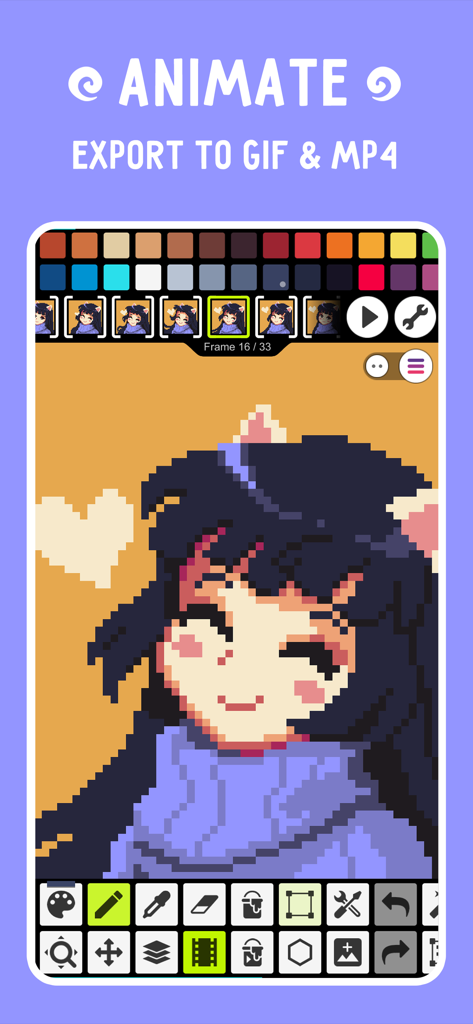
Pixel Studio PRO for pixel art - Pixel Studio PROモバイルインターフェース。GIFやMP4へのエクスポートオプションとともに、ピクセルアートキャラクターのフレームバイフレームアニメーションが表示されています

Pixel Studio PROモバイルインターフェース。GIFやMP4へのエクスポートオプションとともに、ピクセルアートキャラクターのフレームバイフレームアニメーションが表示されています
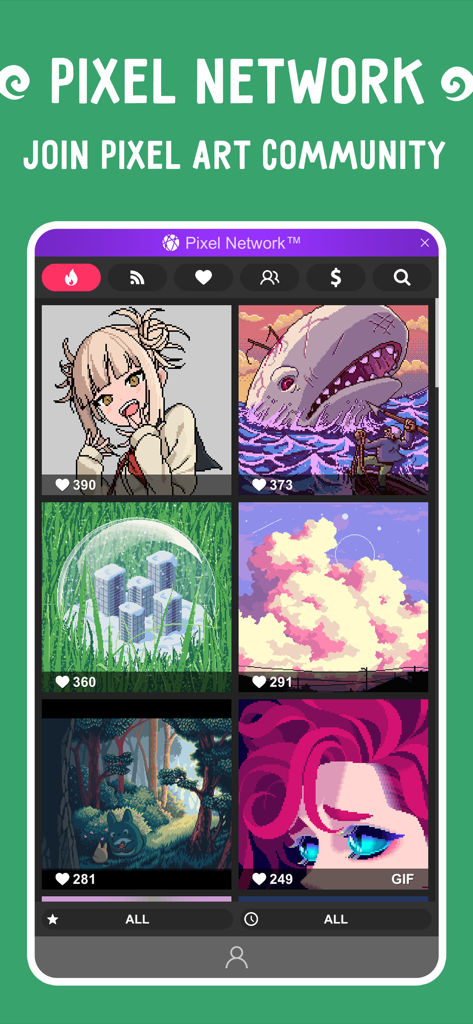
Pixel Studio PRO for pixel art - Pixel Studio PROで作成されたピクセルアート作品が表示されているPixel Networkコミュニティギャラリー
Pixel Studio PROで作成されたピクセルアート作品が表示されているPixel Networkコミュニティギャラリー

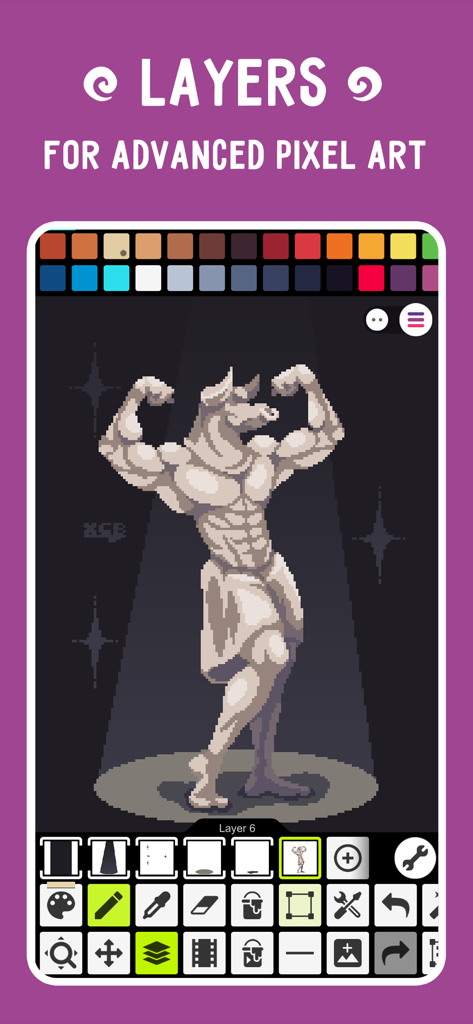
Pixel Studio PRO for pixel art - 彫像のイラストで、高度なピクセルアートのためのレイヤーを実証するPixel Studio PROインターフェース
彫像のイラストで、高度なピクセルアートのためのレイヤーを実証するPixel Studio PROインターフェース

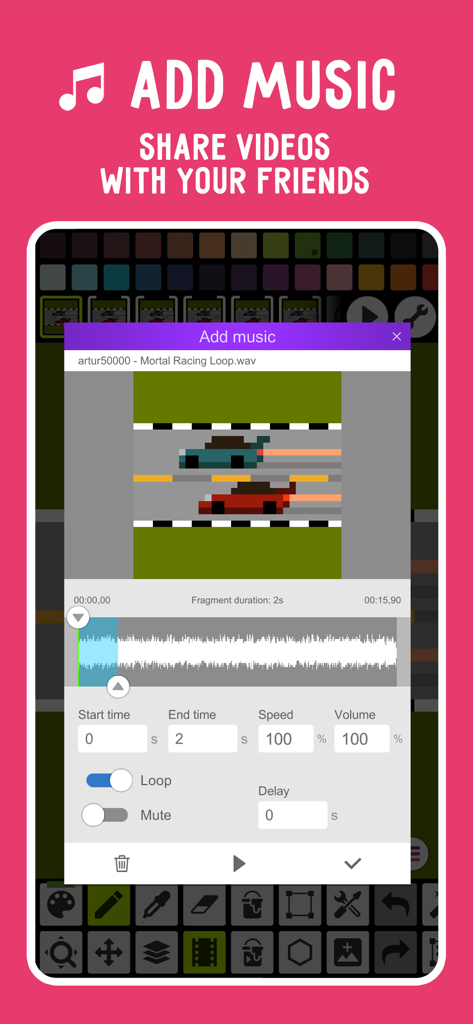
Pixel Studio PRO for pixel art - Pixel Studio PROでピクセルアートの車レースアニメーションの音楽追加機能を表示するユーザーインターフェース
Pixel Studio PROでピクセルアートの車レースアニメーションの音楽追加機能を表示するユーザーインターフェース

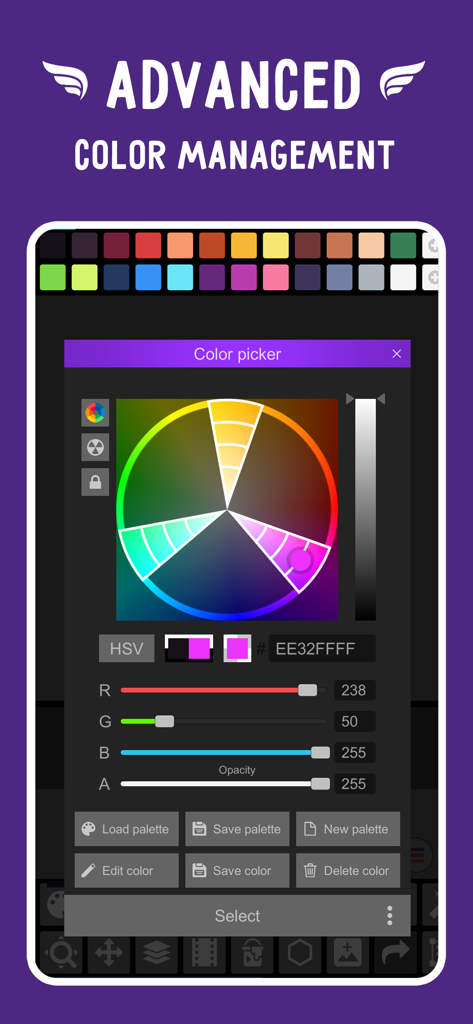
Pixel Studio PRO for pixel art - Pixel Studio PROの高度なカラーピッカーと管理ツール

Pixel Studio PROの高度なカラーピッカーと管理ツール

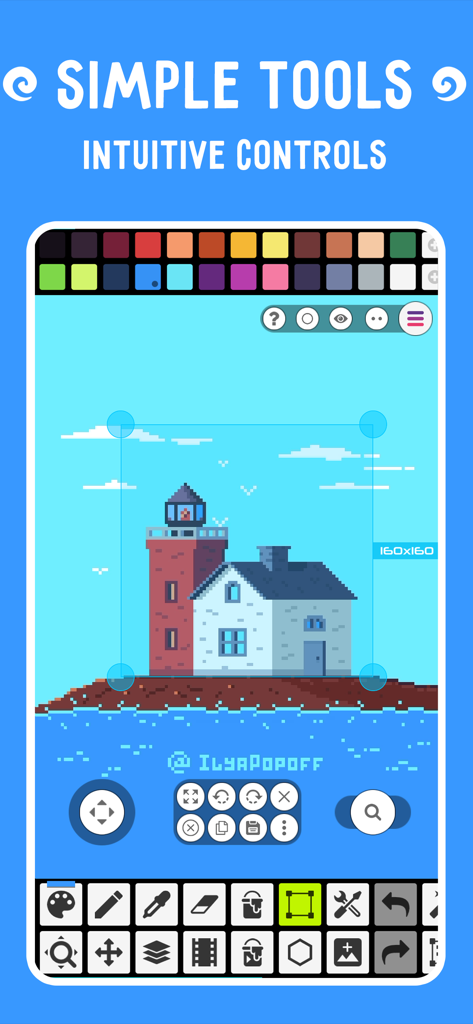
Pixel Studio PRO for pixel art - 灯台の描画とさまざまなクリエイティブツールが表示されているピクセルアートエディタインターフェース
灯台の描画とさまざまなクリエイティブツールが表示されているピクセルアートエディタインターフェース

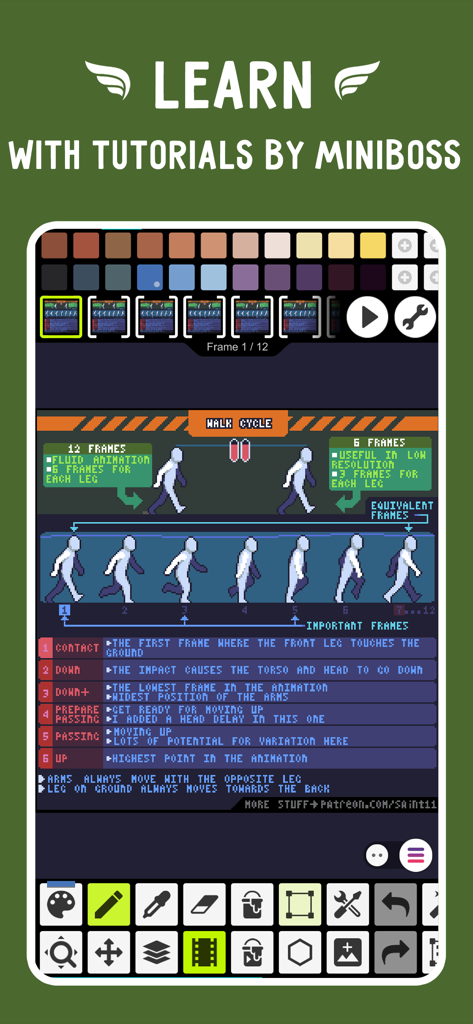
Pixel Studio PRO for pixel art - ピクセルアートのウォークサイクルのアニメーショントレーニングが表示されたPixel Studio PROインターフェース

ピクセルアートのウォークサイクルのアニメーショントレーニングが表示されたPixel Studio PROインターフェース

説明

Pixel Studio is a new pixel art editor for artists and game developers. Simple, fast and portable. No matter whether you are a beginner or a professional. Create amazing pixel art anywhere and anytime! We support layers and animations and have a ton of useful tools - all you need to create cool projects. Add music to your animations and export videos to MP4. Use Google Drive to sync your work between different devices and even platforms. Join Pixel Network™ - our new pixel art community! Don't doubt, just try it and make sure you've chosen the best pixel art tool ever! Over 2.000.000 downloads around the world, translated to 23 languages! Features: • It's super simple, intuitive and user friendly • It's cross-platform, use it on mobile and desktop with Google Drive sync • Use layers for advanced pixel art • Create frame-by-frame animations • Save animations to GIF or sprite sheets • Extend animations with music and export videos to MP4 • Share arts with friends and Pixel Network community • Create custom palettes, use built-in or download palettes from Lospec • Advanced color picker with RGBA and HSV modes • Simple zoom and move with gestures and joysticks • Use Portrait mode for mobile and Landscape for tablets and PC • Customizable toolbar and a lot of other settings • We support Apple Pencil! • We support all popular formats: PNG, JPG, GIF, BMP, PSP (Pixel Studio Project), ASE (Aseprite) • Autosave and backup - don't lose your work! • Discover a ton of other useful tools and features! More features: • Shape Tool for primitives • Gradient Tool • Built-in and custom brushes • Sprite Library for your image patterns • Tile Mode for brushes • Symmetry drawing (X, Y, X+Y) • Dot Pen for precise drawing with a cursor • Text Tool with different fonts • Dithering Pen for shadows and flares • Pixel art rotation with Fast RotSprite algorithm • Onion Skin for advanced animation • Apply palettes to images • Grab palettes from images • Mini-map and Pixel Perfect preview • Unlimited canvas size • Canvas resizing and rotation • Customizable background color • Customizable grid • Multithreaded image processing • JASC Palette (PAL) format support • Aseprite files support (import only) You can support us by purchasing PRO (it's one-time purchase): • No ads • Google Drive sync (cross-platform) • Dark Theme • 256-color palettes • Tile mode for making seamless textures • Extended max project size • Unlimited color adjustment (Hue, Saturation, Lightness) • Unlimited export to MP4 • Extended storage in Pixel Network System requirements: • 2GB+ of RAM for large projects and animations • Powerful CPU (AnTuTu score 100.000+) Sample images made by lorddkno, Redshrike, Calciumtrice, Buch, Tomoe Mami are used under CC BY 3.0 license. Privacy Policy: https://github.com/hippogamesunity/PixelStudioHub/wiki/Privacy-Policy Terms of Use: https://www.apple.com/legal/internet-services/itunes/dev/stdeula/

Download

ダウンロード: App Store

このページはアプリまたはその開発者の公式ページではなく、情報提供および論評を目的として作成された独立した編集出版物です。明示的に別段の記載がない限り、アプリおよびその開発者は、MWM、Apple、Google Play、アプリのパブリッシャー、またはアプリの開発者と提携、承認、後援、認可、またはその他の公式的な関係はなく、このページのいかなる内容も、アプリがMWMのサービスを使用して開発されたことを意味するものではありません。すべての商標、ロゴ、スクリーンショット、その他のコンテンツはそれぞれの所有者の財産です。