
このページはアプリまたはその開発者の公式ページではなく、情報提供および論評を目的として作成された独立した編集出版物です。明示的に別段の記載がない限り、アプリおよびその開発者は、MWM、Apple、Google Play、アプリのパブリッシャー、またはアプリの開発者と提携、承認、後援、認可、またはその他の公式的な関係はなく、このページのいかなる内容も、アプリがMWMのサービスを使用して開発されたことを意味するものではありません。すべての商標、ロゴ、スクリーンショット、その他のコンテンツはそれぞれの所有者の財産です。


Pixelcut AI Photo Editor
Pixelcutは、あなたのビジョンを瞬時に具現化する。プロのスタジオをポケットに収め、平凡な画像を市場を支配するビジュアルに変える。
ダウンロード
25M+ユーザー評価
評価数
786.7K開発元
カテゴリ
Graphics & Design対応言語
18最新バージョン
0.44.4サイズ
160.2 MBリリース日
2020年11月3日小規模事業者、EC販売者、コンテンツクリエイター向けのプロフェッショナルなビジュアル生成ツール
Pixelcut AI Photo Editor の主要機能分析
背景除去
商品写真、ポートレート、さらには髪の毛から背景を瞬時に削除し、他の色やAI生成の背景に簡単に置き換えられます。世界で最も正確な背景除去機能を提供します。
一括編集
最大100枚の写真を一括で編集でき、背景除去、色の変更、カタログ全体のリサイズを一度に行えます。本機能はECサイト運営者にとって革新的なツールです。
マジック消しゴム
オブジェクト、人物、テキスト、透かしなどを一回のスワイプで除去し、ぼやけることなく、まるで最初から存在しなかったかのようなクリーンな結果を提供します。
AI背景生成
任意の写真に対して魅力的なAI背景を生成し、製品を大理石のカウンタートップに置いたり、自身をビーチに配置したり、想像できるあらゆるシーンを作成できます。
AIモデル展示
フォトリアルなAI生成モデルに製品を展示し、AI広告やAI UGC動画、ブランド向けの魅力的なライフスタイル画像を、キャスティングや写真家、スタジオなしで数秒で作成することを可能にします。
ゴーストマネキン
衣料品の写真からマネキンやトルソーを削除し、プロのファッションブランドが使用するようなクリーンで浮遊感のあるアパレルルックを作成します。
画像高画質化
画質を損なうことなく、どんな写真も鮮明なHD画質にし、低解像度画像の再生、古い思い出の復元、ぼやけた写真の修正に最適です。
AI画像・動画生成
テキストプロンプトから魅力的な画像や動画を作成し、Nano Banana, Veo, Sora, Kling, FLUXなどの強力なAIモデルを使用して、アイデアを数秒でビジュアル化できます。
AIシャドウ追加
現実的なAIシャドウを追加して、製品写真にプロ仕様のライティングとスタジオ品質の外観を与え、よりプロフェッショナルな印象を演出します。
豊富なテンプレート
ソーシャル投稿、商品リスト、サムネイルなどに使える何千もの既製デザインが用意されており、プロフェッショナルなビジュアルを素早く作成できます。
よくある質問
について知っておくべきこと Pixelcut AI Photo Editor
Can Pixelcut AI Photo Editor remove backgrounds from images?
Yes, Pixelcut AI Photo Editor features a precise background remover that instantly creates a transparent background. Users can then change it to an AI-generated background or a solid color.
Does Pixelcut AI Photo Editor generate AI backgrounds?
Yes, Pixelcut AI Photo Editor includes an AI background generator. Users can change photo backgrounds to various AI-generated scenes, such as a kitchen counter or a beach.
How does the Magic Eraser tool work in Pixelcut AI Photo Editor?
The Magic Eraser in Pixelcut AI Photo Editor removes unwanted objects from photos with a swipe. This feature cleans up pictures without creating blurry messes, making objects disappear completely.
What features are included with a Pixelcut Pro membership?
A Pixelcut Pro membership offers unlimited instant background removals, hundreds of templates, fonts, overlays, and backdrops. These resources are updated monthly to enhance creative projects.
Does a Pixelcut Pro subscription auto-renew?
Yes, a Pixelcut Pro subscription auto-renews at the end of each term (monthly or yearly) unless cancelled 24 hours in advance. The fee charges to your iTunes account upon purchase.
Can Pixelcut AI Photo Editor add white backgrounds to images?
Yes, Pixelcut AI Photo Editor can quickly replace backgrounds with a white background or any other color. Users can also choose from over 2 million backgrounds.
Can I add shadows to images using Pixelcut AI Photo Editor?
Yes, Pixelcut AI Photo Editor allows users to easily add AI shadows to products after changing backgrounds. This gives images a professional and polished appearance.
Does Pixelcut AI Photo Editor support batch editing?
Yes, Pixelcut AI Photo Editor includes a batch edit feature. Users can apply various background options like transparent, white, or color, and add shadows or reflections to multiple items simultaneously.
Can Pixelcut AI Photo Editor create ghost mannequins?
Yes, Pixelcut AI Photo Editor provides a feature to create ghost mannequins. This allows users to display clothing items with a hollow or invisible mannequin effect for e-commerce.
Does Pixelcut AI Photo Editor have a feature to expand photos?
Yes, Pixelcut AI Photo Editor includes a feature to expand photos. Users can extend image borders, providing more canvas space for creative adjustments and compositions.
以下のスクリーンショットと説明は、アプリの公式ストアリスティングから直接取得されたものであり、アプリ開発者の所有物です。
アプリストア
スクリーンショット
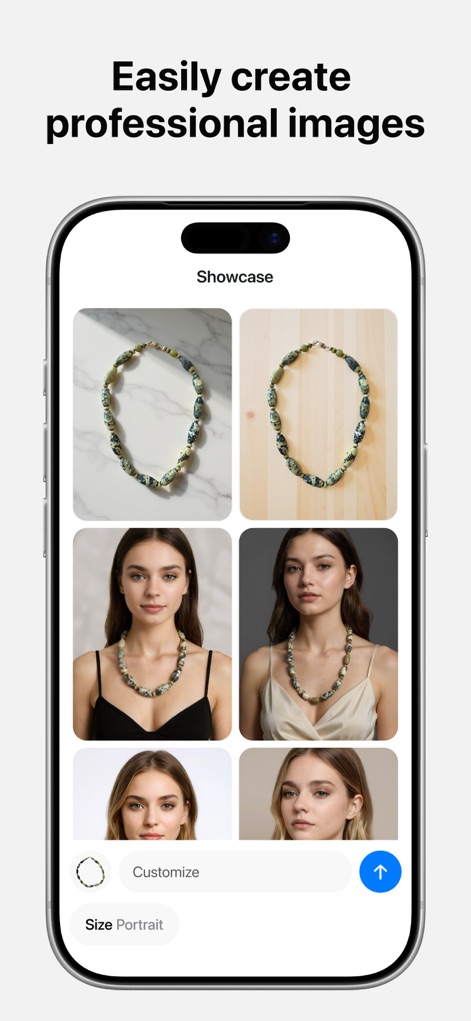
ユーザーはバーチャル試着機能で製品をAI生成モデルに表示でき、プロフェッショナルな商品イメージを簡単に作成できます。
プロの製品画像
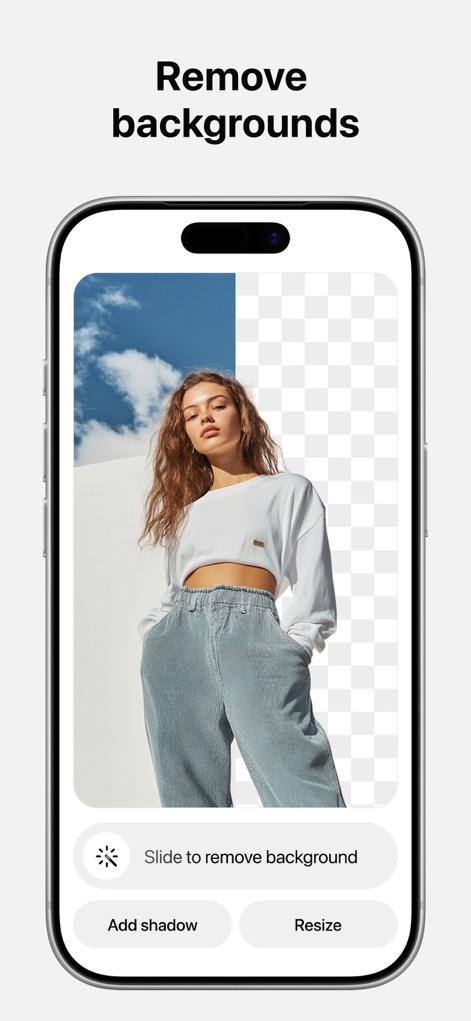
被写体の背景を瞬時に削除する背景除去機能により、ユーザーは写真から不要な要素を取り除き、透明な背景を持つクリーンな画像を生成できます。
背景を瞬時に除去

ユーザーはAI背景生成機能を使用して製品写真を様々なシーンに配置でき、マーブル調や木目調など、多様な背景オプションを簡単に適用できます。
AI背景を生成
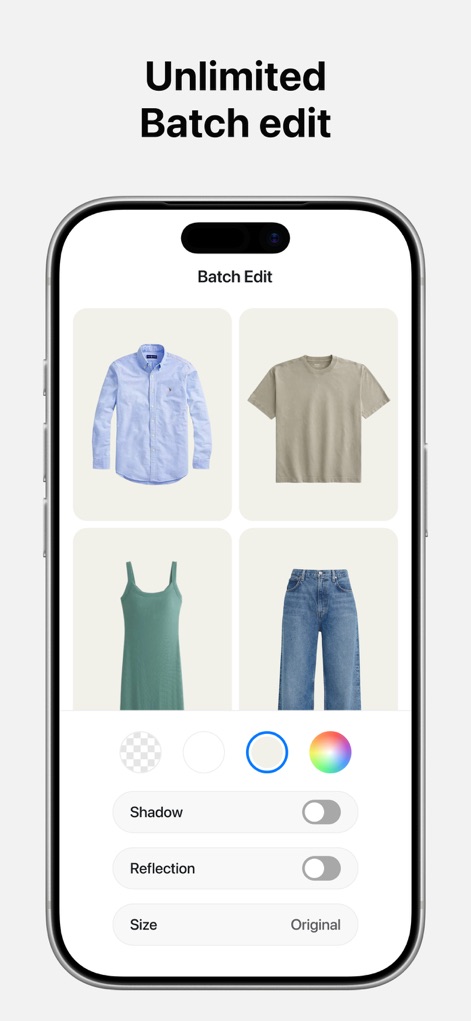
一括編集機能により、ユーザーは複数の画像を一度に処理でき、影の追加やサイズ調整などの調整を効率的に行い、時間と労力を節約できます。
一括編集で効率化
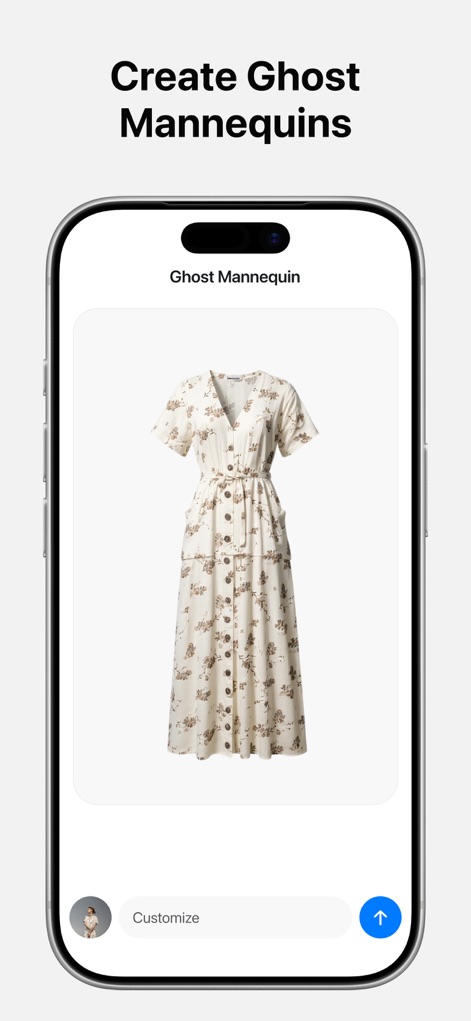
ゴーストマネキン機能を使用すると、ユーザーは衣料品の写真からマネキンを削除し、プロフェッショナルなフローティングアパレルルックで製品を魅力的に提示できます。
ゴーストマネキン作成

ユーザーはバーチャル試着機能により、AI生成モデルに衣料品を着用させることができ、様々な環境でリアルな着用感を視覚的に確認できます。
モデルでバーチャル試着
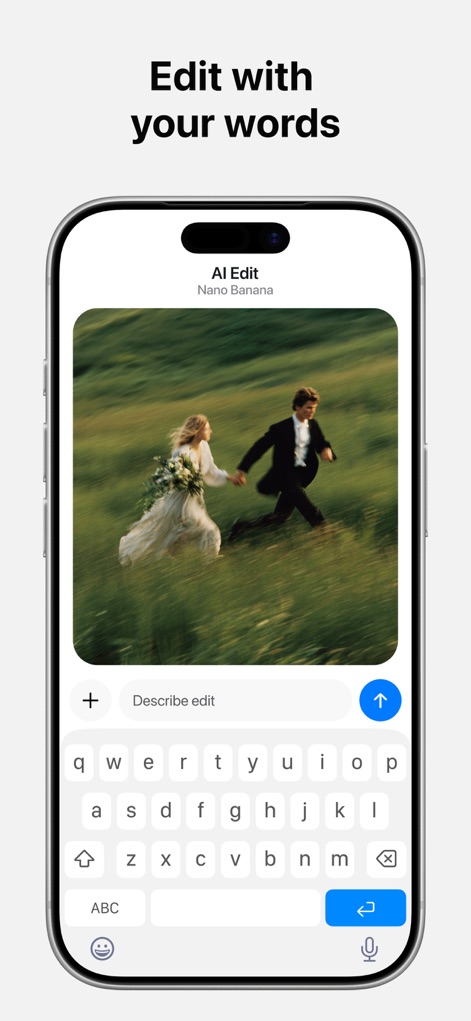
AI編集機能は、ユーザーがテキストプロンプトを使って画像を編集することを可能にし、既存の画像を言葉で指定した新しい要素で修正したり、スタイルを変更したりできます。
言葉で画像を編集
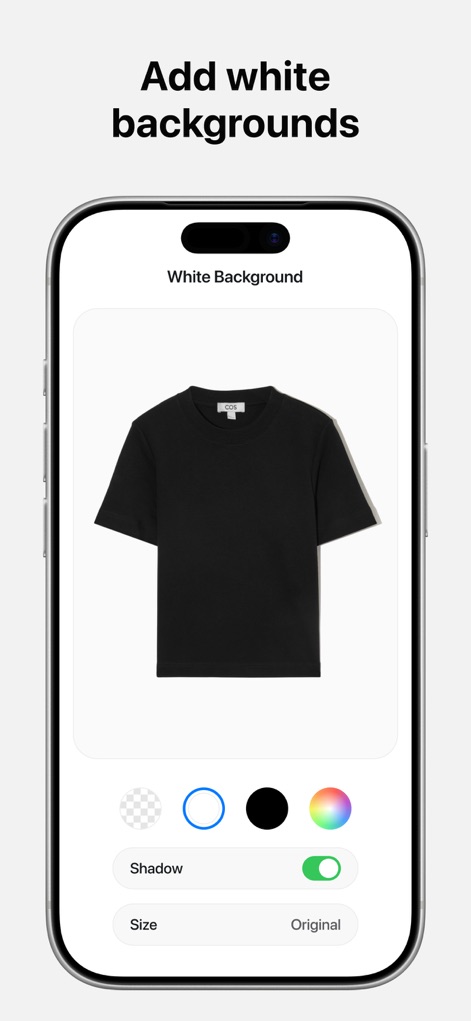
このツールは、ユーザーが製品写真にクリーンな白色背景を簡単に追加することを可能にし、さらに影のカスタマイズ機能でプロフェッショナルな仕上がりを実現します。
白色背景を追加
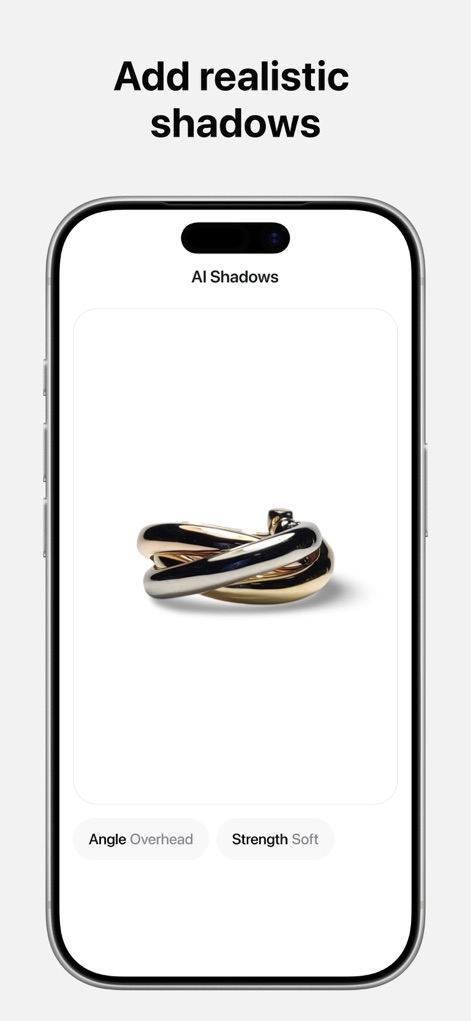
AIシャドウ機能により、ユーザーは製品写真にリアルな影を追加でき、影の角度と強さを調整することで、スタジオ品質のライティング効果を再現できます。
リアルな影を追加
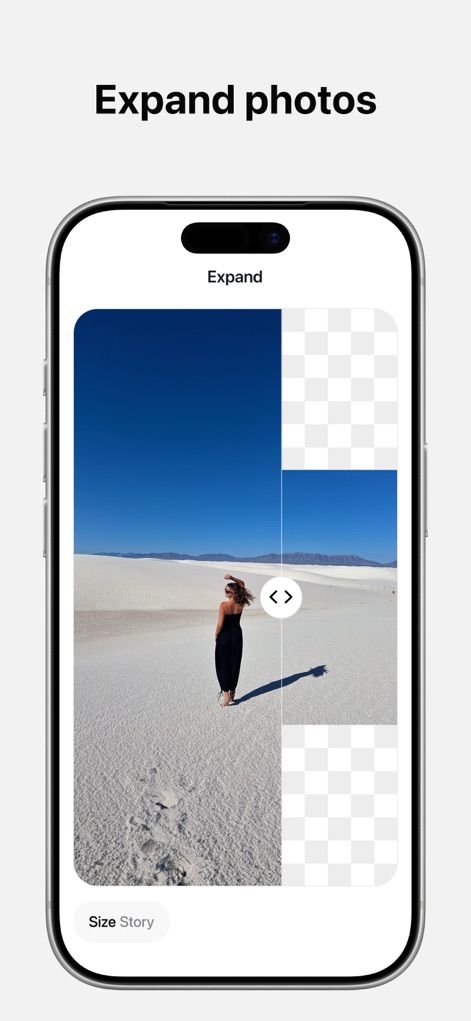
画像拡張機能を使用すると、ユーザーは写真の境界を越えてシーンを拡大でき、AIによる生成機能で既存の背景をシームレスに拡張し、より広い構図を作成できます。
写真を拡張する
説明
Download
類似アプリ
似た機能とユーザー体験を持つアプリ

EPIK - AI Photo & Video Editor
SNOW Corporation

Citrus: AI 1 Tap Perfect Photo
Wemagine.ai LLP

SnapEdit: Photo Editor AI
SilverAI Joint Stock Company

Background Eraser 〜 Stickers
handyCloset Inc.

PhotoScan by Google Photos
Google LLC

Magic Eraser - Remove Object
Creatix Technology Global Limited

Magic Eraser Background Editor
Honk Honk Punch Pty Ltd

ProKnockOut-Cut Paste Photos
Shenzhen Qianhai Happy Tour Network Technology Co., Ltd.

Background Eraser - Remove BG*
SHANTANU PTE. LTD.
このページはアプリまたはその開発者の公式ページではなく、情報提供および論評を目的として作成された独立した編集出版物です。明示的に別段の記載がない限り、アプリおよびその開発者は、MWM、Apple、Google Play、アプリのパブリッシャー、またはアプリの開発者と提携、承認、後援、認可、またはその他の公式的な関係はなく、このページのいかなる内容も、アプリがMWMのサービスを使用して開発されたことを意味するものではありません。すべての商標、ロゴ、スクリーンショット、その他のコンテンツはそれぞれの所有者の財産です。