Pixen - pixel art editor
ダウンロード: App Store

このページはアプリまたはその開発者の公式ページではなく、情報提供および論評を目的として作成された独立した編集出版物です。明示的に別段の記載がない限り、アプリおよびその開発者は、MWM、Apple、Google Play、アプリのパブリッシャー、またはアプリの開発者と提携、承認、後援、認可、またはその他の公式的な関係はなく、このページのいかなる内容も、アプリがMWMのサービスを使用して開発されたことを意味するものではありません。すべての商標、ロゴ、スクリーンショット、その他のコンテンツはそれぞれの所有者の財産です。


ロゴ: Pixen - pixel art editor
ダウンロード: App Store

Pixen - pixel art editor

インディーゲーム開発者やデジタルアーティスト向けの最も強力なネイティブツールで、精密な8ビットスプライトと滑らかなアニメーションを作成しましょう。

主要数値

ダウンロード

43K+

ユーザー評価

4.5/5

評価数

300

開発元

Furnace Creek Software LLC

カテゴリ

Graphics & Design

対応言語

1

最新バージョン

3.0.2

サイズ

6.6 MB

リリース日

2016年10月11日
機能

iPadのために完成されたプログレードのピクセルアート

レトロゲームのスプライトからモダンなローファイ・ループまで、Pixenは8ビットのビジョンを形にするために必要な精密なツールとアニメーションワークフローを提供します。

Apple Pencilによる精度

「ピクセルパーフェクト」モードとApple Pencil Proのホバーサポートにより、すべてのピクセルを完璧にコントロールできます。

滑らかなアニメーションスタジオ

直感的なフィルムストリップビューでキャラクターに命を吹き込み、GIF、ムービー、またはスプライトシートとして書き出せます。

以下のスクリーンショットと説明は、アプリの公式ストアリスティングから直接取得されたものであり、アプリ開発者の所有物です。

アプリストア

スクリーンショット
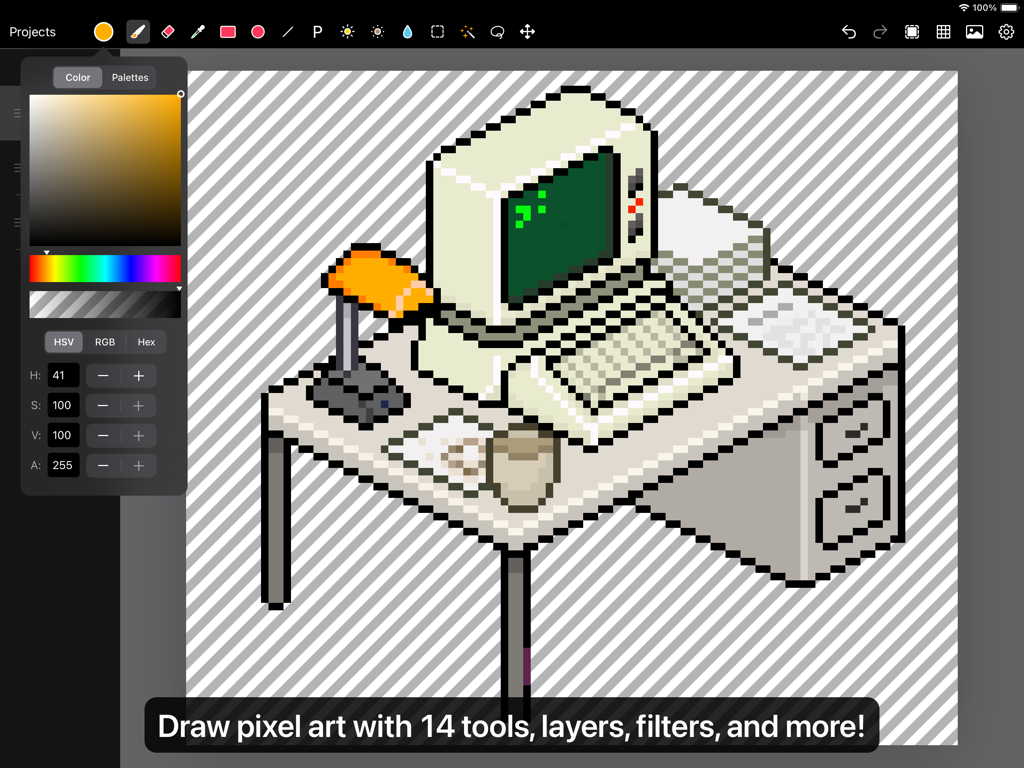
Pixen - pixel art editor - デスク上のレトロなコンピュータのイラストを表示している、iPad上のPixenピクセルアートエディタのインターフェース
デスク上のレトロなコンピュータのイラストを表示している、iPad上のPixenピクセルアートエディタのインターフェース

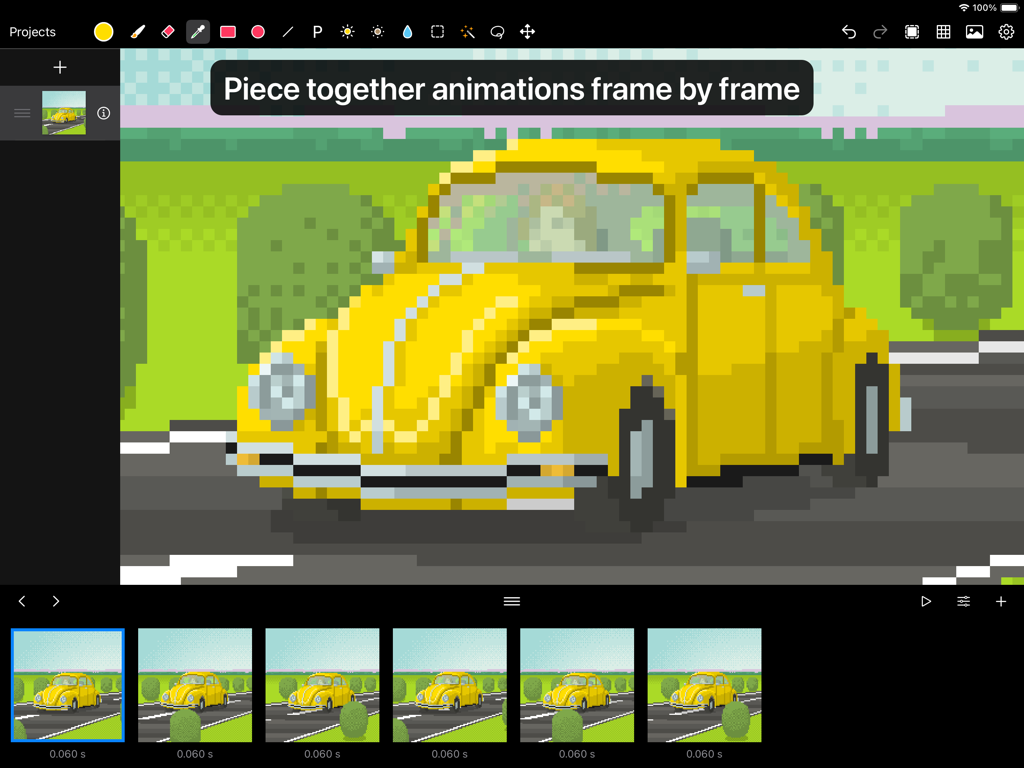
Pixen - pixel art editor - 黄色い車のフレームバイフレームのピクセルアートアニメーションを表示しているPixenアプリのインターフェース
黄色い車のフレームバイフレームのピクセルアートアニメーションを表示しているPixenアプリのインターフェース

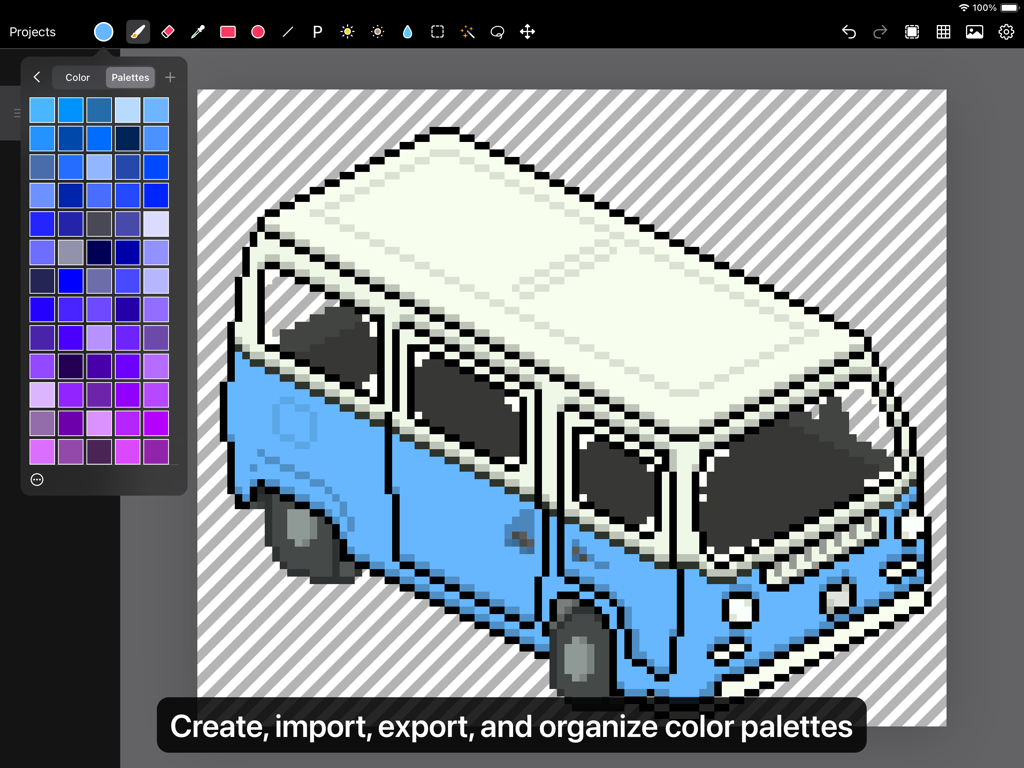
Pixen - pixel art editor - Pixenのカラーパレットパネルが開いたiPad上の、青と白のバンの等角投影ピクセルアート画
Pixenのカラーパレットパネルが開いたiPad上の、青と白のバンの等角投影ピクセルアート画

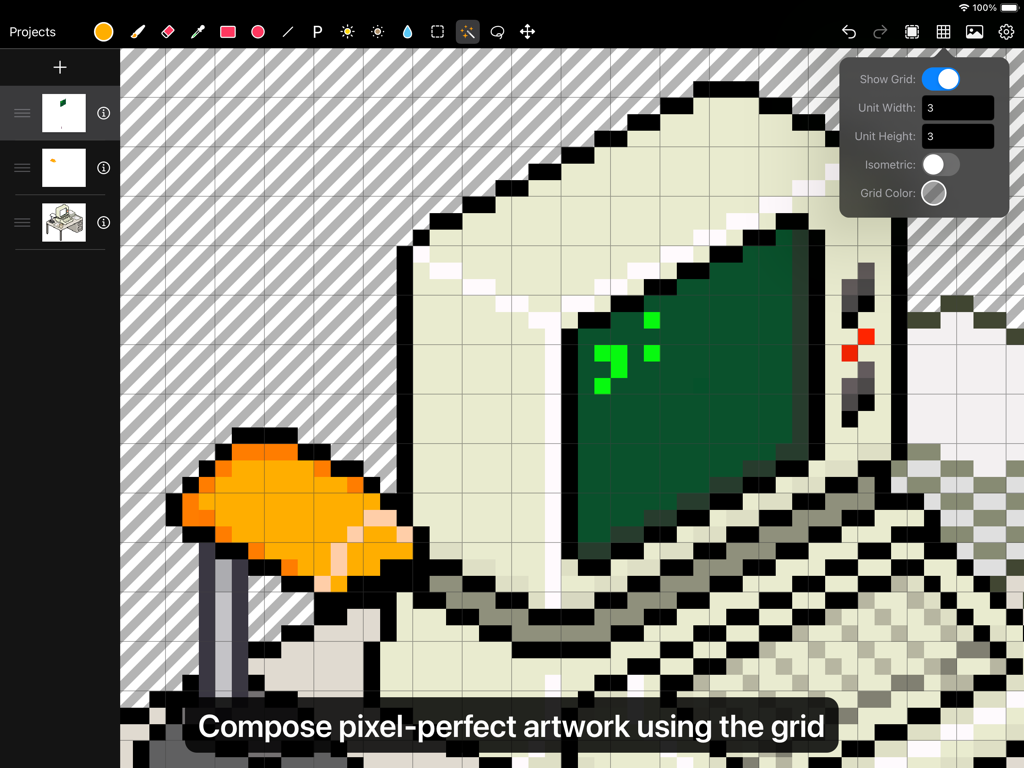
Pixen - pixel art editor - グリッドツールのオーバーレイで編集されているピクセルアートのコンピュータを表示しているPixenアプリのユーザーインターフェース
グリッドツールのオーバーレイで編集されているピクセルアートのコンピュータを表示しているPixenアプリのユーザーインターフェース

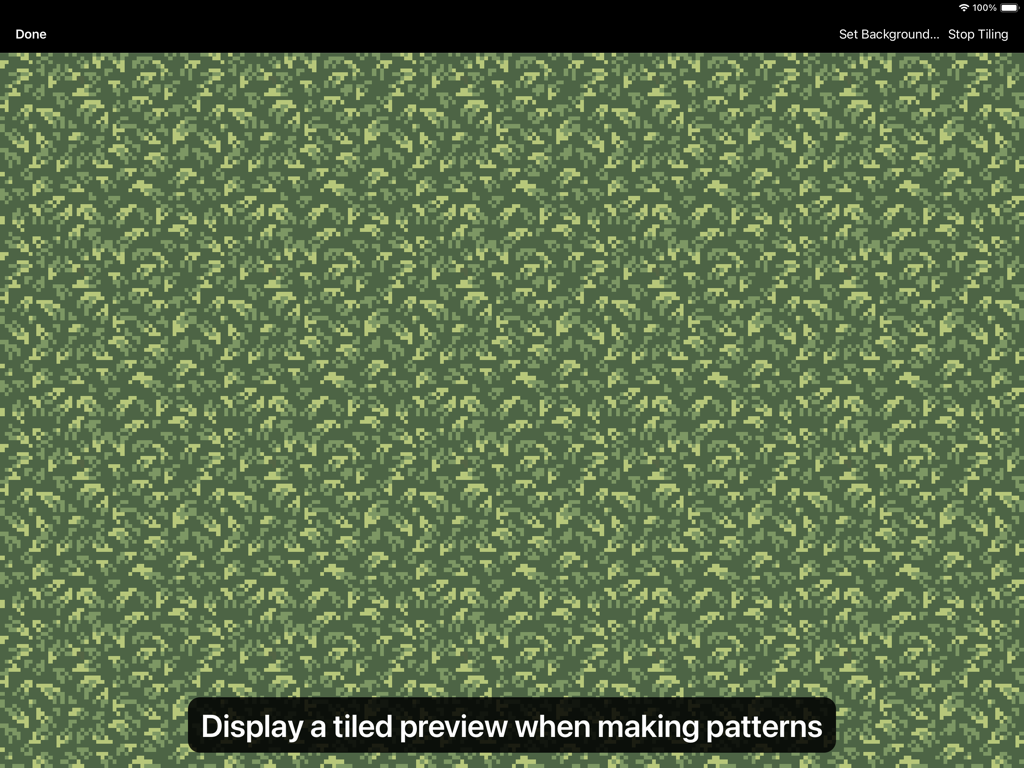
Pixen - pixel art editor - Pixenアプリのインターフェースにおける、緑の葉のピクセルアートパターンのタイル表示プレビュー
Pixenアプリのインターフェースにおける、緑の葉のピクセルアートパターンのタイル表示プレビュー

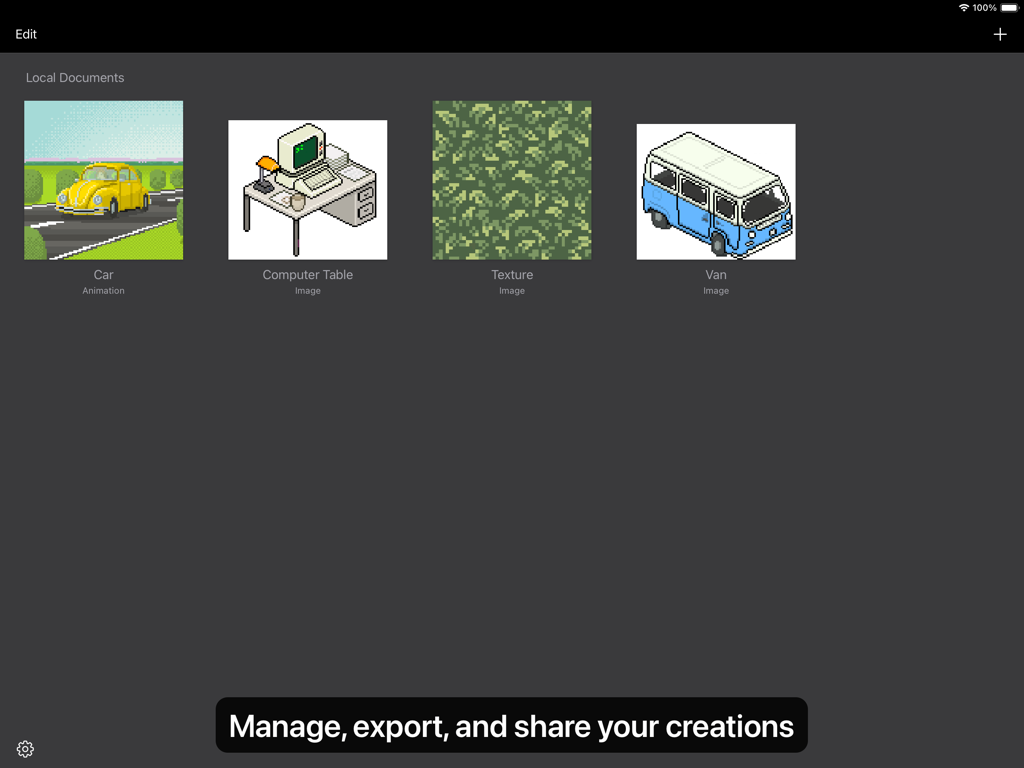
Pixen - pixel art editor - 車、コンピュータテーブル、テクスチャなど、さまざまなピクセルアート作品を表示しているPixenアプリのギャラリービュー
車、コンピュータテーブル、テクスチャなど、さまざまなピクセルアート作品を表示しているPixenアプリのギャラリービュー

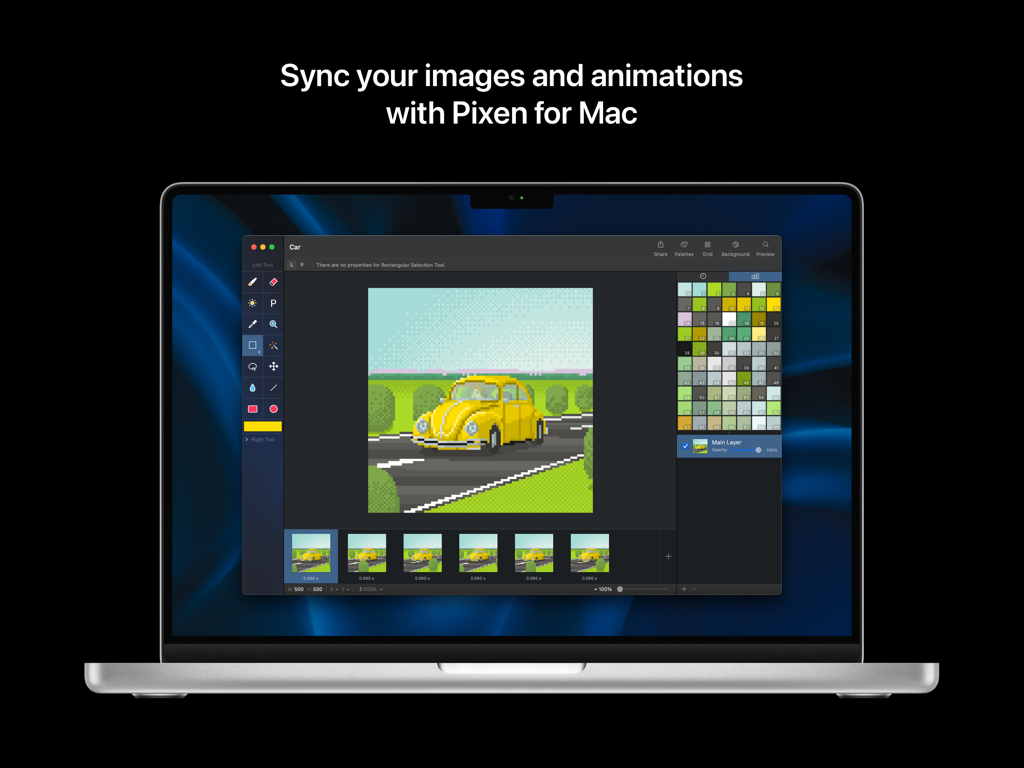
Pixen - pixel art editor - 車のアニメーションとカラーパレットを表示している、Macノートパソコン上のPixenピクセルアートエディタのインターフェース

車のアニメーションとカラーパレットを表示している、Macノートパソコン上のPixenピクセルアートエディタのインターフェース

説明

Pixen is a professional pixel art editor for iOS, designed for working with low-resolution raster art such as those 8-bit sprites found in old-school video games. Pixen packs all the tools pixel artists need in an intuitive, native interface including support for high zoom levels, animation editing, color palettes, and a lot more. PROJECTS GALLERY The Pixen experience starts in the Projects Gallery, which allows you to manage all of your creations in one place. You can import and export files in various file formats including PNG, JPEG, GIF, ICO, BMP, TIFF, SVG, and PSD. Files can be imported from your Photos library, the Files app, or even the clipboard. Pixen for macOS users can also take advantage of seamless iCloud sync. When you're ready, you can share your creations with friends and even export sprite sheets. TOOLS AND APPLE PENCIL Leverage Pixen's wide array of tools when composing pixel art: Pencil, Eraser, Brightness, Text, Eyedropper, Zoom, Rectangular Selection, Magic Wand, Lasso, Move, Fill, Line, Rectangle, and Ellipse. All of Pixen's tools are fully compatible with Apple Pencil on iPad. You can take advantage of the double-tap gesture on Apple Pencil 2 to quickly switch to your last tool, switch to the eraser, or bring up the color picker. Pixen even has hover support when using Apple Pencil Pro, so you can see a preview of what you're about to draw before your Apple Pencil touches the screen. COLOR PALETTES With Pixen, you can add and organize commonly-used colors into palettes. Pixen can also import and export color palettes in the Adobe Color Table, Microsoft Palette, JASC Palette, and GIMP Palette formats. You can even perform palette operations such as sorting colors, removing duplicate colors, and more, directly in the app. ANIMATIONS Create and arrange image frames in the filmstrip view to piece together animations. Pixen can import animated PNGs, animated GIFs, and sprite sheets. It can export animations as animated GIFs, animated PNGs, movies, image sequences, and sprite sheets! GRID Take advantage of Pixen's grid tools to guide you in placing pixels just where you want them. PATTERNS Define custom patterns to use while drawing with the Pencil, Line, or Eraser tool (instead of a single pixel). You can even import patterns from 1-bit images. PREVIEW While editing at high zoom levels, use the Preview feature to view the canvas scaled out. You can even play back animations and tile small images when working on patterns. AND A LOT MORE... - Sync your creations with Pixen for Mac over iCloud and resume your work right where you left off, regardless of device. - Take advantage of the flexibility of layers and change opacities, blend modes, and more to compose creative effects. - Invert colors, convert to grayscale, apply sepia tone, remove alpha components, palettize, pixellate, adjust hue, exposure, brightness, contrast, and more. - Pixel Perfect mode removes extra pixels while drawing such that any drawn paths are at most 1 pixel in width. In other words, it removes the middle pixel of an L shape. - Pick a flat, striped, or checkered background to be drawn beneath the canvas, or set a reference image. - If you use your iPad with a keyboard, increase productivity with Pixen's wide array of keyboard shortcuts. - Export your artwork in PNG, JPEG, GIF, ICO, BMP, TIFF, SVG, and PSD file formats. - Share your creations quickly and easily via AirDrop, Messages, email, and more! - Adjust the position of Pixen's layers panel, pick alternate app icons, customize the Apple Pencil 2 double-tap gesture, and more. Pixen is also available for macOS and is the only pixel art maker of its class that syncs projects with iCloud!

Download

ダウンロード: App Store

このページはアプリまたはその開発者の公式ページではなく、情報提供および論評を目的として作成された独立した編集出版物です。明示的に別段の記載がない限り、アプリおよびその開発者は、MWM、Apple、Google Play、アプリのパブリッシャー、またはアプリの開発者と提携、承認、後援、認可、またはその他の公式的な関係はなく、このページのいかなる内容も、アプリがMWMのサービスを使用して開発されたことを意味するものではありません。すべての商標、ロゴ、スクリーンショット、その他のコンテンツはそれぞれの所有者の財産です。







