
このページはアプリまたはその開発者の公式ページではなく、情報提供および論評を目的として作成された独立した編集出版物です。明示的に別段の記載がない限り、アプリおよびその開発者は、MWM、Apple、Google Play、アプリのパブリッシャー、またはアプリの開発者と提携、承認、後援、認可、またはその他の公式的な関係はなく、このページのいかなる内容も、アプリがMWMのサービスを使用して開発されたことを意味するものではありません。すべての商標、ロゴ、スクリーンショット、その他のコンテンツはそれぞれの所有者の財産です。


PlanoTrak - Construction App
現代の請負業者や職人向けのオールインワンデジタルツールキット。iPhone、iPad、Macで、見積もり管理、コスト追跡、車両管理まで、すべてを買い切り型で購入できます。
ダウンロード
100ユーザー評価
評価数
0開発元
カテゴリ
Business対応言語
21最新バージョン
3.8サイズ
4.2 MBリリース日
2025年5月21日あなたの専門職のためのオールインワン・コマンドセンター
最初のお見積もりから最終請求書まで、iPhone、iPad、Macで建設プロジェクトのすべての詳細を管理できます。買い切り型、サブスクリプションゼロ、そしてオフラインでもどこでも利用できます。
スマートな予算保護
労働力と資材のリアルタイムコスト追跡で利益漏れを防ぎます。経費が予算の80%と100%に達したときに自動アラートを受け取り、すべてのプロジェクトが収益性を維持できるようにします。
即時プロフェッショナル見積もり
現場でハイエンドなPDF提案書を作成して、より多くの入札を獲得しましょう。クライアントの承認が得られたら、見積もりをアクティブなプロジェクトにワンタップで変換し、すべてのデータを即座に引き継ぎます。
よくある質問
について知っておくべきこと PlanoTrak - Construction App
PlanoTrak - Construction Appとは何ですか?
PlanoTrakは、請負業者、エンジニア、配管工向けの初のギリシャ製AIプロジェクト管理アプリケーションです。AI機能とすべてのAppleデバイスでの安全なiCloud同期を使用して、プロジェクト、タスク、資材、請求書、財務を整理します。
PlanoTrak AIアシスタントはどのように機能しますか?
PlanoTrak AIアシスタントは、コンテキストに応じたガイダンスを提供し、アプリの使用方法に関する質問に回答し、特定の画面へのスマートナビゲーションを可能にします。また、AIレシートスキャン、スマートプロジェクトの提案、タスクの音声入力もサポートしています。
PlanoTrakは複数のAppleデバイスで使用できますか?
はい、PlanoTrakはiPhone、iPad、Mac、Apple Watchで利用できます。iCloud経由の自動同期を提供し、単一の購入でシームレスにすべてのAppleデバイスで動作します。
PlanoTrak - Construction AppはApple Watchをサポートしていますか?
はい、PlanoTrakはApple Watchをサポートしています。ユーザーは、音声入力を使用して手首から直接資材、設備、作業時間をすばやく入力し、現場でプロジェクトにアクセスできます。
PlanoTrakはプロジェクトの請求書作成と見積もりをどのように管理しますか?
PlanoTrakは、ユーザーがプロフェッショナルなPDF請求書を作成・送信し、支払い状況を追跡し、未処理項目を管理できるようにすることで請求書作成を処理します。また、ワンタッチで見積もりをアクティブなプロジェクトに変換することもできます。
PlanoTrakはプロジェクトの予算管理機能を提供していますか?
はい、PlanoTrakには包括的なプロジェクト予算機能が含まれています。収入、支出、および全体の予算を完全に管理でき、ユーザーは財務状況を追跡し、タスクごとの支出の内訳を確認できます。
PlanoTrak - Construction Appはサブスクリプションサービスですか?
いいえ、PlanoTrakはサブスクリプションベースではありません。買い切り型の購入モデルで動作し、再利用可能な料金なしで、すべての互換性のあるAppleデバイスで全機能にフルアクセスできます。
PlanoTrakはプロジェクト内のタスク管理をどのように促進しますか?
PlanoTrakは、ユーザーがプロジェクト内でタスクを割り当てて追跡できるようにすることで、タスク管理を支援します。タスクごとの支出追跡を促進し、タスクコストを視覚化して、効率的な監視のために作業を管理可能なコンポーネントに分解します。
PlanoTrak - Construction Appは現場で使用された資材を追跡できますか?
はい、PlanoTrakは専用の資材リストを通じて、各現場で使用された資材を追跡します。品目名、数量、追加日、合計コストを表示し、すべての資材費用の詳細な監視を提供します。
PlanoTrak - Construction Appにはどのような現場ツールが含まれていますか?
PlanoTrakは、マップでのプロジェクト場所と到着通知、スケジューリング用のガントチャート、カレンダー同期などの現場ツールを提供します。また、スケッチ、メモ、ファイル、写真の保存も可能です。
以下のスクリーンショットと説明は、アプリの公式ストアリスティングから直接取得されたものであり、アプリ開発者の所有物です。
アプリストア
スクリーンショット
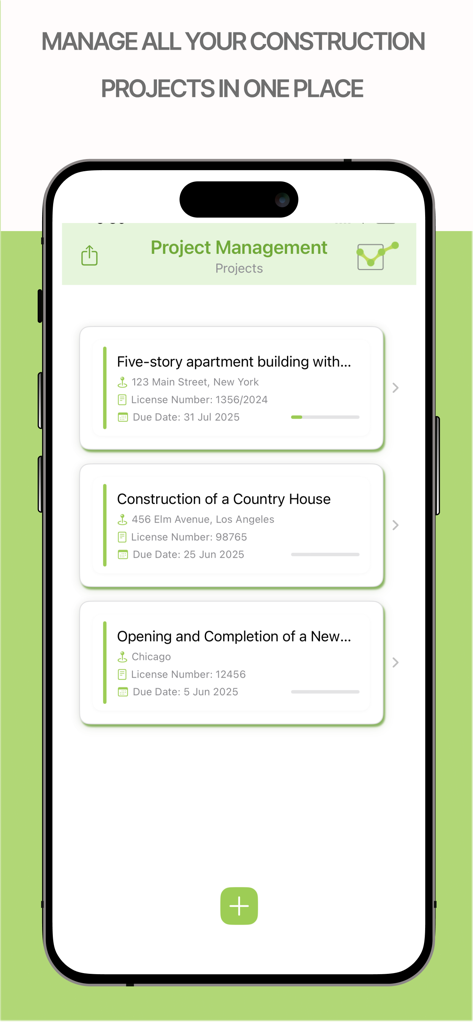
PlanoTrakプロジェクト管理画面。住所と締め切りが表示されたアクティブな建設プロジェクトのリストが表示されます
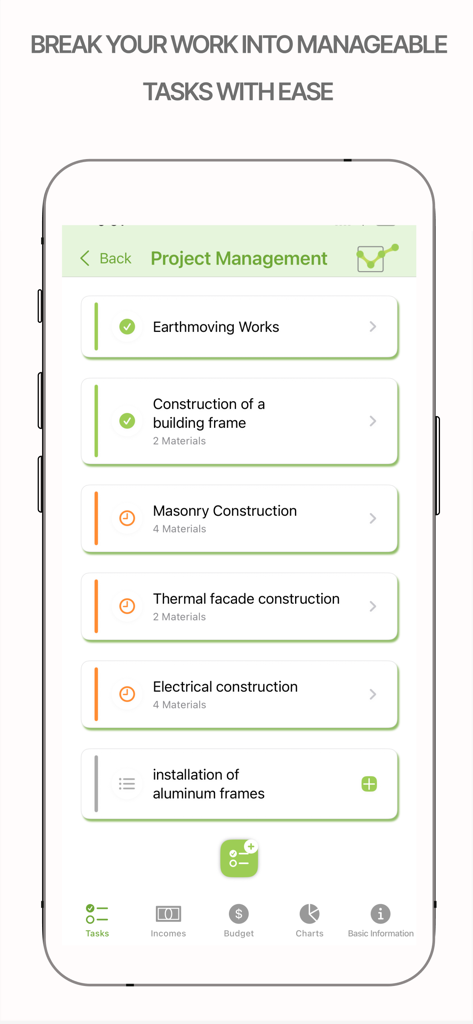
PlanoTrakアプリ画面。左官や電気工事を含む建設プロジェクトタスクのリストが表示されます
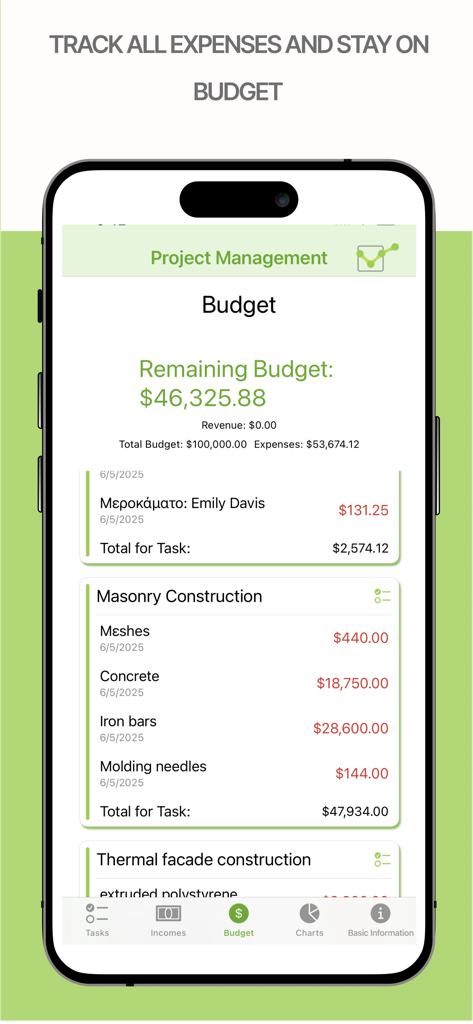
PlanoTrakアプリのプロジェクト予算追跡画面。残高と項目別建設費が表示されます
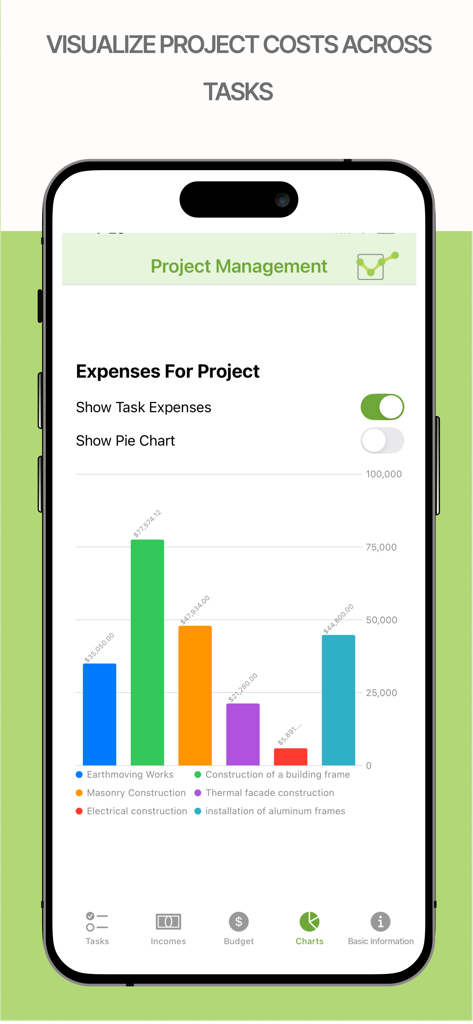
PlanoTrakアプリの建設プロジェクト経費棒グラフ
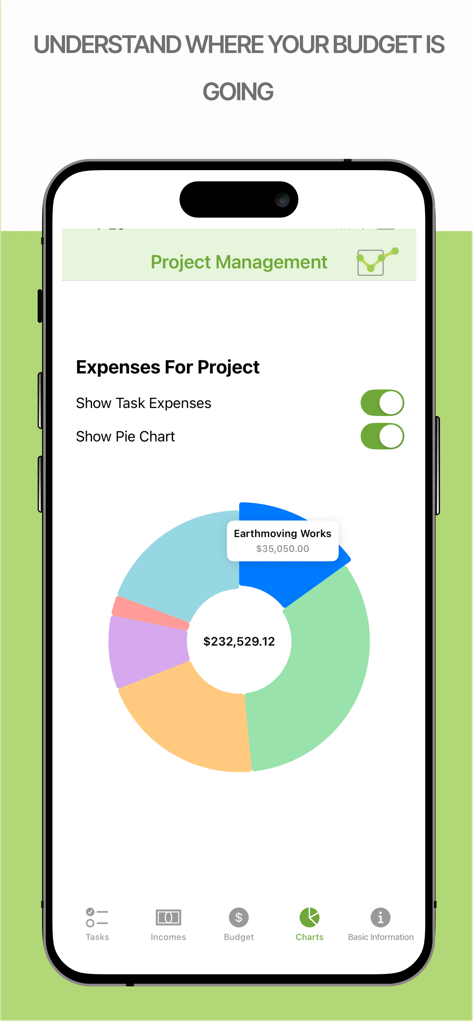
PlanoTrakアプリの建設プロジェクト経費円グラフ
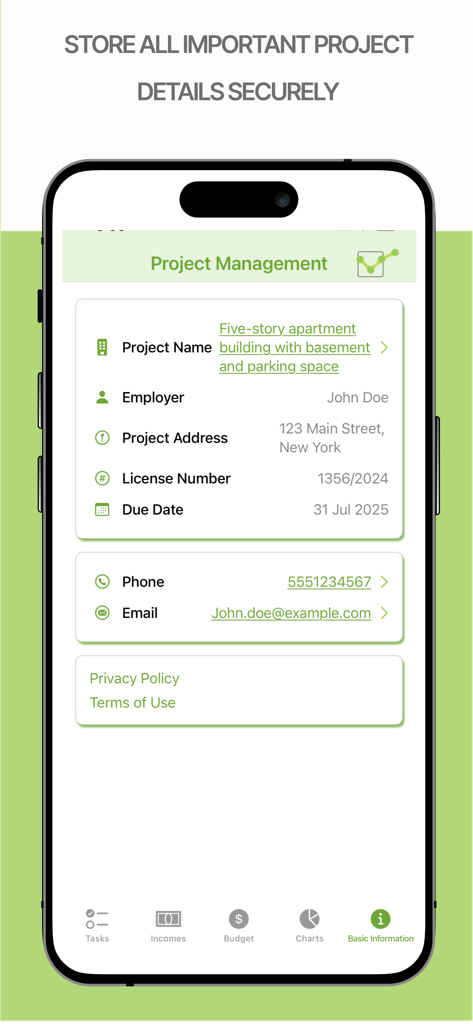
PlanoTrakアプリ画面。プロジェクト名、雇用主、住所、期日などのプロジェクト詳細が表示されます
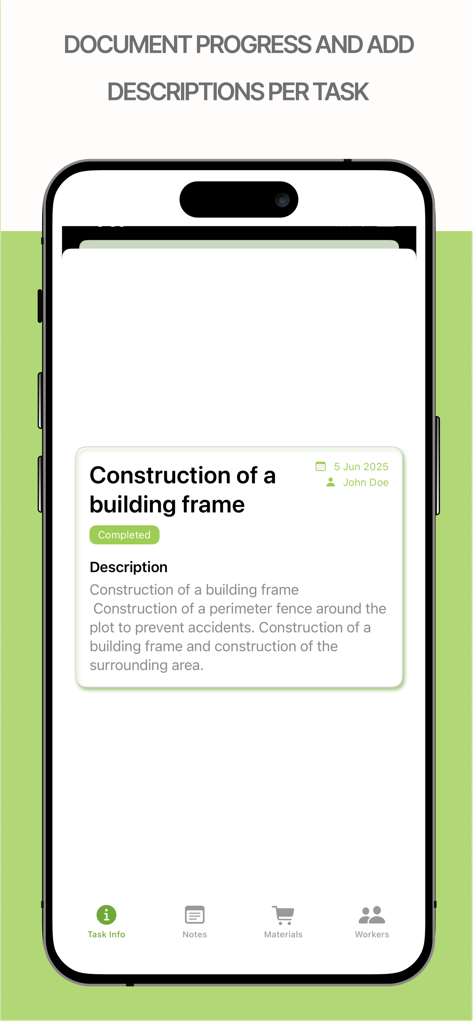
PlanoTrakアプリのiPhone画面。建設プロジェクトのタスクの説明と進捗状況の記録が表示されます
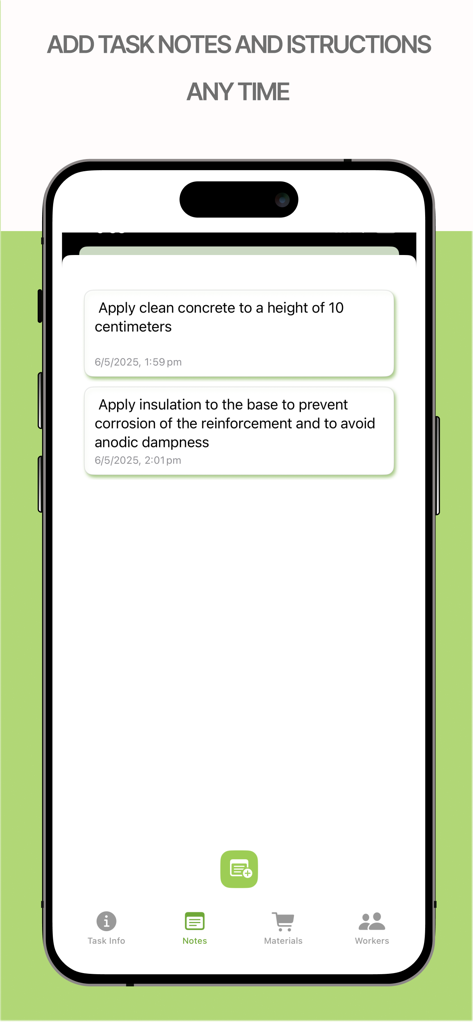
PlanoTrakアプリのスマートフォン画面。詳細な建設タスクメモと現場指示が表示されます
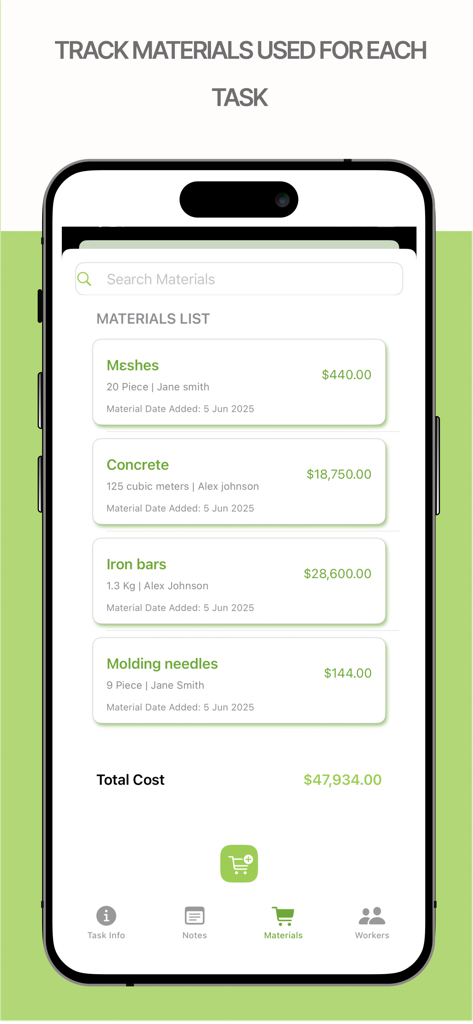
iPhone上のPlanoTrakアプリインターフェース。数量とプロジェクト総コストが表示された建設資材リストが表示されます
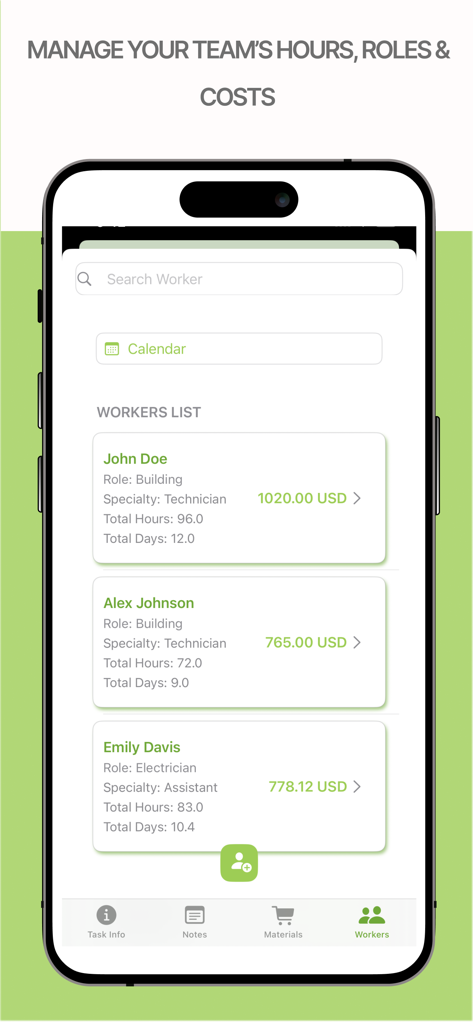
PlanoTrakアプリ画面。チームの時間、役割、人件費を管理します
説明
Download
類似アプリ
同じカテゴリのトップランクアプリ

Microsoft Teams
Microsoft Corporation

Zoom Workplace
Zoom Communications, Inc.

WhatsApp Business
WhatsApp Inc.

Indeed Job Search
Indeed Inc.

LinkedIn: Network & Job Finder
LinkedIn Corporation

Adobe Acrobat Reader: Sign PDF
Adobe Inc.

WeCom-Work Communication&Tools
Tencent Technology (Shenzhen) Company Limited

BOSS直聘-招聘求职找工作神器
Beijing China Product Bo Farce Network Technology Co., Ltd.

DingDing - Redefine Work in AI
DingTalk Technology Co., Ltd.
このページはアプリまたはその開発者の公式ページではなく、情報提供および論評を目的として作成された独立した編集出版物です。明示的に別段の記載がない限り、アプリおよびその開発者は、MWM、Apple、Google Play、アプリのパブリッシャー、またはアプリの開発者と提携、承認、後援、認可、またはその他の公式的な関係はなく、このページのいかなる内容も、アプリがMWMのサービスを使用して開発されたことを意味するものではありません。すべての商標、ロゴ、スクリーンショット、その他のコンテンツはそれぞれの所有者の財産です。