PortKnock
PortKnock
ダウンロード: App Store

このページはアプリまたはその開発者の公式ページではなく、情報提供および論評を目的として作成された独立した編集出版物です。明示的に別段の記載がない限り、アプリおよびその開発者は、MWM、Apple、Google Play、アプリのパブリッシャー、またはアプリの開発者と提携、承認、後援、認可、またはその他の公式的な関係はなく、このページのいかなる内容も、アプリがMWMのサービスを使用して開発されたことを意味するものではありません。すべての商標、ロゴ、スクリーンショット、その他のコンテンツはそれぞれの所有者の財産です。


ロゴ: PortKnock
ダウンロード: App Store

PortKnock

機密ポートを一般のインターネットから見えないように保つことで、インフラストラクチャを保護します。パスワード保護付きのカスタムTCP/UDPシーケンスを送信し、統合されたアプリ起動でワークフローを自動化します。

主要数値

ダウンロード

33K+

ユーザー評価

4.5/5

評価数

0

開発元

Danny Sung

カテゴリ

Utilities

対応言語

1

最新バージョン

4.18

サイズ

11.2 MB

リリース日

2010年3月11日
機能

ステルスアクセスと精密制御

高度なポートノッキングプロトコルを使用してリモートインフラストラクチャを保護するための、ネットワーク管理者向けの決定版広告なしユーティリティ。

ステルスサーバー保護

秘密のシーケンスでアクセスを許可するまで、サービスポートを一般に完全に閉じ、ブルートフォースのリスクを排除します。

インスタントワークフロー自動化

ゲートが開いた瞬間にSSHクライアントをトリガーする自動アプリランチャーで、セキュリティとスピードのギャップを埋めます。

以下のスクリーンショットと説明は、アプリの公式ストアリスティングから直接取得されたものであり、アプリ開発者の所有物です。

アプリストア

スクリーンショット
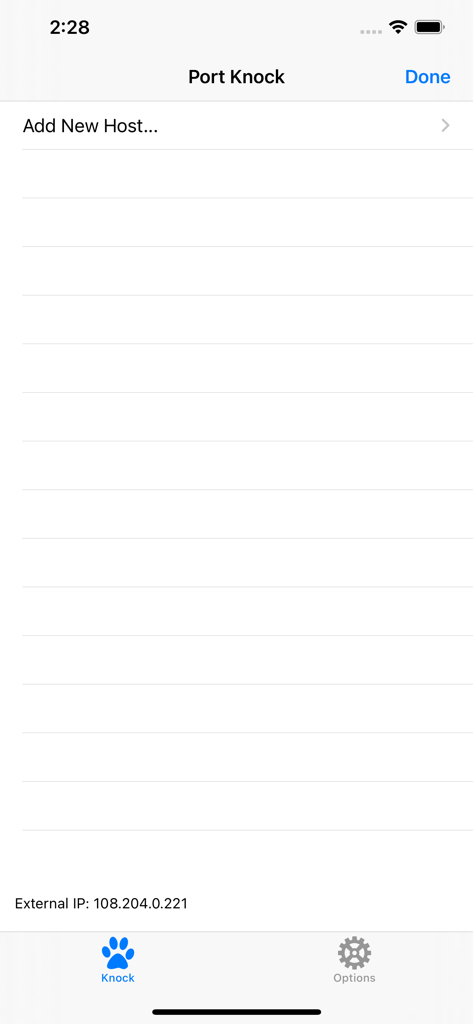
PortKnock - PortKnockアプリのメイン画面。新しいホストの追加オプションと外部IPアドレスが表示されています。
PortKnockアプリのメイン画面。新しいホストの追加オプションと外部IPアドレスが表示されています。

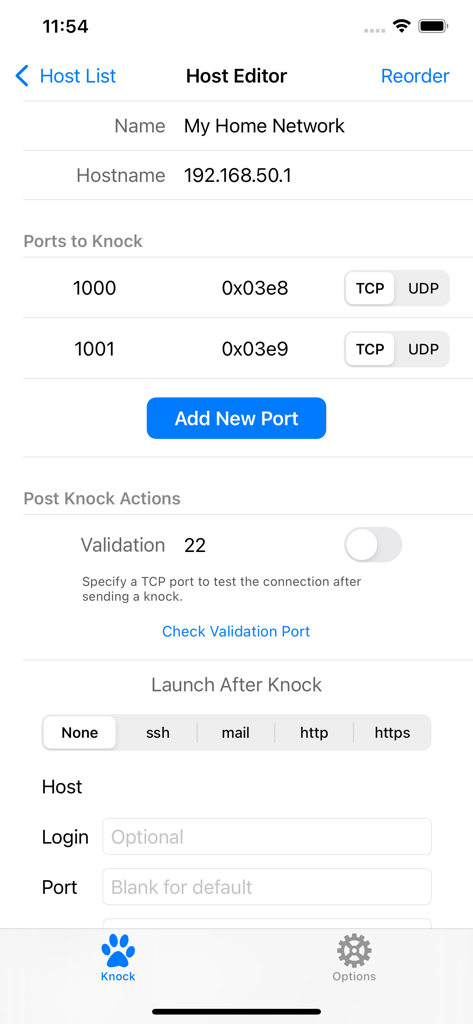
PortKnock - PortKnockアプリのホストエディタ画面。ネットワーク設定とポートノッキング設定が表示されています。
PortKnockアプリのホストエディタ画面。ネットワーク設定とポートノッキング設定が表示されています。

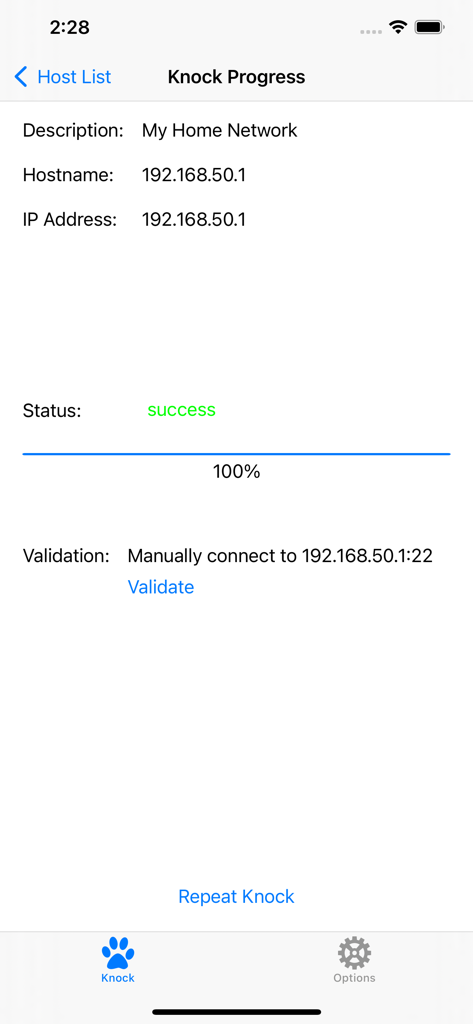
PortKnock - PortKnockアプリの画面。ネットワークホストのポートノックシーケンスが正常に完了したことを示しています。
PortKnockアプリの画面。ネットワークホストのポートノックシーケンスが正常に完了したことを示しています。

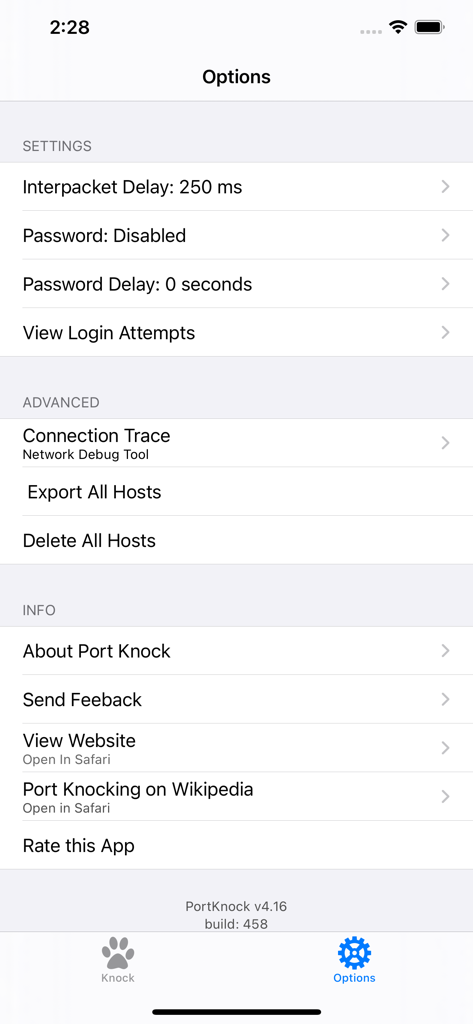
PortKnock - PortKnockアプリの設定とオプション画面。ネットワークパケットとセキュリティの設定が表示されています。

PortKnockアプリの設定とオプション画面。ネットワークパケットとセキュリティの設定が表示されています。

説明

-- Overview -- This application is a simple port knocker for the iPhone, generally useful only to network administrators. You *must* have a port knock daemon running on your server for this application to be useful. Features in this version of Port Knock: - Password Protection - Knock Validation - Import/Export Hosts - Auto App Launcher(+) - Knock Progress Screen - Shows your External IP Address - Arbitrary number of ports per host - An unlimited number of host definitions - TCP/UDP configuration per port - Selectively sending knocks through WiFi or Carrier/3G networks - Configurable interpacket delay - Has no advertising -- Use Cases -- This app is ideal if you're on a WiFi network but don't have a port knocker on the available computers. If you're sitting behind a NAT, the iPhone/iPod Touch will have the same IP as any of the other computers on your network. This is also great to use with TouchTerm or any other ssh or telnet software for the iPhone.Just give it the hostname and a list of ports, and whether you want it to send TCP or UDP packets. -- Brief Description of Port Knocking for the Layman -- Port Knocking is a technique to secure services behind a firewall until a specific knock sequence is given. This is not to be confused with port scanning (a network management tool for discovering open services on a system). Imagine you left your kids at home alone. You don't want them to open the door for strangers. And when a stranger comes knocking, you don't even want them to come to the door, because you don't want them to know your kids are there. But, when you or other family members come, you might want them to open the door for you. So you teach them to listen for a certain rattat-tat-tat or special knock that only you and your family know. This is the same concept you can apply to your servers. If you run a knock daemon on your server, this app then lets you send the special knock to it. A more technical description of port knocking can be found on Wikipedia: http://en.wikipedia.org/wiki/Port_knocking -- Additional Info -- If you're in need of a knock server, I personally use Judd Vinet's knock daemon for linux. It's quite easy to use: http://www.zeroflux.org/projects/knock You can find of information and a nice list of other knock clients and servers over at http://www.portknocking.org/ -- Notes -- + There are some restrictions regarding the Auto App Launcher. For SSH, you can only create temporary connections. For Mail, you will always be shown a new compose mail window first. Unfortunately, this is due to the way App integration works on iOS. There's not much I can do to address these issues at this time. -- Support -- For better support, please send bug reports and feature requests to danny@sungheroes.com, rather than simply posting it in a review. You can find more info on using PortKnock at the main website: http://www.sungheroes.com/products/portknock-iphone/ -- History -- 2022-02-28 PortKnock 4.18 released. LaunchApp automatically works again. Fixed some import bugs. 2018-01-xx PortKnock 4.12 supports IPv6 2017-09-xx PortKnock 4.0 released for iOS 10.3 2013-02-15 PortKnock 3.2 should work again on iOS5 2011-Jul-10 PortKnock 3.0.833 released. Added password protection, knock validation, import/export hosts, auto app launcher, and knock progress screen. 2010-Dec-14 PortKnock 2.02 released. Added a 'copy hosts' feature. Host/Port reordering should now work correctly. Entry fields should now work properly on iOS 4.2.1. 2010-Sep-25 PortKnock 2.01 is now available in the app store. iPhone 4's should no longer have an issue. If you are experiencing problems, please email me. 2010-Sep-09 The iPhone4 issue should be resolved. A bug fix release has been submitted. Thank you all for your patience!

Download

ダウンロード: App Store

このページはアプリまたはその開発者の公式ページではなく、情報提供および論評を目的として作成された独立した編集出版物です。明示的に別段の記載がない限り、アプリおよびその開発者は、MWM、Apple、Google Play、アプリのパブリッシャー、またはアプリの開発者と提携、承認、後援、認可、またはその他の公式的な関係はなく、このページのいかなる内容も、アプリがMWMのサービスを使用して開発されたことを意味するものではありません。すべての商標、ロゴ、スクリーンショット、その他のコンテンツはそれぞれの所有者の財産です。








