Poster Maker | Flyer Creator
ダウンロード: App Store

このページはアプリまたはその開発者の公式ページではなく、情報提供および論評を目的として作成された独立した編集出版物です。明示的に別段の記載がない限り、アプリおよびその開発者は、MWM、Apple、Google Play、アプリのパブリッシャー、またはアプリの開発者と提携、承認、後援、認可、またはその他の公式的な関係はなく、このページのいかなる内容も、アプリがMWMのサービスを使用して開発されたことを意味するものではありません。すべての商標、ロゴ、スクリーンショット、その他のコンテンツはそれぞれの所有者の財産です。

ロゴ: Poster Maker | Flyer Creator
ダウンロード: App Store

Poster Maker | Flyer Creator

数千人もの副業家やイベントプランナーが、10,000以上のテンプレートを使って、数分でインパクトのあるフライヤーやソーシャル投稿を作成しています。デザイン経験は不要です。

主要数値

ダウンロード

28K+

ユーザー評価

1.0/5

評価数

0

開発元

waqar ullah

カテゴリ

Graphics & Design

対応言語

1

最新バージョン

2.1

サイズ

68.5 MB

リリース日

2023年9月3日
機能

数時間ではなく、数分でプロフェッショナルなデザインを

10,000以上のプロフェッショナルテンプレートで、副業やコミュニティイベントを強化しましょう。デザイナー価格なしで注目を集めるデザインを作成できます。

10,000以上のプロテンプレート

空白の画面を見つめるのはやめましょう。アメリカの祝日、ビジネスバナー、誕生日招待状など、プロが作ったように見える何千ものレイアウトから選びましょう。

簡単なワンタップ編集

非デザイナーのために設計されています。直感的なインターフェースで、写真への書き込み、色の入れ替え、レイヤーの調整が、最初のタップから簡単に行えます。

以下のスクリーンショットと説明は、アプリの公式ストアリスティングから直接取得されたものであり、アプリ開発者の所有物です。

アプリストア

スクリーンショット
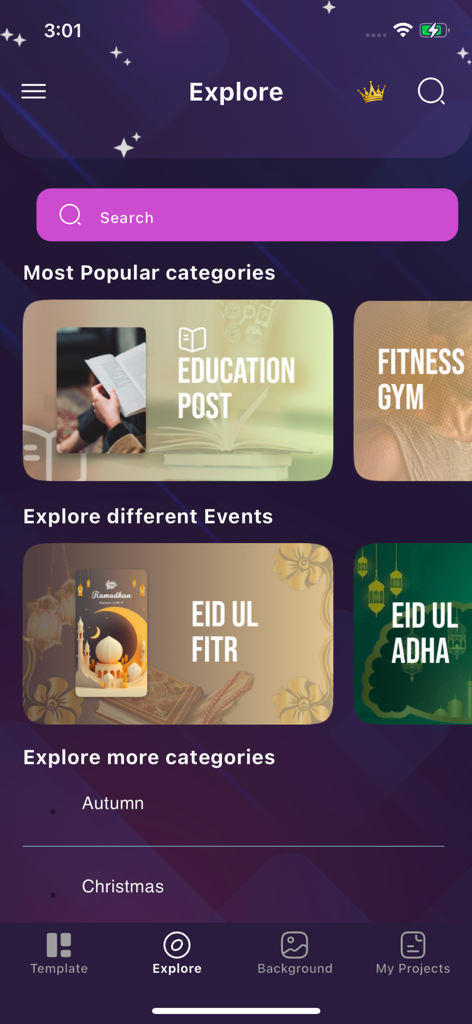
Poster Maker | Flyer Creator - ポスターメーカーアプリのエクスプローラー画面。教育、フィットネス、イベントなどのさまざまなフライヤーカテゴリが表示されています。
ポスターメーカーアプリのエクスプローラー画面。教育、フィットネス、イベントなどのさまざまなフライヤーカテゴリが表示されています。

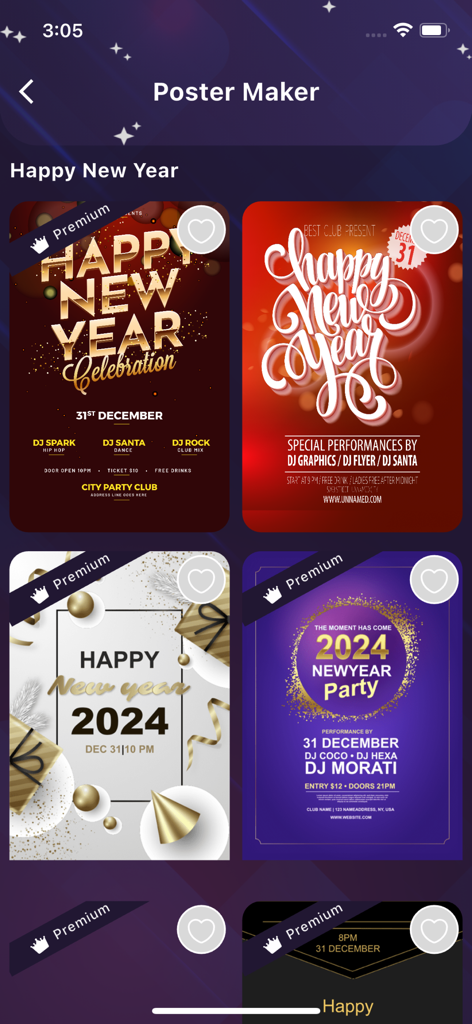
Poster Maker | Flyer Creator - ポスターメーカーアプリの画面。さまざまな新年パーティーフライヤーのデザインテンプレートが表示されています。
ポスターメーカーアプリの画面。さまざまな新年パーティーフライヤーのデザインテンプレートが表示されています。

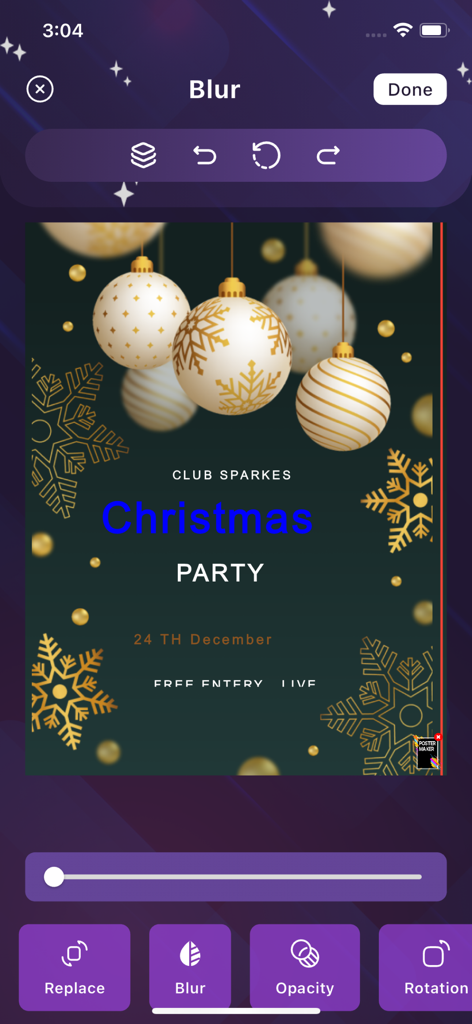
Poster Maker | Flyer Creator - ポスターメーカーアプリのインターフェース。クリスマスパーティーフライヤーのテンプレートとぼかし調整ツールが表示されています。
ポスターメーカーアプリのインターフェース。クリスマスパーティーフライヤーのテンプレートとぼかし調整ツールが表示されています。

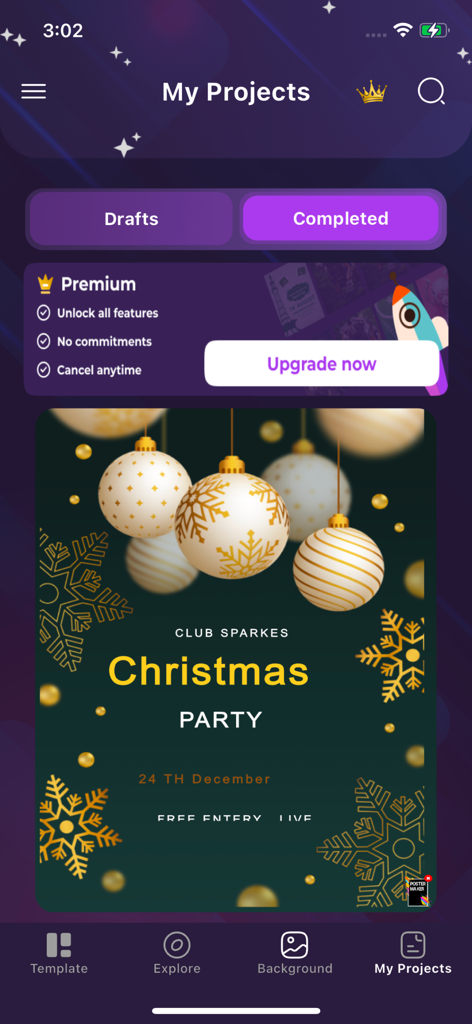
Poster Maker | Flyer Creator - ポスターメーカーアプリの「マイプロジェクト」セクションのスクリーンショット。クリスマスパーティーフライヤーのテンプレートとプレミアムアップグレードオプションが表示されています。

ポスターメーカーアプリの「マイプロジェクト」セクションのスクリーンショット。クリスマスパーティーフライヤーのテンプレートとプレミアムアップグレードオプションが表示されています。
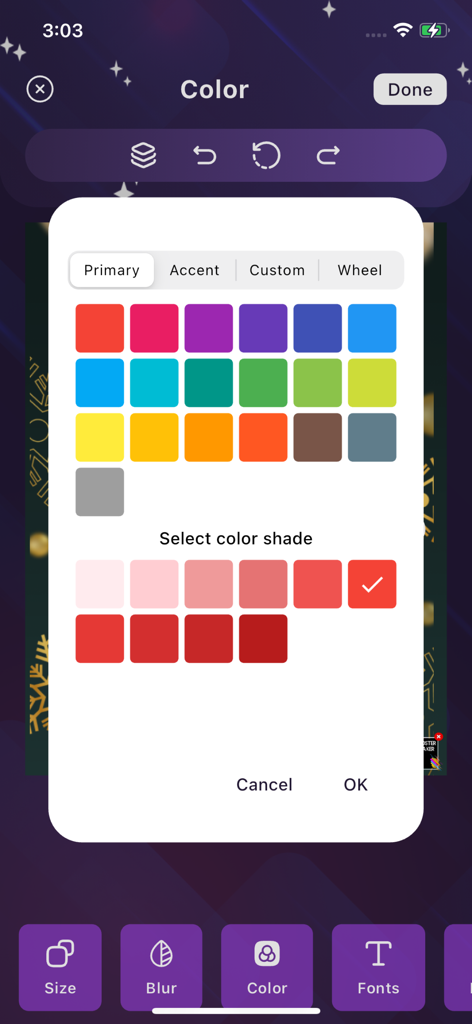
Poster Maker | Flyer Creator - モバイルアプリのインターフェース。プライマリカラーのスウォッチとデザインカスタマイズのためのシェードオプションが表示されたカラー選択ツールが表示されています。

モバイルアプリのインターフェース。プライマリカラーのスウォッチとデザインカスタマイズのためのシェードオプションが表示されたカラー選択ツールが表示されています。

説明

Write on photos with ease. When you make your own posters, you often have trouble writing on them. You need perfect text editing tools to perform this task effectively. If you are struggling to write on pictures, then you need not worry anymore. The poster maker app allows you to write on photos easily. How to use the Poster Maker app? You don't need to follow any complicated procedure to use poster maker app. It allows you to create a poster design by following the simple steps given below. First, select a poster template from the available options. After choosing a poster design, customize it according to your needs. How to change the font color on Poster Maker? You can change font color very easily on this poster maker app. On the selected poster template, you can simply tap on the text you need to change the color. Once it is selected, editing options will appear in the bottom bar. Main Features: 1. 10000+ Creative Flyer Templates 2. Find your business. 3. Simply select a flyer template and customize 4. Add backgrounds and stickers or your own. 5. Add fonts or your own option. 6. Crop photos into different shapes. 7. Text Arts 8. Multiple layers. 9. Undo/Redo. 10. Autosave 11. Edit again. 12. Save to SD card. 13. Share on social media. How do you add images to Poster Maker? You can add images to Poster Maker through its import feature. The import feature is available to add images of backgrounds or shapes. Birthday Flyer Maker Spread the word about your birthday party with Birthday Flyer Maker. Get started with creative birthday flyer templates to customize. Festival Flyer Maker Christmas Flyer Maker Halloween Flyer Maker Thanksgiving Flyer Maker New Year Flyer Maker 4th of July Flyer Maker Types of Posters You Can Create with Poster Maker Poster Maker covers a wide range of needs with its remarkable poster templates. Introducing the ultimate app for creating posters and flyers Discover the power of poster and flyer templates Are you looking for a simple, easy-to-use poster maker that requires no prior design experience? Look no further! Our Poster Maker and Flyer Maker app is the most convenient and efficient solution you will ever find. With a wide selection of over 10,000 professionally designed templates at your fingertips, you'll effortlessly transform your ideas into stylish posters and flyers in minutes. How to create your perfect poster: Open Poster Maker and Flyer Maker app Select your ideal poster template Customize your poster with ease Save, share or re-edit as needed Graphic design templates for your various needs Brochure Maker – Your Marketing Partner Promote an event, business or product? Our Flyer Maker is the ultimate tool for all your marketing and promotion needs. Create brochures tailored to your target audience with ease. Banner Maker – Improve Your Business Elevate your company's online presence with professionally designed banners tailored to your brand. The Banner Maker app streamlines the process, allowing you to effortlessly customize high-quality banner design templates to match your vision. Note: Payment will be charged to your iTunes account at confirmation of purchase. Your subscription will automatically renew unless auto-renew is turned off at least 24-hours before the end of the current subscription period. Your account will be charged for renewal within 24-hours prior to the end of the current subscription period. Automatic renewals will cost the same price you were originally charged for the subscription. You can manage your subscriptions and turn off auto-renewal by going to your Account Settings on the App Store after purchase. Read our terms of service and Privacy Policy for more information. Terms Of USE: https://waqarullahapps.blogspot.com/2025/04/terms-of-use.html Terms Of Privacy Policy: https://waqarullahapps.blogspot.com/2025/04/privacy-policy.html

Download

ダウンロード: App Store

このページはアプリまたはその開発者の公式ページではなく、情報提供および論評を目的として作成された独立した編集出版物です。明示的に別段の記載がない限り、アプリおよびその開発者は、MWM、Apple、Google Play、アプリのパブリッシャー、またはアプリの開発者と提携、承認、後援、認可、またはその他の公式的な関係はなく、このページのいかなる内容も、アプリがMWMのサービスを使用して開発されたことを意味するものではありません。すべての商標、ロゴ、スクリーンショット、その他のコンテンツはそれぞれの所有者の財産です。







