
このページはアプリまたはその開発者の公式ページではなく、情報提供および論評を目的として作成された独立した編集出版物です。明示的に別段の記載がない限り、アプリおよびその開発者は、MWM、Apple、Google Play、アプリのパブリッシャー、またはアプリの開発者と提携、承認、後援、認可、またはその他の公式的な関係はなく、このページのいかなる内容も、アプリがMWMのサービスを使用して開発されたことを意味するものではありません。すべての商標、ロゴ、スクリーンショット、その他のコンテンツはそれぞれの所有者の財産です。


Postparty
FortniteとRocket Leagueのための究極のハイライトリール。最高の瞬間を直接携帯電話に同期し、アクションをトリミングして、数秒であなたの実力をチームに見せつけよう。
ダウンロード
1M+ユーザー評価
評価数
37K+開発元
カテゴリ
Entertainment対応言語
16最新バージョン
1.7.1サイズ
55.0 MBリリース日
2023年2月9日ゲームプレイを盛り上げよう
FortniteとRocket Leagueのハイライトを携帯電話から直接キャプチャ、編集、共有するためのシームレスな方法。
ワンボタンキャプチャ
もうクラッチプレイを見逃すことはありません。ボタンを長押しするだけで、コンソールからモバイルに最高のゲーム瞬間を自動的に送信できます。
プロレベルのトリミング
複雑なソフトウェアは不要です。数秒でクリップをトリミングして、勝利を確実に決めた正確な瞬間を強調しましょう。
よくある質問
について知っておくべきこと Postparty
Postpartyアプリとは何ですか?
Postpartyは、ゲームの瞬間をキャプチャ、保存、編集、共有するために設計されたアプリケーションです。ユーザーは、サポートされているゲームから個人のハイライトリールを保存し、ゲームプレイのクリップを友人やフォロワーと簡単に共有できます。
Postpartyはどのようにゲームの瞬間をキャプチャするのに役立ちますか?
Postpartyは、ユーザーが簡単なボタン操作でEpic GamesのFortniteやPsyonixのRocket Leagueの瞬間をキャプチャできるように支援します。アプリ内でコンテンツを保存、保管、整理し、簡単にアクセスできるようにします。
Postparty内でビデオクリップを編集できますか?
はい、Postpartyでビデオクリップを編集できます。アプリにはクリップをトリミングするツールが用意されており、ユーザーは共有する前に最適な瞬間を選択して保存できます。スクリーンショット#1はこのトリミング機能を示しています。
クリップキャプチャのためにPostpartyと互換性のあるゲームは何ですか?
PostpartyはEpic GamesのFortniteとPsyonixのRocket Leagueと互換性があります。ユーザーはこれらの2つのタイトルからゲームの瞬間をキャプチャおよび管理できます。
Postpartyを使用するためにEpic Gamesアカウントは必要ですか?
はい、Postpartyを使用するにはEpic Gamesアカウントが必要です。ユーザーはEpic Gamesアカウントでログインして、アプリケーション内で直接コンテンツをアップロードおよび管理する必要があります。
Postpartyからゲームクリップを共有するにはどうすればよいですか?
ユーザーはさまざまな方法でPostpartyからゲームクリップを共有できます。オプションには、ソーシャルメディア、メッセージ、または電子メールが含まれており、キャプチャされた瞬間を柔軟に配信できます。スクリーンショット#2には、「共有」ボタンが表示されています。
Postpartyはキャプチャされたゲームプレイビデオを保存しますか?
はい、Postpartyはキャプチャされたゲームプレイビデオを保存します。アプリは個人のハイライトリールを保存および整理し、いつでも再視聴または共有できるようにクリップに簡単にアクセスできるようにします。スクリーンショット#3は、「素晴らしいものの保管庫」を構築していることを示しています。
以下のスクリーンショットと説明は、アプリの公式ストアリスティングから直接取得されたものであり、アプリ開発者の所有物です。
アプリストア
スクリーンショット
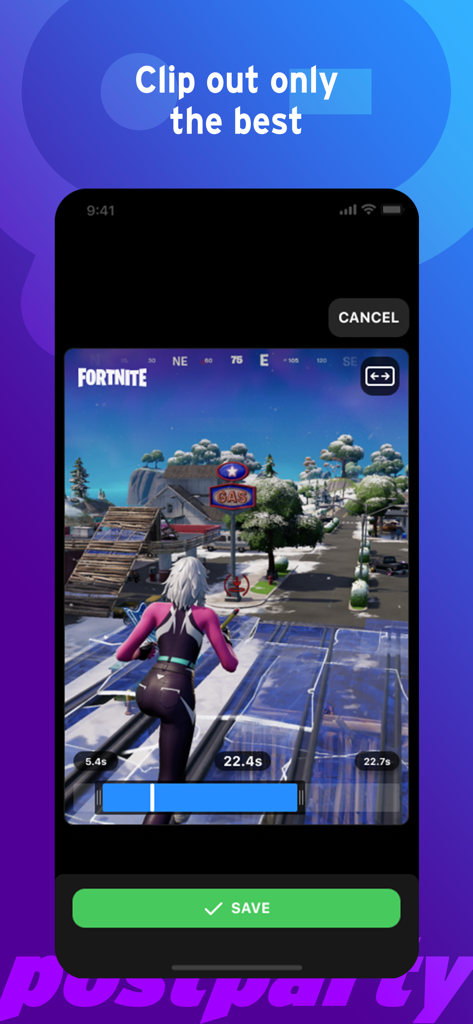
PostpartyアプリのインターフェースでFortniteのゲームプレイクリップをトリミングおよび保存
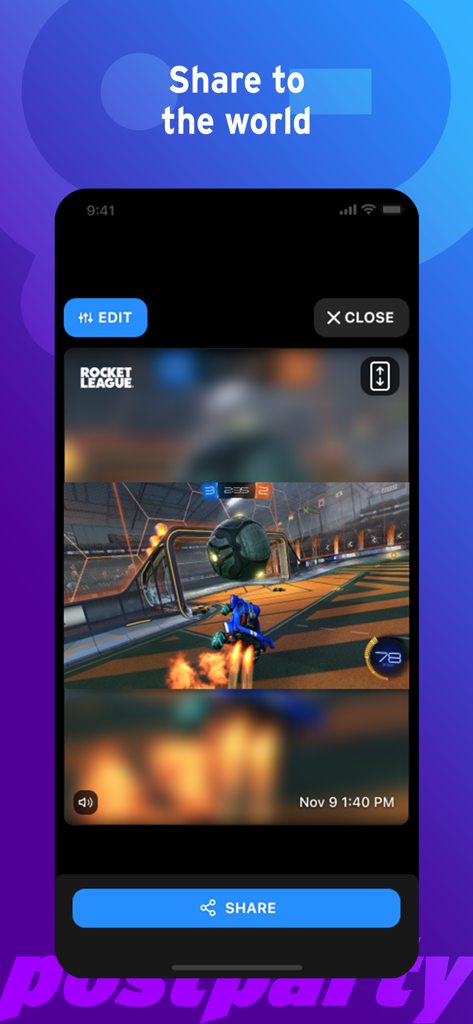
Postpartyモバイルアプリで編集および共有準備ができたRocket Leagueのゲームプレイクリップ
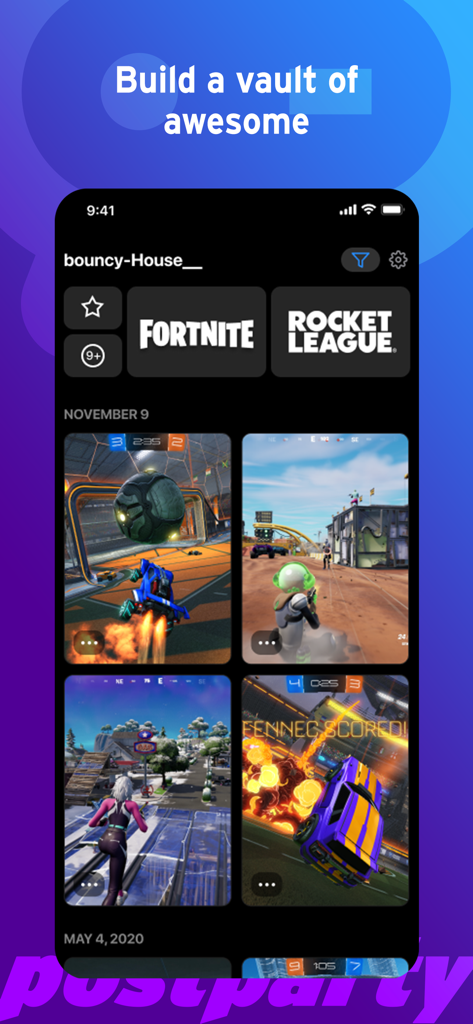
保存されたFortniteおよびRocket Leagueゲームクリップの保管庫を示すPostpartyアプリのインターフェース
説明
Download
類似アプリ
似た機能とユーザー体験を持つアプリ

Rematch – Sports Highlights
La Passe Video

Filma Eu
Endorfine Tecnologia LTDA

Gravae
Gravae Tecnologia LTDA

Allstar.gg
Allstar Gaming, Inc

Ace Trace - Shot Tracker
AI Photo Editor Lab SRL

GolfCam: Golf Video Editor
HONG KONG GOLFING CREATIVE LIMITED

Spash App
NGTV Experience

PUSHIT.
PUSHIT REPLAYS LTD
このページはアプリまたはその開発者の公式ページではなく、情報提供および論評を目的として作成された独立した編集出版物です。明示的に別段の記載がない限り、アプリおよびその開発者は、MWM、Apple、Google Play、アプリのパブリッシャー、またはアプリの開発者と提携、承認、後援、認可、またはその他の公式的な関係はなく、このページのいかなる内容も、アプリがMWMのサービスを使用して開発されたことを意味するものではありません。すべての商標、ロゴ、スクリーンショット、その他のコンテンツはそれぞれの所有者の財産です。