PowerView
PowerView
ダウンロード: App Store

このページはアプリまたはその開発者の公式ページではなく、情報提供および論評を目的として作成された独立した編集出版物です。明示的に別段の記載がない限り、アプリおよびその開発者は、MWM、Apple、Google Play、アプリのパブリッシャー、またはアプリの開発者と提携、承認、後援、認可、またはその他の公式的な関係はなく、このページのいかなる内容も、アプリがMWMのサービスを使用して開発されたことを意味するものではありません。すべての商標、ロゴ、スクリーンショット、その他のコンテンツはそれぞれの所有者の財産です。


ロゴ: PowerView
ダウンロード: App Store

PowerView

自然光とプライバシーをシームレスに演出。ライフスタイルに合わせたカスタムシーンや自動スケジュールの作成により、一日中いつでも快適さと安心を提供します。

主要数値

ダウンロード

64K+

ユーザー評価

3.5/5

評価数

300

開発元

Hunter Douglas Window Fashions, Inc.

カテゴリ

Lifestyle

対応言語

14

最新バージョン

3.14.2

サイズ

235.8 MB

リリース日

2015年7月7日
機能

指先ひとつで叶う洗練された快適さ

ライフスタイルや天候、スケジュールに自動で反応するインテリジェントなウィンドウ・トリートメントで、ワンランク上の暮らしを。

カスタマイズされたライティングシーン

仕事、リラックス、ゲストの接待など、目的に合わせてあらかじめ設定したシェード位置で、お部屋の雰囲気を瞬時に変えられます。

自動化された一日のリズム

日の出とともに開き、夕暮れとともに閉じるように設定。光とエネルギーの使用を自動で管理し、手間をかけずにシームレスな自動化を実現します。

以下のスクリーンショットと説明は、アプリの公式ストアリスティングから直接取得されたものであり、アプリ開発者の所有物です。

アプリストア

スクリーンショット
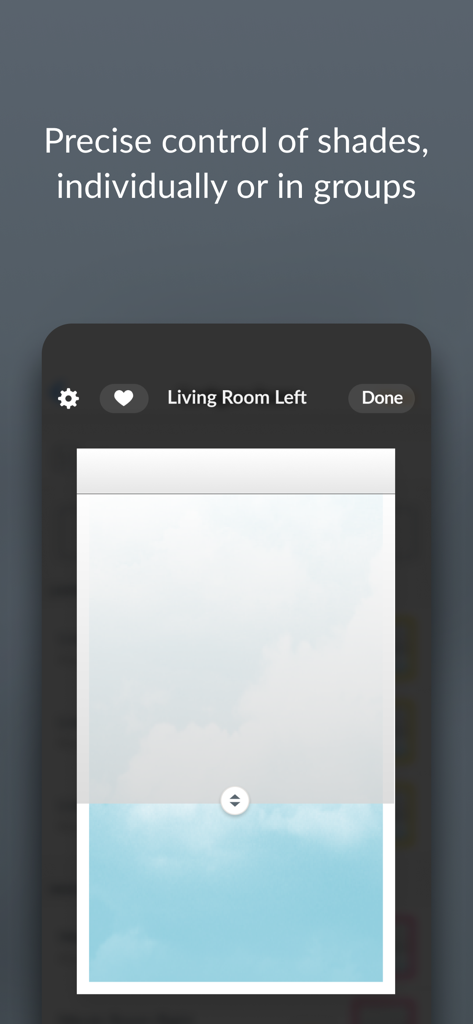
PowerView - 個別のウィンドウシェードを精密にコントロールするPowerViewアプリの画面
個別のウィンドウシェードを精密にコントロールするPowerViewアプリの画面

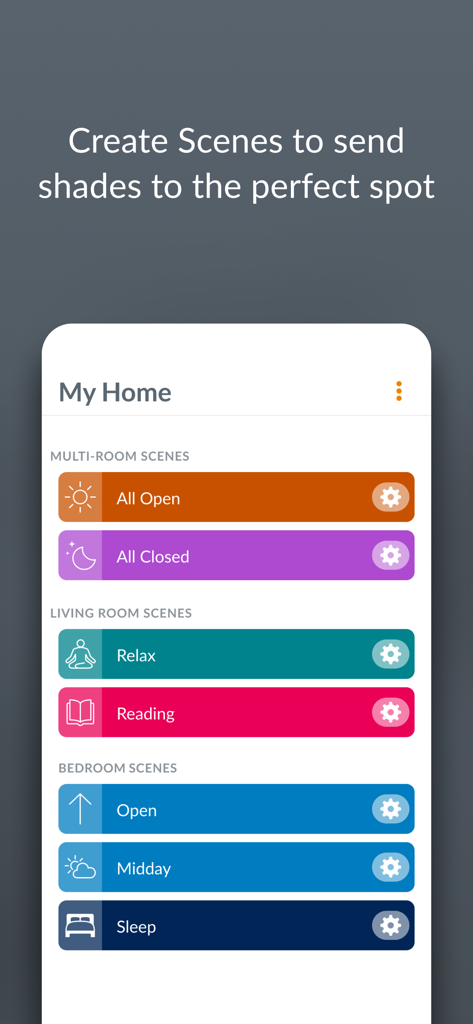
PowerView - 各部屋のカスタムウィンドウシェードシーンのメニューを表示する、スマートフォン上のPowerViewアプリ画面
各部屋のカスタムウィンドウシェードシーンのメニューを表示する、スマートフォン上のPowerViewアプリ画面

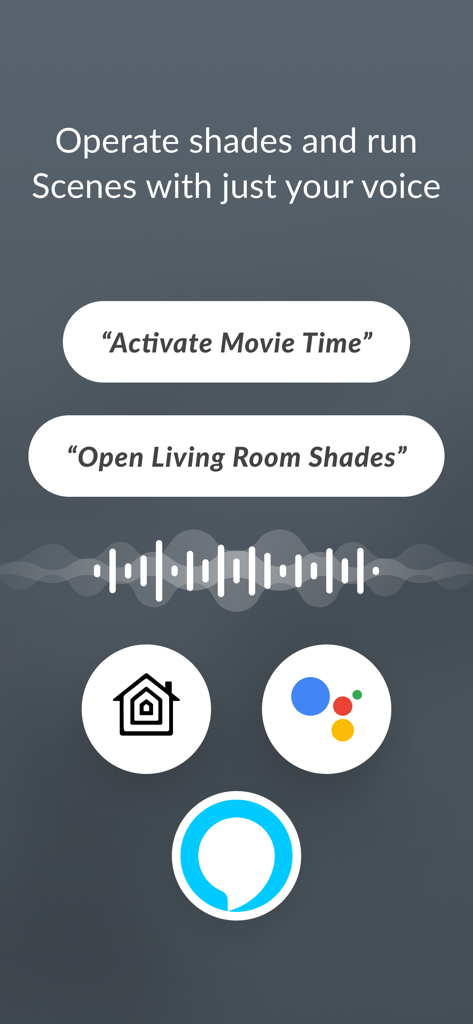
PowerView - Apple Home、Googleアシスタント、Amazon Alexaとの連携によるシェードの音声操作を示すPowerViewアプリの画面
Apple Home、Googleアシスタント、Amazon Alexaとの連携によるシェードの音声操作を示すPowerViewアプリの画面

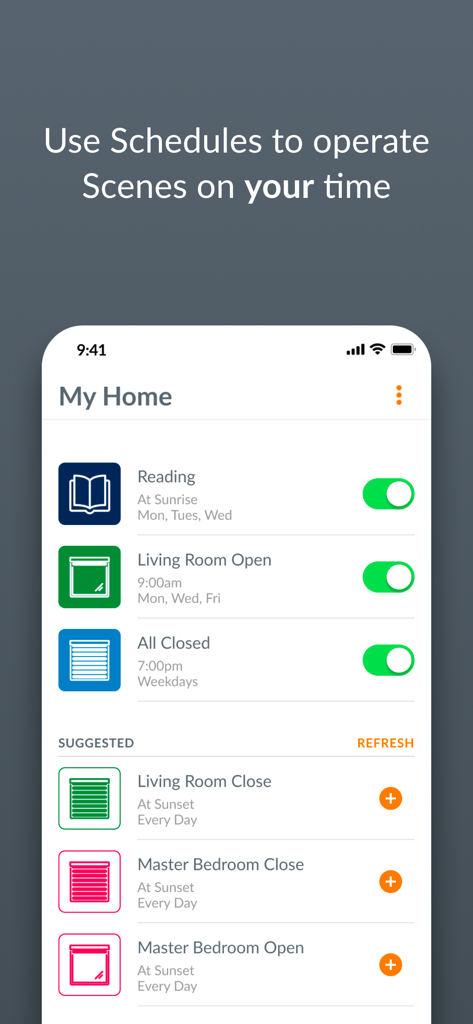
PowerView - 読書やリビングルームの開放など、ウィンドウ・トリートメントの自動スケジュールを表示するPowerViewアプリの画面
読書やリビングルームの開放など、ウィンドウ・トリートメントの自動スケジュールを表示するPowerViewアプリの画面

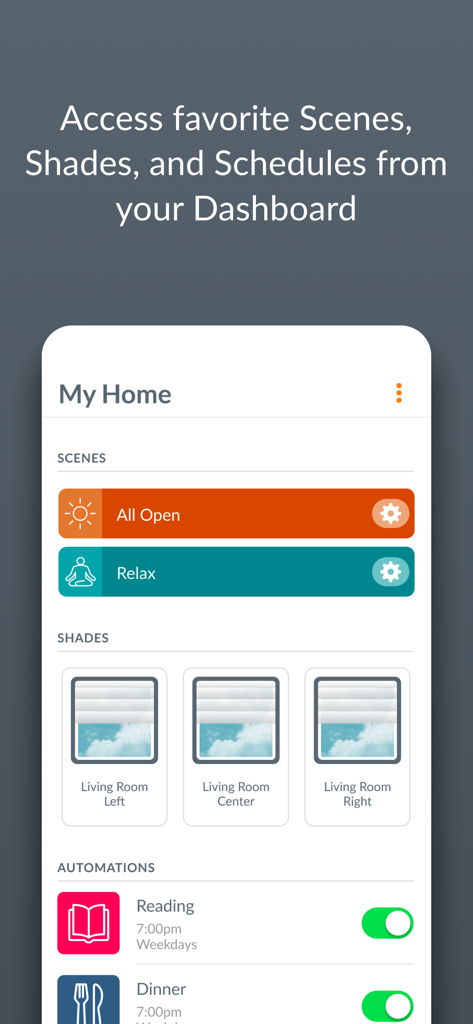
PowerView - スマートホームシーンとウィンドウシェードの自動スケジュールを表示するPowerViewアプリのダッシュボード

スマートホームシーンとウィンドウシェードの自動スケジュールを表示するPowerViewアプリのダッシュボード

説明

Control your home's window coverings from the convenience of your iPad, iPhone or iPod touch. The PowerView® App provides intelligent operation of popular Hunter Douglas window coverings. Adjust your window coverings to manage incoming light and energy usage throughout your home with the tap of a button or through automated operation. The app merges seamlessly with your connected lifestyle to provide a level of convenience and ease for your automated window coverings. Features: • Control Hunter Douglas motorized window coverings, individually or in groups, throughout your entire home. • Quickly and easily navigate the app using built-in tabs: Dashboard, Rooms, Scenes, and Schedules. • Add favorite Scenes, Shades, and Schedules to your Dashboard, so they appear first whenever you open the app. • Create customized shade position settings called "Scenes" for convenience, or to manage your natural lighting and privacy needs throughout the day. • Put your Scenes in motion using Schedules. Easily program your Scenes to activate automatically at different times of day to deliver the look and comfort you want, without you having to press a button. Configure Schedules to occur at a specific time, or based on unique Sunrise and Sunset times in your specific location. • Easily enable or disable Schedules, so that your blinds take the day off when you do. • Manage your Home from anywhere with RemoteConnect™. This requires a PowerView® Gateway, an Internet connection, and initial in-home setup. If you need help or have a question, email us at PowerView@hunterdouglas.com or call 1-844-PWR-VIEW (US), 1-800-265-8000 (Canada).

Download

ダウンロード: App Store

このページはアプリまたはその開発者の公式ページではなく、情報提供および論評を目的として作成された独立した編集出版物です。明示的に別段の記載がない限り、アプリおよびその開発者は、MWM、Apple、Google Play、アプリのパブリッシャー、またはアプリの開発者と提携、承認、後援、認可、またはその他の公式的な関係はなく、このページのいかなる内容も、アプリがMWMのサービスを使用して開発されたことを意味するものではありません。すべての商標、ロゴ、スクリーンショット、その他のコンテンツはそれぞれの所有者の財産です。








