Printer App:Smart Print & Scan
ダウンロード: App Store

このページはアプリまたはその開発者の公式ページではなく、情報提供および論評を目的として作成された独立した編集出版物です。明示的に別段の記載がない限り、アプリおよびその開発者は、MWM、Apple、Google Play、アプリのパブリッシャー、またはアプリの開発者と提携、承認、後援、認可、またはその他の公式的な関係はなく、このページのいかなる内容も、アプリがMWMのサービスを使用して開発されたことを意味するものではありません。すべての商標、ロゴ、スクリーンショット、その他のコンテンツはそれぞれの所有者の財産です。

ロゴ: Printer App:Smart Print & Scan
ダウンロード: App Store

Printer App:Smart Print & Scan

どこからでも書類をスキャン、署名、印刷してワークフローを効率化。内蔵のAI画像生成機能でテキストを驚くほど美しい印刷可能なビジュアルに変換。ファイルは安全かつ整理された状態に保ちます。

主要数値

ダウンロード

13K+

ユーザー評価

4.4/5

評価数

200

開発元

Geeta Patel

カテゴリ

Business

対応言語

32

最新バージョン

2.3

サイズ

59.2 MB

リリース日

2021年12月27日
機能

あなたの完全なモバイル生産性ハブ

iPhoneまたはiPadを、必要なものをすべて数秒でスキャン、署名、作成、印刷できる強力なコマンドセンターに変えましょう。

デジタル署名&プロスキャン

スマホを高解像度スキャナーに。契約書にデジタル署名し、PDFにその場で注釈を付け、シームレスでペーパーレスなワークフローを実現します。

クリエイティブAI画像生成

テキストプロンプトだけで、驚くほど美しい印刷可能なビジュアルを生成。カスタムチラシ、プレゼンテーションアセット、ユニークなホームデコレーションの作成に最適です。

以下のスクリーンショットと説明は、アプリの公式ストアリスティングから直接取得されたものであり、アプリ開発者の所有物です。

アプリストア

スクリーンショット
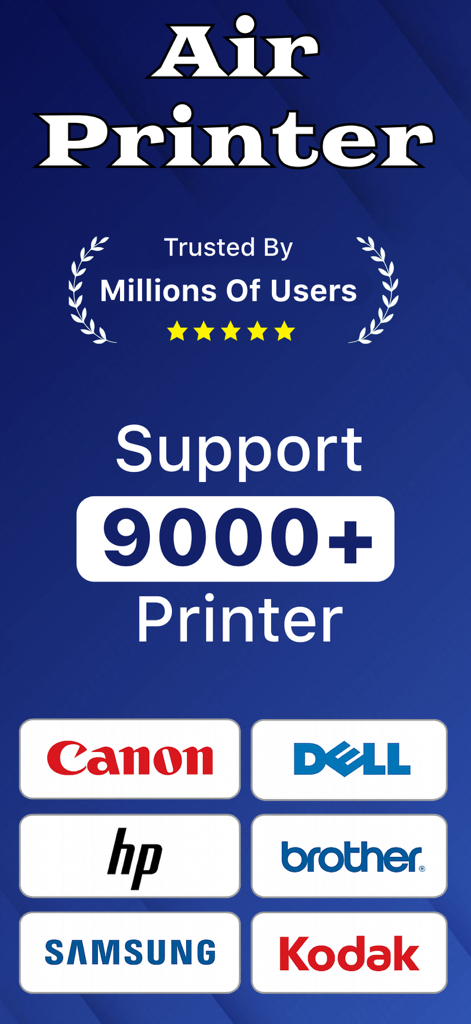
Printer App:Smart Print & Scan - Canon、HP、Brotherを含む9000以上のプリンターモデルをサポートするPrinter Appのグラフィック
Canon、HP、Brotherを含む9000以上のプリンターモデルをサポートするPrinter Appのグラフィック

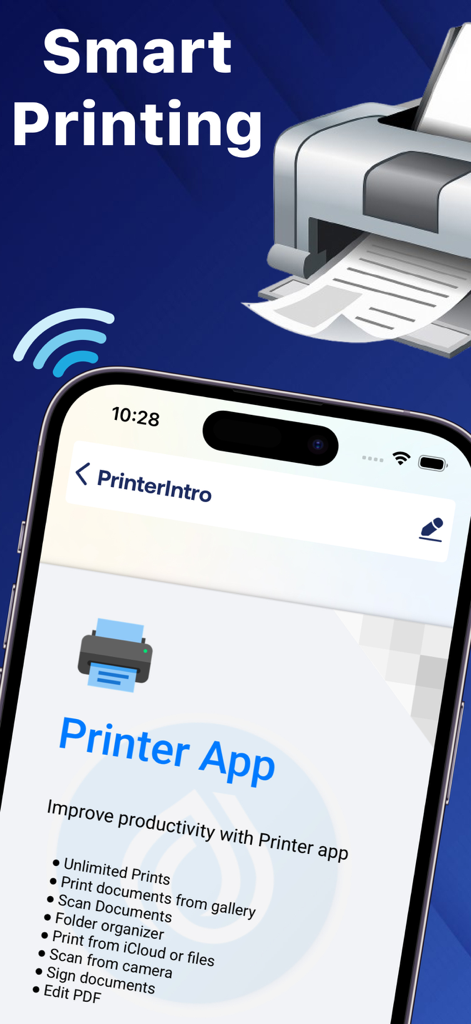
Printer App:Smart Print & Scan - スマー​​トプリンティングの見出しの下に、スキャンやドキュメント署名などの機能リストを表示するPrinter Appインターフェースを示すiPhone画面
スマー​​トプリンティングの見出しの下に、スキャンやドキュメント署名などの機能リストを表示するPrinter Appインターフェースを示すiPhone画面

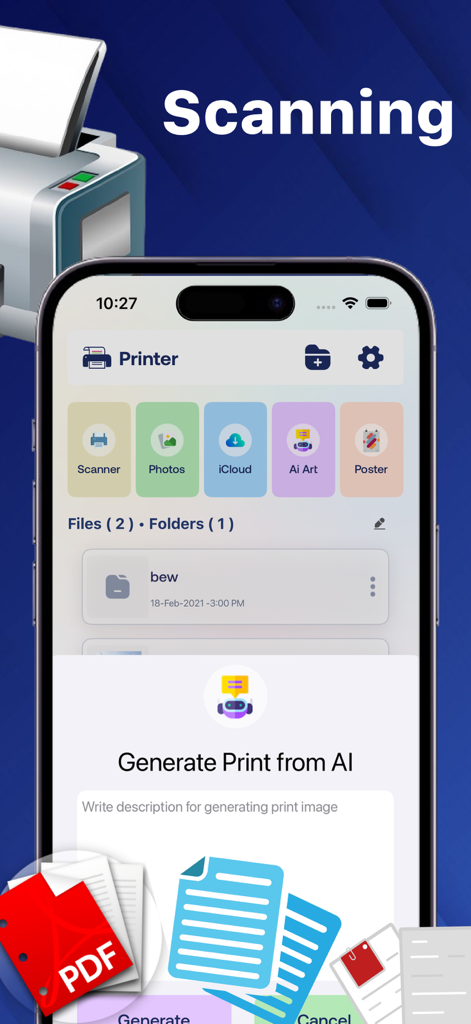
Printer App:Smart Print & Scan - ドキュメントスキャンおよびAI画像生成オプションを表示するスマートプリンターアプリのインターフェース
ドキュメントスキャンおよびAI画像生成オプションを表示するスマートプリンターアプリのインターフェース

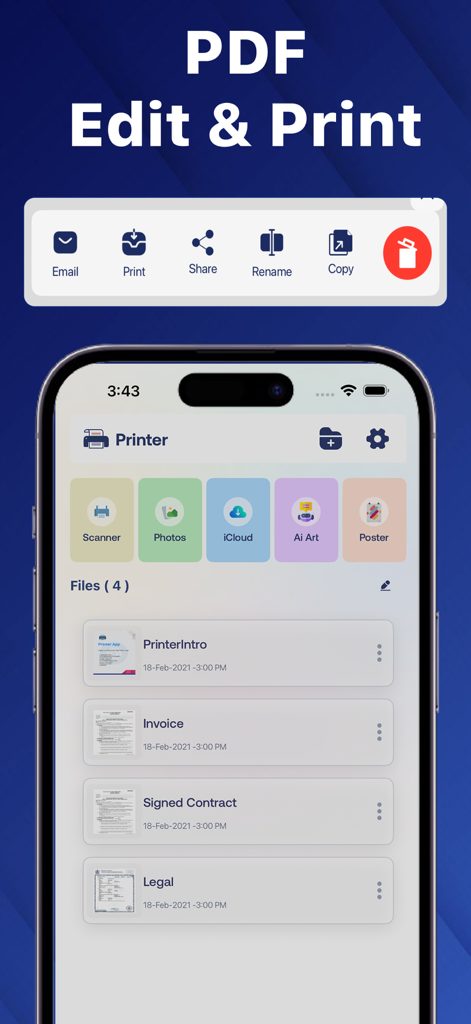
Printer App:Smart Print & Scan - 請求書や契約書などのドキュメントの編集、印刷、スキャンオプションを表示するPrinter Appのモバイルダッシュボード。
請求書や契約書などのドキュメントの編集、印刷、スキャンオプションを表示するPrinter Appのモバイルダッシュボード。

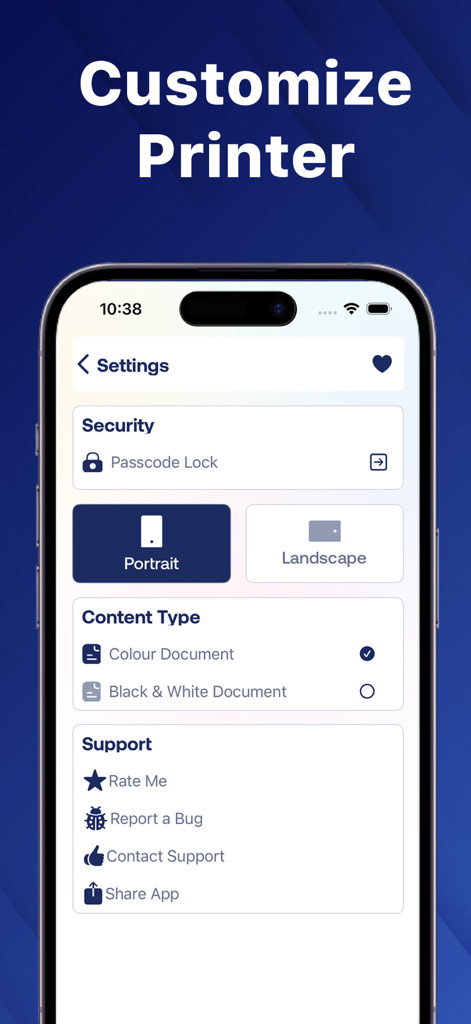
Printer App:Smart Print & Scan - パスコードロック、向き、カラータイプなどのオプションを表示するPrinter Appの設定画面

パスコードロック、向き、カラータイプなどのオプションを表示するPrinter Appの設定画面

説明

Printer App - Print Documents, PDFs, Photos and Generate AI Images Printer App is the all-in-one utility that lets you print documents, PDFs, photos, and now even generate AI images. Whether you’re using an iPhone or iPad, you can scan, organize, annotate, and print everything with just a few taps. Easily import files from iCloud, your photo library, or camera, and manage all your documents in one place. It’s fast, simple, and secure. New AI Image Generation Feature Create stunning images instantly using just text. Type what you imagine, and the app will generate an AI-powered image you can save or print. Perfect for creative projects, inspiration, or quick visuals. Example: Type “a futuristic city skyline at night” and get a printable image in seconds. Key Features • Built-in scanner for high-quality scanning • Print from your photo gallery • Print from iCloud and cloud drives • Organize files with folders • Edit and annotate PDFs • Add pages to documents and print • Sign documents digitally • Share and export your PDFs • Works seamlessly on both iPhone and iPad File Manager Tools • Share and export files • Rename documents • Duplicate files • Email files • Delete files Printer Settings • Print from cloud storage • Choose black and white or color • Portrait or landscape orientation Privacy and Security • Lock the app with a passcode to keep your documents safe Print smarter, faster, and more creatively with Printer App. • Feedback & Support Have questions or feedback? Contact us at info@swiftygarage.com. Read our privacy policy and terms of conditions at Privacy Policy: https://swiftygarage.com/privacy-policy.html Terms of Use: https://swiftygarage.com/terms-of-use.html

Download

ダウンロード: App Store

このページはアプリまたはその開発者の公式ページではなく、情報提供および論評を目的として作成された独立した編集出版物です。明示的に別段の記載がない限り、アプリおよびその開発者は、MWM、Apple、Google Play、アプリのパブリッシャー、またはアプリの開発者と提携、承認、後援、認可、またはその他の公式的な関係はなく、このページのいかなる内容も、アプリがMWMのサービスを使用して開発されたことを意味するものではありません。すべての商標、ロゴ、スクリーンショット、その他のコンテンツはそれぞれの所有者の財産です。








