Printer: Smart Print App
ダウンロード: App Store

このページはアプリまたはその開発者の公式ページではなく、情報提供および論評を目的として作成された独立した編集出版物です。明示的に別段の記載がない限り、アプリおよびその開発者は、MWM、Apple、Google Play、アプリのパブリッシャー、またはアプリの開発者と提携、承認、後援、認可、またはその他の公式的な関係はなく、このページのいかなる内容も、アプリがMWMのサービスを使用して開発されたことを意味するものではありません。すべての商標、ロゴ、スクリーンショット、その他のコンテンツはそれぞれの所有者の財産です。

ロゴ: Printer: Smart Print App
ダウンロード: App Store

Printer: Smart Print App

iPhoneをポケットの中の完璧なオフィスに変え、紙の山を瞬時にデジタル化する。このアプリは、印刷、スキャン、整理をすべてモバイルから実現します。

主要数値

ダウンロード

100k+

ユーザー評価

4.4/5

評価数

286

開発元

BEGAMOB GLOBAL LIMITED

カテゴリ

Business

対応言語

33

最新バージョン

1.2.0

サイズ

95.0 MB

リリース日

2025年12月21日
機能

モバイル印刷、スキャン、管理を効率化する主要機能の評価

「Printer: Smart Print App」機能分析

多様なコンテンツのモバイル印刷

このアプリは、ドキュメント、写真、電子メール、ウェブページなど、多岐にわたるコンテンツをモバイルデバイスから直接、簡単に印刷する機能を提供します。

高機能スマートスキャン

本ツールは、モバイルデバイスのカメラを使用して、領収書、契約書、メモなどを高品質でスキャンし、必要に応じて編集する機能を提供します。

広範なプリンター対応

このアプリは、AirPrint対応プリンターに加えて、HP、Brother、Canonなど、多くの主要プリンターブランドとシームレスな接続性を提供します。

以下のスクリーンショットと説明は、アプリの公式ストアリスティングから直接取得されたものであり、アプリ開発者の所有物です。

アプリストア

スクリーンショット
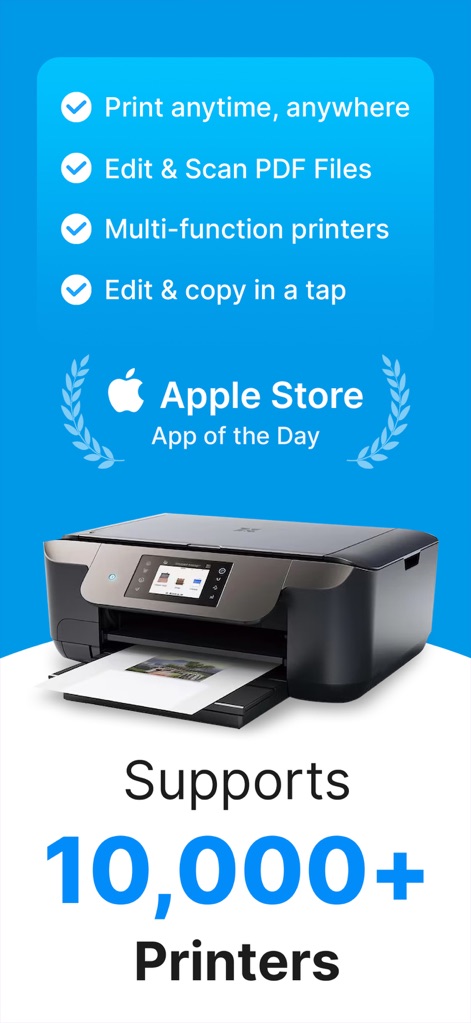
Printer: Smart Print App - このアプリはApple StoreでApp of the Dayに選ばれており、10,000以上のプリンターモデルに対応しています。

このアプリはApple StoreでApp of the Dayに選ばれており、10,000以上のプリンターモデルに対応しています。

万能プリンターアプリ
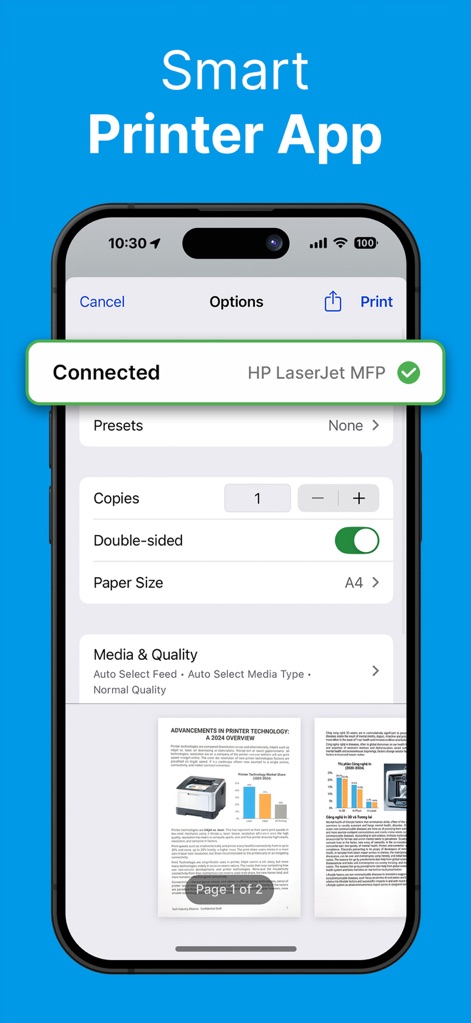
Printer: Smart Print App - ユーザーは接続されたプリンター(HP LaserJet MFP)を確認し、部数や両面印刷のオプションを調整できます。

ユーザーは接続されたプリンター(HP LaserJet MFP)を確認し、部数や両面印刷のオプションを調整できます。

簡単印刷設定
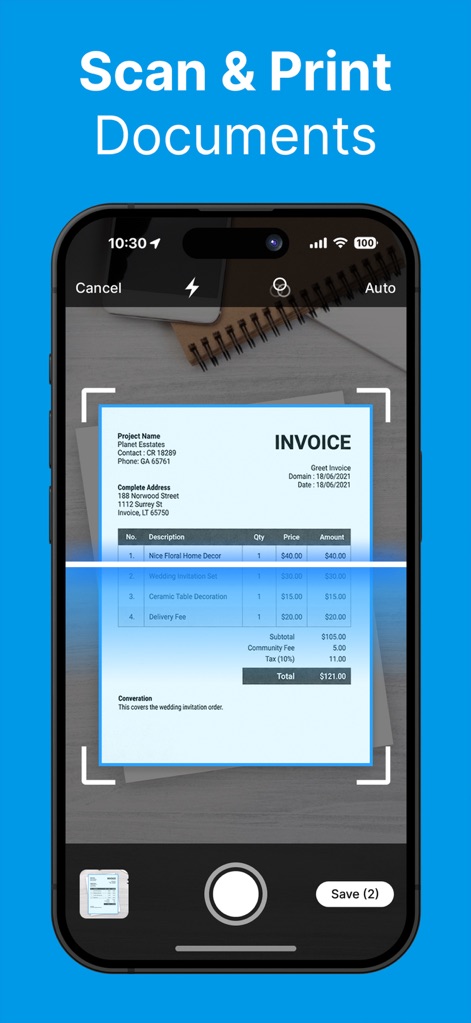
Printer: Smart Print App - 本ツールは、請求書のようなドキュメントを内蔵カメラでスキャンし、リアルタイムで明るさ調整やトリミングが可能です。

本ツールは、請求書のようなドキュメントを内蔵カメラでスキャンし、リアルタイムで明るさ調整やトリミングが可能です。

高機能ドキュメントスキャン
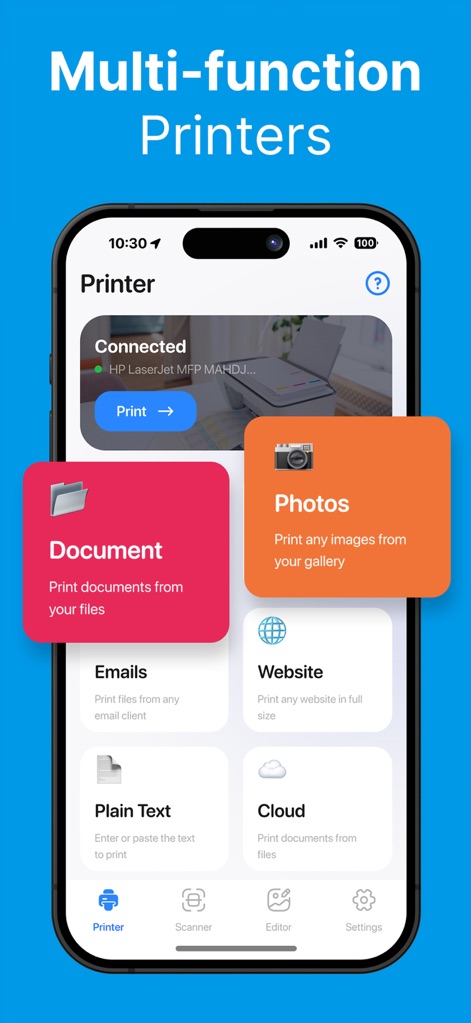
Printer: Smart Print App - このアプリは、ドキュメントや写真の印刷に加え、メールやウェブサイトから直接コンテンツを送信できる機能を備えています。

このアプリは、ドキュメントや写真の印刷に加え、メールやウェブサイトから直接コンテンツを送信できる機能を備えています。

多彩な印刷元
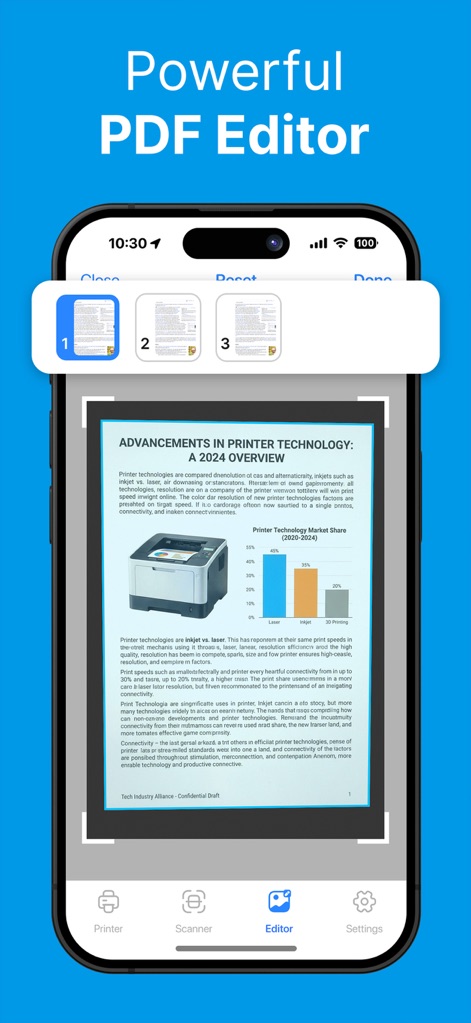
Printer: Smart Print App - ユーザーは複数ページのPDFドキュメントを視覚的にプレビューし、必要に応じてページ順の変更やコンテンツの編集を行えます。

ユーザーは複数ページのPDFドキュメントを視覚的にプレビューし、必要に応じてページ順の変更やコンテンツの編集を行えます。

強力PDF編集機能
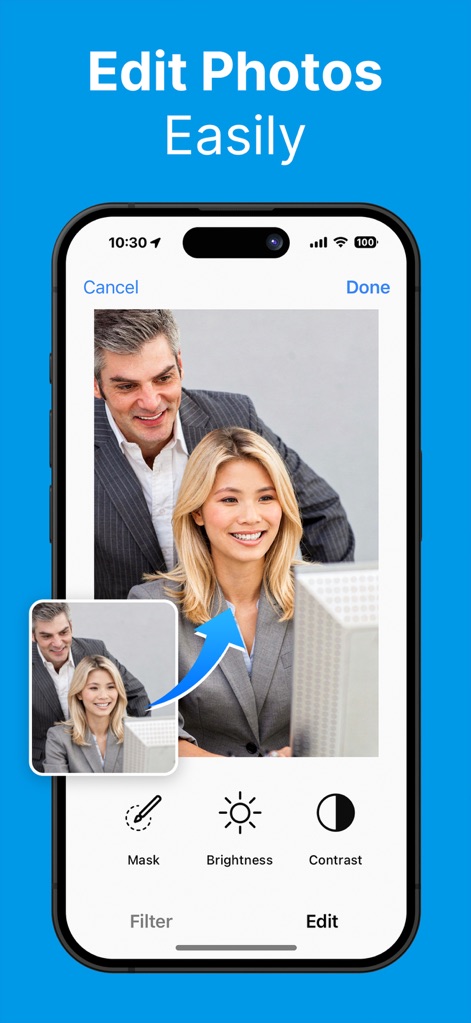
Printer: Smart Print App - この機能では、画像の明るさやコントラストを調整するツールが提供され、フィルターの適用も簡単に行えます。

この機能では、画像の明るさやコントラストを調整するツールが提供され、フィルターの適用も簡単に行えます。

写真編集も自由自在
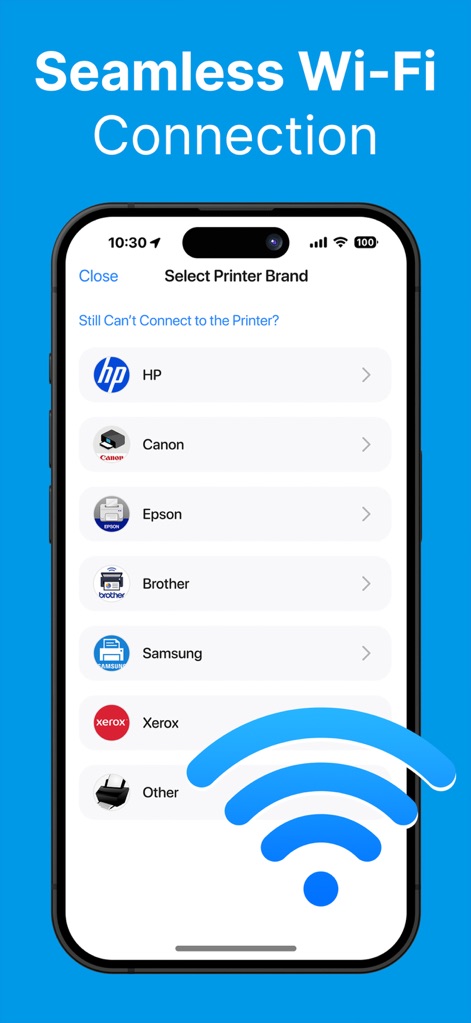
Printer: Smart Print App - 本アプリはHPやCanonなど主要なプリンターブランドに対応し、Wi-Fiを通じて簡単に接続設定が可能です。

本アプリはHPやCanonなど主要なプリンターブランドに対応し、Wi-Fiを通じて簡単に接続設定が可能です。

スムーズな接続性
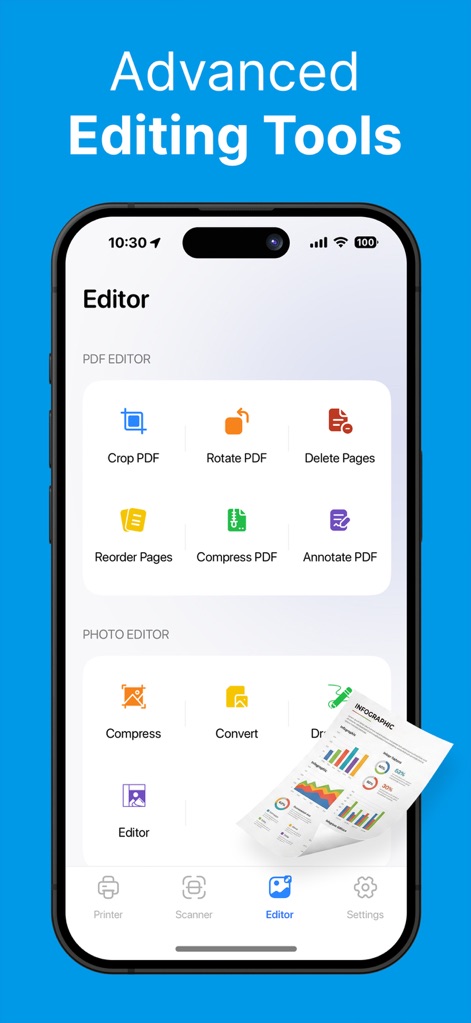
Printer: Smart Print App - PDFのクロップやページの並べ替えといった編集オプションに加え、画像ファイルの圧縮機能も利用できます。

PDFのクロップやページの並べ替えといった編集オプションに加え、画像ファイルの圧縮機能も利用できます。

高度な編集ツール

説明

Printer App: Smart Print, Scan helps you print, scan, edit, and organize documents and photos directly from your phone, whenever you need. This all-in-one printer and scanner app is built to simplify everyday tasks. The app is compatible with most AirPrint-enabled printers, making wireless printing fast and effortless. Whether you’re handling work files, study materials, or personal documents, you can manage everything from your iPhone or iPad without switching between multiple apps or devices. Our smart printer & scanner app works seamlessly with most printer models, including HP, Brother, Canon, Dell, Epson, Lanier, Xerox, Aurora, Lexmark, Panasonic, Ricoh, Toshiba, and many more. PRINT ANYTHING Smart Printer gives you the freedom to print almost any type of content with ease. Documents, photos, emails, plain text, or web pages can be sent to your printer in just a few taps. The app focuses on smooth performance and reliable output, so printing feels simple instead of technical. SCAN DOCUMENTS & PHOTOS With the built-in smart scanner, your phone becomes a portable scanning tool. Use your camera to scan documents and photos anytime, anywhere. Capture receipts, contracts, handwritten notes, or images, then adjust brightness, crop edges, and enhance clarity before saving or printing. Your scans stay clean, readable, and professional. PRINT PHOTOS Turn digital memories into physical prints effortlessly. Select photos from your library and print them instantly. Smart Printer supports batch photo printing, making it easy to create albums, share moments with family, or print images for daily use. PRINT DOCUMENTS Access documents stored on your device or in cloud storage and print them without extra steps. The app supports common formats such as PDF, PNG, and JPEG, so you can print reports, forms, invoices, or study files quickly and confidently. PRINT FROM EMAIL, TEXT & WEBSITE Smart Printer makes it easy to print content from outside the app. Print email attachments, plain text, or web pages by sharing them directly to Smart Printer. No copying, no exporting — just send and print. FILES MANAGEMENT Keep everything organized in one place. Smart Printer includes file management tools that let you store, rename, sort, and review your scanned and printed files. This helps you stay organized and find important documents whenever you need them. LOGIN & SYNC DATA Your documents stay safe and accessible across devices. With login and data sync, Smart Printer keeps your files up to date so you can continue your work seamlessly, whether you switch devices or return later. ***Upgrade to Premium for all unlock features*** • WEEKLY 3-DAY TRIAL $9.99 • WEEKLY NO TRIAL $6.99 — Payment is charged to the iTunes account at purchase confirmation. — Subscription auto-renews unless auto-renew is off 24+ hours before the current period ends. — Manage subscriptions & auto-renewal in Account Settings after purchase. — Account charged for renewal within 24 hours before the current period ends. — Unused free trial portion (if offered) forfeited upon subscription purchase. DISCLAIMER: Our Printer App is an independent product and is not connected to, sponsored by, or officially associated with any other brand, service, or company.This app is not affiliated with HP, Canon, Epson, or any other brand named in the description. Term of User: https://begamob.com/ofs-termofuse.html Privacy Policy: https://begamob.com/policy.html

Download

ダウンロード: App Store

このページはアプリまたはその開発者の公式ページではなく、情報提供および論評を目的として作成された独立した編集出版物です。明示的に別段の記載がない限り、アプリおよびその開発者は、MWM、Apple、Google Play、アプリのパブリッシャー、またはアプリの開発者と提携、承認、後援、認可、またはその他の公式的な関係はなく、このページのいかなる内容も、アプリがMWMのサービスを使用して開発されたことを意味するものではありません。すべての商標、ロゴ、スクリーンショット、その他のコンテンツはそれぞれの所有者の財産です。