
このページはアプリまたはその開発者の公式ページではなく、情報提供および論評を目的として作成された独立した編集出版物です。明示的に別段の記載がない限り、アプリおよびその開発者は、MWM、Apple、Google Play、アプリのパブリッシャー、またはアプリの開発者と提携、承認、後援、認可、またはその他の公式的な関係はなく、このページのいかなる内容も、アプリがMWMのサービスを使用して開発されたことを意味するものではありません。すべての商標、ロゴ、スクリーンショット、その他のコンテンツはそれぞれの所有者の財産です。


Private Browser Fast, eBrowser
ネイティブなシークレットブラウジングとパワフルなファイルマネージャーで、あなたのデジタルライフを安全に保護しましょう。メディアをダウンロードし、RARファイルを解凍し、ドキュメントを1つの安全でパスワード保護されたユーティリティで管理します。
ダウンロード
200ユーザー評価
評価数
0開発元
カテゴリ
Utilities対応言語
6最新バージョン
1.0.10サイズ
94.7 MBリリース日
2023年2月18日プライバシーとプロフェッショナルなパワーの融合
eBrowserは、モバイルデバイスで絶対的なプライバシー、高速ダウンロード、高度なファイル管理を要求するユーザーのための究極のオールインワンユーティリティです。
永続的なシークレットモード
痕跡を残さずにブラウジング。Cookie、セッション、履歴は、終了した瞬間に自動的に消去され、デジタルライフを厳密にプライベートに保ちます。
プログレードのファイル管理
iPhoneをデスクトップに変えましょう。RARおよびZipアーカイブを解凍し、フォルダを整理し、アプリ内で直接ドキュメントまたはメディアファイルをプレビューします。
よくある質問
について知っておくべきこと Private Browser Fast, eBrowser
eBrowserはプライベートブラウザですか?
はい、eBrowserは永続的なプライベートモードで動作し、アプリケーションを閉じるとすべてのCookieとセッションデータが自動的に削除されます。デフォルトでは閲覧履歴は保存されません。
eBrowserはどの検索エンジンをサポートしていますか?
eBrowserは、Bing、Google、Yahooなどの設定可能な検索エンジンオプションを提供しています。ユーザーはアプリの設定内で好みの検索エンジンを選択できます。
Private Browser Fast (eBrowser)にはタブブラウジング機能がありますか?
はい、eBrowserはタブブラウジングをサポートしており、ユーザーは効率的なナビゲーションのために、単一のセッション内で複数の開いているWebページをすばやく切り替えることができます。
eBrowserアプリでファイルをダウンロードできますか?
はい、eBrowserにはダウンロードマネージャーが含まれており、ユーザーはファイル、画像、ビデオをダウンロードできます。ダウンロードの一時停止、再開、キャンセルをサポートし、進捗バーが表示されます。
eBrowserにはファイルマネージャーが含まれていますか?
はい、eBrowserには包括的なファイルマネージャーが搭載されています。ファイルの作成、移動、コピー、名前の変更、フォルダの作成、移動、コピー、名前の変更をサポートし、さまざまなドキュメントタイプを表示できます。
eBrowserはオーディオおよびビデオファイルを再生できますか?
はい、eBrowserはオーディオおよびビデオファイルを再生できます。プレイリスト機能を備えた完全なオーディオプレーヤーと、ファイルマネージャー内のmp4ビデオプレーヤーが含まれています。
Private Browser Fast (eBrowser)ではファイルを解凍できますか?
はい、eBrowserは圧縮ファイルの解凍をサポートしています。パスワードで保護されたRARおよびZIPファイルを抽出できます。
eBrowserにファイルを転送するにはどうすればよいですか?
はい、eBrowserはiTunes USBファイル共有やコンピューターからのWi-Fi転送を含むファイル転送オプションを提供しており、便利なファイル管理が可能です。
eBrowserでUser-Agentを変更できますか?
はい、ユーザーはeBrowserでUser-Agentを変更できます。このアプリでは、Google Chrome、Safari、FirefoxなどのさまざまなUser-Agentを選択できます。
eBrowserをパスワードで保護できますか?
はい、eBrowserではパスワードを設定してアプリケーションへのアクセスを制限できるため、プライベートブラウジングアクティビティのセキュリティが強化されます。
以下のスクリーンショットと説明は、アプリの公式ストアリスティングから直接取得されたものであり、アプリ開発者の所有物です。
アプリストア
スクリーンショット
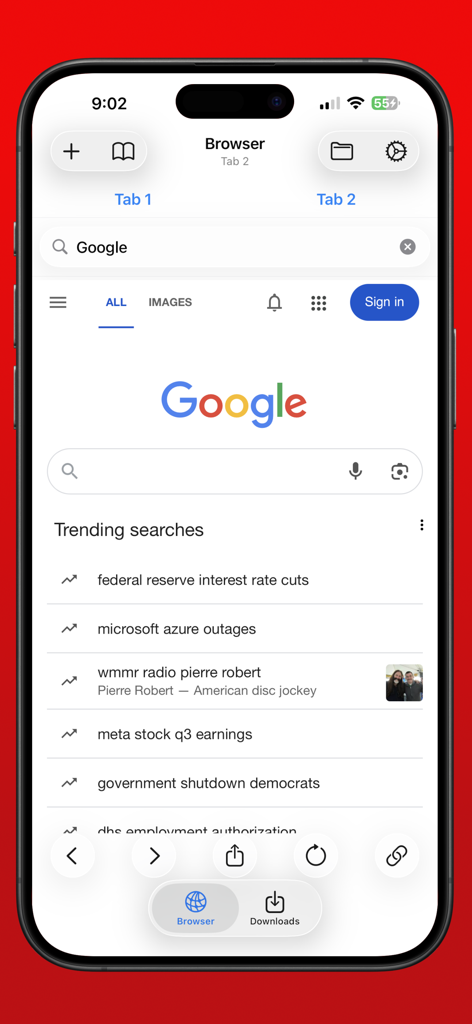
iPhoneでeBrowserモバイルアプリのインターフェイスに永続的なシークレット検索が表示されている
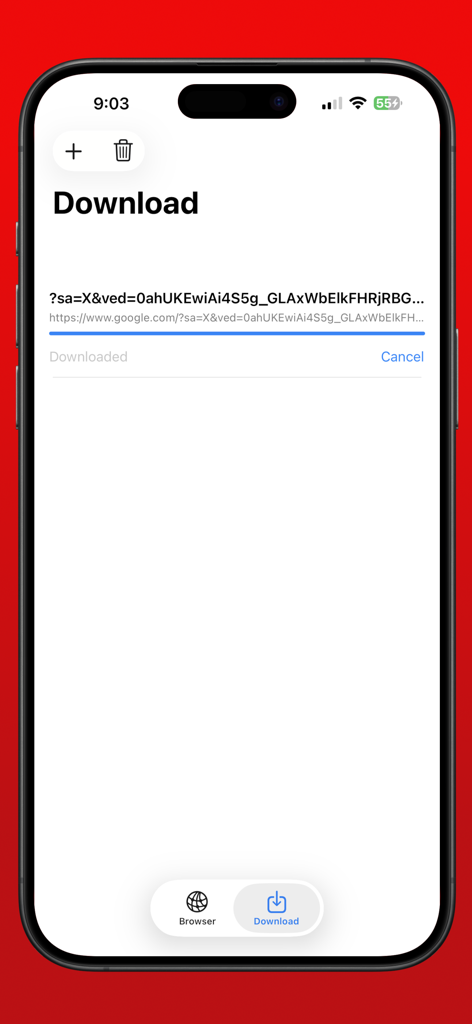
モバイルデバイスでファイルダウンロードが進行中のeBrowserダウンロードマネージャーのインターフェイス。
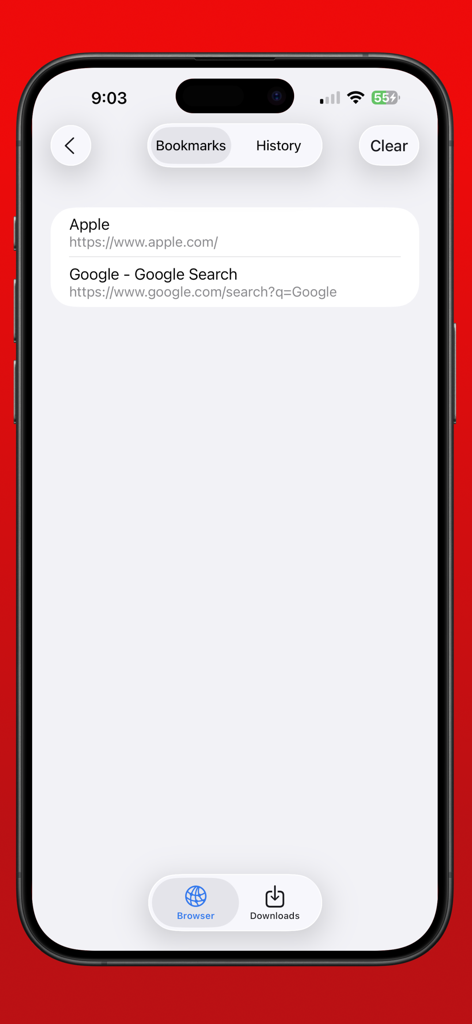
iPhoneで保存されたウェブサイトリンクが表示されているeBrowserプライベートブラウザのブックマークリスト
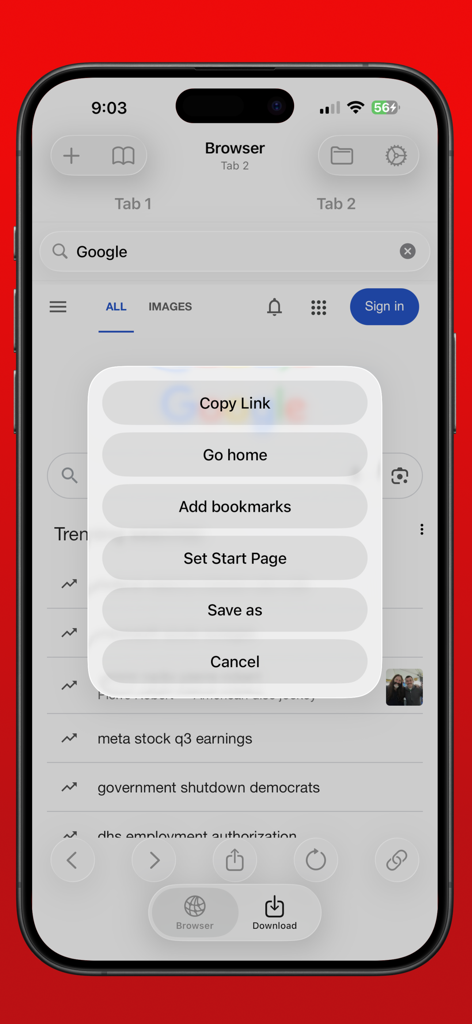
iPhoneのeBrowser画面に、リンクのコピーや名前を付けて保存などのオプションが表示されているメニューが表示されている。
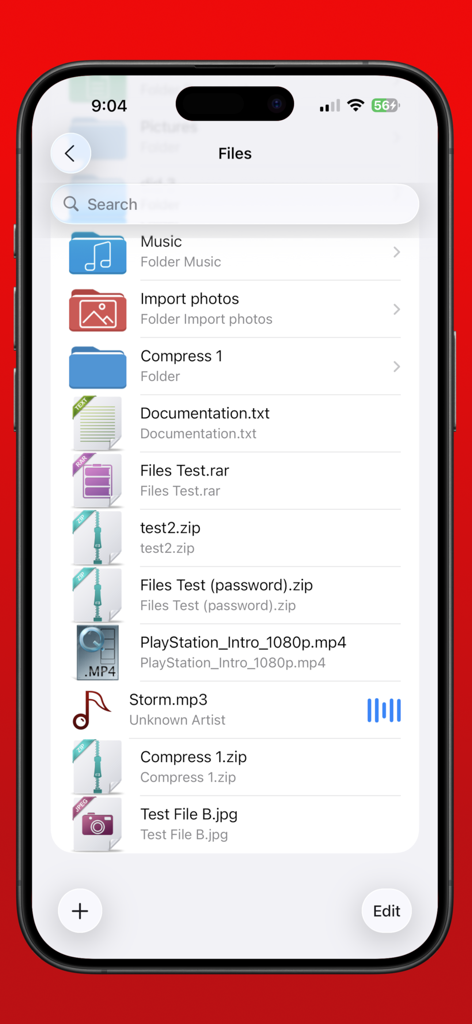
フォルダとmp4音楽やzipアーカイブなどのダウンロードされたファイルが表示されているeBrowserファイルマネージャー画面
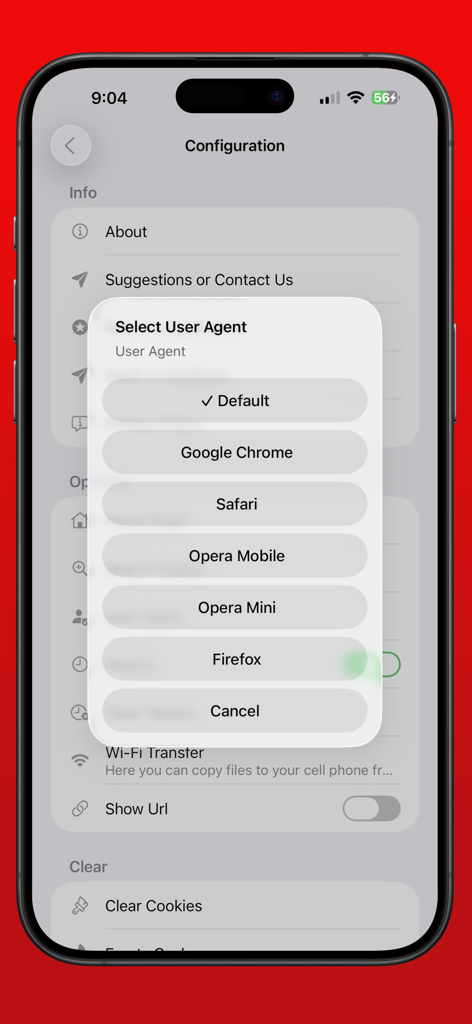
Chrome、Safari、Firefoxなどのオプションからカスタムユーザーエージェントを選択するためのeBrowserアプリのメニュー。
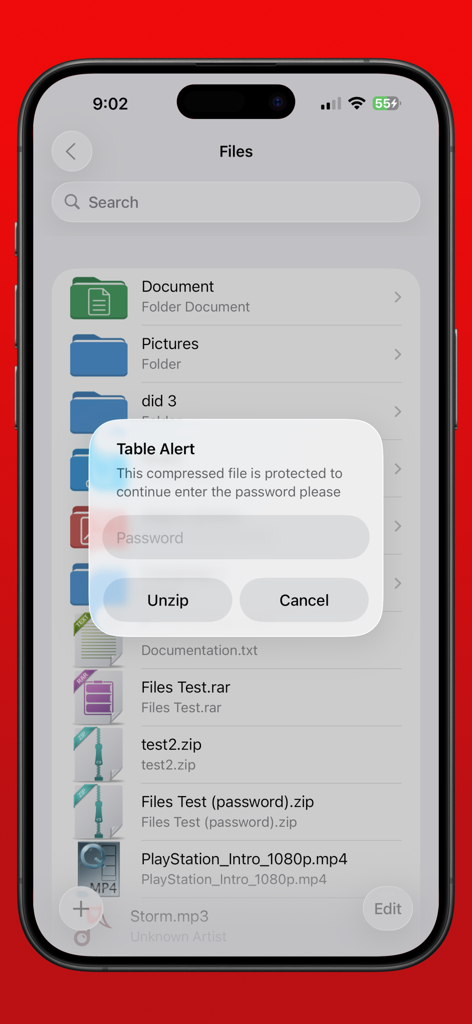
iPhoneで圧縮ファイルを解凍するためのパスワードプロンプトが表示されているeBrowserファイルマネージャー
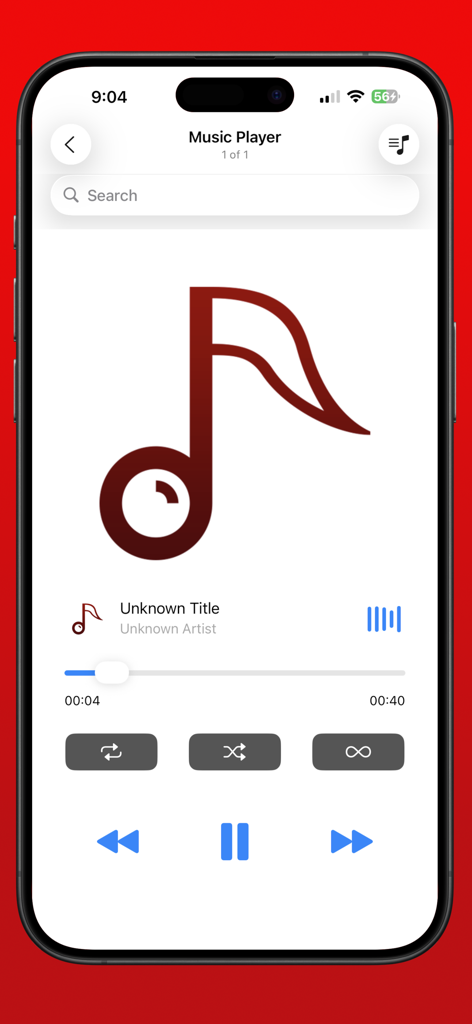
オーディオ再生コントロールが表示されているeBrowserアプリ内の音楽プレーヤーインターフェイス
説明
Download
類似アプリ
同じカテゴリのトップランクアプリ

Google LLC

Google Chrome
Google LLC

中国移动(手机营业厅)
China Mobile Online Services Co., Ltd.

Google Authenticator
Google LLC

CNH do Brasil
Servicos e Informacoes do Brasil

Cleanup: Phone Storage Cleaner
DEEP FLOW SOFTWARE SERVICES - FZCO

gov.br
Servicos e Informacoes do Brasil

中国电信-全国统一官方服务平台
CHINA TELECOM Corporation Ltd.

Microsoft Edge: AI Browser
Microsoft Corporation
このページはアプリまたはその開発者の公式ページではなく、情報提供および論評を目的として作成された独立した編集出版物です。明示的に別段の記載がない限り、アプリおよびその開発者は、MWM、Apple、Google Play、アプリのパブリッシャー、またはアプリの開発者と提携、承認、後援、認可、またはその他の公式的な関係はなく、このページのいかなる内容も、アプリがMWMのサービスを使用して開発されたことを意味するものではありません。すべての商標、ロゴ、スクリーンショット、その他のコンテンツはそれぞれの所有者の財産です。