Prompster Pro™ - Teleprompter
ダウンロード: App Store

このページはアプリまたはその開発者の公式ページではなく、情報提供および論評を目的として作成された独立した編集出版物です。明示的に別段の記載がない限り、アプリおよびその開発者は、MWM、Apple、Google Play、アプリのパブリッシャー、またはアプリの開発者と提携、承認、後援、認可、またはその他の公式的な関係はなく、このページのいかなる内容も、アプリがMWMのサービスを使用して開発されたことを意味するものではありません。すべての商標、ロゴ、スクリーンショット、その他のコンテンツはそれぞれの所有者の財産です。

ロゴ: Prompster Pro™ - Teleprompter
ダウンロード: App Store

Prompster Pro™ - Teleprompter

完璧なプレゼンテーション、ビデオコース、ポッドキャストのためのプロフェッショナルな選択。完璧なアイコンタクトを維持し、紙のメモや暗記の必要性をなくします。

主要数値

ダウンロード

219K+

ユーザー評価

3.9/5

評価数

200

開発元

Dante Media, LLC

カテゴリ

Business

対応言語

25

最新バージョン

3.8

サイズ

15.8 MB

リリース日

2010年6月30日
機能

プロフェッショナルな精度でプレゼンテーションスキルをマスターする

すべてのセリフを絶対的な自信とノーノートで配信する必要があるリーダー、教育者、クリエイターのために設計された究極のテレプロンプタースイート。

合理化されたスクリプトワークフロー

Dropboxからドキュメントをインポートするか、直接コピー&ペーストして、手入力の手間を省き、メッセージに集中しましょう。

適応可能なパフォーマンスコントロール

リアルタイムでスクロール速度とテキストサイズを調整し、自然なアイコンタクトと完璧な会話の流れを維持します。

以下のスクリーンショットと説明は、アプリの公式ストアリスティングから直接取得されたものであり、アプリ開発者の所有物です。

アプリストア

スクリーンショット
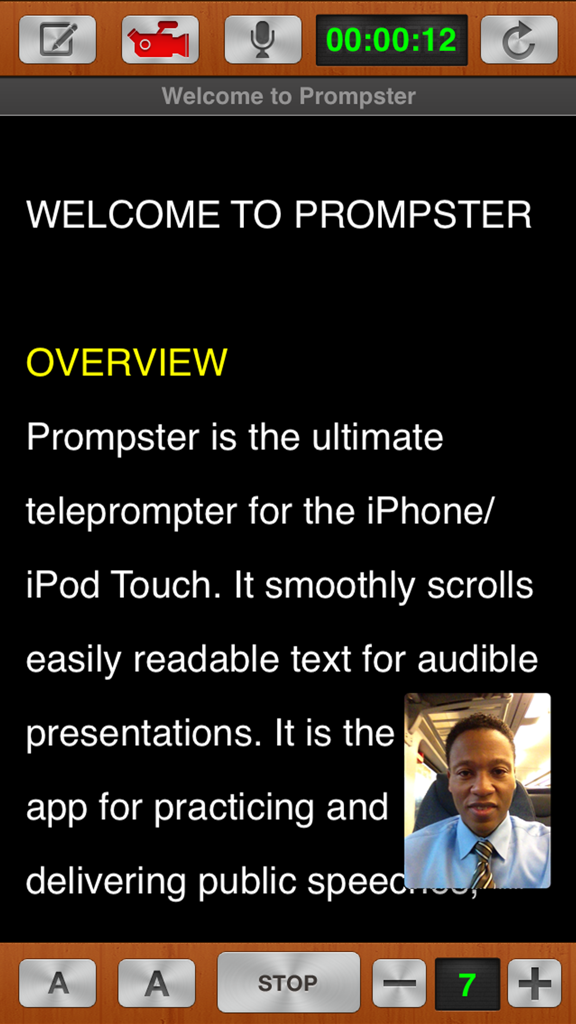
Prompster Pro™ - Teleprompter - Prompster Proアプリのインターフェイス。スクロールするスクリプトテキストと、話者のピクチャーインピクチャービデオ録画が表示されています。
Prompster Proアプリのインターフェイス。スクロールするスクリプトテキストと、話者のピクチャーインピクチャービデオ録画が表示されています。

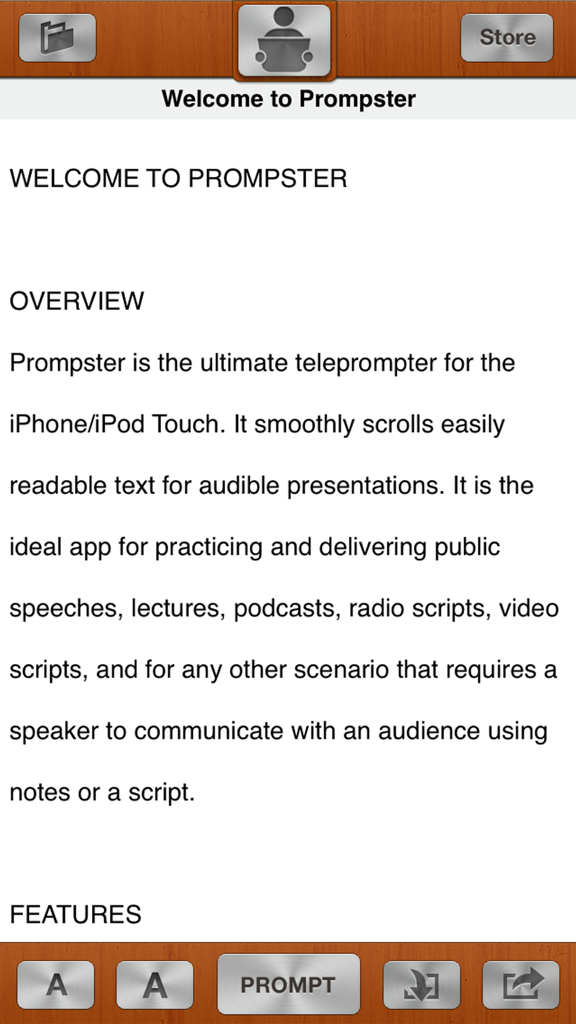
Prompster Pro™ - Teleprompter - Prompster Proテレプロンプターアプリのウェルカム画面。概要テキストとコントロールボタンが表示されています。
Prompster Proテレプロンプターアプリのウェルカム画面。概要テキストとコントロールボタンが表示されています。

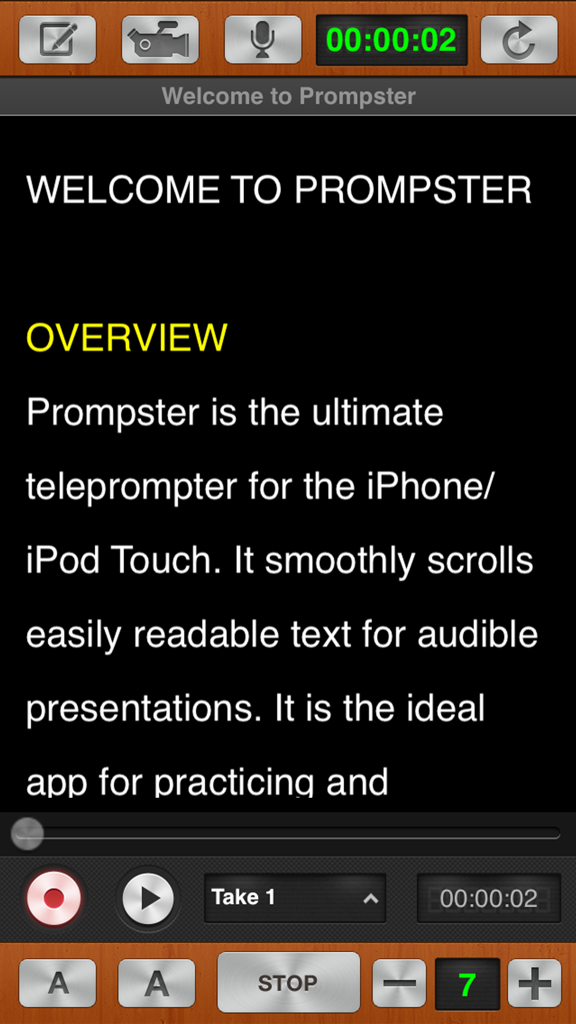
Prompster Pro™ - Teleprompter - Prompster Proテレプロンプターアプリのインターフェイス。スクリプトテキストと録画コントロールが表示されています。
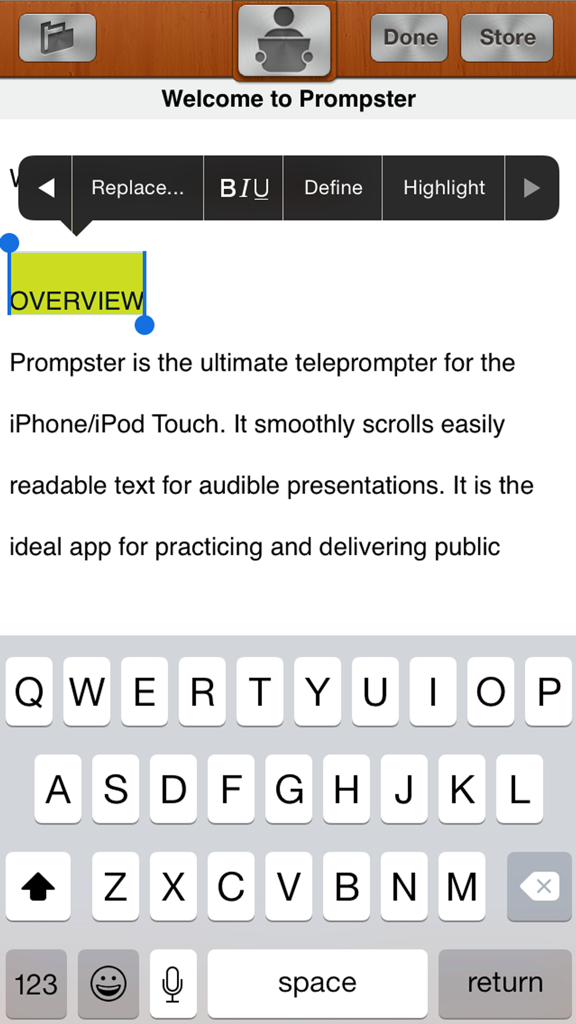
Prompster Proテレプロンプターアプリのインターフェイス。スクリプトテキストと録画コントロールが表示されています。

Prompster Pro™ - Teleprompter - Prompster Proテレプロンプターアプリでのスクリプトの編集とフォーマットを行うインターフェイス。
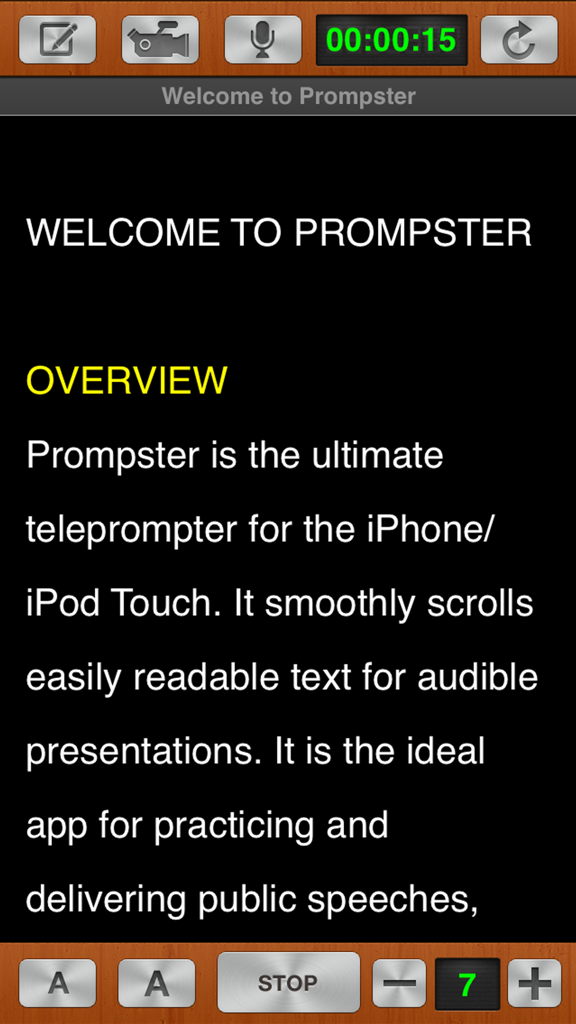
Prompster Proテレプロンプターアプリでのスクリプトの編集とフォーマットを行うインターフェイス。

Prompster Pro™ - Teleprompter - Prompster Proテレプロンプターアプリのインターフェイス。スクロールするスクリプトと録画コントロールが表示されています。

Prompster Proテレプロンプターアプリのインターフェイス。スクロールするスクリプトと録画コントロールが表示されています。

説明

THE ULTIMATE TELEPROMPTER AND PUBLIC SPEAKING COMPANION Eliminate cue cards, flash cards, paper notes and scripts forever. PUBLIC SPEAKING Practice and deliver speeches, lectures and sermons or use for any scenario that requires a speaker to communicate with an audience using notes or a script. TALKING HEADS Mount your iPad on the tripod with your camera, tap start, scroll the text and never forget your lines again. ONLINE COURSE CREATION Keep your script at your fingertips to record voice-overs for your PowerPoint or Keynote deck. PODCASTS Stay focused, keep your script at your fingertips and keep track of elapsed time. MIRROR TEXT Turn on this option and for use with your favorite 3rd party display systems. PRINT SCRIPTS Ability to print formatted copies of your scripts with compatible AirPrint printers ACCOLADES *** Featured by Apple as New and Noteworthy *** *** Macworld.com's David Dahlquist says "…why should the big boys get all the fun? With Prompster you can turn your iPad into a teleprompter to practice or perform public speeches, lectures, or sermons." *** *** "Apps like this one really do make the iPad a good business productivity tool." - iPadDaily.com *** *** When you first launch the app, the brilliance of the design will become apparent to you almost immediately as you will be confronted with a fantastic looking application." - iPad-Application-Reviews.com *** KEY FEATURES - Create or edit documents within Prompster™ - Import .txt files from Dropbox - Mirrored/Reverse Text Option for use with your favorite 3rd party display systems. - Format text including Highlight, Underline, Italics & Bold - Scroll text at variable speeds - Start and pause scrolling at any time - Tap and scroll text to quickly get to any section of the document - Track elapsed time - Increase or decrease the scrolling speed and font size on the fly - Font Size, Font Style and Speed saved with each document - Copy-n-Paste text from Apple's Pages, Email, or any other app that contains text - Export .txt files via email - Universal for iPad & iPhone DIGITAL AUDIO RECORDER - Great for practice sessions or live presentations - Hear your speech the way others do - Improve your speaking skills by listening to recorded sessions to identify areas that need improvement - Record multiple takes of a speech for comparison - Transfer recorded audio files to your Mac or PC using iTunes file share VIDEO RECORDING - Video Recording and PIP (picture in picture) ------ NOTE: WORKS WITH .TXT FILES ONLY. Please convert your .doc or .pages file to a .txt file before importing. ------ SUPPORT This is version 3.8 of Prompster™. Please provide feedback to help us make it the best public speaking app on the planet. If you would like to suggest a feature we'd love to hear from you! Please note: We respond to all email within 24hrs. If you didn't receive a response please check your bulk e-mail or spam folders. Thank you for considering Prompster™ Copyright © 2010-2018 Danté Media

Download

ダウンロード: App Store

このページはアプリまたはその開発者の公式ページではなく、情報提供および論評を目的として作成された独立した編集出版物です。明示的に別段の記載がない限り、アプリおよびその開発者は、MWM、Apple、Google Play、アプリのパブリッシャー、またはアプリの開発者と提携、承認、後援、認可、またはその他の公式的な関係はなく、このページのいかなる内容も、アプリがMWMのサービスを使用して開発されたことを意味するものではありません。すべての商標、ロゴ、スクリーンショット、その他のコンテンツはそれぞれの所有者の財産です。








