
このページはアプリまたはその開発者の公式ページではなく、情報提供および論評を目的として作成された独立した編集出版物です。明示的に別段の記載がない限り、アプリおよびその開発者は、MWM、Apple、Google Play、アプリのパブリッシャー、またはアプリの開発者と提携、承認、後援、認可、またはその他の公式的な関係はなく、このページのいかなる内容も、アプリがMWMのサービスを使用して開発されたことを意味するものではありません。すべての商標、ロゴ、スクリーンショット、その他のコンテンツはそれぞれの所有者の財産です。

Proxyman - Capture HTTPS
最新の開発者向け、ネイティブで高性能なWebプロキシ。MacBook不要で、Map Local、Breakpoints、JSON構文ハイライトを使用して、リアルタイムでネットワークトラフィックを検査、復号化、デバッグします。
ダウンロード
213K+ユーザー評価
評価数
2K+開発元
カテゴリ
Developer Tools対応言語
1最新バージョン
3.8.0サイズ
43.7 MBリリース日
2021年3月10日最新の開発者向けプロフェッショナルツール
ネットワークデバッグの摩擦を解消します。Proxymanは、高性能なネイティブ検査ツールをiPhoneとiPadに直接提供します。
ゼロコンフィグレーションインターセプト
ローカルVPNトンネル経由でWi-FiとセルラーでHTTPSトラフィックを即座にキャプチャして復号化します。MacBookや手動プロキシ設定は不要です。
デスクトップクラスの検査
高解像度モバイル画面向けに設計されたJSON構文ハイライト、TreeView、マルチカラムレイアウトでペイロードを分析します。
以下のスクリーンショットと説明は、アプリの公式ストアリスティングから直接取得されたものであり、アプリ開発者の所有物です。
アプリストア
スクリーンショット
Capture HTTPS on your iPhoneというテキストと、開発者に愛されているという評価の月桂樹の葉が表示されたProxymanアプリのプロモーション画面
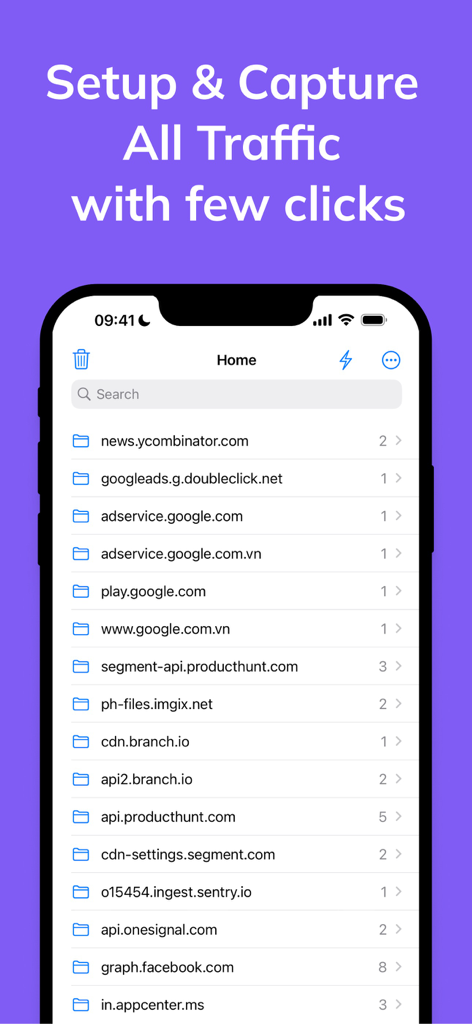
デバッグのためにキャプチャされたネットワークドメインのリストが表示されているProxymanアプリのインターフェース。
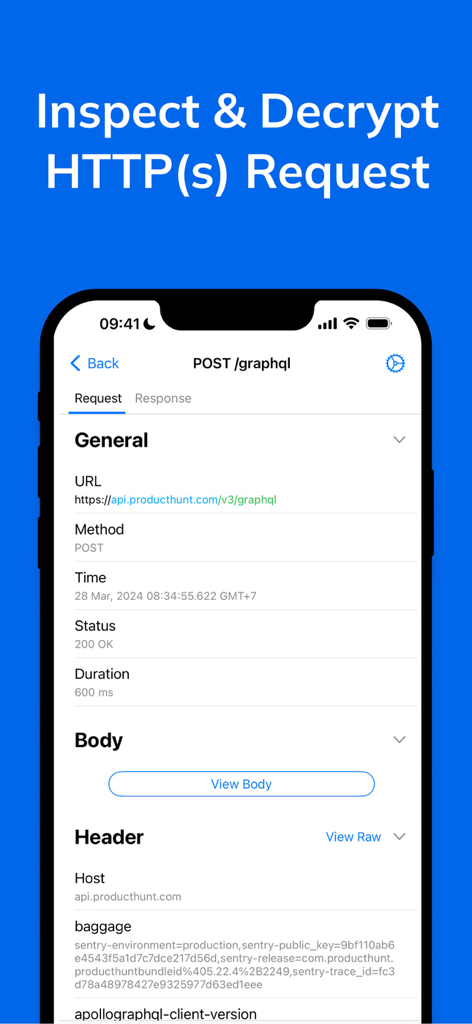
iPhone上でHTTPSリクエストの検査と復号化の詳細が表示されているProxymanモバイルアプリのインターフェース
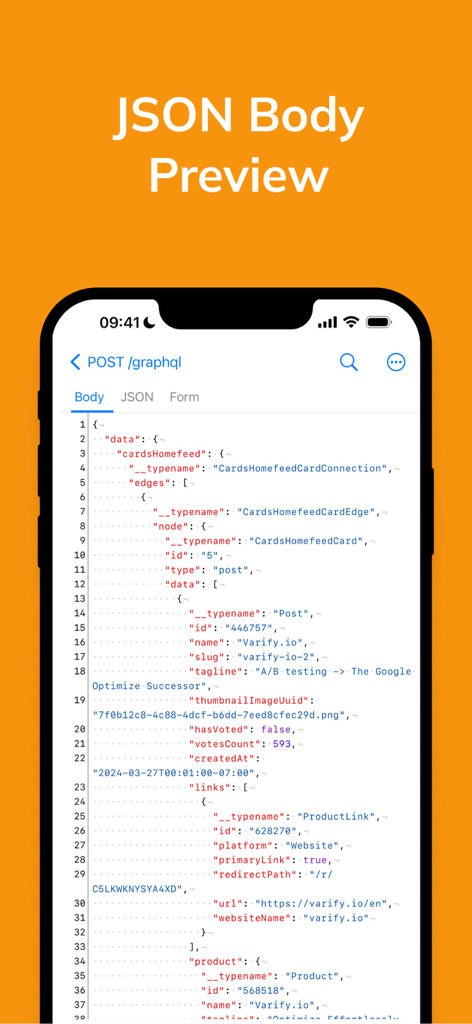
iPhone画面でGraphQLリクエストの構文ハイライト付きJSONボディプレビューが表示されているProxymanアプリ
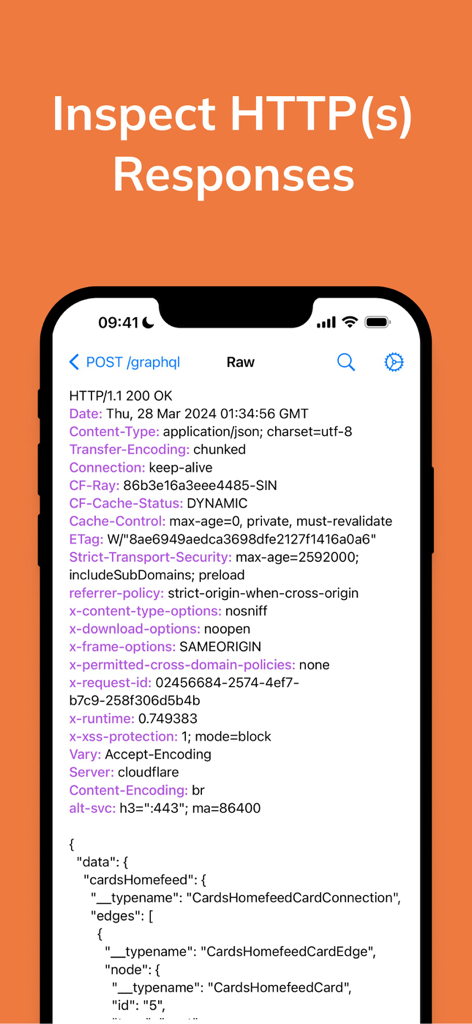
Proxymanアプリ内でHTTPレスポンスヘッダーとGraphQL JSONデータが表示されているiPhone画面
![Proxyman - Capture HTTPS - VPNインターセプトやSSLプロキシ、ローカルマッピングなどの高度なデバッグツールを含む[その他]メニューが表示されているProxyman iOSアプリのインターフェース。](https://fastly.mwm-storage.mwmcdn.com/raw_files/ca89570f-2aef-44b7-847e-f0646afe963b)
VPNインターセプトやSSLプロキシ、ローカルマッピングなどの高度なデバッグツールを含む[その他]メニューが表示されているProxyman iOSアプリのインターフェース。
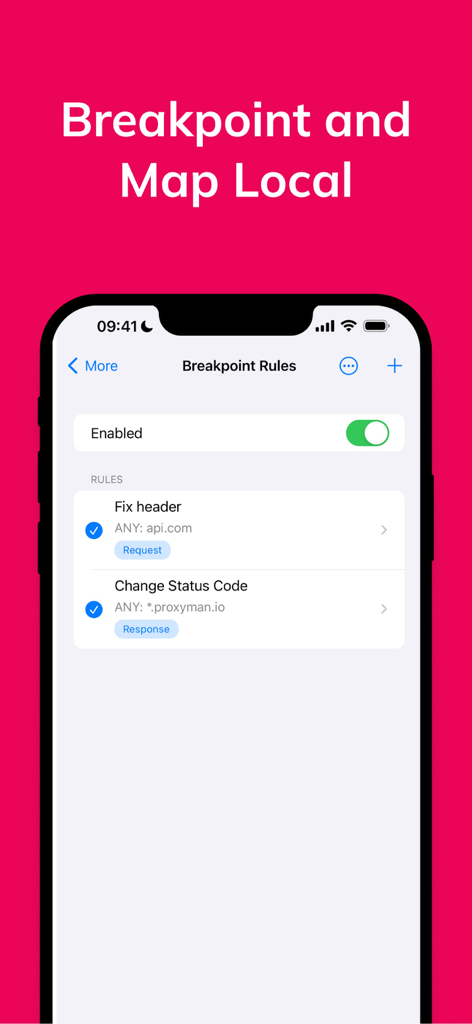
モバイルデバッグ用のブレークポイントルールが表示されているProxymanアプリのインターフェース。
説明
Download
類似アプリ
似た機能とユーザー体験を持つアプリ

LightBlue®
Punch Through Design LLC

ProxyPin - Open Source Capture
Minimalist Network Co., Ltd.

BluetoothAssistant
Hangzhou OrangeJuice Technology Co., Ltd.

StikDebug
Stephen Bove

Onmi: Networking & API Request
Vuong Anh

Shizuku
Ahammam Lahcen

Stream - Network Debug Tool
Stream Lab Inc.

Web Inspector
And a Dinosaur

Surge 5
Surge Networks Inc.
このページはアプリまたはその開発者の公式ページではなく、情報提供および論評を目的として作成された独立した編集出版物です。明示的に別段の記載がない限り、アプリおよびその開発者は、MWM、Apple、Google Play、アプリのパブリッシャー、またはアプリの開発者と提携、承認、後援、認可、またはその他の公式的な関係はなく、このページのいかなる内容も、アプリがMWMのサービスを使用して開発されたことを意味するものではありません。すべての商標、ロゴ、スクリーンショット、その他のコンテンツはそれぞれの所有者の財産です。