
このページはアプリまたはその開発者の公式ページではなく、情報提供および論評を目的として作成された独立した編集出版物です。明示的に別段の記載がない限り、アプリおよびその開発者は、MWM、Apple、Google Play、アプリのパブリッシャー、またはアプリの開発者と提携、承認、後援、認可、またはその他の公式的な関係はなく、このページのいかなる内容も、アプリがMWMのサービスを使用して開発されたことを意味するものではありません。すべての商標、ロゴ、スクリーンショット、その他のコンテンツはそれぞれの所有者の財産です。

Pupillary Distance
眼科医への移動や定規での測定はもう不要です。iPhoneのTrueDepthカメラを使用して、即座にラボグレードの測定値を取得し、自信を持ってオンラインでメガネを注文しましょう。
ダウンロード
600ユーザー評価
評価数
0開発元
カテゴリ
Medical対応言語
1最新バージョン
1.1サイズ
1.0 MBリリース日
2024年8月6日完璧なフレームのための精密測定
定規での推測はもうやめましょう。高度なARテクノロジーを使用して、自信を持ってオンラインでメガネを注文するために必要な正確な測定値を取得します。
サブミリメートル精度
iPhoneのTrueDepthセンサーを活用し、昔ながらの定規と鏡の方法よりも常に優れた精度を実現します。
瞬時のデジタル結果
両眼および単眼PD測定値をリアルタイムで取得します。スキャン、測定するだけで、60秒以内にショッピングの準備ができます。
以下のスクリーンショットと説明は、アプリの公式ストアリスティングから直接取得されたものであり、アプリ開発者の所有物です。
アプリストア
スクリーンショット
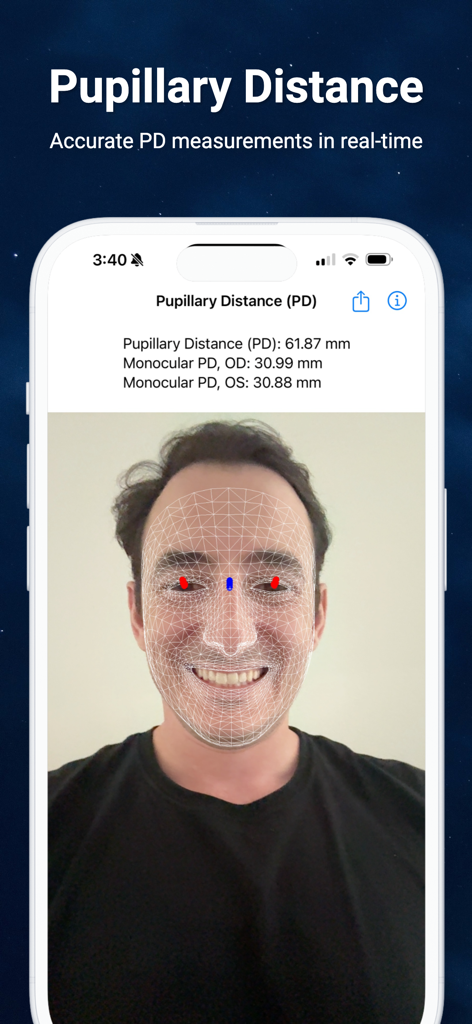
Pupillary DistanceアプリがAR顔認識でiPhone上の目の距離を測定している様子
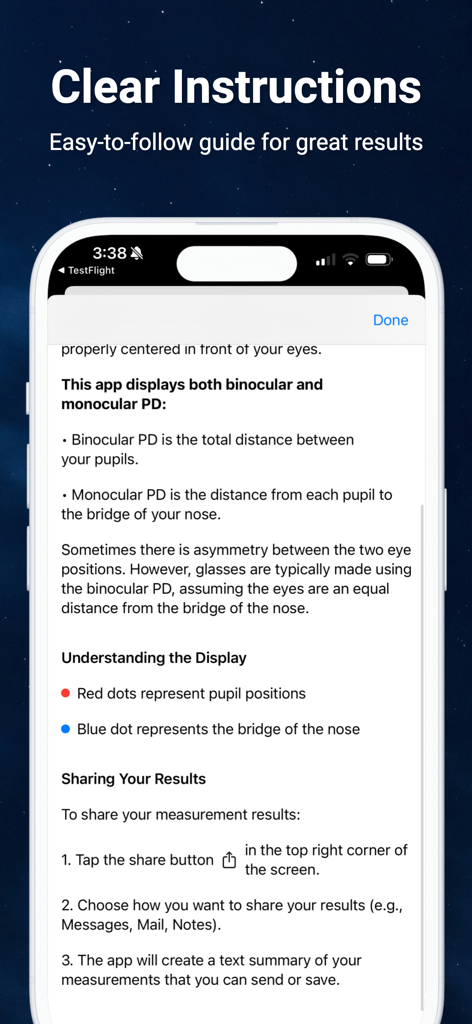
Pupillary Distanceアプリの説明画面で、両眼および単眼測定について解説している様子
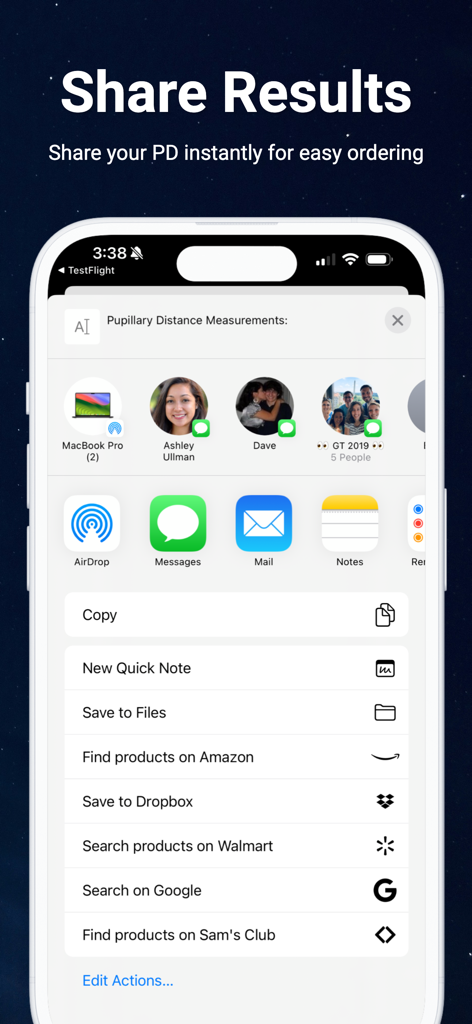
Pupillary Distanceアプリの結果共有画面のiPhoneスクリーンショット。メガネの注文を容易にするために、MessagesやMailなどのiOS共有オプションが表示されている。
説明
Download
類似アプリ
同じカテゴリのトップランクアプリ

国家医保服务平台
National Healthcare Security Administration

MyChart
Epic Systems Corporation

Doctolib - Your health partner
Doctolib

Pregnancy + | Tracker App
Philips Digital UK Limited

CVS Health
CVS Pharmacy

江苏医保云
Jiangsu Healthcare Security Bureau

UnitedHealthcare
UNITED HEALTHCARE SERVICES, INC.

京东健康
BEIJING JINGDONG 360 DU E-COMMERCE LTD.

Meu SUS Digital
Servicos e Informacoes do Brasil
このページはアプリまたはその開発者の公式ページではなく、情報提供および論評を目的として作成された独立した編集出版物です。明示的に別段の記載がない限り、アプリおよびその開発者は、MWM、Apple、Google Play、アプリのパブリッシャー、またはアプリの開発者と提携、承認、後援、認可、またはその他の公式的な関係はなく、このページのいかなる内容も、アプリがMWMのサービスを使用して開発されたことを意味するものではありません。すべての商標、ロゴ、スクリーンショット、その他のコンテンツはそれぞれの所有者の財産です。