Q Share – Quiz & Sharing App –

Q Share – Quiz & Sharing App –

ダウンロード: App Store
ロゴ: Q Share – Quiz & Sharing App –

Q Share – ノートからマスターへのAI学習ショートカット

フラッシュカードを手入力するのに何時間も無駄にするのはやめましょう。AIを使って教科書の写真をインタラクティブなクイズに変換し、パーソナライズされたフィードバックを受け取り、QRコードを使って学習セットをグループと即座に共有しましょう。

ダウンロード: App Store

開発元

yuto kobayashi

カテゴリ

Education

ダウンロード

0

ユーザー評価

1.0/5

評価数

0

対応言語

1

あなたの学習スイート、可視化

このインターフェースを利用する 0 人のユーザー.

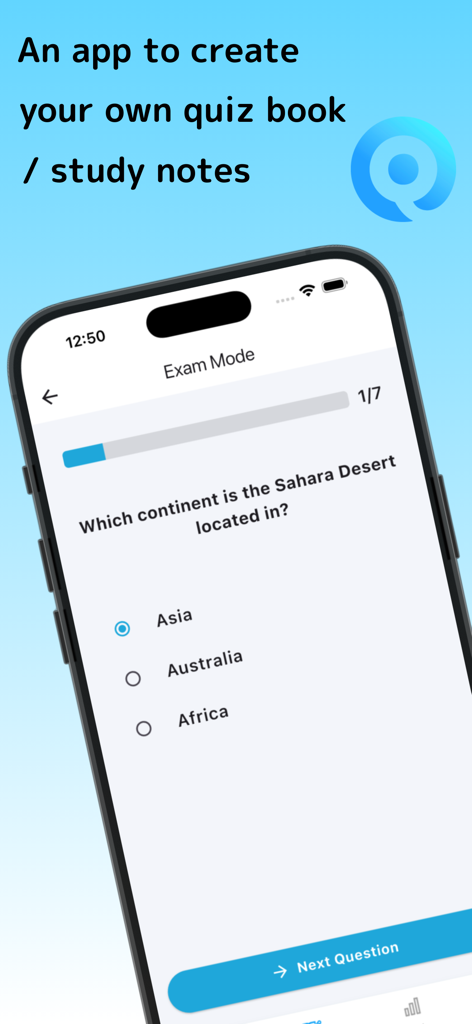
Q Shareクイズアプリのスマートフォン画面が、多肢選択問題が表示された試験モードで表示されている
Q Shareクイズアプリのスマートフォン画面が、多肢選択問題が表示された試験モードで表示されている

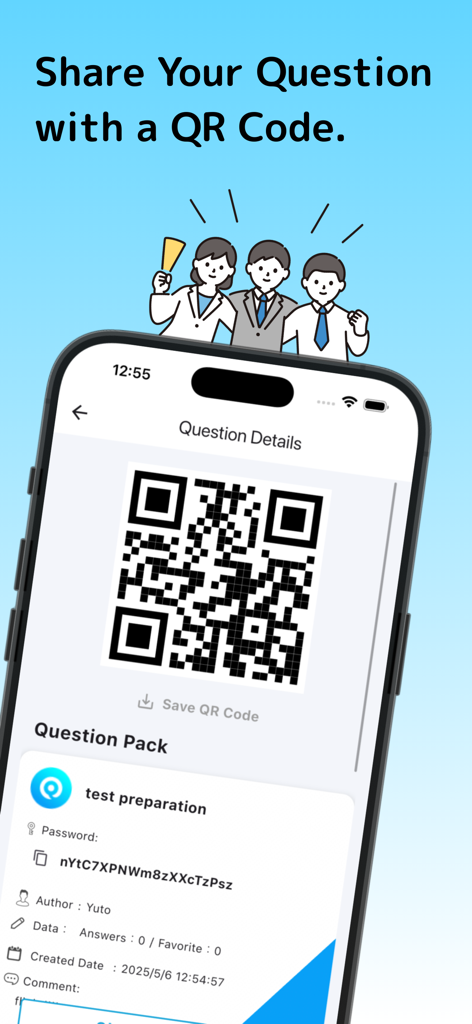
他のユーザーとテスト準備クイズパックを共有するためのQRコードが表示されたQ Shareのスマートフォン画面
他のユーザーとテスト準備クイズパックを共有するためのQRコードが表示されたQ Shareのスマートフォン画面

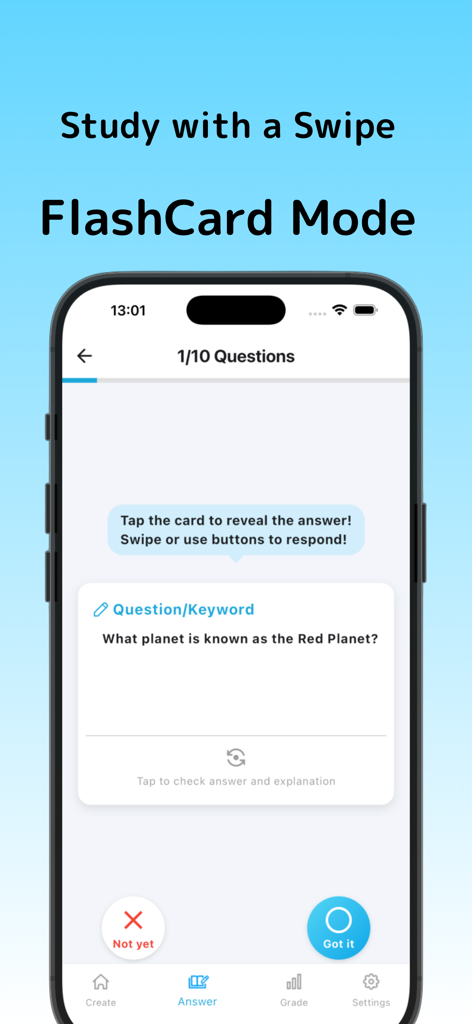
Q Shareのフラッシュカードモードのモバイルアプリインターフェースで、火星に関する質問が表示されている
Q Shareのフラッシュカードモードのモバイルアプリインターフェースで、火星に関する質問が表示されている

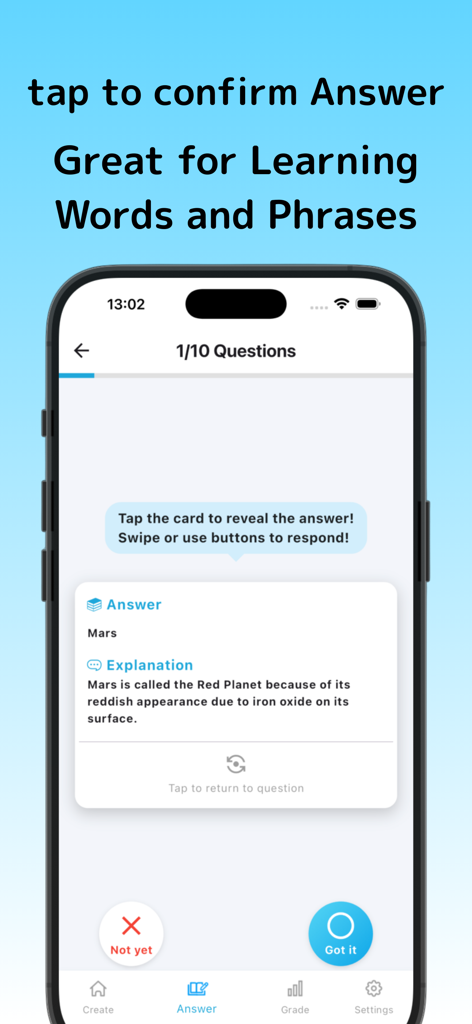
火星に関するクイズの正解と詳細な説明が表示されたQ Shareアプリのモバイル画面
火星に関するクイズの正解と詳細な説明が表示されたQ Shareアプリのモバイル画面

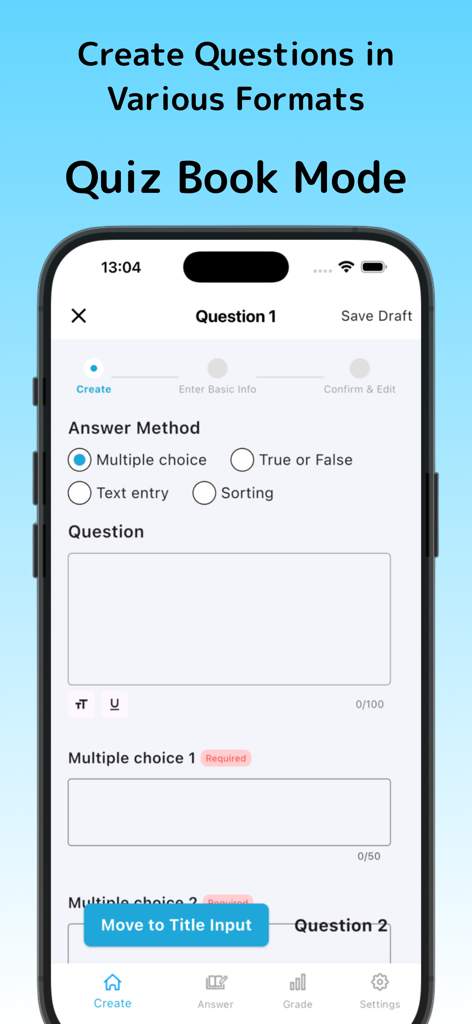
多肢選択、正誤、テキスト入力、並べ替えのオプションが表示されたQ Shareのクイズ作成インターフェース
多肢選択、正誤、テキスト入力、並べ替えのオプションが表示されたQ Shareのクイズ作成インターフェース

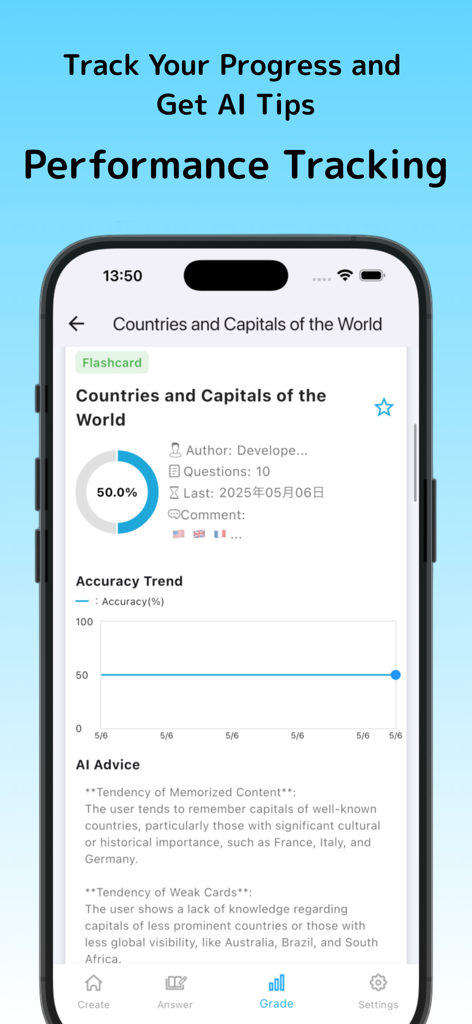
地理クイズの正解率の傾向とAI学習アドバイスが表示されたパフォーマンス追跡ダッシュボード
地理クイズの正解率の傾向とAI学習アドバイスが表示されたパフォーマンス追跡ダッシュボード

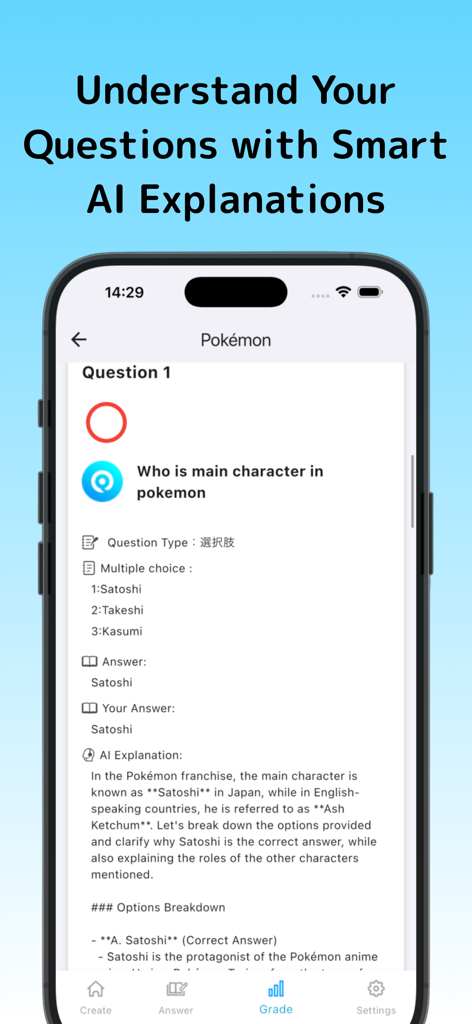
ポケモンに関するクイズ問題と、AIによって生成された正解の詳細な説明が表示されたQ Shareアプリのインターフェース
ポケモンに関するクイズ問題と、AIによって生成された正解の詳細な説明が表示されたQ Shareアプリのインターフェース

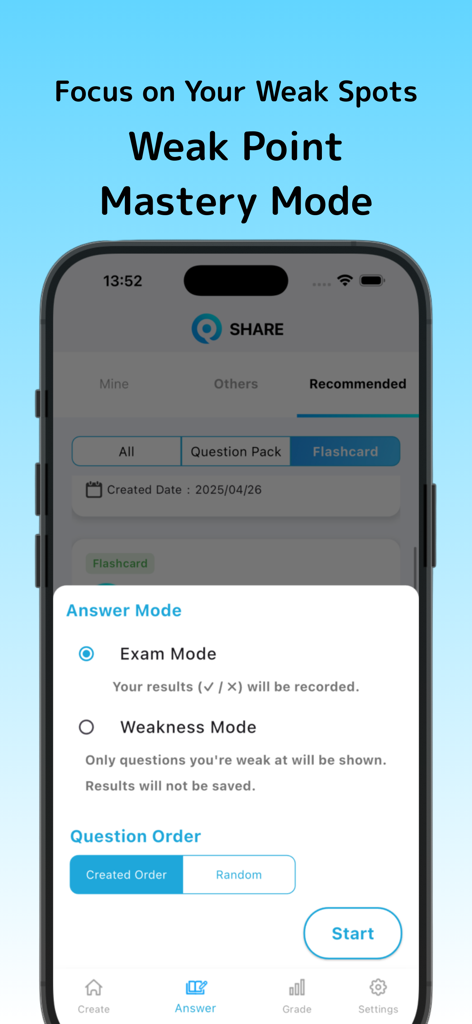
ターゲットを絞った学習のための試験モードや弱点モードを含む回答モードオプションが表示されたQ Shareアプリの携帯電話画面

ターゲットを絞った学習のための試験モードや弱点モードを含む回答モードオプションが表示されたQ Shareアプリの携帯電話画面

カリキュラムをより速くマスターする

このアプリを際立たせるツール、 0 人のユーザーが選択.

📸

写真からクイズへのAIマジック

手入力はやめて、学習を始めましょう。教科書のページや手書きのノートの写真を撮るだけで、AIが即座に練習問題を作成します。

🤝

バイラル対応QR共有

学習グループのリーダーになりましょう。カスタムクイズをQRコードで即座に共有しましょう – アカウント同期や面倒なメールリンクは不要です。

🧠

アクティブリコールフラッシュカード

スマートフラッシュカードで試験を突破しましょう。スワイプ操作で理解度を記録し、アプリが最も苦手なトピックに集中したセッションを提供します。

アプリについて

について知っておくべきこと Q Share – Quiz & Sharing App –.

説明

Q-Share is a powerful and easy-to-use quiz and flashcard creation app designed for learners of all levels. Whether you're preparing for exams, studying languages, reviewing facts, or just testing your memory, Q-Share gives you the freedom to make your own study tools. No technical knowledge is required—just open the app, create questions, and start learning right away. The app supports multiple question formats, including multiple-choice, true or false, fill-in-the-blank, ordering, and flashcards. You can add explanations, comments, and even images to each question. This flexibility allows you to study in the way that suits you best. You can create detailed quizzes or simple flashcards, depending on your goals. One of Q-Share’s standout features is AI-powered support. You can take a photo of a textbook or notes, and the app will automatically generate questions based on the image. It can also provide advice and explanations after you complete a quiz, helping you understand your weak areas and learn more effectively. All your content is stored in the cloud, so you can access it from any device. If you switch phones, your questions and results come with you. You can also share your questions with others using QR codes. This is perfect for classroom use, group study, or sharing fun quizzes with friends. In flashcard mode, you swipe or tap to mark whether you’ve memorized the card or not. The app tracks your progress and helps you focus on cards you haven’t remembered yet. It’s ideal for short, focused study sessions throughout the day. You can save your work as drafts, allowing you to build content gradually. Add more questions later, update explanations, or organize your sets into categories. You’re in full control. With premium features, you can create unlimited quizzes and cards, receive more detailed AI feedback, and access advanced study analytics. Q-Share helps you track your learning history, visualize your progress, and improve over time. Whether you’re a student, teacher, or professional, Q-Share adapts to your learning style. It’s perfect for schools, training, test prep, and self-study. Create. Learn. Share. With Q-Share.

最新バージョン

7.1

サイズ

78.2 MB

リリース日

2024年4月10日

アカデミック・ウェポンになる準備はできましたか?

手作業での準備に何時間も費やすのはやめましょう。教科書を即座にAI駆動のクイズに変換し、学習時間を確保しましょう。今すぐQ-Shareをダウンロードして、あらゆる科目のマスターを始めましょう。

ダウンロード: App Store

App information, icons, screenshots, and descriptions displayed on this page are sourced from the Apple App Store and are the property of their respective developers. Download estimates and rankings are based on MWM's proprietary models and may not reflect actual figures. This page is provided for informational and analytical purposes only.

Believe this page infringes your intellectual property? File a dispute