QR Code Master:Barcode Scanner
ダウンロード: App Store

このページはアプリまたはその開発者の公式ページではなく、情報提供および論評を目的として作成された独立した編集出版物です。明示的に別段の記載がない限り、アプリおよびその開発者は、MWM、Apple、Google Play、アプリのパブリッシャー、またはアプリの開発者と提携、承認、後援、認可、またはその他の公式的な関係はなく、このページのいかなる内容も、アプリがMWMのサービスを使用して開発されたことを意味するものではありません。すべての商標、ロゴ、スクリーンショット、その他のコンテンツはそれぞれの所有者の財産です。


ロゴ: QR Code Master:Barcode Scanner
ダウンロード: App Store

QR Code Master:Barcode Scanner

現代のライフスタイルに合わせて、超高速スキャン、プロフェッショナルなQRコードカスタマイズ、インスタントAIオブジェクト認識のためのオールインワンパワーツール。

主要数値

ダウンロード

15K+

ユーザー評価

4.8/5

評価数

100

開発元

SPARK TECH LIMITED

カテゴリ

Utilities

対応言語

1

最新バージョン

1.2.4

サイズ

91.6 MB

リリース日

2023年10月8日
機能

物理世界とデジタル世界をマスターする

効率性、創造性、探求のために設計された強力なオールインワンツールで、基本的なスキャンを超えましょう。

超高速精度

QRコードまたはバーコードを瞬時にスキャンします。仕事、買い物、レストランのメニューなど、待つことなく必要な情報を取得できます。

カスタムブランドコード

退屈なQRコードの使用はやめましょう。ブランドや個人の美的感覚に合わせて、カスタムカラーと背景でリンクをパーソナライズしましょう。

以下のスクリーンショットと説明は、アプリの公式ストアリスティングから直接取得されたものであり、アプリ開発者の所有物です。

アプリストア

スクリーンショット
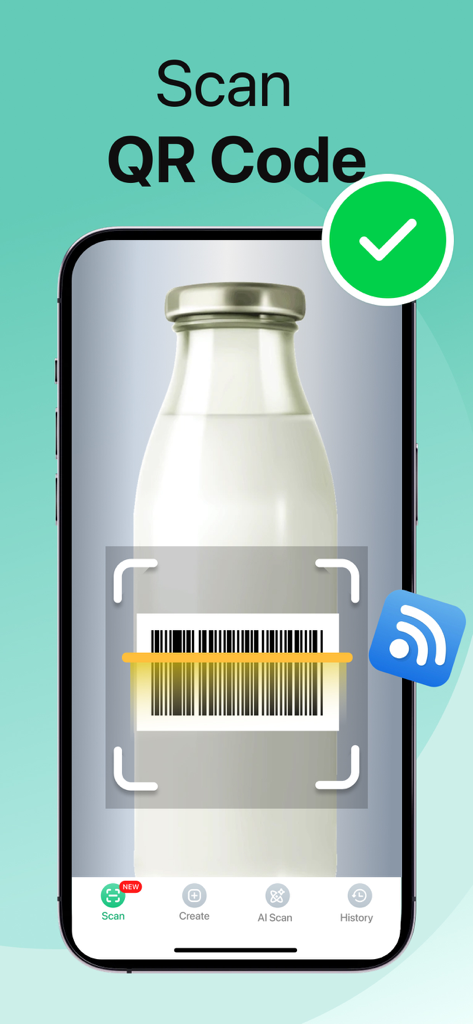
QR Code Master:Barcode Scanner - 成功したスキャンインジケーターが付いたボトル上のバーコードをスキャンするモバイルアプリインターフェース
成功したスキャンインジケーターが付いたボトル上のバーコードをスキャンするモバイルアプリインターフェース

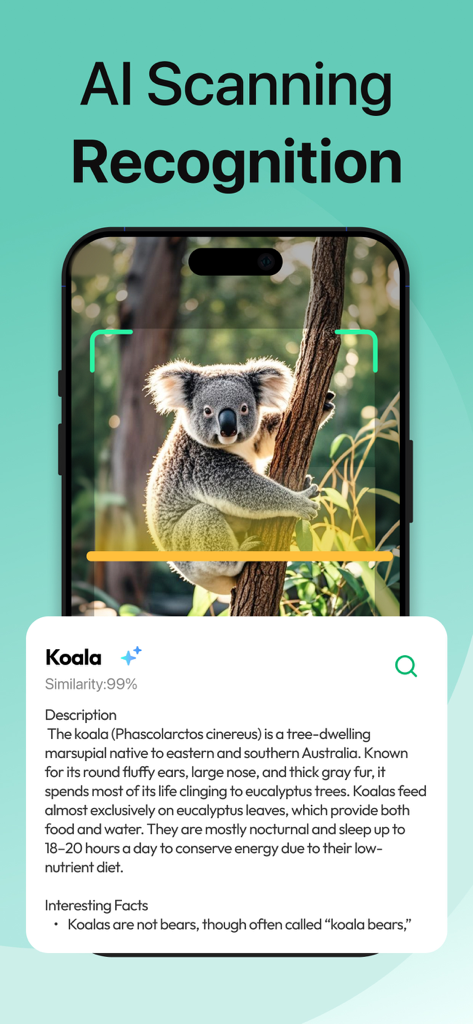
QR Code Master:Barcode Scanner - QRコードマスターのインターフェースに、教育的な情報とともにコアラを識別するAIスキャン認識が表示されている
QRコードマスターのインターフェースに、教育的な情報とともにコアラを識別するAIスキャン認識が表示されている

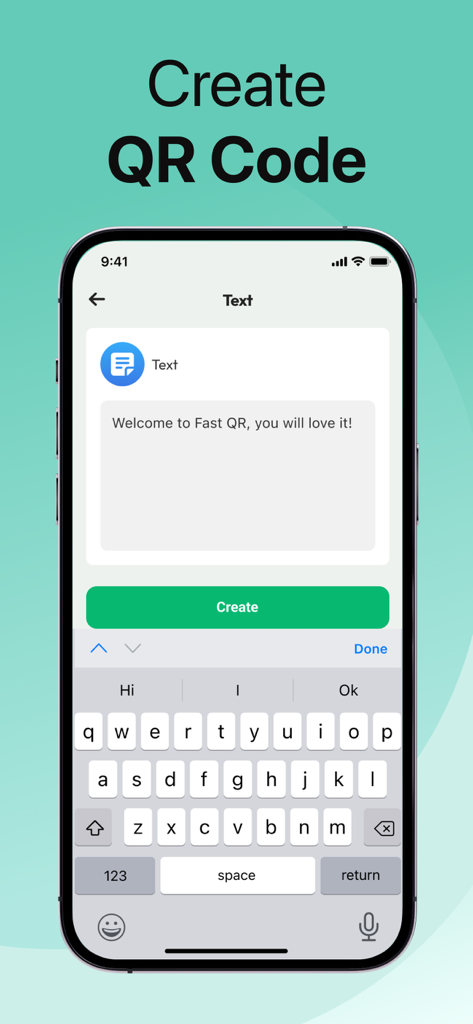
QR Code Master:Barcode Scanner - テキスト入力からカスタムQRコードを作成するためのインターフェース

テキスト入力からカスタムQRコードを作成するためのインターフェース

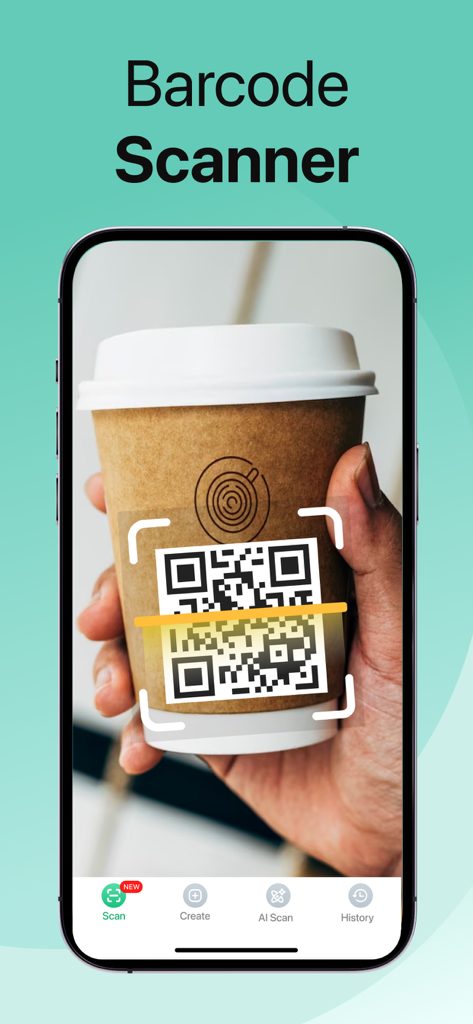
QR Code Master:Barcode Scanner - QRコードマスターアプリを使用して、コーヒーカップのスリーブにあるQRコードをスキャンしているスマートフォン
QRコードマスターアプリを使用して、コーヒーカップのスリーブにあるQRコードをスキャンしているスマートフォン

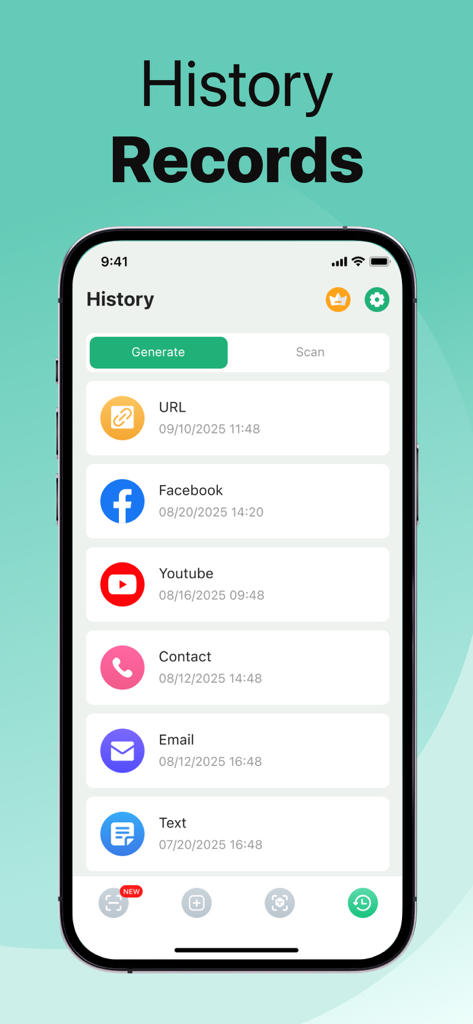
QR Code Master:Barcode Scanner - QRコードマスターアプリのインターフェースに、スキャンおよび生成されたQRコードの履歴レコードが表示されている

QRコードマスターアプリのインターフェースに、スキャンおよび生成されたQRコードの履歴レコードが表示されている

説明

Owl QR Scan:AI Scanner Scan is your all-in-one tool for scanning, creating, and customizing QR codes. Fast, accurate, and easy to use — everything you need for work, study, or daily life. Key Features 1、QR & Barcode Scanner Scan any QR code or barcode instantly with high accuracy. 2、AI Object Recognition Point your camera at items (pets, cars, flowers, etc.) and get instant identification. 3、Custom QR Maker Design your own QR codes by changing background, colors, and adding titles. 4、History Management View all your created and scanned codes in one place. Save to local storage, delete, or edit anytime. 5、Easy Sharing Copy text, share your QR codes with friends, or export them for business use. Why Choose This App? · Lightning-fast scanning speed · Simple and intuitive design · Powerful customization tools · Secure local storage of your codes Whether you want to scan product barcodes, create stylish QR codes, or explore the world with AI recognition — this app has you covered. Download now and make QR scanning smarter and easier than ever! - Subscription Information ·Upgrade to Premium Subscription and unlock the full experience: ·Unlimited QR code creation and customization ·Access to advanced AI recognition features ·Ad-free usage for a smoother experience ·Priority updates and new features Subscription Plans: Weekly, Monthly, or Annual options available. Payment will be charged to your Apple ID account at confirmation of purchase. Your subscription automatically renews unless auto-renew is turned off at least 24 hours before the end of the current period. You can manage or cancel your subscription anytime in your App Store account settings. CONTACT: support@fastqrcodescan.com For app support please contact us at: Terms of use: https://www.fastqrscann.com/termsOfService.html Privacy policy: https://www.fastqrscann.com/PrivacyPolicy.html

Download

ダウンロード: App Store

このページはアプリまたはその開発者の公式ページではなく、情報提供および論評を目的として作成された独立した編集出版物です。明示的に別段の記載がない限り、アプリおよびその開発者は、MWM、Apple、Google Play、アプリのパブリッシャー、またはアプリの開発者と提携、承認、後援、認可、またはその他の公式的な関係はなく、このページのいかなる内容も、アプリがMWMのサービスを使用して開発されたことを意味するものではありません。すべての商標、ロゴ、スクリーンショット、その他のコンテンツはそれぞれの所有者の財産です。