QuickDrop - Share from Android
ダウンロード: App Store

このページはアプリまたはその開発者の公式ページではなく、情報提供および論評を目的として作成された独立した編集出版物です。明示的に別段の記載がない限り、アプリおよびその開発者は、MWM、Apple、Google Play、アプリのパブリッシャー、またはアプリの開発者と提携、承認、後援、認可、またはその他の公式的な関係はなく、このページのいかなる内容も、アプリがMWMのサービスを使用して開発されたことを意味するものではありません。すべての商標、ロゴ、スクリーンショット、その他のコンテンツはそれぞれの所有者の財産です。

ロゴ: QuickDrop - Share from Android
ダウンロード: App Store

QuickDrop - Share from Android

デバイス間の壁を壊し、写真、動画、ファイルを転送する最も速く、最も安全な方法。クラウドもケーブルも不要—ローカルWi-Fi経由のプライベートなエンドツーエンド暗号化共有のみ。

主要数値

ダウンロード

3K+

ユーザー評価

4.7/5

評価数

300

開発元

Leon Boettger

カテゴリ

Utilities

対応言語

32

最新バージョン

2.10.4

サイズ

43.6 MB

リリース日

2025年1月7日
機能

エコシステム間の障壁を壊す

ケーブルやクラウドストレージを必要とせずに、AndroidとAppleデバイス間で電光石火の速さで安全なファイル転送を体験してください。

シームレスなデバイス連携

エコシステムの壁を捨てましょう。AndroidからMacやiPadへ、まるで同じネイティブシステム上にあるかのように、写真、動画、ファイルを簡単に送信できます。

プライベート&クラウドフリー

サードパーティサーバーにデータを置かないでください。すべての転送はローカルWi-Fi経由でエンドツーエンド暗号化により行われ、プライベートなコンテンツがプライベートに保たれます。

以下のスクリーンショットと説明は、アプリの公式ストアリスティングから直接取得されたものであり、アプリ開発者の所有物です。

アプリストア

スクリーンショット
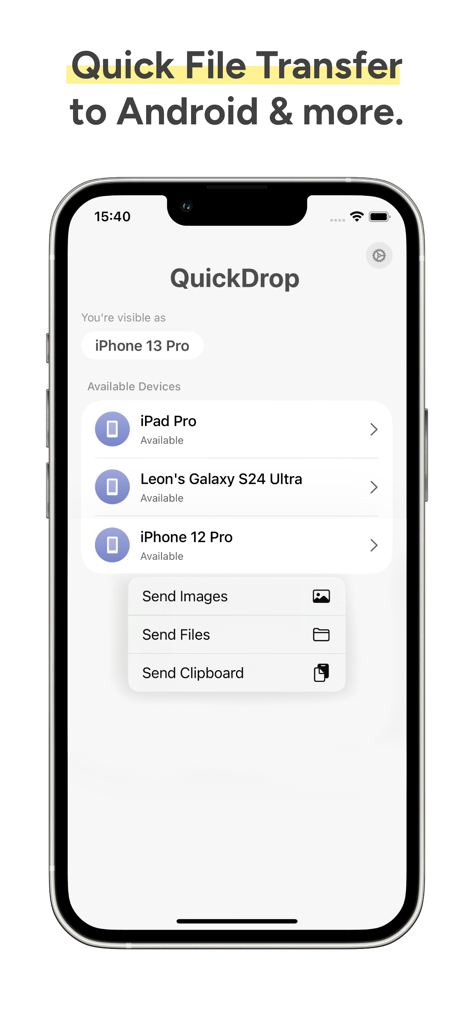
QuickDrop - Share from Android - QuickDropモバイルアプリのインターフェース。クロスプラットフォームのファイル共有と転送オプションが利用可能なデバイスを示しています。
QuickDropモバイルアプリのインターフェース。クロスプラットフォームのファイル共有と転送オプションが利用可能なデバイスを示しています。

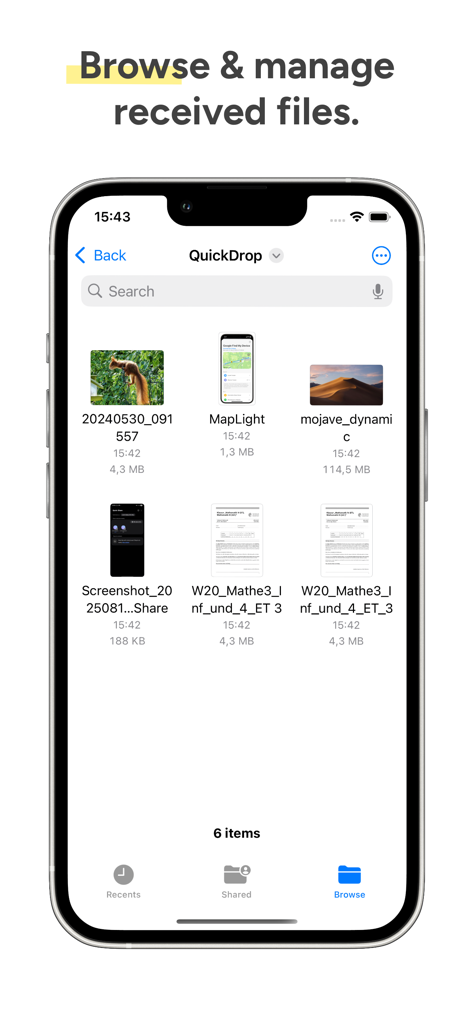
QuickDrop - Share from Android - QuickDropアプリのインターフェース。iPhoneで管理された受信ファイルを表示しています。
QuickDropアプリのインターフェース。iPhoneで管理された受信ファイルを表示しています。

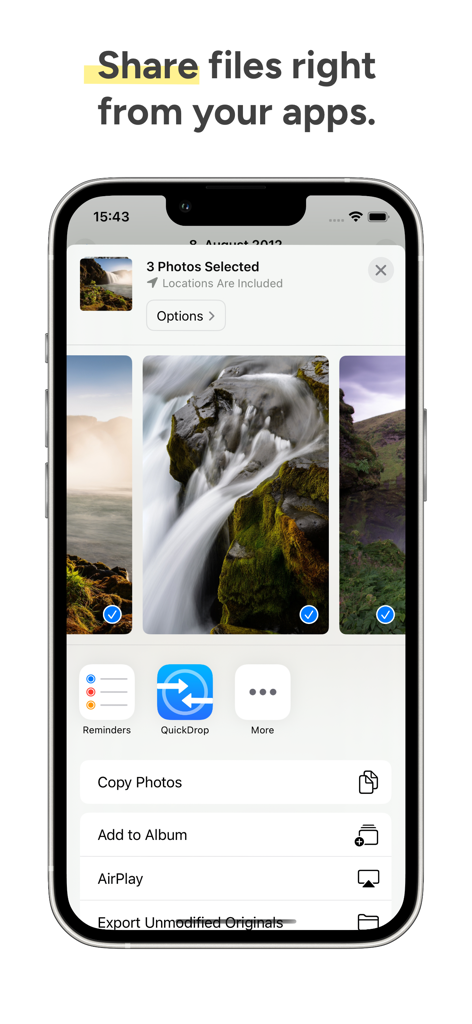
QuickDrop - Share from Android - QuickDropアイコンがiOS共有シートに統合されており、簡単なファイル共有が可能です。
QuickDropアイコンがiOS共有シートに統合されており、簡単なファイル共有が可能です。

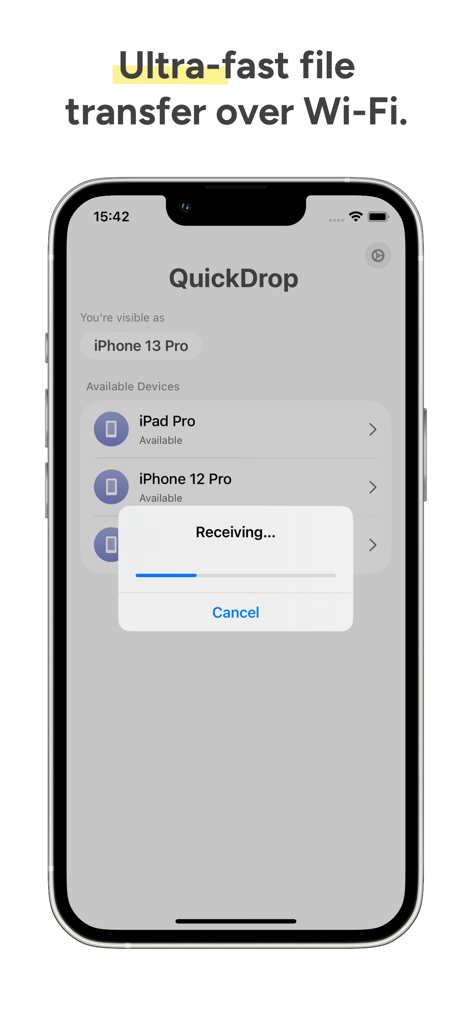
QuickDrop - Share from Android - iPhone上のQuickDropアプリのインターフェース。ファイル転送の進捗バーと利用可能なデバイスのリストを表示しています。

iPhone上のQuickDropアプリのインターフェース。ファイル転送の進捗バーと利用可能なデバイスのリストを表示しています。

説明

With QuickDrop, you can seamlessly send and receive photos, videos, text files, and more between your Android phone and your iPhone, iPad or Mac using Quick Share in the same Wi-Fi network. Received files will be stored in the Files app, and are transmitted end-to-end encrypted over Wi-Fi - so no cloud is involved in the process. To send files from your iPhone and iPad to your Mac or Android device, just select "Share" or tap the share icon for a file you want to transfer, and choose "QuickDrop".  If you don't see QuickDrop in the list, scroll right until you see "More", then choose "Edit", and enable the toggle for QuickDrop. Other devices on the same network with QuickDrop installed and running will appear automatically. You can also open QuickDrop, tap on a device, and choose one or multiple files from the Files app, choose one or multiple photos and videos, or send the contents of your clipboard. After that, you will see a notification on your other device, which allows you to accept or decline the file transfer. To receive files, you simply need to open the QuickDrop app. QuickDrop is an improved version of NearDrop. Both QuickDrop and NearDrop are Open-Source projects. Nearby Share and Quick Share are trademarks of Google, LLC and Samsung Electronics. Android is a trademark of Google, LLC. This application is not affiliated with Google, LLC or Samsung Electronics. This application is governed by Apple’s standard Licensed Application End User License Agreement (EULA), available at https://www.apple.com/legal/internet-services/itunes/dev/stdeula/

Download

ダウンロード: App Store

このページはアプリまたはその開発者の公式ページではなく、情報提供および論評を目的として作成された独立した編集出版物です。明示的に別段の記載がない限り、アプリおよびその開発者は、MWM、Apple、Google Play、アプリのパブリッシャー、またはアプリの開発者と提携、承認、後援、認可、またはその他の公式的な関係はなく、このページのいかなる内容も、アプリがMWMのサービスを使用して開発されたことを意味するものではありません。すべての商標、ロゴ、スクリーンショット、その他のコンテンツはそれぞれの所有者の財産です。








