Radio Code for Renault Stereo
ダウンロード: App Store

このページはアプリまたはその開発者の公式ページではなく、情報提供および論評を目的として作成された独立した編集出版物です。明示的に別段の記載がない限り、アプリおよびその開発者は、MWM、Apple、Google Play、アプリのパブリッシャー、またはアプリの開発者と提携、承認、後援、認可、またはその他の公式的な関係はなく、このページのいかなる内容も、アプリがMWMのサービスを使用して開発されたことを意味するものではありません。すべての商標、ロゴ、スクリーンショット、その他のコンテンツはそれぞれの所有者の財産です。

ロゴ: Radio Code for Renault Stereo
ダウンロード: App Store

Radio Code for Renault Stereo

高額なディーラー訪問を避け、数秒で音楽を復活させましょう。プリコードを入力するだけで4桁の解除コードを生成し、快適なドライブに戻れます。

主要数値

ダウンロード

109K+

ユーザー評価

4.9/5

評価数

1K+

開発元

Aleksandr Romanchev

カテゴリ

Utilities

対応言語

2

最新バージョン

2.1

サイズ

38.3 MB

リリース日

2016年6月9日
機能

数分でラジオを解除

高額なディーラー訪問をスキップ。このアプリは、DIY愛好家がルノーのステレオコードを復元し、音楽を楽しめるようにするための迅速で信頼性の高い方法を提供します。

即時のコード復元

フォーラムの返信やディーラーの予約を待つ必要はありません。ラジオのプリコードを入力するだけで、固有の4桁の解除コードをすぐに生成できます。

対話型の入力ガイド

ステアリングホイールのレバーやプリセットボタンを使用したコード入力方法について、明確な手順でプロセス全体をガイドします。

以下のスクリーンショットと説明は、アプリの公式ストアリスティングから直接取得されたものであり、アプリ開発者の所有物です。

アプリストア

スクリーンショット
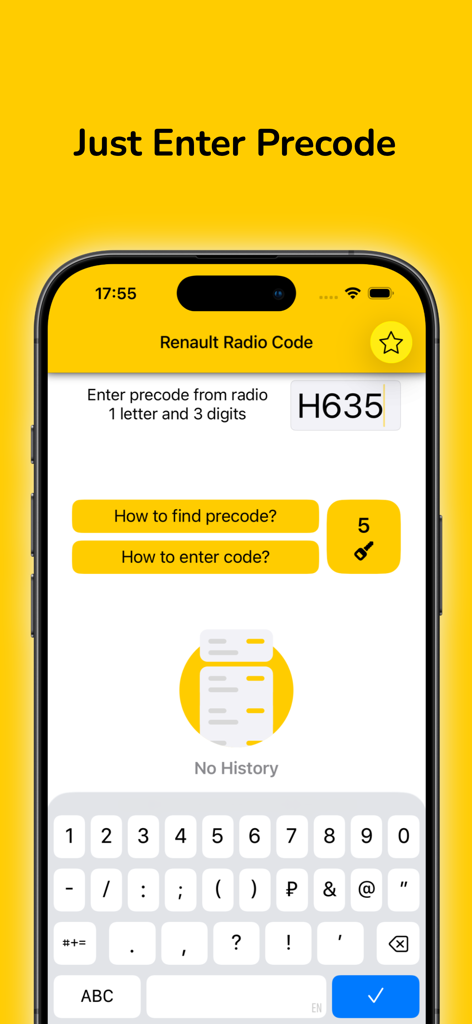
Radio Code for Renault Stereo - ラジオのプリコードを入力するためのルノー・ラジオコード・アプリのインターフェース画面
ラジオのプリコードを入力するためのルノー・ラジオコード・アプリのインターフェース画面

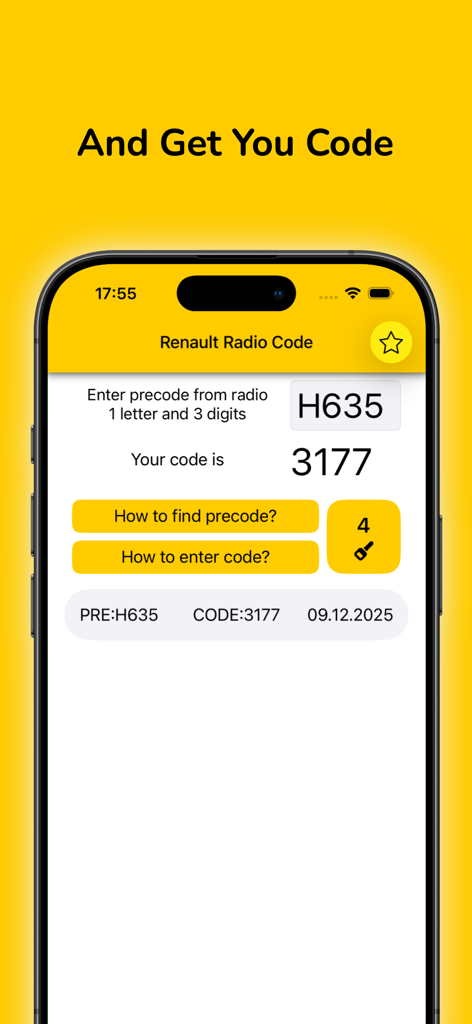
Radio Code for Renault Stereo - プリコードの入力と生成された4桁のラジオコードを表示するルノー・ラジオコード・アプリの画面
プリコードの入力と生成された4桁のラジオコードを表示するルノー・ラジオコード・アプリの画面

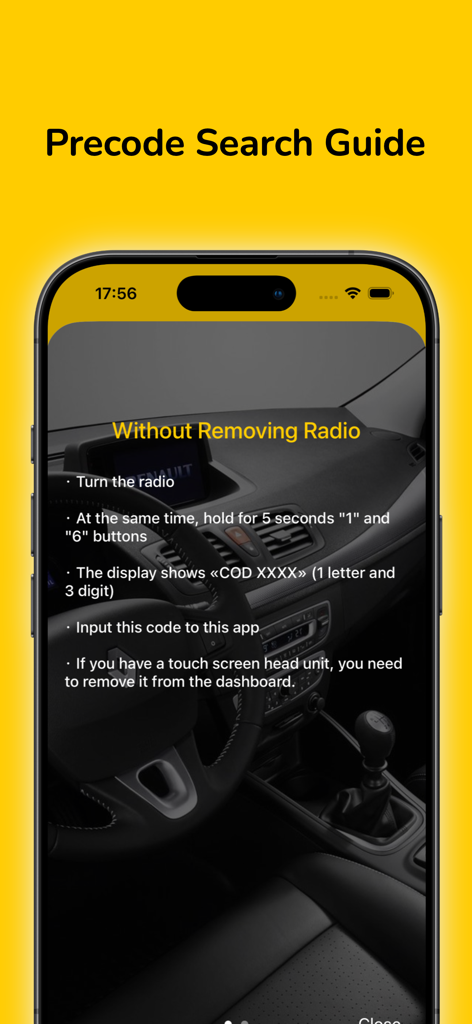
Radio Code for Renault Stereo - ラジオ本体を取り外さずにルノー・ステレオのプリコードを見つけるためのステップバイステップガイド
ラジオ本体を取り外さずにルノー・ステレオのプリコードを見つけるためのステップバイステップガイド

Radio Code for Renault Stereo - ステレオのプリセットボタンを使用してルノーのラジオコードを入力するためのステップバイステップの手順

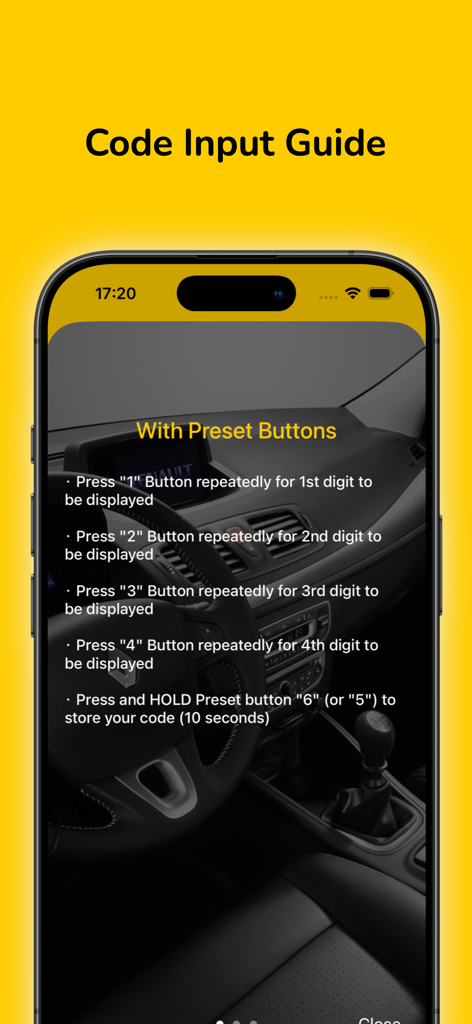
ステレオのプリセットボタンを使用してルノーのラジオコードを入力するためのステップバイステップの手順

説明

Sometimes during the repair of the car, the battery is disconnected. After battery reconnected the radio is protected by a four digit code. If you don't remember radio code or lost it, you can recover it quickly and easily with this app using precode. Note: precode is located on the rear side of your radio. ATTENTION: The number of generated codes is limited. When you purchase app you get 5 TOKENS, which gives you the opportunity to generate 5 codes. After the limit is exhausted, you can buy the required number of tokens by In-App purchases. To find the precode: - Turn the radio on and hold at the same time the button 1 and 6 (In some cases, it is necessary to remove the radio) - See the unit precode. The precode consists of 1 letter and 3 digits. For example: V248, D833, H635 - Input precode to this app How to input radio code ? 1. With Preset Buttons ・ Press 1 Button repeatedly for 1st digit to be displayed ・ Press 2 Button repeatedly for 2nd digit to be displayed ・ Press 3 Button repeatedly for 3rd digit to be displayed ・ Press 4 Button repeatedly for 4th digit to be displayed ・ Press and HOLD preset button 6 (or 5) to store your code (10 seconds) 2. With Stalk Control ・ Press switch on the CD radio. When CD will display 0 0 0 0. ・ Rotate the thumb wheel for the 1st digit. Next press the bottom button to move on. ・ Rotate the thumb wheel for the 2nd digit. Next press the bottom button to move on. ・ Rotate the thumb wheel for the 3rd digit. Next press the bottom button to move on. ・ Rotate the thumb wheel for the 4th digit. ・ Press and hold the bottom button button to finish. 3. With Remote Control ・ Press the [ ¬] button then rotate the thumb wheel for 1st digit ・ Press the [ ¬] button then rotate the thumb wheel for 2nd digit ・ Press the [ ¬] button then rotate the thumb wheel for 3rd digit ・ Press the [ ¬] button then rotate the thumb wheel for 3rd digit ・ Press and hold the [ ¬] button to store the code (10 seconds) Please support us with your reviews in AppStore, it's very important for new users! Thank you! If you experience difficulties with the app, please contact us. support@kcandr.ru

Download

ダウンロード: App Store

このページはアプリまたはその開発者の公式ページではなく、情報提供および論評を目的として作成された独立した編集出版物です。明示的に別段の記載がない限り、アプリおよびその開発者は、MWM、Apple、Google Play、アプリのパブリッシャー、またはアプリの開発者と提携、承認、後援、認可、またはその他の公式的な関係はなく、このページのいかなる内容も、アプリがMWMのサービスを使用して開発されたことを意味するものではありません。すべての商標、ロゴ、スクリーンショット、その他のコンテンツはそれぞれの所有者の財産です。








