reduce image size - resizer
ダウンロード: App Store

このページはアプリまたはその開発者の公式ページではなく、情報提供および論評を目的として作成された独立した編集出版物です。明示的に別段の記載がない限り、アプリおよびその開発者は、MWM、Apple、Google Play、アプリのパブリッシャー、またはアプリの開発者と提携、承認、後援、認可、またはその他の公式的な関係はなく、このページのいかなる内容も、アプリがMWMのサービスを使用して開発されたことを意味するものではありません。すべての商標、ロゴ、スクリーンショット、その他のコンテンツはそれぞれの所有者の財産です。

ロゴ: reduce image size - resizer
ダウンロード: App Store

reduce image size - resizer

画像や動画のリサイズ、圧縮、変換のための究極のバッチ処理ツール。高速、安全、そしてソーシャルメディア、中小企業、日常の効率化に最適化されています。

主要数値

ダウンロード

73K+

ユーザー評価

4.1/5

評価数

100

開発元

Sounak Sarkar

カテゴリ

Developer Tools

対応言語

1

最新バージョン

2.6

サイズ

13.1 MB

リリース日

2022年3月18日
機能

メディアを数秒で最適化

中小企業やクリエイターがプロレベルの効率で画像や動画をリサイズ、圧縮、変換するための究極のユーティリティ。

インスタントバッチ処理

一つずつ編集するのに時間を無駄にしないでください。 lightning-fast bulk actionsで、写真ライブラリ全体や商品カタログを一度に処理できます。

ストレージを解放

品質を損なうことなく、巨大な4K動画や高解像度の写真を圧縮します。「ストレージがいっぱいです」アラートをクリアしたり、アップロードを高速化するのに最適です。

以下のスクリーンショットと説明は、アプリの公式ストアリスティングから直接取得されたものであり、アプリ開発者の所有物です。

アプリストア

スクリーンショット
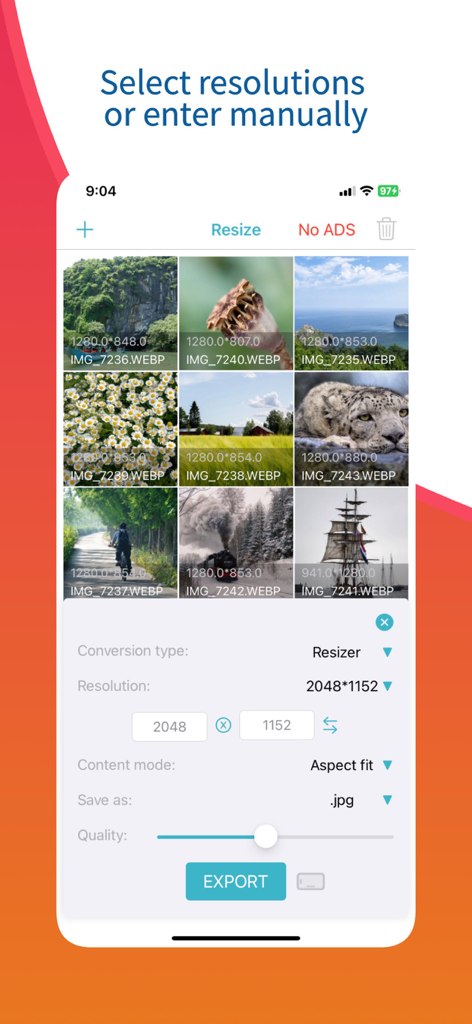
reduce image size - resizer - 画像リサイザーアプリのインターフェース。複数の写真の手動解像度入力とバッチ処理オプションが表示されています。
画像リサイザーアプリのインターフェース。複数の写真の手動解像度入力とバッチ処理オプションが表示されています。

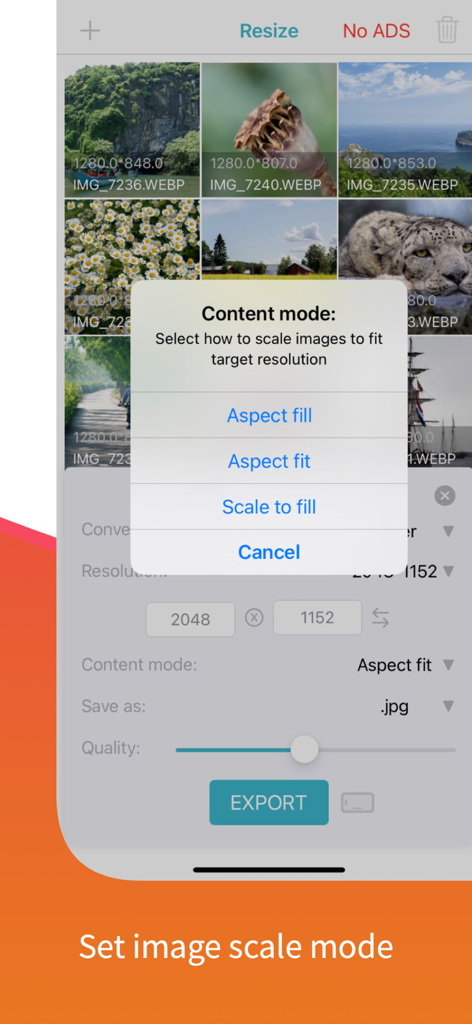
reduce image size - resizer - 写真リサイザーアプリで画像スケールモードオプションを選択している画面

写真リサイザーアプリで画像スケールモードオプションを選択している画面

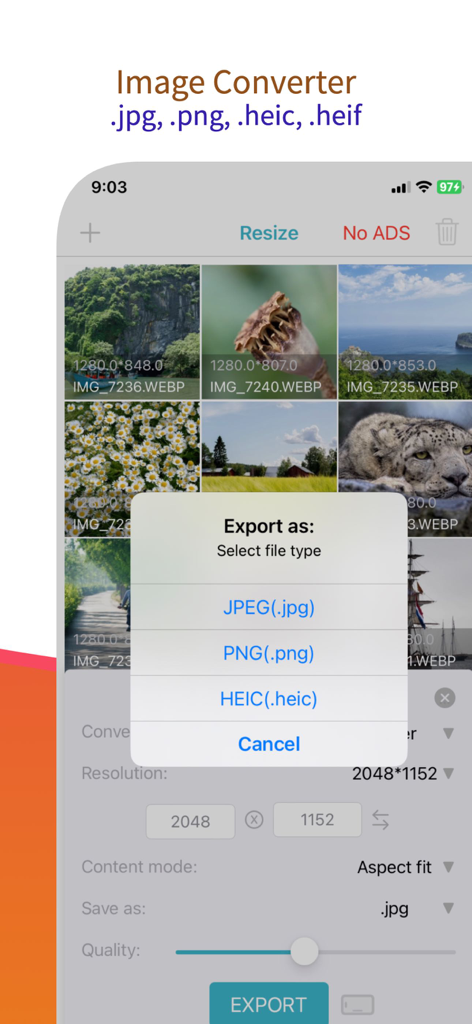
reduce image size - resizer - JPEG、PNG、HEIC形式の画像変換オプションを示すスクリーンショット。
JPEG、PNG、HEIC形式の画像変換オプションを示すスクリーンショット。

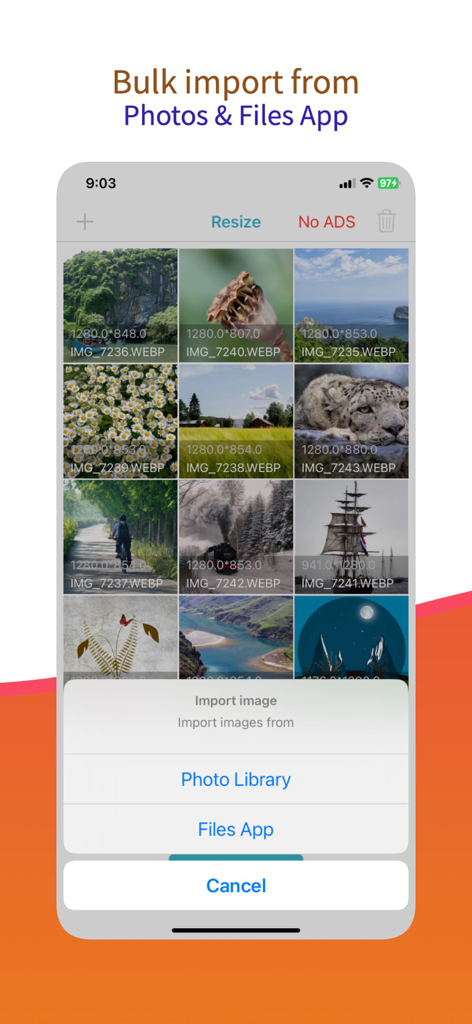
reduce image size - resizer - 画像リサイザーアプリのバルクインポートインターフェース。ライブラリまたはファイルアプリから写真を選択するオプションが表示されています。
画像リサイザーアプリのバルクインポートインターフェース。ライブラリまたはファイルアプリから写真を選択するオプションが表示されています。

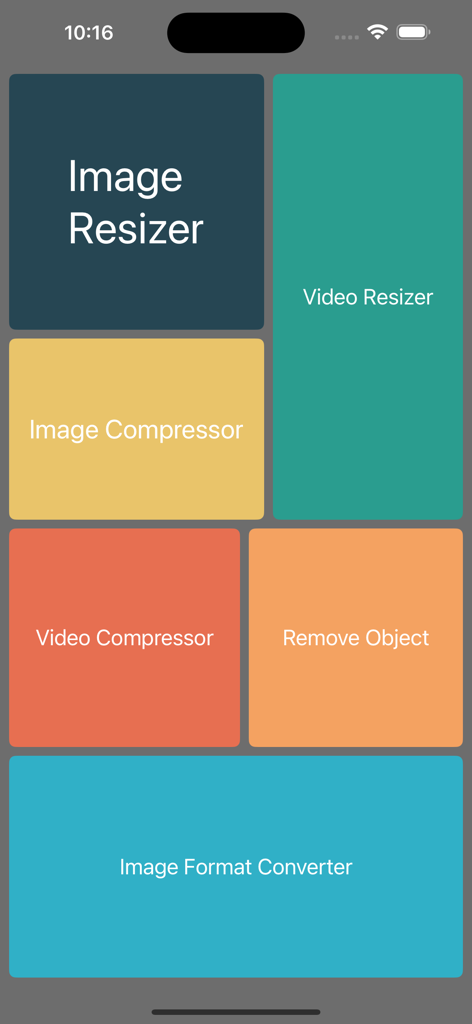
reduce image size - resizer - 画像リサイザーおよびコンプレッサーアプリのメインメニュー。リサイズおよびメディア変換のためのさまざまなユーティリティタイルが表示されています。

画像リサイザーおよびコンプレッサーアプリのメインメニュー。リサイズおよびメディア変換のためのさまざまなユーティリティタイルが表示されています。

説明

Image Resizer & Compressor is a powerful and user-friendly mobile application designed to simplify the process of resizing and compressing images on the go. Whether you're a professional photographer, social media enthusiast, or simply someone who wants to optimize their image files for various purposes, this app is your go-to solution. Features: Image Resizing: Easily resize your images to specific dimensions or choose from various preset sizes suitable for social media platforms like Instagram, Facebook, Twitter, and more. Maintain the aspect ratio while resizing to ensure your images look perfect. Image Compression: Reduce the file size of your images without compromising on quality. The app employs advanced algorithms to compress images while preserving essential details, so you can save storage space on your device or share images faster online. Video Resizing: Resize videos to specific dimensions and share on different social media platforms. Video Compressor: Compress videos in bulk and save device space. Image converter: Change image format easily using this app. Batch Processing: Save time and effort by resizing and compressing multiple images at once. The app's batch processing feature allows you to apply the same settings to a group of images, making it perfect for handling large photo collections. Customizable Settings: Tailor the compression level and image size according to your needs. The app offers various compression options, allowing you to strike the right balance between image quality and file size. Intuitive Interface: The app boasts a user-friendly interface, making it easy for both beginners and professionals to navigate and utilise its powerful features effectively. Share and Save: After resizing and compressing your images, conveniently save them to your device or share them directly to your favourite social media platforms or messaging apps. Image Format Support: Image Resizer & Compressor supports various popular image formats, including JPG, PNG, GIF, and more, ensuring compatibility with a wide range of devices and platforms. Secure and Private: Your images are processed locally on your device, ensuring your privacy and data security. The app does not store or transmit your images to any external servers. Whether you want to optimize images for online sharing, create stunning social media posts, or manage your photo gallery more efficiently, Image Resizer & Compressor provides a comprehensive solution with its quick and easy image resizing and compression capabilities. Download the app now and take control of your image files with ease! Our App can be used for free with Ads and limited features, however, you can purchase a Image Resizer Premium subscription for the additional advanced features, and remove Ads. SUBSCRIPTION AND TERMS: When you download our App you can opt in to a 3 days free trial for monthly and 7 days free trial for yearly subscription. Our App offers auto-renewing monthly/yearly subscription options for access to the app's features and content. Your Image Resizer Premium subscription will automatically renew at the end of each term and payment will be charged through your iTunes account. You can turn off auto-renew at any time from your iTunes account settings but refunds will not be provided for any unused portion of the term. To avoid renewal, you must cancel at least 24 hours before your subscription or trial ends. Your account will be charged for renewal within 24 hours prior to the end of the current period. Any unused portion of a free trial period will be forfeited if you purchase a subscription. SUBSCRIPTION PRICING: Premium Monthly: $0.99 / Month (3 days free trial) Premium Yearly: $5.99 / Year (7 days free trial) Read more about our terms, conditions, and privacy here: • Privacy Policy: https://www.racersoft.in • Terms of Use: https://racersoft.in/terms-of-use/

Download

ダウンロード: App Store

このページはアプリまたはその開発者の公式ページではなく、情報提供および論評を目的として作成された独立した編集出版物です。明示的に別段の記載がない限り、アプリおよびその開発者は、MWM、Apple、Google Play、アプリのパブリッシャー、またはアプリの開発者と提携、承認、後援、認可、またはその他の公式的な関係はなく、このページのいかなる内容も、アプリがMWMのサービスを使用して開発されたことを意味するものではありません。すべての商標、ロゴ、スクリーンショット、その他のコンテンツはそれぞれの所有者の財産です。