
このページはアプリまたはその開発者の公式ページではなく、情報提供および論評を目的として作成された独立した編集出版物です。明示的に別段の記載がない限り、アプリおよびその開発者は、MWM、Apple、Google Play、アプリのパブリッシャー、またはアプリの開発者と提携、承認、後援、認可、またはその他の公式的な関係はなく、このページのいかなる内容も、アプリがMWMのサービスを使用して開発されたことを意味するものではありません。すべての商標、ロゴ、スクリーンショット、その他のコンテンツはそれぞれの所有者の財産です。

Remote Controller for TV
紛失したリモコンを探すのはもうやめましょう。使いやすいトラックパッド、内蔵キーボード、お気に入りのストリーミングチャンネルへのワンタップアクセスで、Rokuを完全にコントロールしましょう。
ダウンロード
12K+ユーザー評価
評価数
600開発元
カテゴリ
Entertainment対応言語
1最新バージョン
1.3.8サイズ
17.9 MBリリース日
2024年5月28日リビングルームのためのスマートコントロール
あなたのiPhoneはいつも手の届くところにあります—そして今、あなたのテレビリモコンもそうです。素早い入力から即座なアプリ起動まで、Roku TVを管理する最も直感的な方法を体験してください。
高速キーボード検索
文字を一つずつクリックするのはやめましょう。iPhoneのキーボードを使って、映画、番組、YouTube動画を瞬時に検索できます。
直感的なタッチナビゲーション
片手での使用のために設計された、広々とした応答性の高いトラックパッドで、NetflixやDisney+などのメニューやストリーミングアプリをスムーズに操作できます。
よくある質問
について知っておくべきこと Remote Controller for TV
Roku TVアプリをリモートコントローラーに接続するにはどうすればよいですか?
はい、リモートコントローラーをテレビに接続するのは簡単です。お使いのiOSデバイスとRoku TVが同じWi-Fiネットワーク上にあることを確認してください。アプリは自動的にスマートTVを検出し、タップで接続します。
リモートコントローラーアプリにはどのような機能がありますか?
リモートコントローラーアプリは、チャンネル管理、音量、早送り/巻き戻し、トラックパッドによるメニューナビゲーションなど、標準的なRokuリモート機能を提供します。また、テキスト検索や直接アプリの起動もサポートしています。
リモートコントローラーはすべてのRoku TVモデルと互換性がありますか?
はい、リモートコントローラーはスマートTV OSを実行しているすべてのTVモデルと互換性があります。Roku 1、2、3、Streaming Stick、Express、Premiere、Ultra、およびTCL、Sharp、Hisense、Philips、OnnのTVなど、さまざまなRokuモデルをサポートしています。
リモートコントローラーでスマートフォンのキーボードをテキスト入力に使用できますか?
はい、リモートコントローラーを使用すると、NetflixやYouTubeなどのチャンネル、または一般的なスマートTV検索のために、スマートフォンのキーボードを使用して高速なテキスト検索を実行できます。注意:YouTubeやHulu+などの一部のアプリは、独自のオン画面キーボードを使用します。
リモートコントローラーは物理的なTVリモコンを置き換えることができますか?
はい、リモートコントローラーは元のリモコンとして機能します。物理的なリモコンを必要とせずに、スマートフォンから直接すべてのデバイスの機能にアクセスできます。
リモートコントローラーは公式のRoku製品ですか?
いいえ、リモートコントローラーは公式のRoku製品ではありません。開発者はRoku社と提携していません。
リモートコントローラーでトラックパッドを使用してメニューを操作するにはどうすればよいですか?
リモートコントローラーには、メニューやコンテンツを簡単に操作できる広々としたトラックパッドが含まれています。使用するには、「トラックパッド」オプションを選択し、スワイプしてナビゲートし、タップして選択を確定してください。
リモートコントローラーでストリーミングアプリを直接起動できますか?
はい、リモートコントローラーを使用すると、YouTube、Netflix、Tubi、HBO、Prime Videoなどの人気プラットフォームをワンタップで起動できます。
以下のスクリーンショットと説明は、アプリの公式ストアリスティングから直接取得されたものであり、アプリ開発者の所有物です。
アプリストア
スクリーンショット
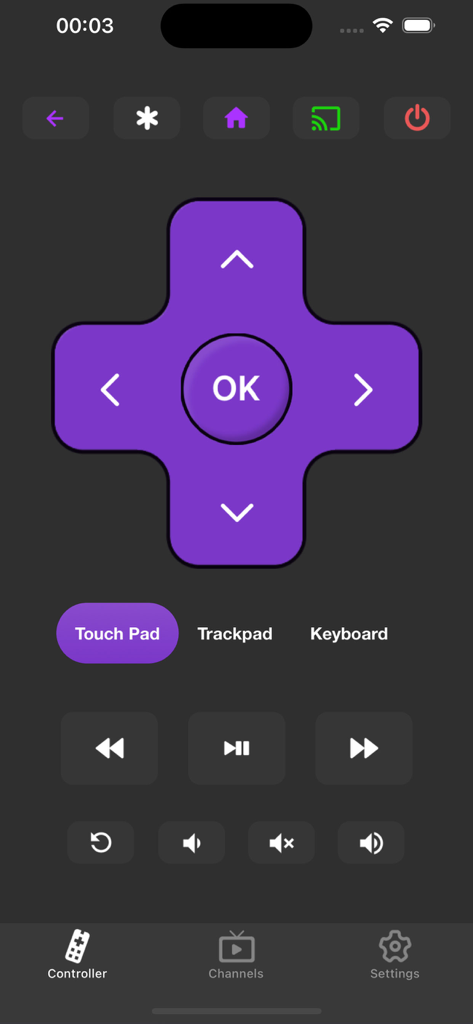
方向キーとメディア再生コントロールを備えた仮想テレビリモコンを示すスマートフォンアプリのインターフェース。
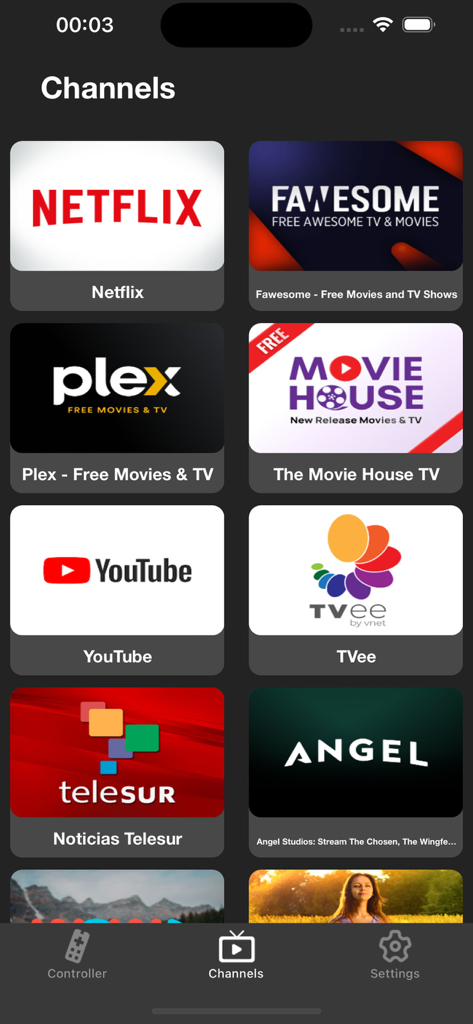
テレビコントロールを容易にするためのNetflixやYouTubeなどのストリーミングサービスアイコンが多数表示されたチャンネルというタイトルのモバイルアプリ画面
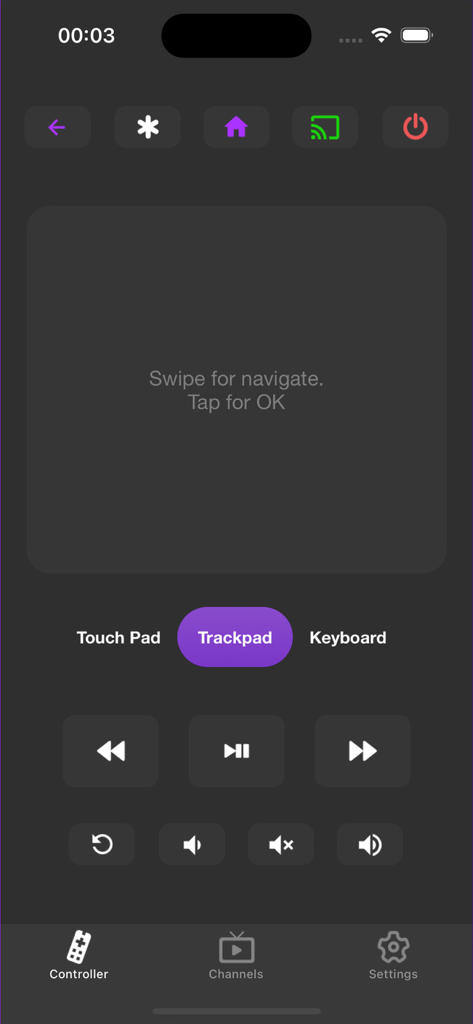
デジタルトラックパッドと再生ボタンを備えた、Remote Controller for TVアプリのユーザーインターフェース
説明
Download
類似アプリ
似た機能とユーザー体験を持つアプリ

The Roku App (Official)
ROKU INC

TV Remote & Smart TV Control
To Ngoc Mai

Universal TV Remote Control .
Apps Venture Inc.

TV Remote, Universal Remote
Hangzhou Yingshitong Technology Co., Ltd.

TV Remote Control “Universo”
Nemo Apps LLC

TV Remote・Universal Control #1
Mihai Turlea

Remote Smart Tv Universal
clement gasner

Remote TV Control TCL Onn App
CEMAL CAGLAR KIRICI

TV Remote Control Universal AI
Anh Ngo
このページはアプリまたはその開発者の公式ページではなく、情報提供および論評を目的として作成された独立した編集出版物です。明示的に別段の記載がない限り、アプリおよびその開発者は、MWM、Apple、Google Play、アプリのパブリッシャー、またはアプリの開発者と提携、承認、後援、認可、またはその他の公式的な関係はなく、このページのいかなる内容も、アプリがMWMのサービスを使用して開発されたことを意味するものではありません。すべての商標、ロゴ、スクリーンショット、その他のコンテンツはそれぞれの所有者の財産です。