Remote Desktop Manager
ダウンロード: App Store

このページはアプリまたはその開発者の公式ページではなく、情報提供および論評を目的として作成された独立した編集出版物です。明示的に別段の記載がない限り、アプリおよびその開発者は、MWM、Apple、Google Play、アプリのパブリッシャー、またはアプリの開発者と提携、承認、後援、認可、またはその他の公式的な関係はなく、このページのいかなる内容も、アプリがMWMのサービスを使用して開発されたことを意味するものではありません。すべての商標、ロゴ、スクリーンショット、その他のコンテンツはそれぞれの所有者の財産です。


ロゴ: Remote Desktop Manager
ダウンロード: App Store

Remote Desktop Manager

プロフェッショナル級の認証情報管理により、すべてのRDP、SSH、VNC接続を一元化。どこからでもインフラ全体を安全に監視・管理し、デスクを離れている間もダウンタイムゼロを実現します。

主要数値

ダウンロード

36K+

ユーザー評価

3.8/5

評価数

400

開発元

Devolutions inc.

カテゴリ

Utilities

対応言語

14

最新バージョン

2025.3.2

サイズ

218.5 MB

リリース日

2015年9月23日
機能

お使いのインフラを完全に一元化

Remote Desktop Managerは、外出先で活躍するプロフェッショナルのために、25以上のプロトコルと業界をリードする認証情報マネージャーをサポートし、ITツールキット全体を1つの安全なモバイルインターフェースに集約します。

マルチプロトコル・コマンドセンター

RDP、SSH、VNC、ARDのサポートにより、ワークフローを統合。単一の統合ダッシュボードから、サーバー、仮想マシン、クラウドストレージへの接続を開始できます。

安全な認証情報の自動入力

認証情報管理の煩わしさを解消。Bitwarden、1Password、CyberArkとシームレスに連携し、手入力なしでリモートセッションに自動サインインできます。

以下のスクリーンショットと説明は、アプリの公式ストアリスティングから直接取得されたものであり、アプリ開発者の所有物です。

アプリストア

スクリーンショット
Remote Desktop Manager - ITプロフェッショナルのイラストとともに、リモート接続とパスワードの一元化に関するテキストを表示したRemote Desktop Managerのプロモーション画面
ITプロフェッショナルのイラストとともに、リモート接続とパスワードの一元化に関するテキストを表示したRemote Desktop Managerのプロモーション画面

Remote Desktop Manager - Devolutionsのセキュリティスローガンが表示されたスマートフォンのRemote Desktop Managerアプリ
Devolutionsのセキュリティスローガンが表示されたスマートフォンのRemote Desktop Managerアプリ

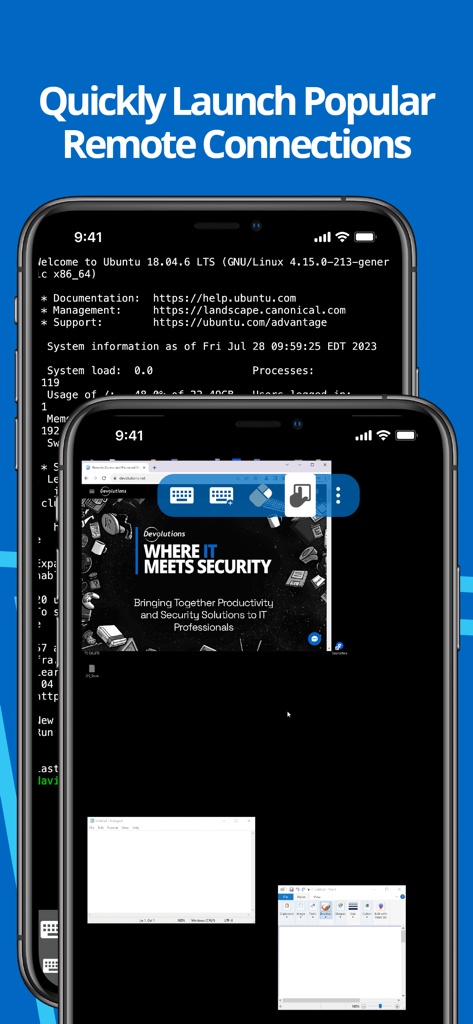
Remote Desktop Manager - モバイルデバイス上でSSHターミナルとリモートデスクトップを表示しているRemote Desktop Managerアプリのインターフェース
モバイルデバイス上でSSHターミナルとリモートデスクトップを表示しているRemote Desktop Managerアプリのインターフェース

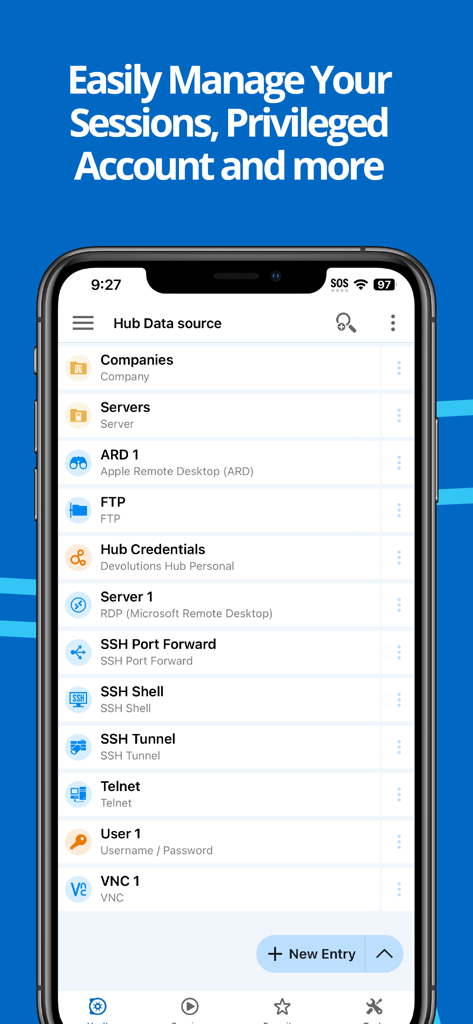
Remote Desktop Manager - Remote Desktop Managerモバイルアプリ内のRDPやSSHなどのリモート接続リスト
Remote Desktop Managerモバイルアプリ内のRDPやSSHなどのリモート接続リスト

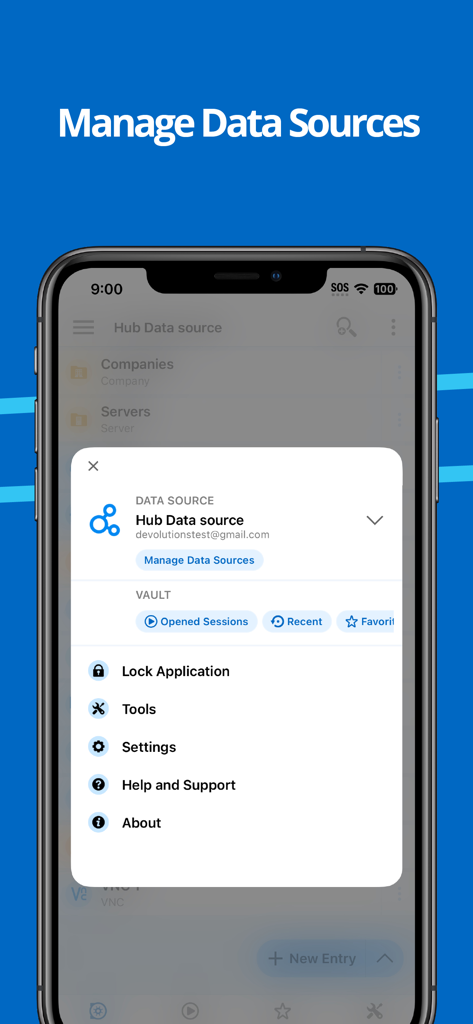
Remote Desktop Manager - データソースとアプリケーション設定を管理するためのRemote Desktop Managerアプリメニューを表示したiPhone画面

データソースとアプリケーション設定を管理するためのRemote Desktop Managerアプリメニューを表示したiPhone画面

説明

Remote Desktop Manager for iOS is a free tool that enables access to all your remote connections and passwords. Centralize your connections in data sources and access your data from anywhere, from in the field with RDM mobile or in the office and at home with RDM desktop! Remote Connections ================ Remote Desktop Manager for iOS supports Microsoft Remote Desktop Protocol (RDP), VNC, Apple Remote Desktop (ARD), SSH Shell, SSH Tunnel, Proxy Tunnel, Telnet, FTP, TFTP, SFTP, SCP, Active Directory Console, WebDAV, Google Drive, Microsoft OneDrive, Microsoft RDP Gateway, Azure Blob Storage Explorer, Amazon AWS Dashboard, Amazon S3 Explorer, Website, Devolutions PAM Dashboard, SSH Port forward, Dell iDRAC, Dropbox Explorer, HP iLO, BeyondTrust Password Safe and BeyondTrust Password Safe Dashboard. Once configured, connections to your remote servers, virtual machines and other workstations can be easily launched using a single tap. Password Management ================= Along with remote connections, Remote Desktop Manager for iOS lets you save and manage your passwords and credentials from your centralized database or your local XML file. Easily input your credentials and automatically sign in everywhere. Credentials ========= RDM supports generic credentials as well as the following integrations: 1Password, Bitwarden, CyberArk, CyberArk AAM, Dashlane, Keeper, LastPass, One Time Password, Passportal, Password Manager Pro, Passwordstate, Pleasant Password Server, RoboForm, Secret Server, Sticky Password, TeamPass, True Key, and Zoho Vault, in addition to our own products, Devolutions Hub, Devolutions Server. Database ======= Remote Desktop Manager for iOS supports these data sources: For teams: - Devolutions Server (DVLS) - Devolutions Hub Business - Microsoft SQL Server For individuals: - Devolutions Hub Personal - XML File - Dropbox - Google Drive

Download

ダウンロード: App Store

このページはアプリまたはその開発者の公式ページではなく、情報提供および論評を目的として作成された独立した編集出版物です。明示的に別段の記載がない限り、アプリおよびその開発者は、MWM、Apple、Google Play、アプリのパブリッシャー、またはアプリの開発者と提携、承認、後援、認可、またはその他の公式的な関係はなく、このページのいかなる内容も、アプリがMWMのサービスを使用して開発されたことを意味するものではありません。すべての商標、ロゴ、スクリーンショット、その他のコンテンツはそれぞれの所有者の財産です。








