Remote, Mouse & Keyboard Pro
ダウンロード: App Store

このページはアプリまたはその開発者の公式ページではなく、情報提供および論評を目的として作成された独立した編集出版物です。明示的に別段の記載がない限り、アプリおよびその開発者は、MWM、Apple、Google Play、アプリのパブリッシャー、またはアプリの開発者と提携、承認、後援、認可、またはその他の公式的な関係はなく、このページのいかなる内容も、アプリがMWMのサービスを使用して開発されたことを意味するものではありません。すべての商標、ロゴ、スクリーンショット、その他のコンテンツはそれぞれの所有者の財産です。

ロゴ: Remote, Mouse & Keyboard Pro
ダウンロード: App Store

Remote, Mouse & Keyboard Pro

摩擦をなくし、ワークスペースを統合します。プロレベルの精度で、iPhoneまたはiPadをMac、Windows、Apple TV用のパワフルなワイヤレスマウス、キーボード、自動化ハブに変えましょう。

主要数値

ダウンロード

465K+

ユーザー評価

4.8/5

評価数

22K+

開発元

Remote Sunrise LTD

カテゴリ

Utilities

対応言語

33

最新バージョン

2026.1

サイズ

70.8 MB

リリース日

2014年6月7日
機能

あらゆる画面を完全にコントロール

デジタルエコシステムを統合し、摩擦をなくします。現代のマルチデバイスユーザーのために設計された、単一の強力なアプリでMac、PC、Apple TV、iPadをコントロールしましょう。

ユニバーサルデスクトップマスター

iPhoneを高精度ワイヤレスマウスとキーボードに変えます。コンピューター画面をライブ表示し、流れるようなタッチジェスチャーでMacまたはWindowsを操作しましょう。

究極のエンターテイメントハブ

紛失したリモコンを探すのはもうやめましょう。使い慣れたキーボードとタッチパッドを使って、iPhoneからApple TVのアプリを簡単に検索、起動し、再生をコントロールしましょう。

以下のスクリーンショットと説明は、アプリの公式ストアリスティングから直接取得されたものであり、アプリ開発者の所有物です。

アプリストア

スクリーンショット
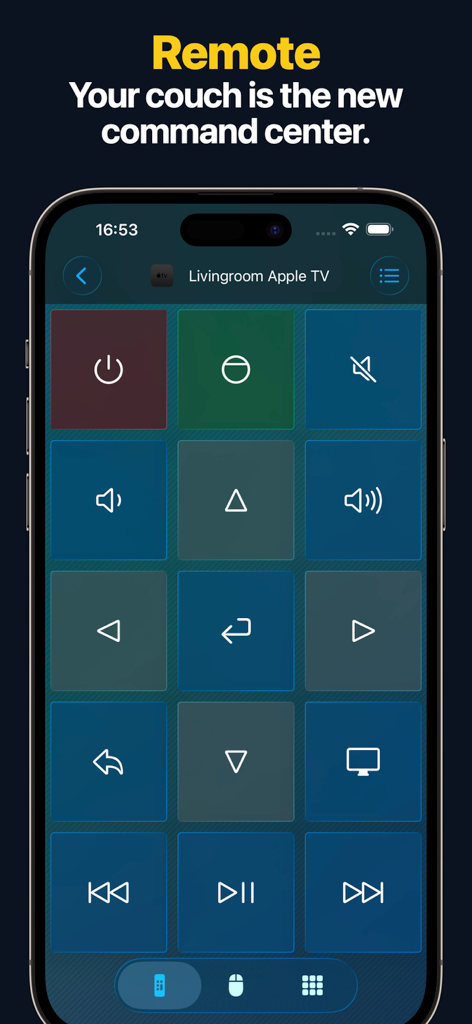
Remote, Mouse & Keyboard Pro - iPhone画面に、グリッド状のナビゲーションボタンとメディアコントロールボタンを備えたApple TVのリモコンインターフェースが表示されています
iPhone画面に、グリッド状のナビゲーションボタンとメディアコントロールボタンを備えたApple TVのリモコンインターフェースが表示されています

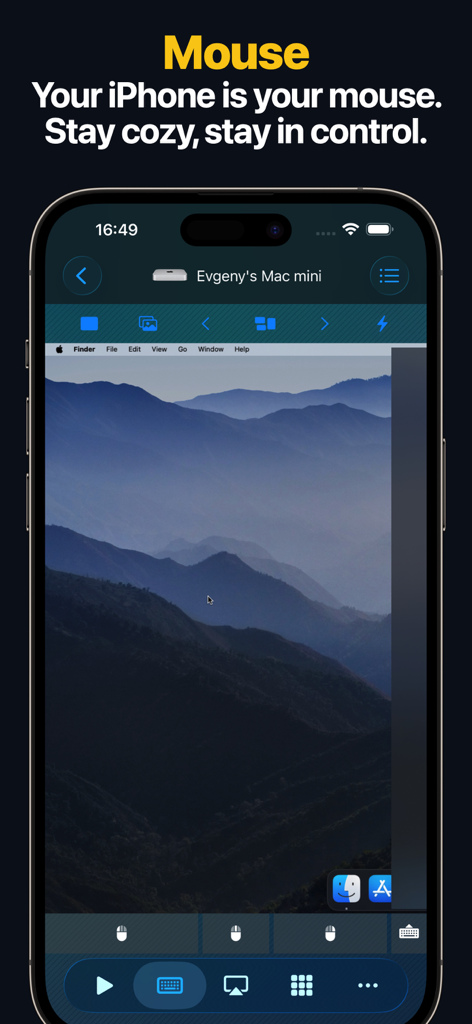
Remote, Mouse & Keyboard Pro - iPhone画面に、リモートマウスおよびトラックパッドコントロールとして使用されているMacデスクトップが表示されています
iPhone画面に、リモートマウスおよびトラックパッドコントロールとして使用されているMacデスクトップが表示されています

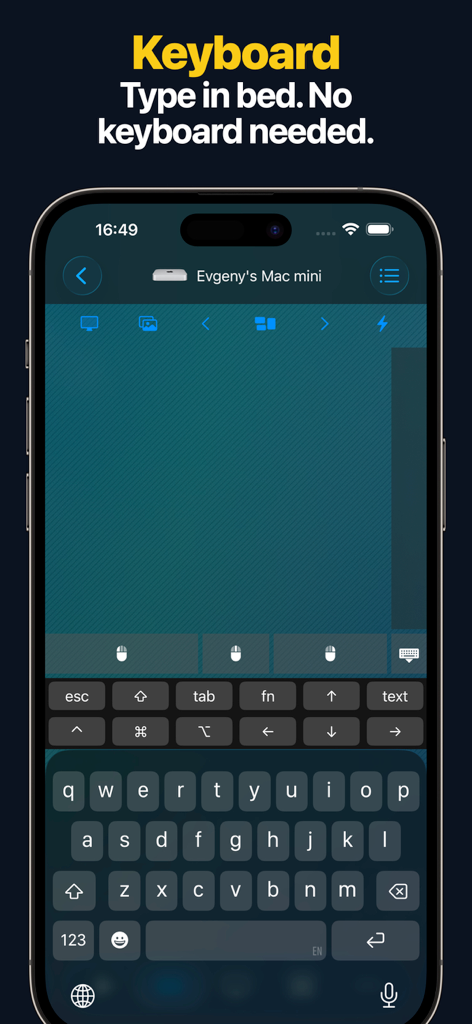
Remote, Mouse & Keyboard Pro - Mac miniをワイヤレスで操作するために使用されているiPhone上のリモートキーボードインターフェース
Mac miniをワイヤレスで操作するために使用されているiPhone上のリモートキーボードインターフェース

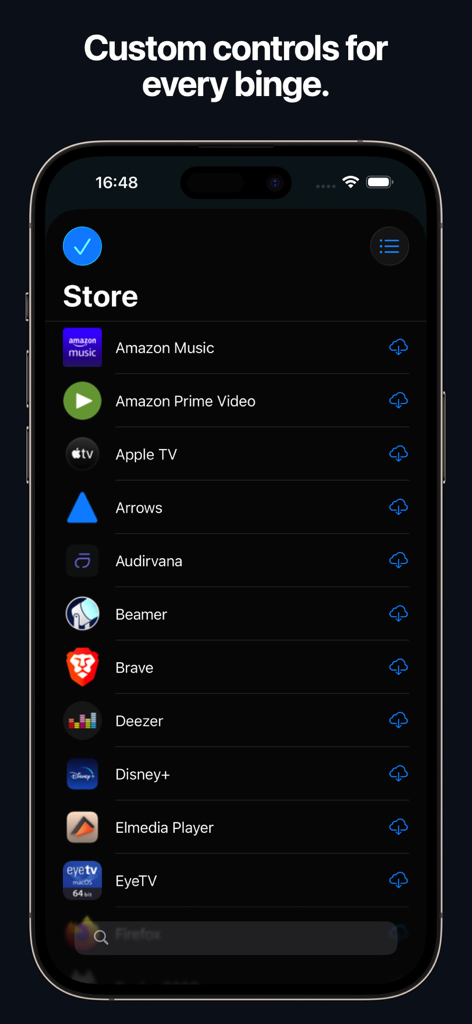
Remote, Mouse & Keyboard Pro - リモコンアプリケーションでストリーミングアプリ用のカスタムコントロールのストアを示すスマートフォンの画面
リモコンアプリケーションでストリーミングアプリ用のカスタムコントロールのストアを示すスマートフォンの画面

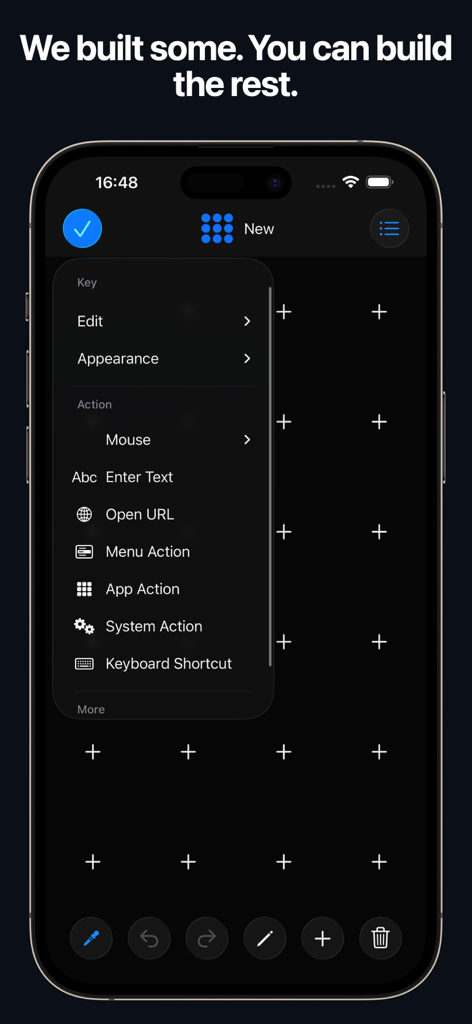
Remote, Mouse & Keyboard Pro - Remote Mouse and Keyboard Proアプリのインターフェース。アクションとショートカットを含むカスタムコントロールパネルの作成方法を示しています
Remote Mouse and Keyboard Proアプリのインターフェース。アクションとショートカットを含むカスタムコントロールパネルの作成方法を示しています

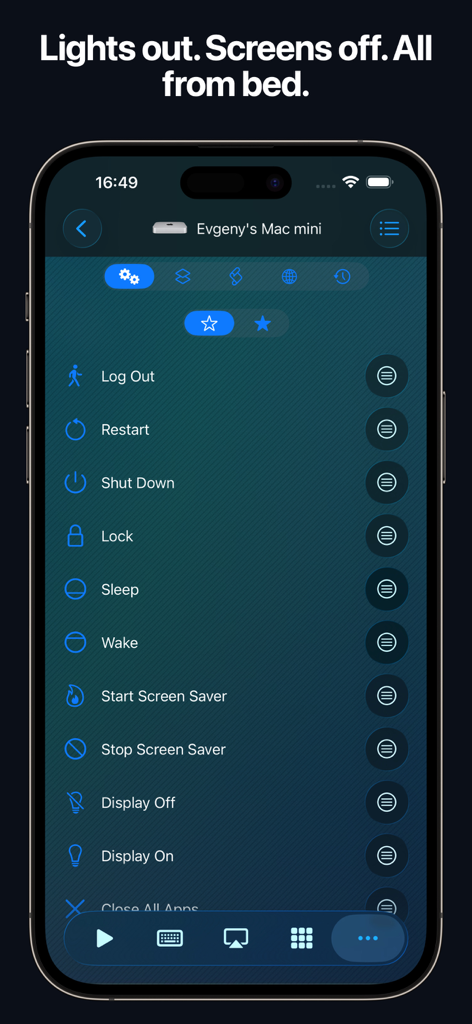
Remote, Mouse & Keyboard Pro - Macのスリープやシャットダウンなどのリモートシステムコントロールオプションを示すiPhoneインターフェース
Macのスリープやシャットダウンなどのリモートシステムコントロールオプションを示すiPhoneインターフェース

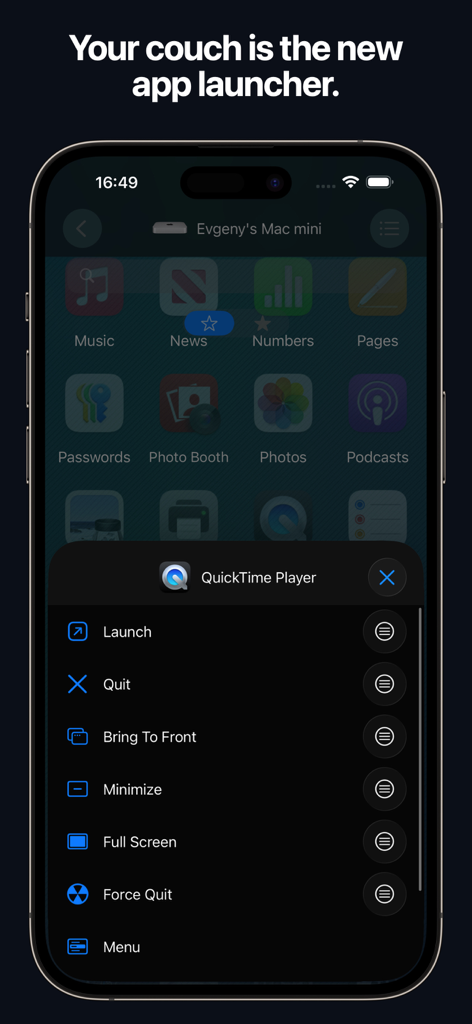
Remote, Mouse & Keyboard Pro - Mac上のQuickTime PlayerをコントロールするiPhone上のリモートアプリランチャー。
Mac上のQuickTime PlayerをコントロールするiPhone上のリモートアプリランチャー。

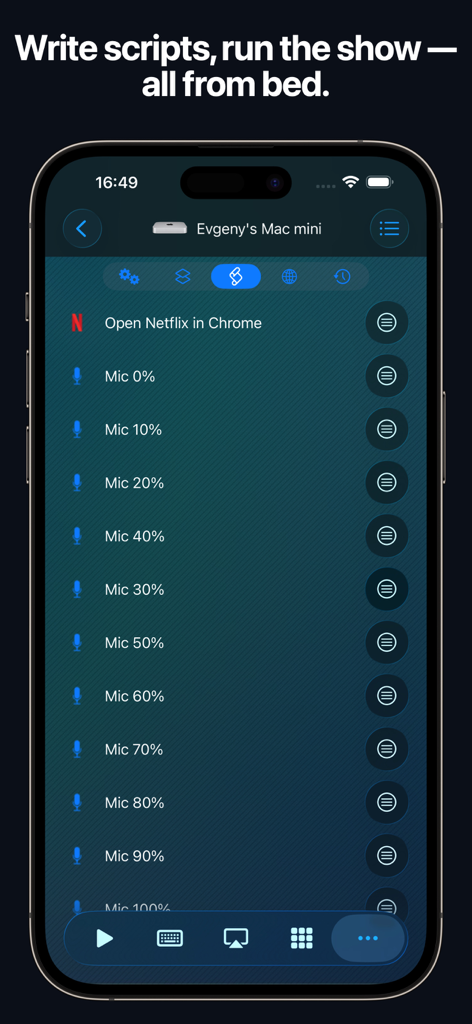
Remote, Mouse & Keyboard Pro - iPhone上のRemote Mouse and Keyboardアプリのインターフェース。自動化スクリプトとMacコントロールを示しています
iPhone上のRemote Mouse and Keyboardアプリのインターフェース。自動化スクリプトとMacコントロールを示しています

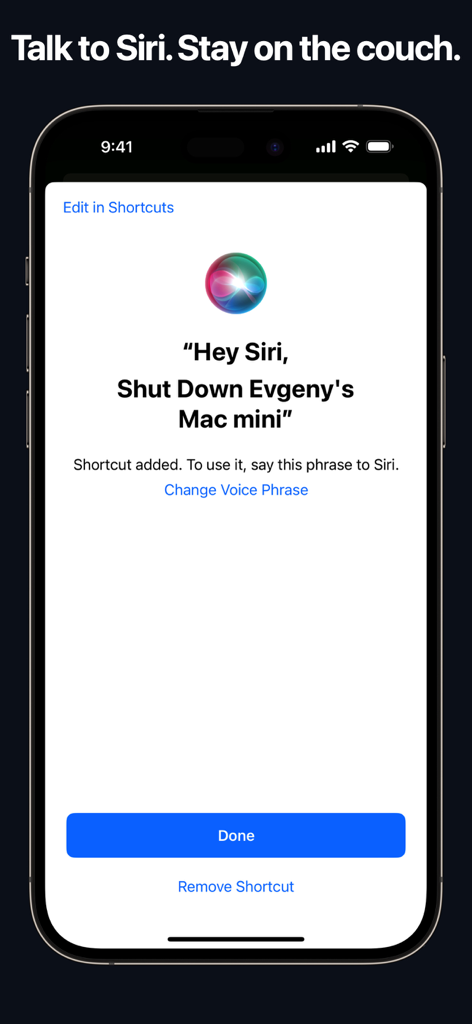
Remote, Mouse & Keyboard Pro - iPhone画面に、MacをリモートでシャットダウンするためのSiri音声ショートカットが表示されています

iPhone画面に、MacをリモートでシャットダウンするためのSiri音声ショートカットが表示されています

説明

# REMOTE, MOUSE & KEYBOARD — YOUR ALL-IN-ONE CONTROL CENTER Turn your iPhone or iPad into a universal remote, wireless mouse, keyboard, and automation hub — all in one powerful app. With Remote, Mouse & Keyboard, you can control your Apple TV, Mac, Windows PC, or even another iPad seamlessly over Wi-Fi or Bluetooth. Whether you’re streaming, presenting, or working remotely — take full control of your digital world. # APPLE TV REMOTE — SIMPLE AND INTUITIVE No more lost remotes or endless scrolling. Connect via Wi-Fi and take charge of your Apple TV with ease. - Works with all Apple TV models - Control volume, playback, and media functions - Navigate with a smooth touchpad - Type comfortably with the built-in keyboard - Launch apps instantly from your device (Older Apple TV models such as Gen 1–3 require one-time PIN entry using a physical remote.) Your iPhone becomes the most advanced Apple TV remote ever. # COMPUTER CONTROL — MAC & WINDOWS Take full command of your computer — Mac or Windows — directly from your iPhone or iPad. Designed for productivity, comfort, and speed. Remote Control & Media: - Adjust volume, playback, and tracks - Use pre-made control panels for popular apps and websites - Create custom control panels for any software Mouse & Keyboard: - Turn your device into a wireless mouse and keyboard - View your computer screen live on your phone or tablet - Capture screenshots remotely - Use gestures like scroll and zoom Apps & Automation: - Launch or quit apps, access menus, and trigger shortcuts - Integrate Siri Shortcuts and Timers - Perform system actions — sleep, restart, logout, and more - Create custom automation scripts - Open websites in your preferred browser - Manage all scheduled actions in one place Requirements: - macOS 10.13 or newer or Windows 7 or newer - Free helper app download: https://rs.ltd/get Your all-in-one remote desktop and input tool — secure, fast, and intuitive. # IPAD CONTROL — DUAL-DEVICE BRILLIANCE Use your iPhone to control another iPad via Bluetooth. Perfect for multitasking, streaming, or creative setups. - Adjust volume and playback - Type and navigate using keyboard and touchpad Your iPhone becomes the perfect companion for your iPad. # WHY YOU’LL LOVE IT - All-in-one app for Apple TV, Mac, Windows, and iPad - Customizable control panels and shortcuts - Live screen view for real-time interaction - Siri & Shortcuts integration - Timer automation for smart workflows - Secure Wi-Fi and Bluetooth connections - Free companion helper app for computers - Clean, intuitive iOS design # SYSTEM REQUIREMENTS - Apple TV: All models supported - Mac: macOS 10.13 or later - Windows: Windows 7 or later - iPad: Bluetooth connection supported - Helper app download: https://rs.ltd/get # THE FUTURE OF CONTROL Stop juggling remotes and keyboards — unify them. From managing your Mac or PC to pausing your Apple TV or typing on your iPad, Remote, Mouse & Keyboard makes control effortless. Smart. Seamless. Powerful. Take control — with Remote, Mouse & Keyboard.

Download

ダウンロード: App Store

このページはアプリまたはその開発者の公式ページではなく、情報提供および論評を目的として作成された独立した編集出版物です。明示的に別段の記載がない限り、アプリおよびその開発者は、MWM、Apple、Google Play、アプリのパブリッシャー、またはアプリの開発者と提携、承認、後援、認可、またはその他の公式的な関係はなく、このページのいかなる内容も、アプリがMWMのサービスを使用して開発されたことを意味するものではありません。すべての商標、ロゴ、スクリーンショット、その他のコンテンツはそれぞれの所有者の財産です。








