Retail Inventory+Order Manager
ダウンロード: App Store

このページはアプリまたはその開発者の公式ページではなく、情報提供および論評を目的として作成された独立した編集出版物です。明示的に別段の記載がない限り、アプリおよびその開発者は、MWM、Apple、Google Play、アプリのパブリッシャー、またはアプリの開発者と提携、承認、後援、認可、またはその他の公式的な関係はなく、このページのいかなる内容も、アプリがMWMのサービスを使用して開発されたことを意味するものではありません。すべての商標、ロゴ、スクリーンショット、その他のコンテンツはそれぞれの所有者の財産です。


ロゴ: Retail Inventory+Order Manager
ダウンロード: App Store

Retail Inventory+Order Manager

ブティックや個人事業主向けに設計された強力なiPadファーストソリューションで、在庫と利益率を完全に管理しましょう。販売を追跡し、純利益を監視し、Appleデバイス間でシームレスに同期します。

主要数値

ダウンロード

8K+

ユーザー評価

3.4/5

評価数

0

開発元

苑飞 胡

カテゴリ

Business

対応言語

11

最新バージョン

1.3

サイズ

4.0 MB

リリース日

2020年4月11日
機能

ビジネス在庫をマスターする

現代の起業家向けに設計された、直感的なiPad体験で、製品の追跡、注文の管理、利益の分析に必要なすべてを提供します。

ベストセラーを見逃さない

目を引く低在庫アラートと、在庫不安を解消するビジュアル製品管理で、需要に先んじましょう。

リアルタイムの利益インサイト

複雑なスプレッドシートは不要です。純利益、販売マージン、調達コストを即座に追跡し、お金がどこに流れているかを正確に把握できます。

以下のスクリーンショットと説明は、アプリの公式ストアリスティングから直接取得されたものであり、アプリ開発者の所有物です。

アプリストア

スクリーンショット
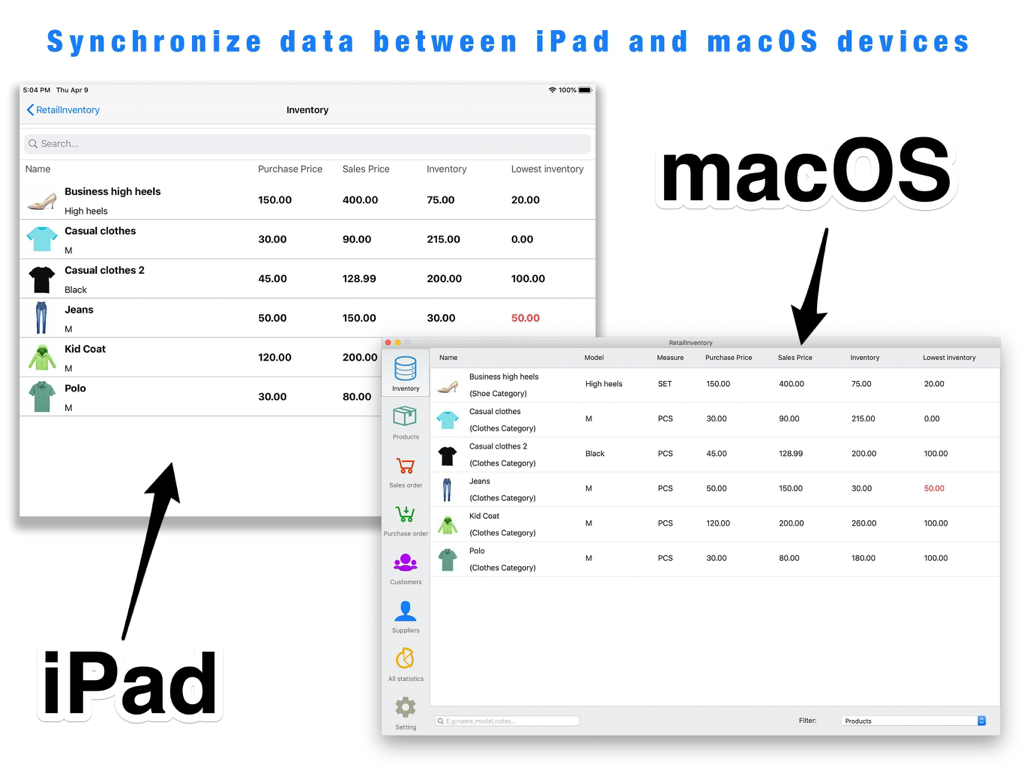
Retail Inventory+Order Manager - iPadとmacOSアプリ間でデータ同期を示すリテール在庫と注文マネージャー
iPadとmacOSアプリ間でデータ同期を示すリテール在庫と注文マネージャー

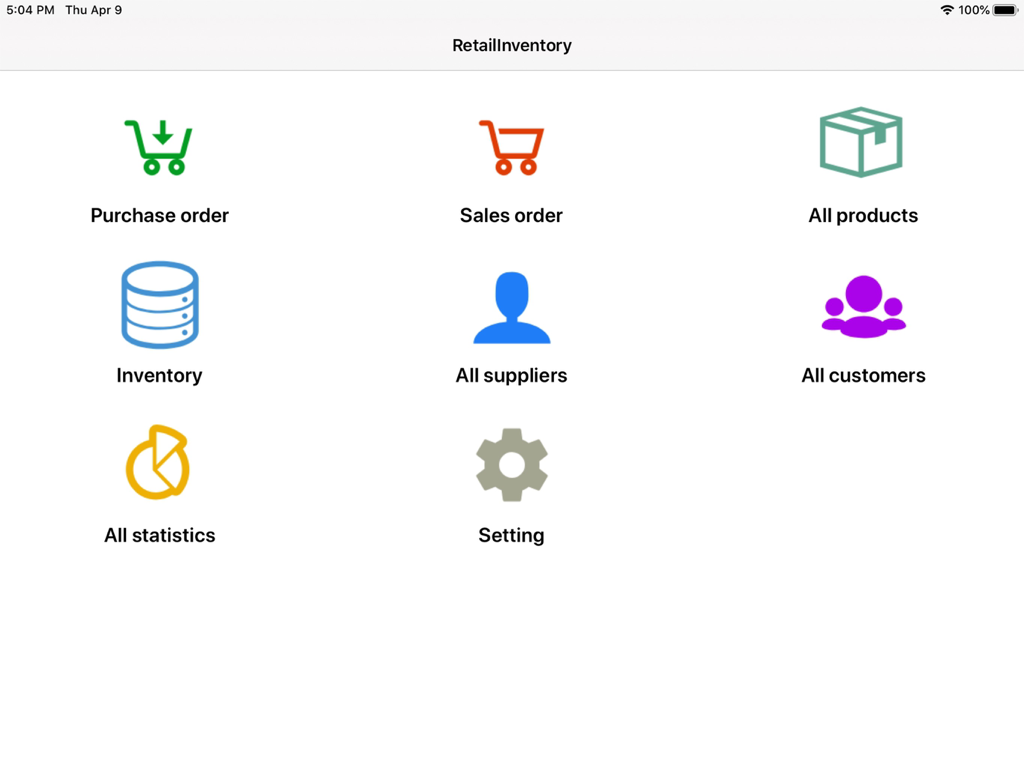
Retail Inventory+Order Manager - 注文、製品、在庫管理のためのナビゲーションアイコンを備えたiPad用リテール在庫マネージャーのメインダッシュボード
注文、製品、在庫管理のためのナビゲーションアイコンを備えたiPad用リテール在庫マネージャーのメインダッシュボード

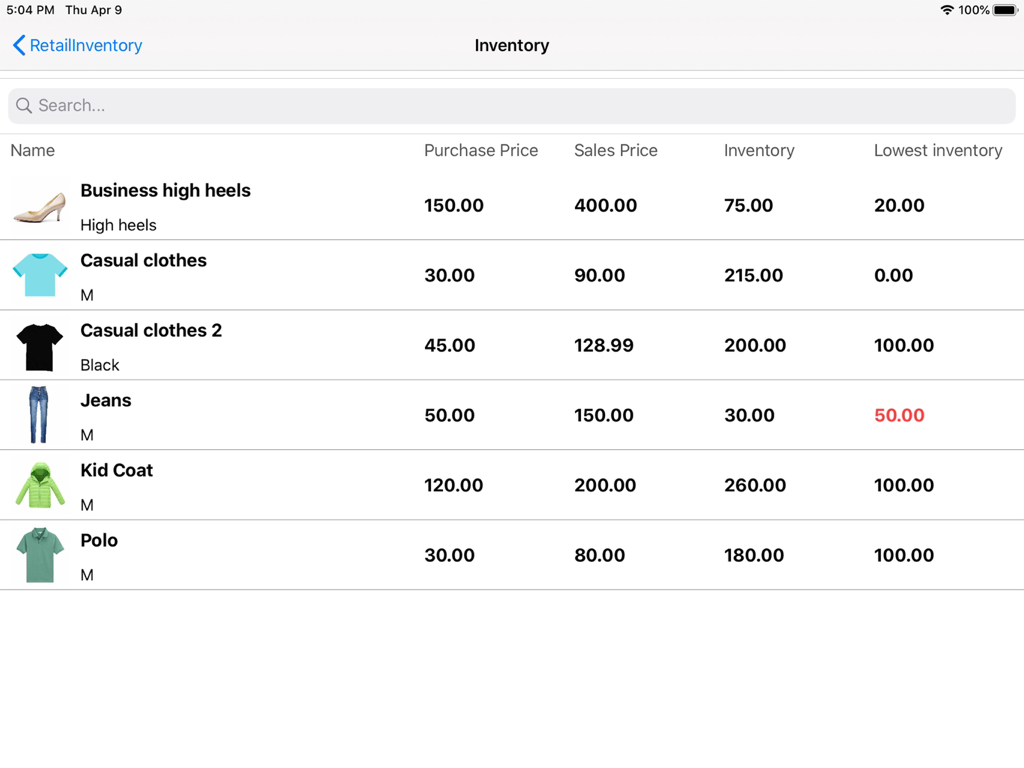
Retail Inventory+Order Manager - iPadの小売在庫ダッシュボードのスクリーンショット。在庫レベルと低在庫アラート付きの製品リストが表示されます。
iPadの小売在庫ダッシュボードのスクリーンショット。在庫レベルと低在庫アラート付きの製品リストが表示されます。

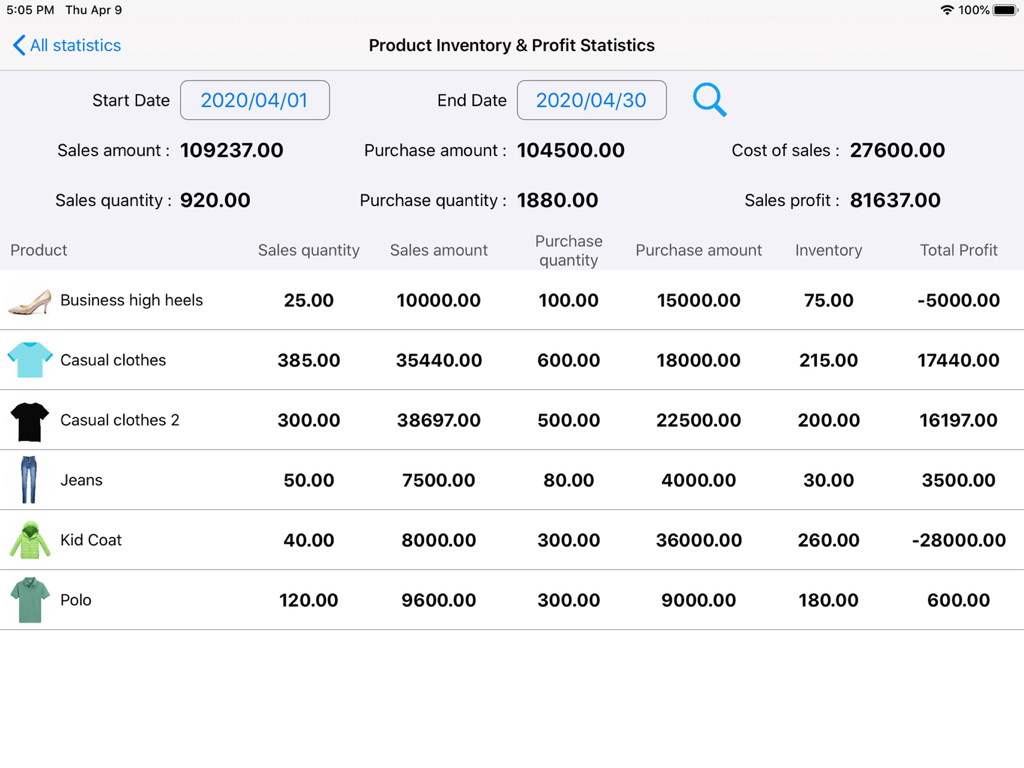
Retail Inventory+Order Manager - 小売業のビジネス在庫と利益統計ダッシュボード。販売データと在庫レベルが表示されます。
小売業のビジネス在庫と利益統計ダッシュボード。販売データと在庫レベルが表示されます。

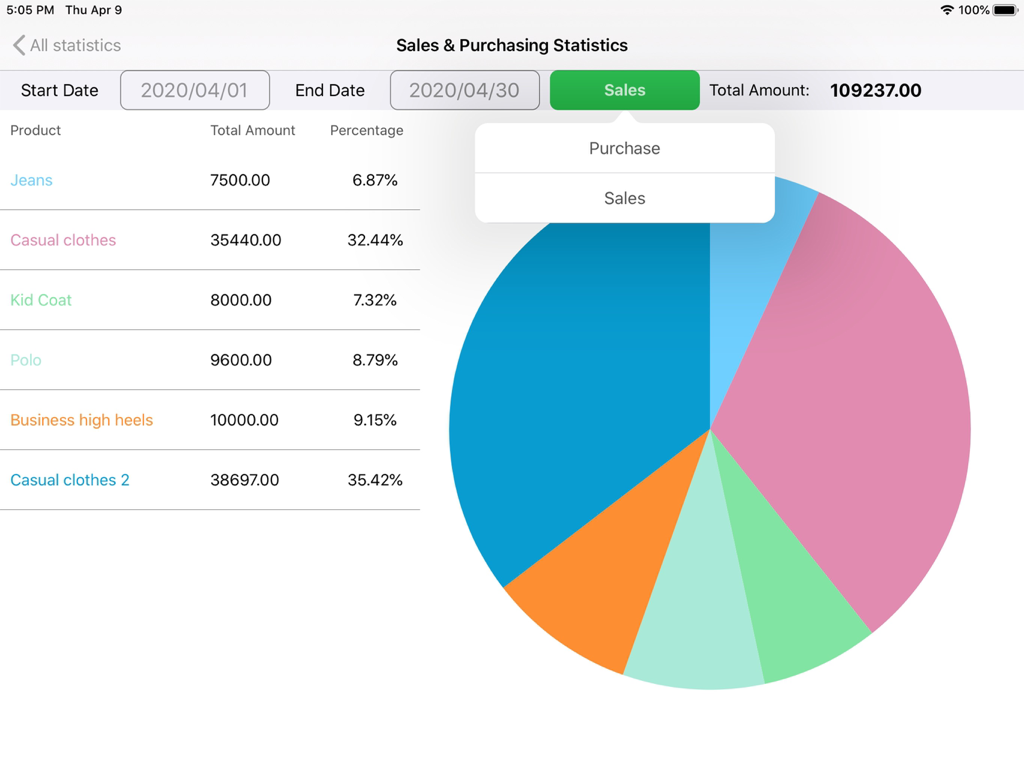
Retail Inventory+Order Manager - 小売在庫管理用の販売と購入統計ダッシュボード。円グラフと製品リストが含まれています。
小売在庫管理用の販売と購入統計ダッシュボード。円グラフと製品リストが含まれています。

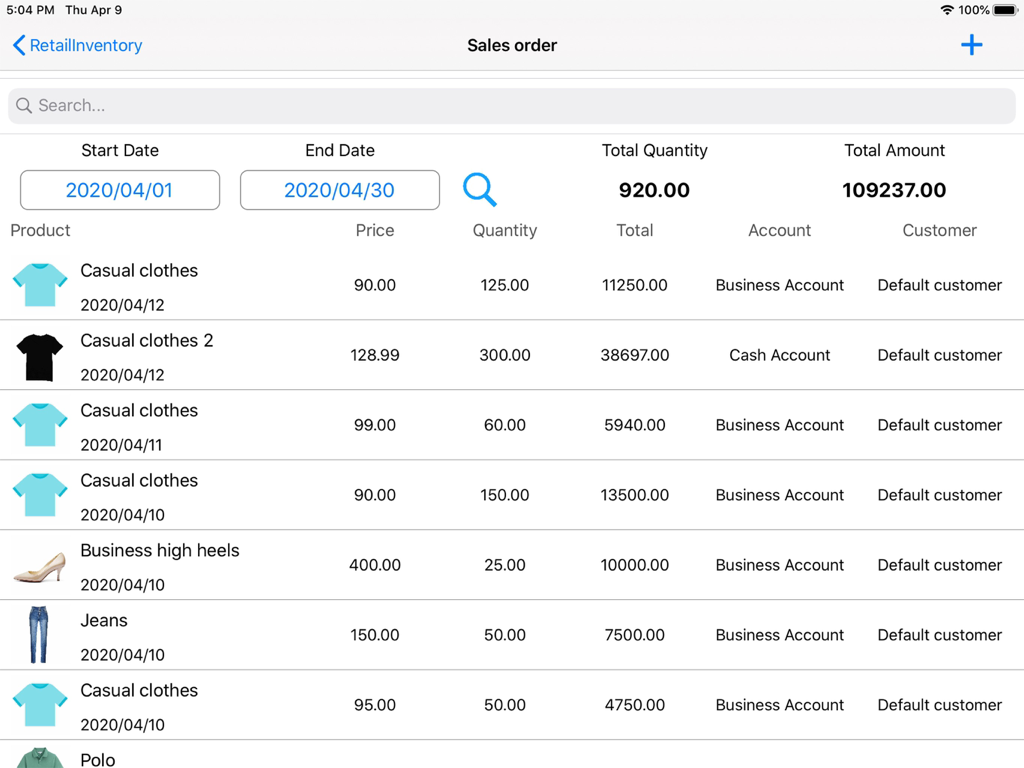
Retail Inventory+Order Manager - iPadで販売データと総収益を表示する製品リストを含む販売注文管理画面

iPadで販売データと総収益を表示する製品リストを含む販売注文管理画面

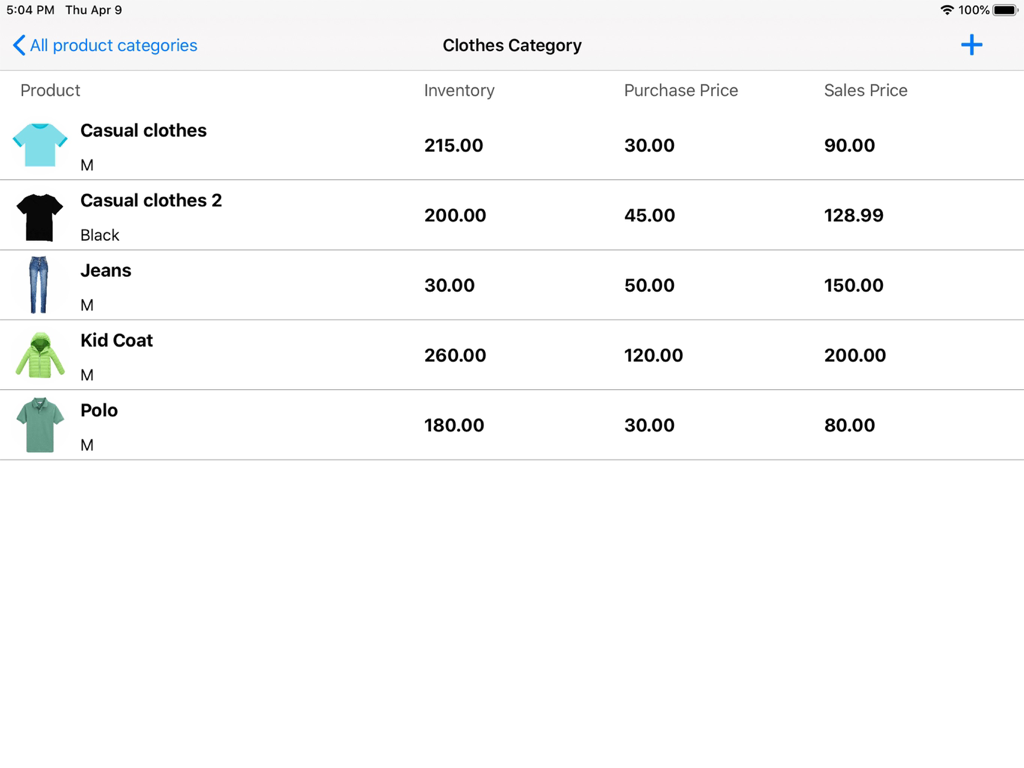
Retail Inventory+Order Manager - iPadの小売在庫アプリのスクリーンショット。在庫レベル、購入価格、販売価格付きの衣料品リストが表示されます。
iPadの小売在庫アプリのスクリーンショット。在庫レベル、購入価格、販売価格付きの衣料品リストが表示されます。

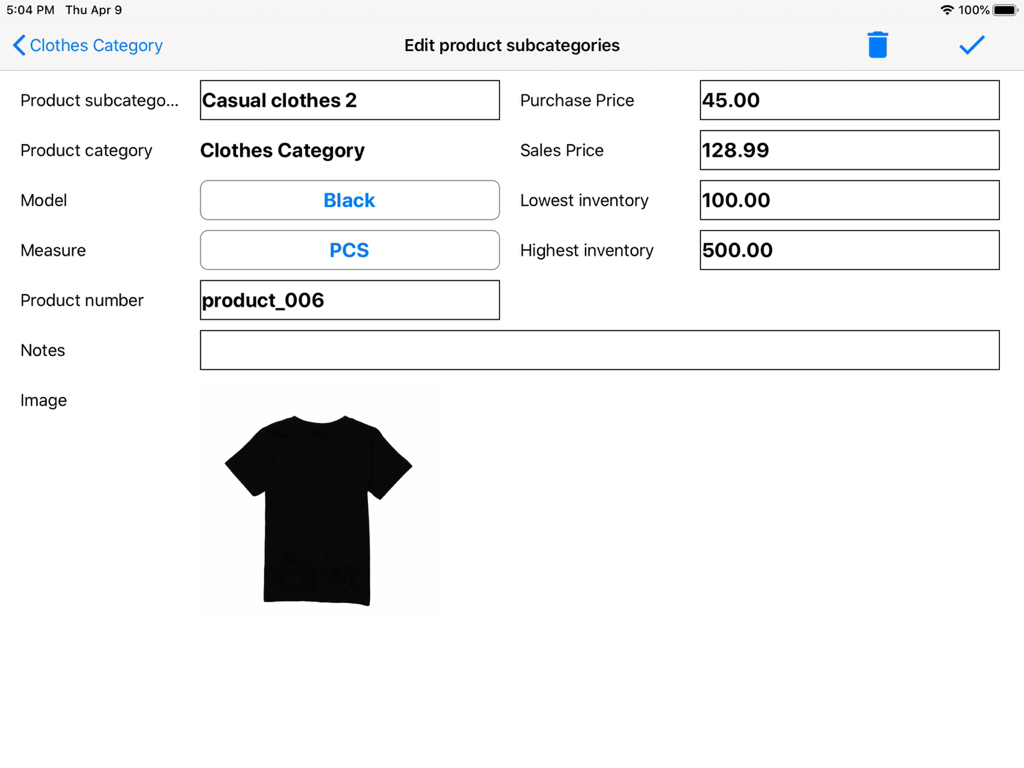
Retail Inventory+Order Manager - iPadのリテール在庫アプリのインターフェース。価格設定と在庫レベルを含む衣料品を編集するための詳細が表示されます。
iPadのリテール在庫アプリのインターフェース。価格設定と在庫レベルを含む衣料品を編集するための詳細が表示されます。

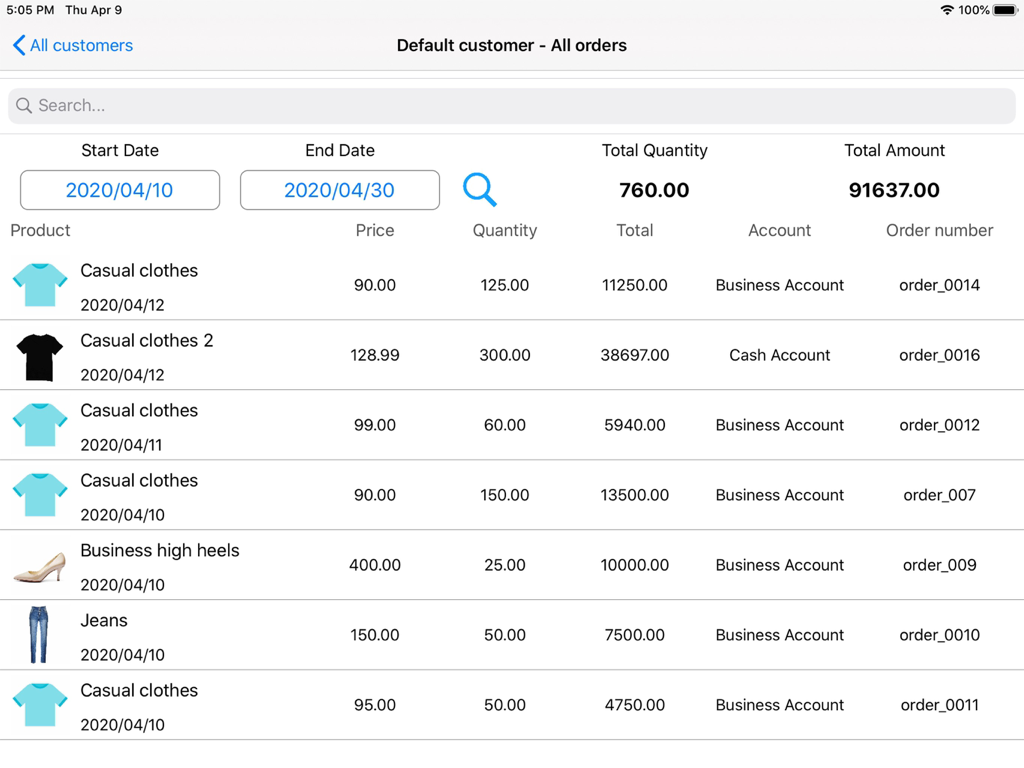
Retail Inventory+Order Manager - iPadのリテール在庫と注文マネージャーアプリのインターフェース。製品写真、数量、総販売数を含む顧客注文リストが表示されます。
iPadのリテール在庫と注文マネージャーアプリのインターフェース。製品写真、数量、総販売数を含む顧客注文リストが表示されます。

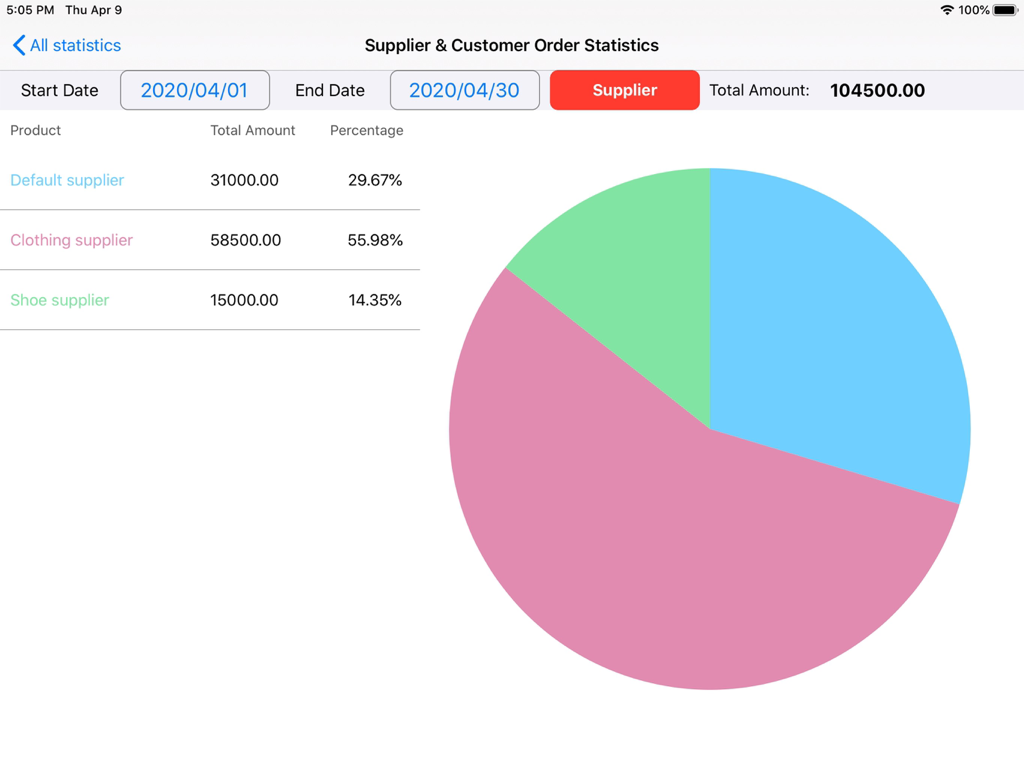
Retail Inventory+Order Manager - 小売在庫アプリの円グラフ。サプライヤーと顧客の注文統計、総額、パーセンテージが表示されます。

小売在庫アプリの円グラフ。サプライヤーと顧客の注文統計、総額、パーセンテージが表示されます。

説明

RetailInventory for iPad is an inventory management helper that focuses on small and medium-sized businesses and businessmen. It enables users to keep abreast of the inventory status, sales revenue and procurement costs of all products in order to improve the efficiency of capital use and enable you to quickly respond to market changes. The main function: - iCloud sync and backup.  - Get the macOS version, you can sync data between devices. - While protecting data, it can be read and written by other devices. - Latest inventory statistics, for eye-catching warnings for products below inventory - Product information includes sub-categories, specifications, images, units of measure, product number, purchase price, sales price, maximum inventory, and minimum inventory alert settings - Product purchase and statistics - Product sales and statistics - Custom product parent category - Custom product subcategories - Customize suppliers and customers - Custom business account - Purchasing and sales order management - Supplier and customer order management - Statistical net profit, latest stock, total sales amount, total purchase amount - Support multiple conditional searches, quickly search for data, etc. - Preset categories, specifications, units, accounts, suppliers, customers can be quickly selected - Total quantity and total amount of sales and purchases of statistical products - Counting orders from suppliers and customers - Statistical product inventory and profit - Cost of sales statistics, sales profit statistics - Set password protection invoicing data - Export CSV data (orders, customers, suppliers, products) Tips: If iCloud cannot sync data to the device, please check whether you have logged in to your iCloud account or check the network connection. If there is no problem, please exit the App, open the App again and click the button to synchronize the data to the device.

Download

ダウンロード: App Store

このページはアプリまたはその開発者の公式ページではなく、情報提供および論評を目的として作成された独立した編集出版物です。明示的に別段の記載がない限り、アプリおよびその開発者は、MWM、Apple、Google Play、アプリのパブリッシャー、またはアプリの開発者と提携、承認、後援、認可、またはその他の公式的な関係はなく、このページのいかなる内容も、アプリがMWMのサービスを使用して開発されたことを意味するものではありません。すべての商標、ロゴ、スクリーンショット、その他のコンテンツはそれぞれの所有者の財産です。