Reverse Image Search & AI Lens
ダウンロード: App Store

このページはアプリまたはその開発者の公式ページではなく、情報提供および論評を目的として作成された独立した編集出版物です。明示的に別段の記載がない限り、アプリおよびその開発者は、MWM、Apple、Google Play、アプリのパブリッシャー、またはアプリの開発者と提携、承認、後援、認可、またはその他の公式的な関係はなく、このページのいかなる内容も、アプリがMWMのサービスを使用して開発されたことを意味するものではありません。すべての商標、ロゴ、スクリーンショット、その他のコンテンツはそれぞれの所有者の財産です。

ロゴ: Reverse Image Search & AI Lens
ダウンロード: App Store

Reverse Image Search & AI Lens

写真の背後にある真実を暴き、製品を瞬時に特定し、AIで世界をナビゲート。Google、Bing、Yandex、TinEyeを搭載し、偽物の検出、オリジナルソースの発見、あらゆる画像からの即時回答をサポートします。

主要数値

ダウンロード

4M+

ユーザー評価

4.5/5

評価数

43K+

開発元

Yajing Qian

カテゴリ

Utilities

対応言語

13

最新バージョン

9.4

サイズ

13.4 MB

リリース日

2015年6月21日
機能

ビジュアルの世界をマスターする

安全性、ショッピング、瞬時の発見のために設計されたプロ仕様のツールセットで、あらゆる画像の背後に隠された詳細を解き明かします。

本物を確認して安全を確保

なりすましや誤情報から身を守りましょう。Google、Bing、Yandex、TinEyeの4つの強力な検索エンジンを使用して、写真や出会い系プロフィールのオリジナルの出所を追跡します。

瞬時のショッピングと発見

お気に入りを見つけましたか?キーワード入力は不要です。製品、ファッション、家具を即座に特定し、購入場所を正確に見つけたり、お気に入りの画像の高解像度版を発見したりできます。

以下のスクリーンショットと説明は、アプリの公式ストアリスティングから直接取得されたものであり、アプリ開発者の所有物です。

アプリストア

スクリーンショット
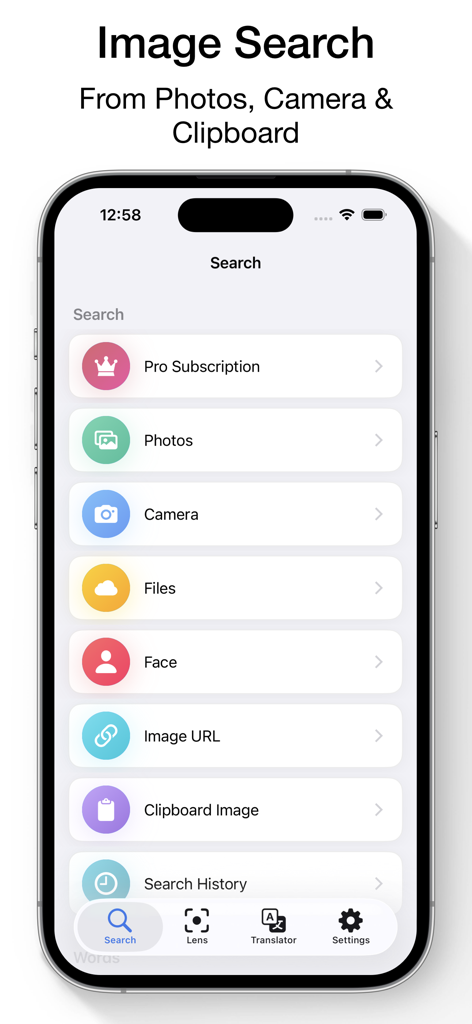
Reverse Image Search & AI Lens - iPhone上の画像検索アプリのメインインターフェース。カメラやクリップボードから検索するオプションを表示
iPhone上の画像検索アプリのメインインターフェース。カメラやクリップボードから検索するオプションを表示

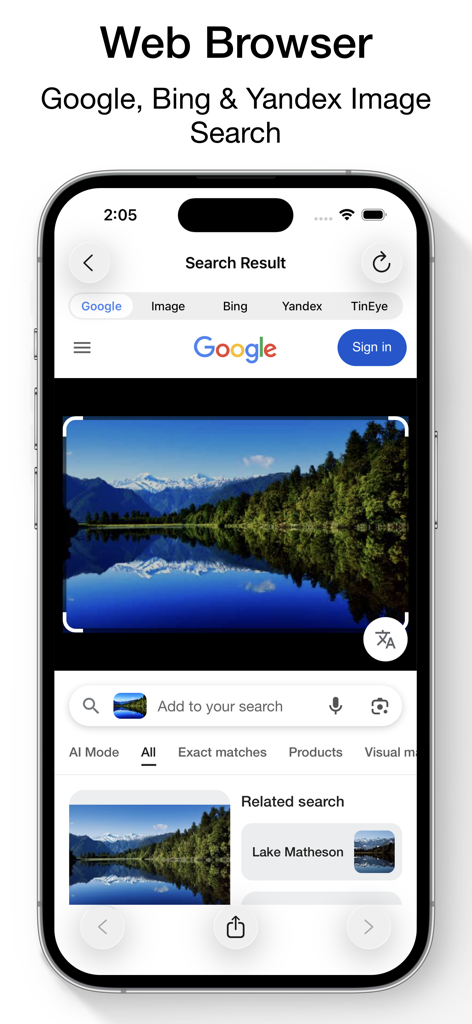
Reverse Image Search & AI Lens - Google、Bing、Yandexエンジンを使用した湖の画像検索結果を表示するスマートフォンの画面
Google、Bing、Yandexエンジンを使用した湖の画像検索結果を表示するスマートフォンの画面

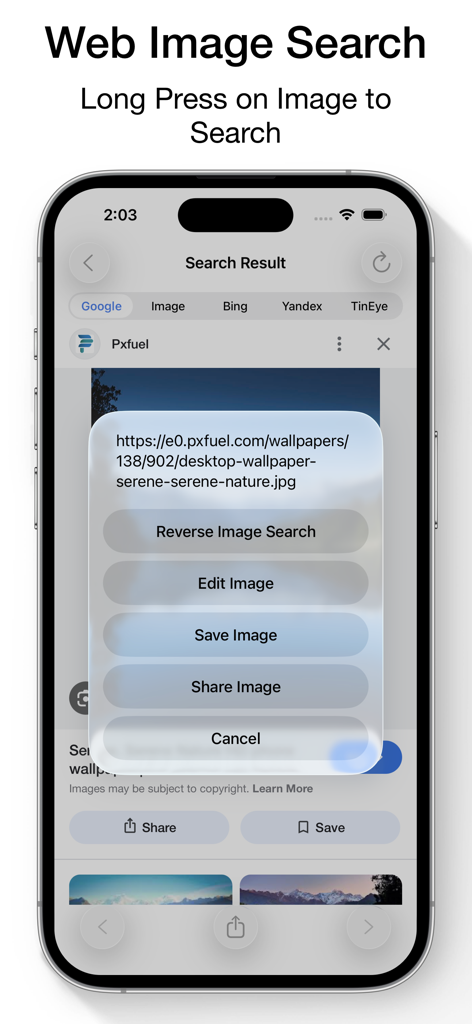
Reverse Image Search & AI Lens - 複数のエンジンを使用して逆引き検索を実行するための、ウェブ画像上の長押しコンテキストメニューを表示するインターフェース
複数のエンジンを使用して逆引き検索を実行するための、ウェブ画像上の長押しコンテキストメニューを表示するインターフェース

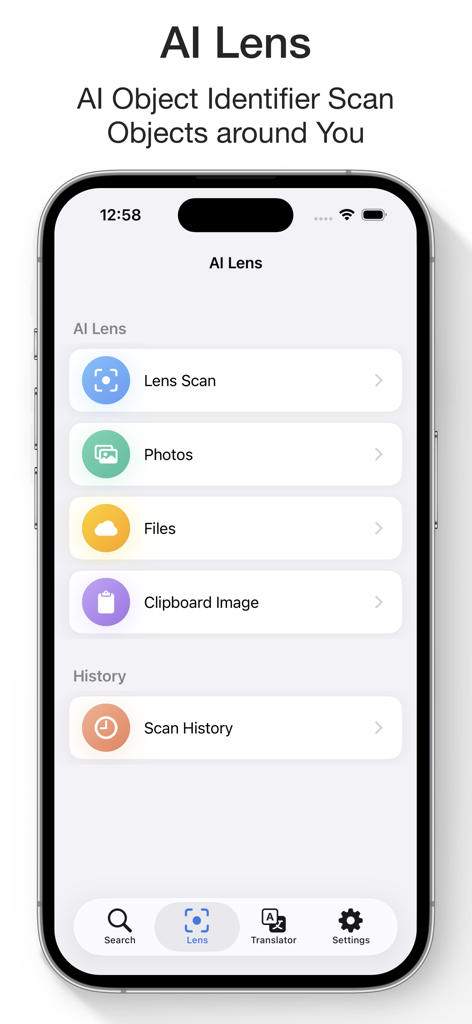
Reverse Image Search & AI Lens - カメラの写真やファイルを介してオブジェクトをスキャン・特定するためのAIレンズインターフェース
カメラの写真やファイルを介してオブジェクトをスキャン・特定するためのAIレンズインターフェース

Reverse Image Search & AI Lens - 似たような家具アイテムを表示する画像検索アプリのAI検索結果

似たような家具アイテムを表示する画像検索アプリのAI検索結果

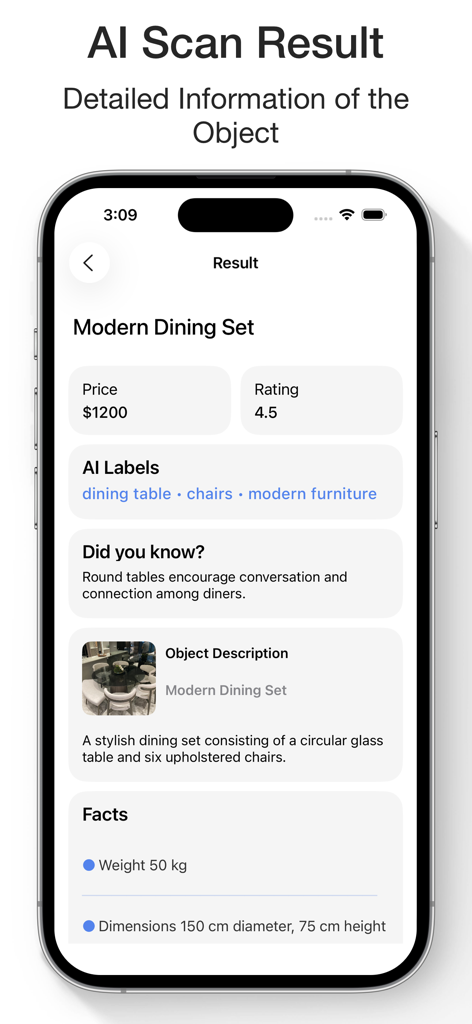
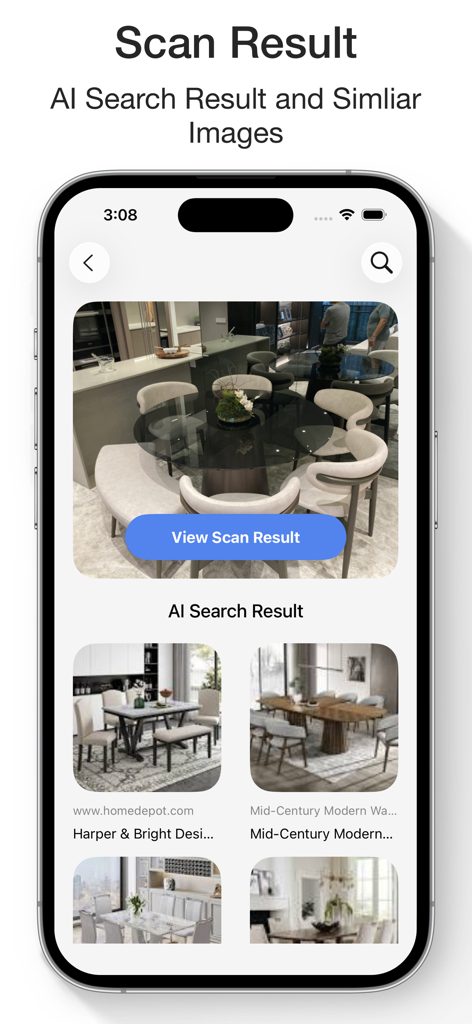
Reverse Image Search & AI Lens - 価格、評価、オブジェクトの詳細を表示するモダンなダイニングセットのAIスキャン結果
価格、評価、オブジェクトの詳細を表示するモダンなダイニングセットのAIスキャン結果

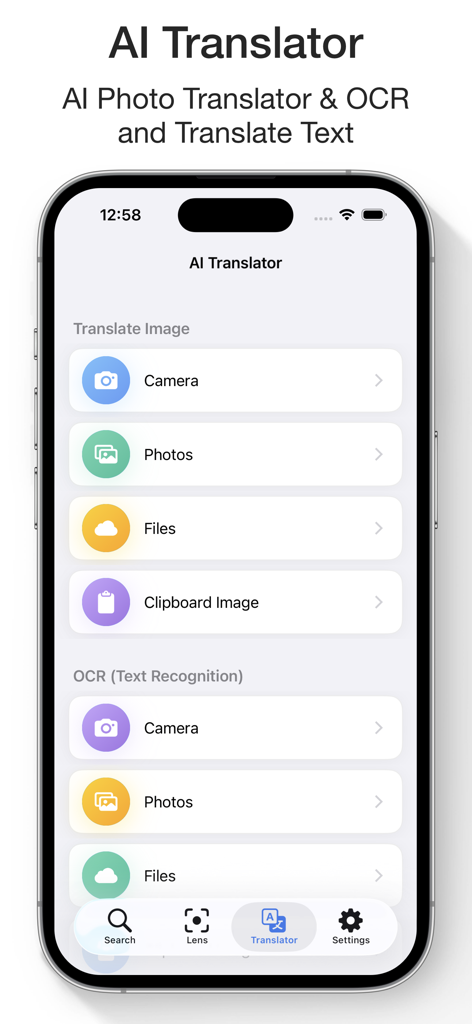
Reverse Image Search & AI Lens - 画像やファイルからテキストを翻訳するためのAI翻訳機とOCRインターフェース
画像やファイルからテキストを翻訳するためのAI翻訳機とOCRインターフェース

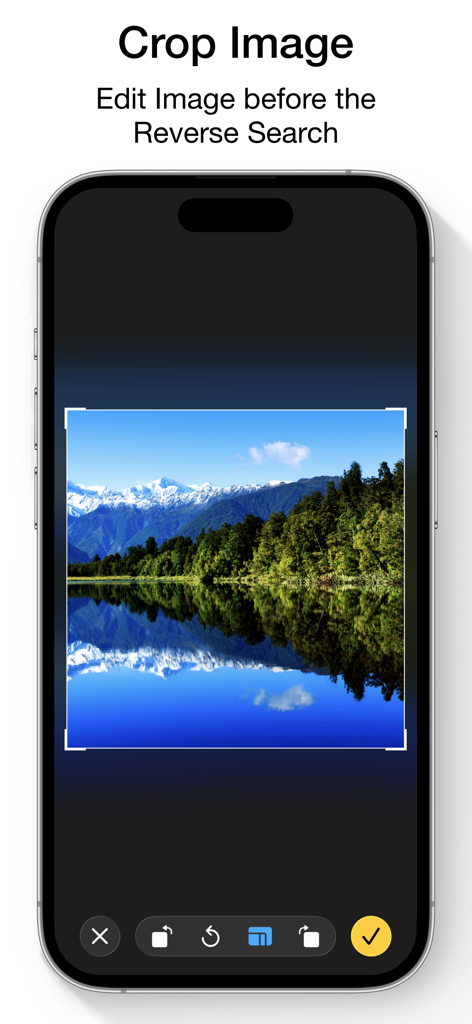
Reverse Image Search & AI Lens - 画像検索を実行する前に画像を編集するために使用する切り抜きツールを表示するモバイルアプリのインターフェース
画像検索を実行する前に画像を編集するために使用する切り抜きツールを表示するモバイルアプリのインターフェース

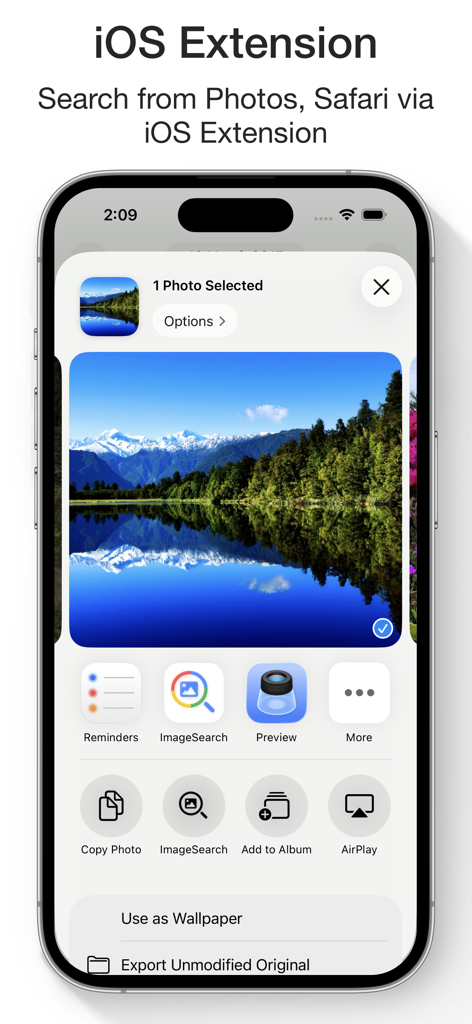
Reverse Image Search & AI Lens - 画像検索アプリのiOS共有拡張機能を表示するiPhone画面

画像検索アプリのiOS共有拡張機能を表示するiPhone画面

説明

Reverse Image Search & AI Lens Search by Image, Photo, or URL – Identify Anything Instantly Ever wondered where a photo came from or who’s in it? Want to verify content, find similar images, or identify products and places? Reverse Image Search & AI Lens lets you instantly search using any image — powered by Google Lens, Bing, Yandex, and TinEye. Perfect for detecting fake photos, tracing sources, discovering high-res versions, and identifying anything with AI. Reverse Image & Keyword Search • Search by image from Camera, Photo Library, Clipboard, or Files • Paste any image URL to search instantly • Use Google Lens, Bing, Yandex, and TinEye for best results • Crop and rotate images before searching • Search directly from Safari, Photos, and other apps via Share Extension • Long press images in the built-in browser to search • Search by keywords and phrases • View and reuse your image search history • Save images from results to your device AI Lens – Object Identifier • Identify landmarks, animals, plants, products, people, places and more • Get instant info: names, facts, background details • Auto-save your scan history • Ask AI Chat for more in-depth explanations and insights about your images • View and continue your AI Chat history anytime AI Translator with OCR • Translate text from images into 40+ languages • Extract text with high-accuracy OCR • Translate pasted or typed text instantly • Copy, save, and share translations • Access your translation history anytime WHY CHOOSE REVERSE IMAGE SEARCH & AI LENS? • Identify anything in a photo with AI • Trace photo origins and sources • Detect fake or edited images • Discover visually similar or higher-resolution versions • Great for verifying social media photos, memes, or dating profiles • All-in-one tool for reverse image search, object recognition, and text translation SUBSCRIPTION: Payment will be charged to your iTunes Account upon confirmation of purchase. Subscriptions automatically renew unless auto-renew is turned off at least 24 hours before the end of the current period. Your account will be charged for renewal within 24 hours prior to the end of the current period based on the selected plan. You can manage subscriptions and turn off auto-renewal by visiting your Account Settings. Any unused portion of a free trial period will be forfeited when purchasing a subscription. Terms of Service: https://www.ipopapp.com/image/terms-of-service/ Privacy Policy: https://www.ipopapp.com/image/privacy-policy/ DISCLAIMER: This app uses Google, Bing, Yandex, and TinEye within its built-in web browser to perform reverse image searches. It is not affiliated with or endorsed by any of these services.

Download

ダウンロード: App Store

このページはアプリまたはその開発者の公式ページではなく、情報提供および論評を目的として作成された独立した編集出版物です。明示的に別段の記載がない限り、アプリおよびその開発者は、MWM、Apple、Google Play、アプリのパブリッシャー、またはアプリの開発者と提携、承認、後援、認可、またはその他の公式的な関係はなく、このページのいかなる内容も、アプリがMWMのサービスを使用して開発されたことを意味するものではありません。すべての商標、ロゴ、スクリーンショット、その他のコンテンツはそれぞれの所有者の財産です。