
このページはアプリまたはその開発者の公式ページではなく、情報提供および論評を目的として作成された独立した編集出版物です。明示的に別段の記載がない限り、アプリおよびその開発者は、MWM、Apple、Google Play、アプリのパブリッシャー、またはアプリの開発者と提携、承認、後援、認可、またはその他の公式的な関係はなく、このページのいかなる内容も、アプリがMWMのサービスを使用して開発されたことを意味するものではありません。すべての商標、ロゴ、スクリーンショット、その他のコンテンツはそれぞれの所有者の財産です。


Ringtone Maker Garage
iPhoneを凡庸さから解放しろ。ありふれた通知音に終止符を打ち、あなたのサウンドで画面を支配する力を手に入れろ。
ダウンロード
1M+ユーザー評価
評価数
11.9K開発元
カテゴリ
Music対応言語
6最新バージョン
1.4.8サイズ
100.8 MBリリース日
2020年11月9日モバイルパーソナライゼーションを志向するユーザー層への影響評価
Ringtone Maker Garage: 主要機能分析
豊富な壁紙コレクション
このツールは、iPhoneのホーム画面およびロック画面用の壁紙を豊富に提供し、ユーザーがデバイスの視覚的なカスタマイズをさらに深めることを可能にします。
ローカルメディアからのカスタム着信音作成
ユーザーは、iTunesライブラリの楽曲やビデオから音声を抽出し、独自の着信音を簡単に作成し、デバイスをパーソナライズできます。
多岐にわたる厳選着信音カタログ
本アプリは、多様な音楽ジャンル(TikTokを含む)にわたる豊富な着信音カタログを提供し、ユーザーが流行のサウンドや特定の雰囲気に合った選択肢を見つけることを支援します。
GarageBand経由でのシームレスなインストール
このアプリは、作成した着信音をGarageBandを通じてiPhoneにスムーズにインストールする手順を提供し、ユーザーの利便性を高めます。
包括的なサウンドパーソナライゼーション
本ツールは、ユーザーが着信音、アラーム音、テキスト通知音を多様な音楽ジャンルから自由に設定し、デバイスの音響体験をカスタマイズすることを可能にします。
高度なオーディオ編集機能
本ツールは、ユーザーが作成した着信音のオーディオファイルをトリミングし、フェードイン・フェードアウト効果を加えることで、プロフェッショナルな仕上がりを実現します。
ビデオからの音声抽出
ユーザーは、お気に入りのビデオから音声を抽出し、それを独自の着信音として活用できます。
定期的に更新される人気着信音
このアプリは、人気のある着信音セクションを定期的に更新し、ユーザーが常に最新のトレンドサウンドをデバイスに設定できるようにします。
オーディオ録音による着信音作成
ユーザーは、自身の声や周囲の音を録音し、それをパーソナルな着信音として設定できます。
着信音のお気に入り登録と共有
ユーザーは、お気に入りの着信音をブックマークして後で簡単にアクセスできるほか、友人との共有機能を通じて発見を広げることができます。
よくある質問
について知っておくべきこと Ringtone Maker Garage
Can I create custom ringtones using the Ringtone Maker Garage app?
Yes, Ringtone Maker Garage allows users to create custom ringtones for iPhone from local iTunes songs, extracted audio from videos, or newly recorded audio. The app provides tools to trim, fade in, and fade out audio files.
Does Ringtone Maker Garage support creating ringtones from video files?
Yes, Ringtone Maker Garage enables users to extract audio directly from videos to use them as custom ringtones for their iPhone. This feature is detailed within the app's capabilities.
Can I record my own audio to make ringtones with Ringtone Maker Garage?
Yes, Ringtone Maker Garage allows users to record their own audio directly within the app. This recorded audio can then be used to create personalized ringtones for an iPhone.
How do I install ringtones created with Ringtone Maker Garage on my iPhone without using a computer?
Ringtone Maker Garage supports installing ringtones via GarageBand directly on your iPhone without a PC. You access "My Tones," select "Install via GarageBand," and then export the ringtone from GarageBand.
What music genres are available for ringtones in Ringtone Maker Garage?
Ringtone Maker Garage offers a rich collection of ringtones across various genres, including HipHop, Funky, Jazz, Rock, Classical, Children, Comedy, Reggae, TikTok, Blues, Latin, Instrumental, Rap, R&B, Souls, Pop, and Folk.
Does Ringtone Maker Garage provide wallpapers for iPhone customization?
Yes, Ringtone Maker Garage offers a large selection of wallpapers. Users can personalize both their iPhone's home screen and lock screen with a variety of aesthetic and cute backgrounds available in the app.
Is the Ringtone Maker Garage app free to download and use?
Yes, Ringtone Maker Garage is free to download. However, accessing the app's full functionality requires signing up for an auto-renewing subscription.
What are the subscription options for Ringtone Maker Garage?
Ringtone Maker Garage offers weekly and yearly auto-renewable subscriptions. Subscriptions with a free trial automatically renew unless canceled 24 hours before the trial ends. Payment charges to your iTunes Account.
以下のスクリーンショットと説明は、アプリの公式ストアリスティングから直接取得されたものであり、アプリ開発者の所有物です。
アプリストア
スクリーンショット
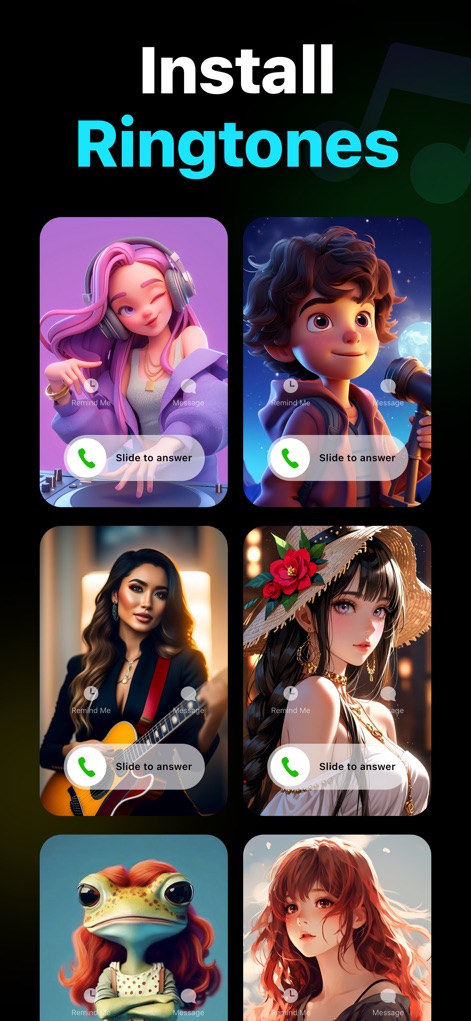
ユーザーは、AI生成された魅力的なキャラクター画像と「Slide to answer」UIを通じて、多様な着信音のインストールオプションを視覚的に確認できます。
着信音をインストール
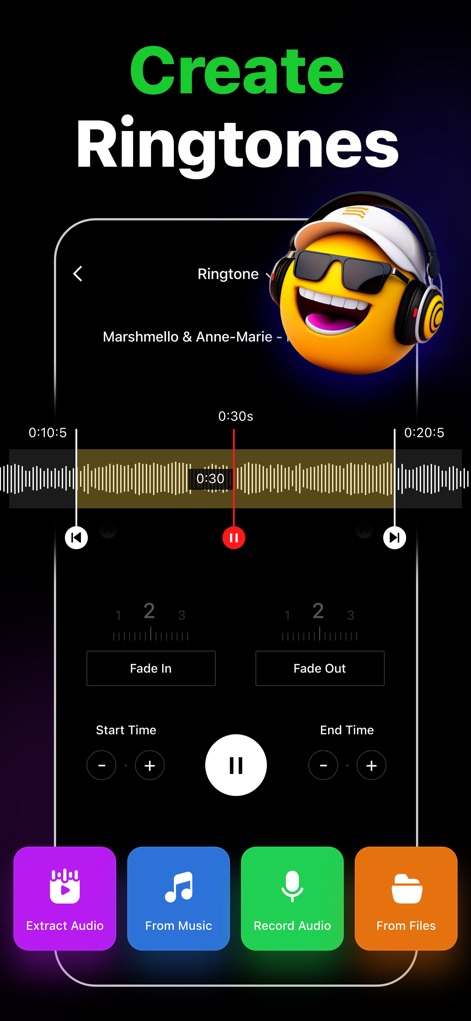
直感的なインターフェースで、ユーザーは音楽の波形表示とフェードイン・フェードアウト機能を活用し、独自の着信音を精密に作成できます。
着信音作成ツール
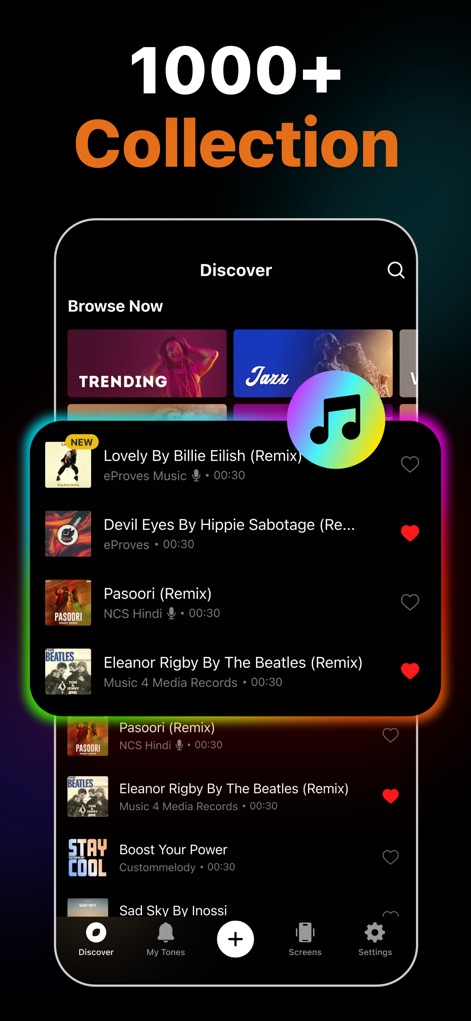
トレンディングのジャンルカテゴリと詳細な曲リストを閲覧し、ユーザーは1000以上の着信音コレクションからお気に入りの音楽を簡単に見つけられます。
豊富な音楽コレクション
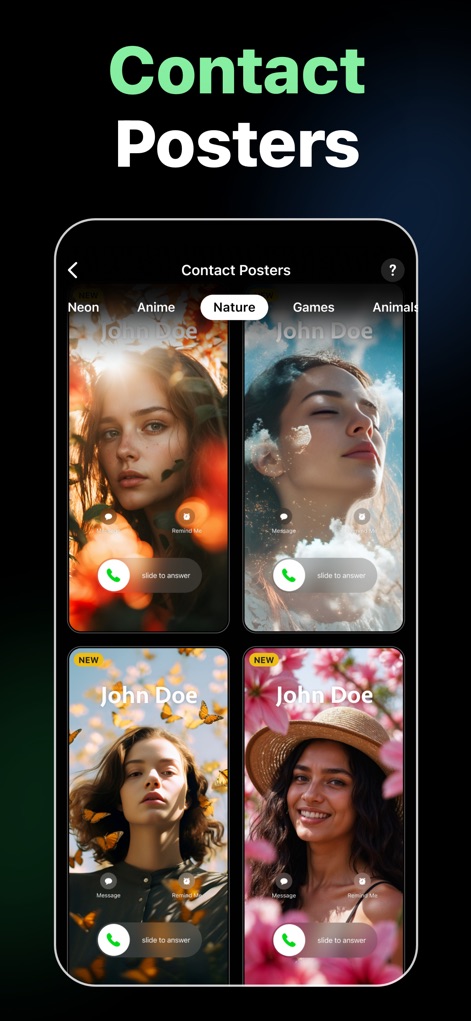
魅惑的なAI生成ポートレートと「Slide to answer」インターフェースにより、ユーザーは連絡先ポスターを個性的でスタイリッシュにカスタマイズできます。
連絡先ポスター
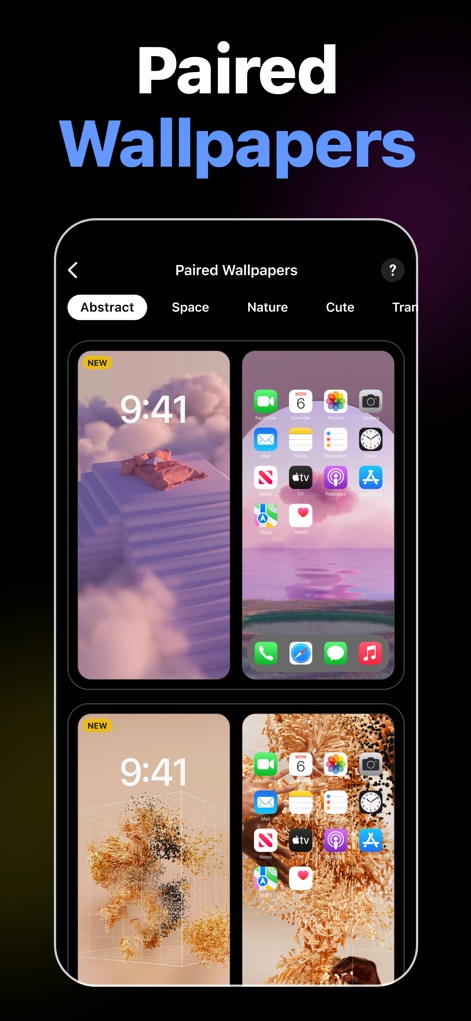
ロック画面とホーム画面の両方をカスタマイズできる壁紙のペアが提示されており、ユーザーは統一感のあるビジュアル体験を実現できます。
ペア壁紙コレクション
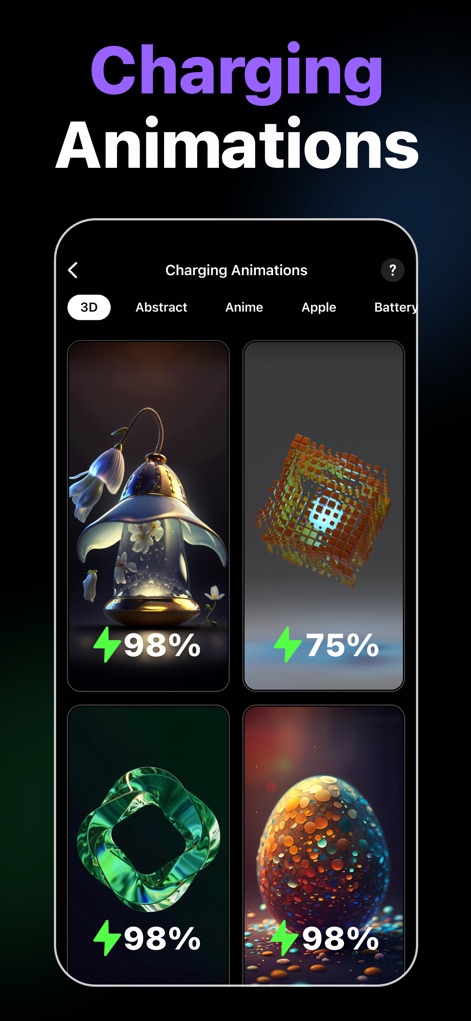
多彩な充電アニメーションが提供されており、ユーザーは視覚的に魅力的なエフェクトと充電パーセンテージ表示で充電体験をパーソナライズできます。
充電アニメーション
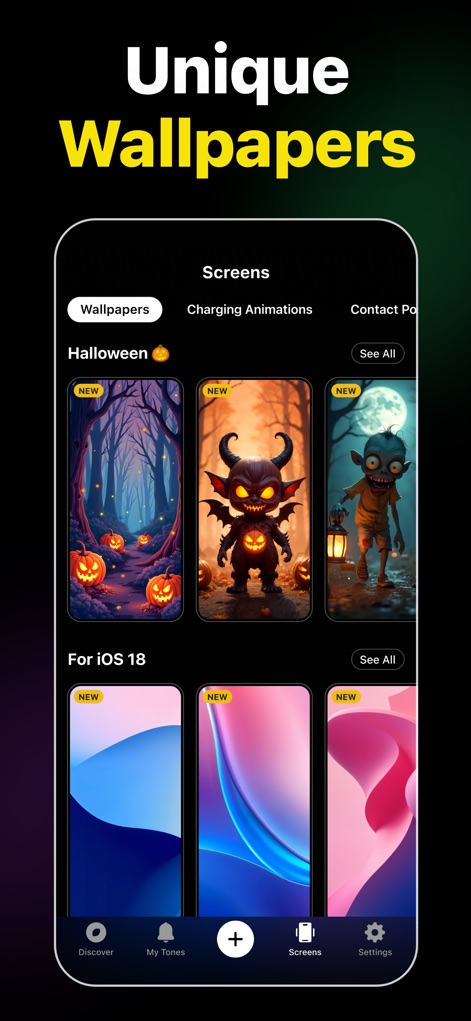
ハロウィンのテーマを含む多様な新しい壁紙とiOS 18スタイルのデザインが提供され、ユーザーはデバイスの見た目を刷新できます。
ユニークな壁紙
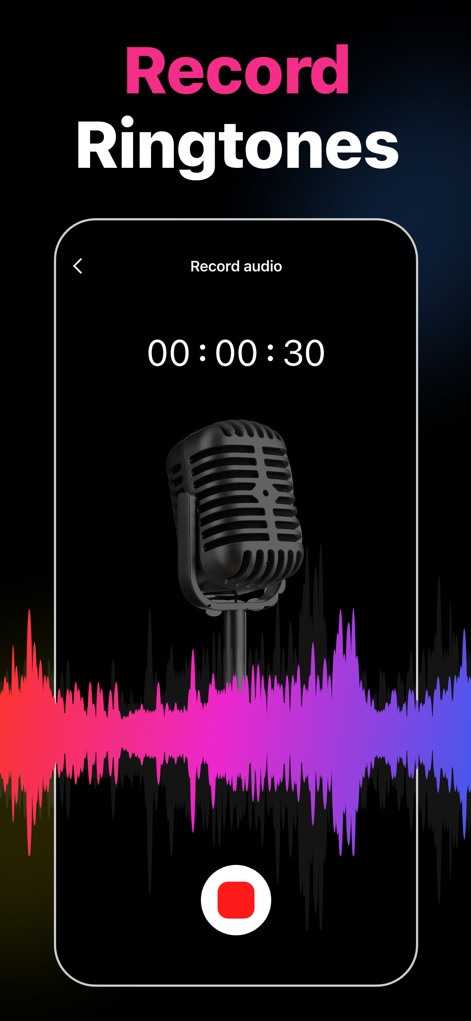
マイクアイコンとカラフルなオーディオ波形が表示され、ユーザーは独自の音声を直接録音して着信音として利用できます。
着信音を録音
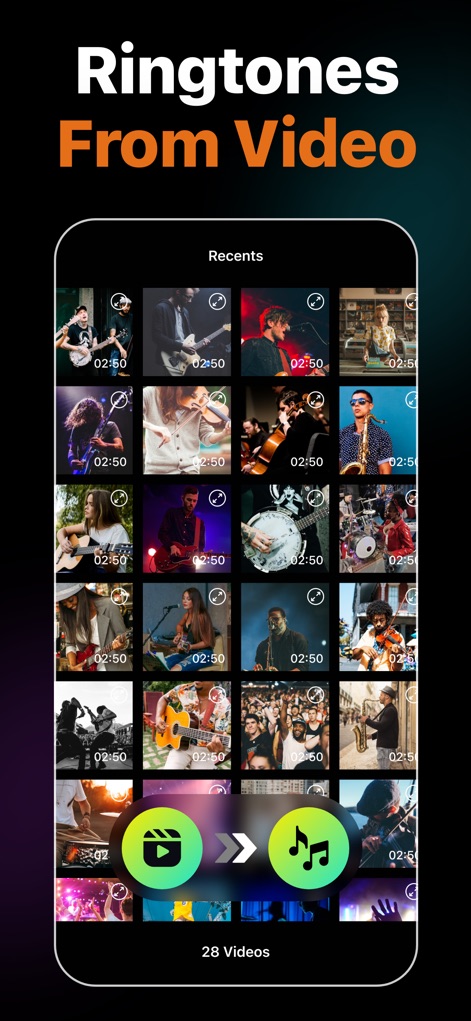
ビデオサムネイルのギャラリーと音声抽出ボタンが示されており、ユーザーは手持ちの動画から簡単にオーディオを抽出し着信音として使用できます。
動画から着信音作成
説明
Download
類似アプリ
似た機能とユーザー体験を持つアプリ
Ringtones Maker - the ring app
苏娟 陈

LittyTone:Ringtone & AI Voice
Shenzhen Chuangyuan Huaqi technology Co., LTD
Garage Ringtones for iPhone
Appflow Software - FZCO

ClipTone: Ringtone & AI Cover
BUD TECHNOLOGIES, PTE. LTD.
Music Editor Cut MP3 Converter
Dream United, Ltd.

Mp3 Cutter - M4a, Music Cutter
TOWER OF HANOI SOFTWARE COMPANY LIMITED

Ringtone Maker & MP3 Converter
Oleksandr Pylaiev

Ringtone Maker +
迪刚 宋
Any Ringtones
Ion Danilov
このページはアプリまたはその開発者の公式ページではなく、情報提供および論評を目的として作成された独立した編集出版物です。明示的に別段の記載がない限り、アプリおよびその開発者は、MWM、Apple、Google Play、アプリのパブリッシャー、またはアプリの開発者と提携、承認、後援、認可、またはその他の公式的な関係はなく、このページのいかなる内容も、アプリがMWMのサービスを使用して開発されたことを意味するものではありません。すべての商標、ロゴ、スクリーンショット、その他のコンテンツはそれぞれの所有者の財産です。