S3 Client - Files location
ダウンロード: App Store

このページはアプリまたはその開発者の公式ページではなく、情報提供および論評を目的として作成された独立した編集出版物です。明示的に別段の記載がない限り、アプリおよびその開発者は、MWM、Apple、Google Play、アプリのパブリッシャー、またはアプリの開発者と提携、承認、後援、認可、またはその他の公式的な関係はなく、このページのいかなる内容も、アプリがMWMのサービスを使用して開発されたことを意味するものではありません。すべての商標、ロゴ、スクリーンショット、その他のコンテンツはそれぞれの所有者の財産です。


ロゴ: S3 Client - Files location
ダウンロード: App Store

S3 Client - Files location

AWS S3、Cloudflare R2、Backblaze B2をローカルフォルダのように管理。iPhone、iPad、Macでシームレスなワークフローを実現する、プロレベルの暗号化と強力なショートカット自動化。

主要数値

ダウンロード

38K+

ユーザー評価

4.7/5

評価数

100

開発元

Anders Borum ApS

カテゴリ

Developer Tools

対応言語

5

最新バージョン

2026.2

サイズ

37.0 MB

リリース日

2023年6月29日
機能

モダンなクラウドプロフェッショナルのために構築

S3互換ストレージをAppleエコシステムにシームレスに統合。Filesアプリのネイティブな操作感でAWS、R2、B2を管理。

ネイティブFinder&Files統合

使いにくいWebコンソールはもう不要。オンデマンド同期により、FilesアプリまたはmacOS Finderから直接バケットにアクセス。

ショートカット&自動化

複雑なワークフローを構築。強力なiOSショートカットエンジンを使用して、アップロード、ファイル移動、リンク生成を自動化。

以下のスクリーンショットと説明は、アプリの公式ストアリスティングから直接取得されたものであり、アプリ開発者の所有物です。

アプリストア

スクリーンショット
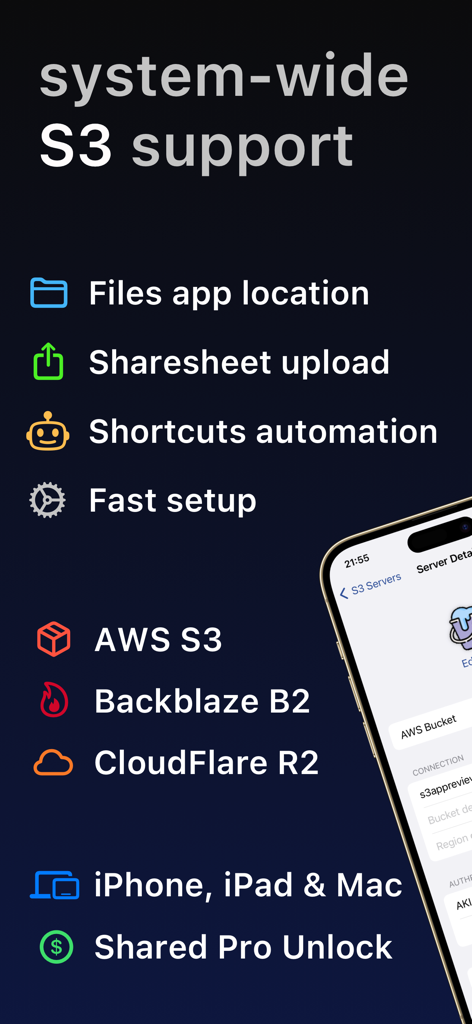
S3 Client - Files location - S3 Clientアプリの概要。iPhone、iPad、Macでショートカット自動化とFilesアプリ統合を備えた、AWS、Backblaze B2、Cloudflare R2のシステム全体S3サポートを表示。
S3 Clientアプリの概要。iPhone、iPad、Macでショートカット自動化とFilesアプリ統合を備えた、AWS、Backblaze B2、Cloudflare R2のシステム全体S3サポートを表示。

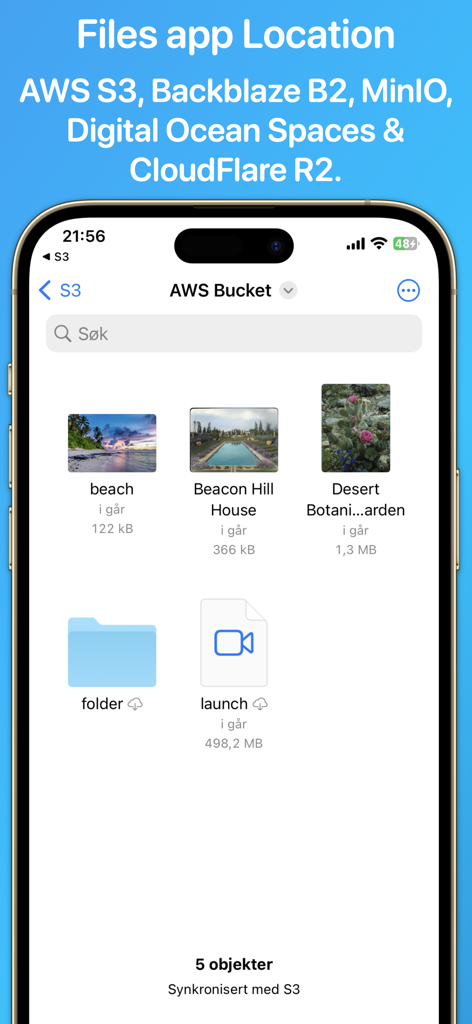
S3 Client - Files location - iPhone上のS3 Clientアプリのインターフェース。AWS S3バケット内のファイルとフォルダを表示。
iPhone上のS3 Clientアプリのインターフェース。AWS S3バケット内のファイルとフォルダを表示。

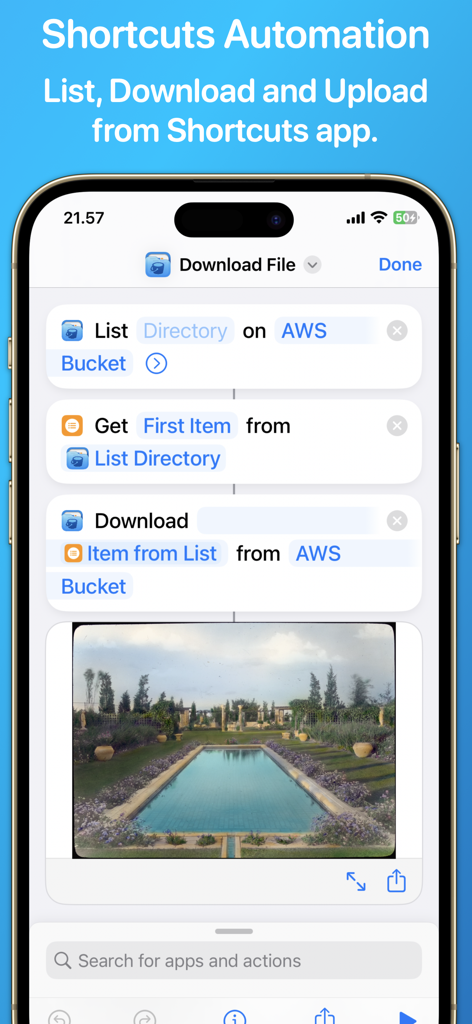
S3 Client - Files location - S3 ClientアプリとiOSショートカットの統合。AWS S3バケットからのファイルのリストアップとダウンロードを自動化するワークフローを表示。
S3 ClientアプリとiOSショートカットの統合。AWS S3バケットからのファイルのリストアップとダウンロードを自動化するワークフローを表示。

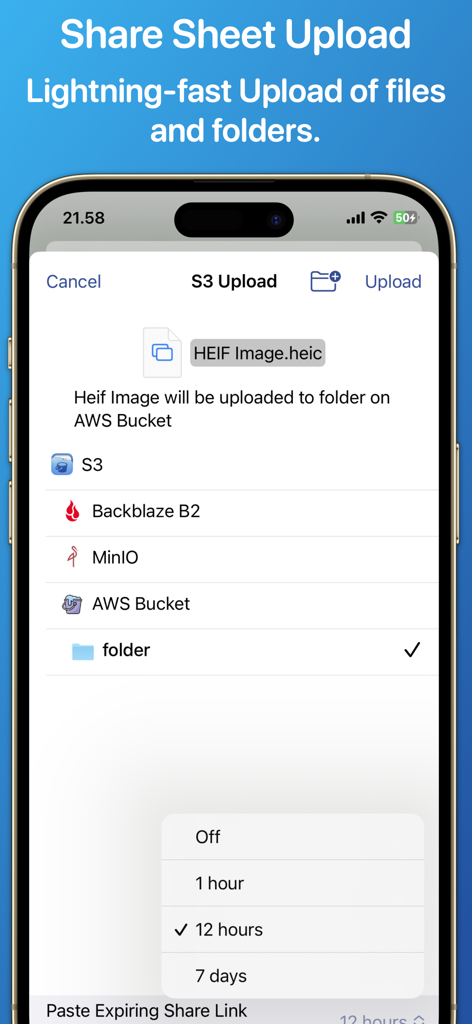
S3 Client - Files location - S3 Clientアプリのインターフェース。期限付き共有リンクのオプションと共に、AWS S3バケットへのファイルアップロードを表示。

S3 Clientアプリのインターフェース。期限付き共有リンクのオプションと共に、AWS S3バケットへのファイルアップロードを表示。

説明

Access your S3 storage directly from the Files app, Finder, and other applications on iPhone, iPad, and Mac. Developed by the creator of Working Copy, this application provides seamless integration with S3-compatible storage services. Once configured, S3 buckets appear alongside other cloud storage providers, with files available on demand. Files are downloaded as needed and automatically synchronized back to S3 when modified. The app supports a wide range of S3-compatible services, including AWS S3, BackBlaze B2, CloudFlare R2, DigitalOcean Spaces, MinIO, and others. Files and directories can be uploaded through the system share sheet on iOS and the Services menu on macOS. The app remembers preferred upload destinations for different file types, streamlining file management. Pre-signed sharing links can be generated directly from Finder and the Files app, allowing temporary access to files for up to seven days. Support for server-side encryption with customer-provided keys (SSE-C) and client-side AES-GCM encryption compatible with the Amazon S3 Encryption Client. Comprehensive support for Shortcuts automation enables operations such as listing, downloading, uploading, and moving files. A Pro Unlock is required for most features, available as a one-time purchase or a monthly subscription, with access shared across iPhone, iPad, and Mac. A one-week free trial allows users to evaluate the app before purchase.

Download

ダウンロード: App Store

このページはアプリまたはその開発者の公式ページではなく、情報提供および論評を目的として作成された独立した編集出版物です。明示的に別段の記載がない限り、アプリおよびその開発者は、MWM、Apple、Google Play、アプリのパブリッシャー、またはアプリの開発者と提携、承認、後援、認可、またはその他の公式的な関係はなく、このページのいかなる内容も、アプリがMWMのサービスを使用して開発されたことを意味するものではありません。すべての商標、ロゴ、スクリーンショット、その他のコンテンツはそれぞれの所有者の財産です。








