SC Class Assistant Pro
ダウンロード: App Store

このページはアプリまたはその開発者の公式ページではなく、情報提供および論評を目的として作成された独立した編集出版物です。明示的に別段の記載がない限り、アプリおよびその開発者は、MWM、Apple、Google Play、アプリのパブリッシャー、またはアプリの開発者と提携、承認、後援、認可、またはその他の公式的な関係はなく、このページのいかなる内容も、アプリがMWMのサービスを使用して開発されたことを意味するものではありません。すべての商標、ロゴ、スクリーンショット、その他のコンテンツはそれぞれの所有者の財産です。

ロゴ: SC Class Assistant Pro
ダウンロード: App Store

SC Class Assistant Pro

数回のタップで出席を記録し、行動をログに記録し、公平な生徒の参加を確保します。効率と実用的なデータを重視するK-12教育者のためのオールインワン・ビジュアルツールです。

主要数値

ダウンロード

400

ユーザー評価

3.8/5

評価数

0

開発元

Robert Wilkens

カテゴリ

Education

対応言語

12

最新バージョン

5.3

サイズ

50.9 MB

リリース日

2017年10月20日
機能

自信を持って教室をマスターしよう

整理整頓、公平性、データに基づいた指導を重視する教育者のために設計されたオールインワン・デジタルアシスタント。すべてカスタム座席表から直接管理できます。

視覚的な座席管理

実際の教室レイアウトに直接触れて、出席と行動を記録します。リストをスクロールする必要はもうありません。生徒の写真をタップするだけで、数秒でデータを記録できます。

保証された生徒の公平性

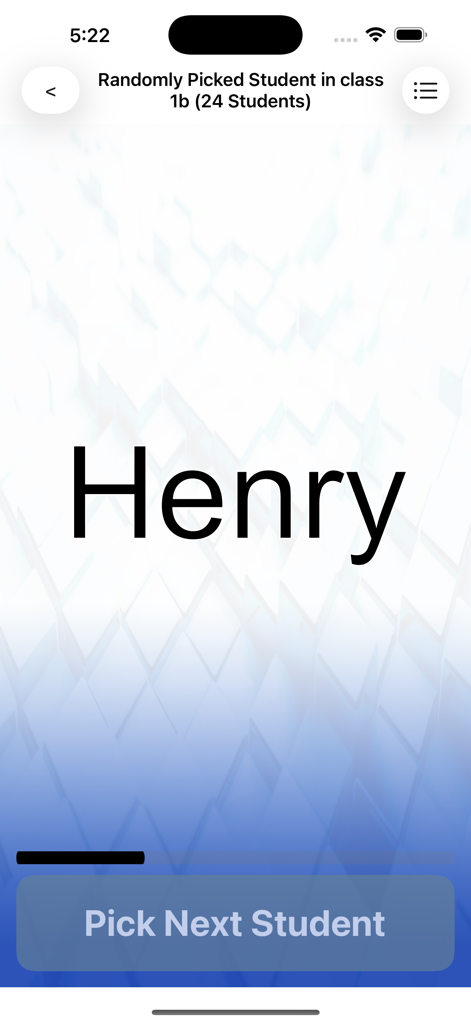
欠席者を自動的にスキップし、全員が繰り返される前に一度だけ選択される、真に公平なランダムピッカーで、すべての声が聞かれるようにします。

以下のスクリーンショットと説明は、アプリの公式ストアリスティングから直接取得されたものであり、アプリ開発者の所有物です。

アプリストア

スクリーンショット
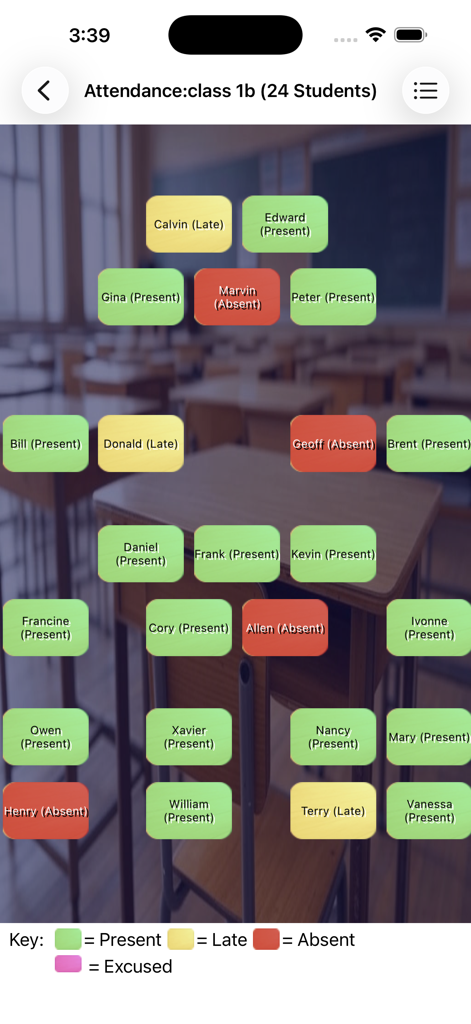
SC Class Assistant Pro - SCクラスアシスタントProで生徒の出席状況を示す視覚的な座席表

SCクラスアシスタントProで生徒の出席状況を示す視覚的な座席表

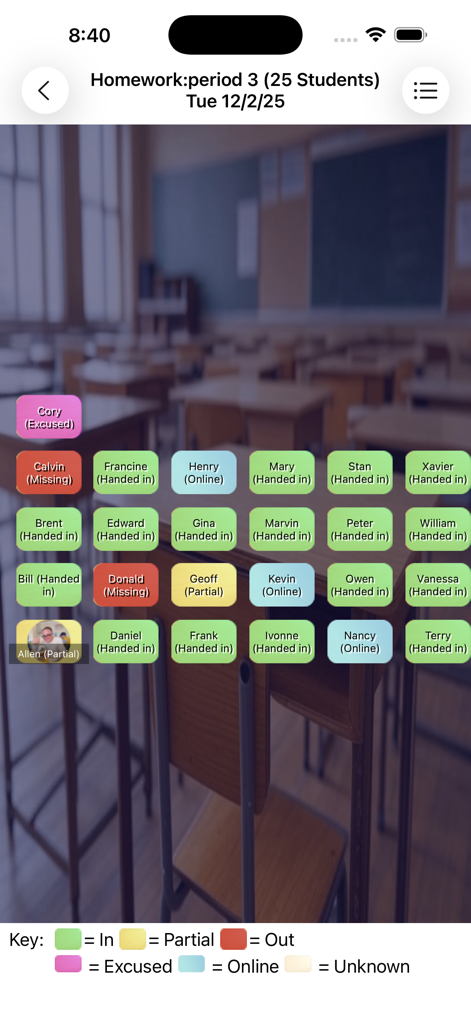
SC Class Assistant Pro - 色分けされたラベルで生徒の宿題状況を追跡するための座席表インターフェース。
色分けされたラベルで生徒の宿題状況を追跡するための座席表インターフェース。

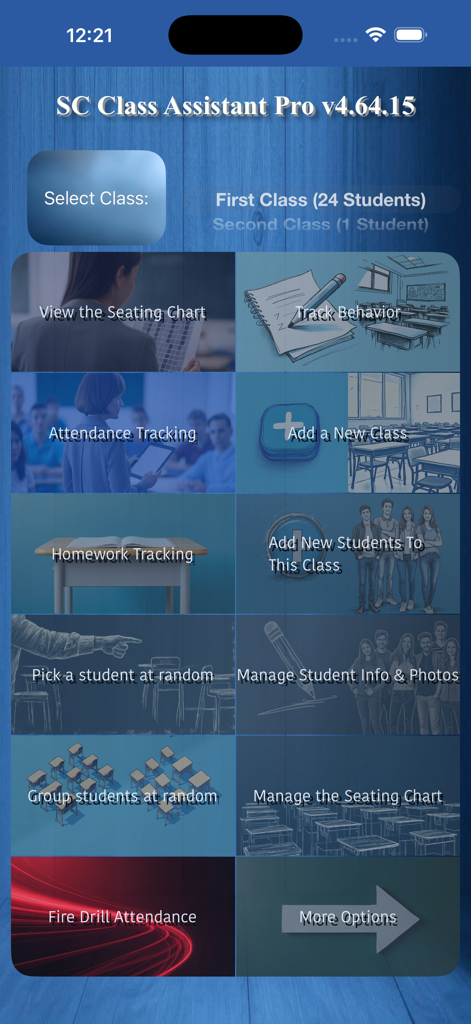
SC Class Assistant Pro - 座席表、出席、行動追跡のオプションを備えたSCクラスアシスタントProアプリのメインダッシュボード
座席表、出席、行動追跡のオプションを備えたSCクラスアシスタントProアプリのメインダッシュボード

SC Class Assistant Pro - SCクラスアシスタントProアプリのランダム生徒ピッカーインターフェース

SCクラスアシスタントProアプリのランダム生徒ピッカーインターフェース

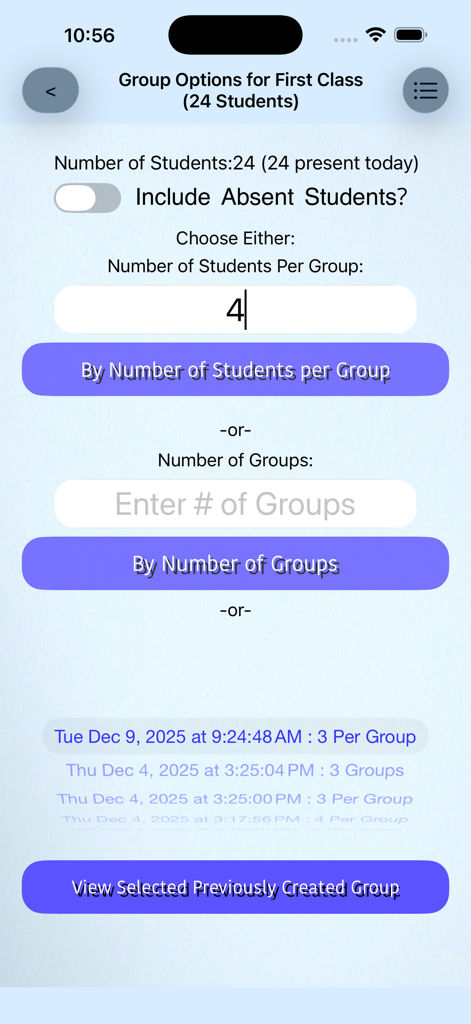
SC Class Assistant Pro - 学生をグループに整理するためのオプションを示すSCクラスアシスタントPro教師ユーティリティアプリのランダムグループジェネレーター画面。
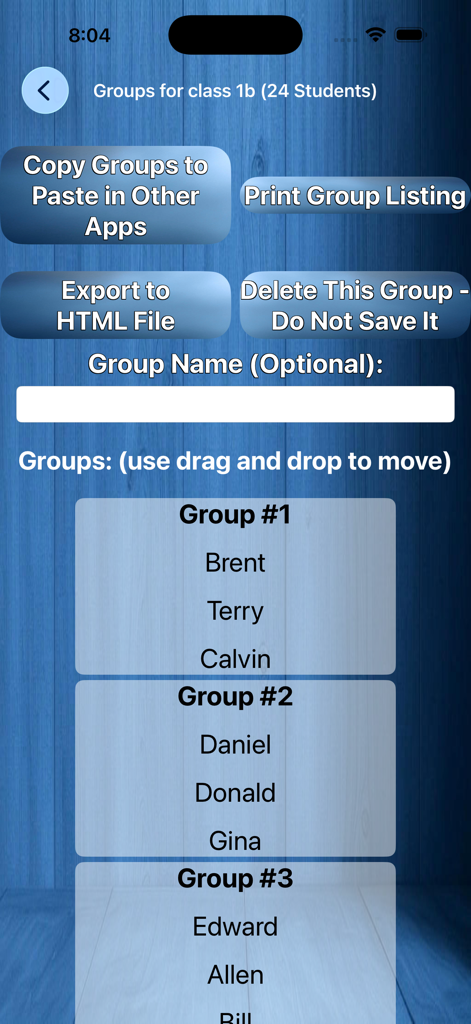
学生をグループに整理するためのオプションを示すSCクラスアシスタントPro教師ユーティリティアプリのランダムグループジェネレーター画面。

SC Class Assistant Pro - 管理ボタン付きの3つのグループに編成された学生を示すインターフェース

管理ボタン付きの3つのグループに編成された学生を示すインターフェース

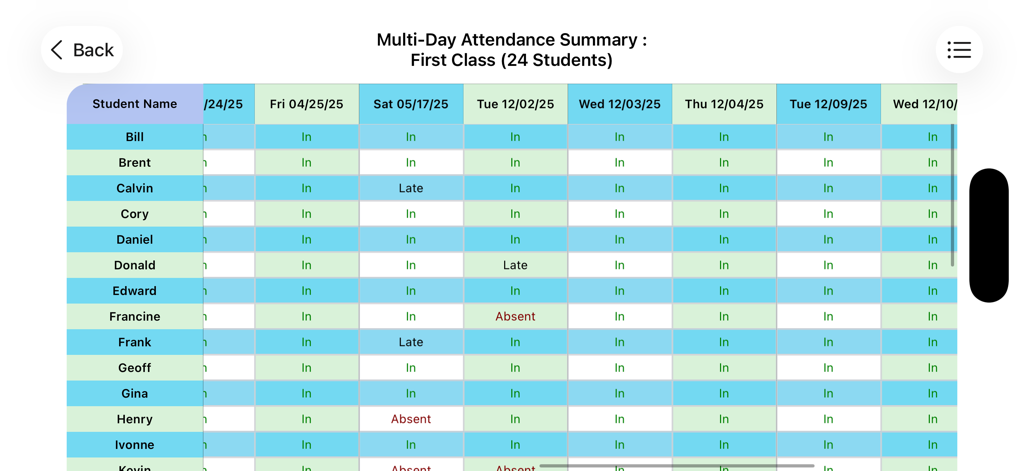
SC Class Assistant Pro - 生徒の名前とそのステータスを表形式で示す複数日の出席概要レポート

生徒の名前とそのステータスを表形式で示す複数日の出席概要レポート

説明

Empower your teaching with the classroom management app designed to make attendance and behavior tracking as easy as tapping on a seating chart, while boosting engagement with a random student picker and group maker. • Seating-Chart based Attendance & Homework Tracking Record attendance — even during fire drills — and log homework with one tap on your customizable seating chart. • Powerful Behavior Management Track any behavior (“Talkative,” “Helpful,” “Participated,” etc.) directly on the seating chart. Generate printable individual day or multi-day summaries. • Truly Fair Random Student Picker Call on students randomly while automatically skipping absentees. Every present student is selected exactly once per day before anyone repeats — ensuring fair participation. • Flexible Group Generator Create random groups in seconds and fine-tune them with drag-and-drop. Save multiple group sets and switch between them instantly. • Fully Customizable Seating Charts Recreate your exact classroom layout. Add student photos, drag and drop to rearrange seats, or reshuffle everything with a single tap. If there are extra empty seats, long-press the seat to pop up a menu option to delete that seat, or use the option to hide all empty seats if desired. • Easy Class Setup Getting started videos on support page. You can import your roster from a CSV (headers with field names required), plain text files supported (just names, no headers) — compatible with exports from most major Student Information System platforms. Manual entry is available too. • Multi-Day Reports & Printing View or print attendance, homework, and behavior summaries across multiple days. • Quick Exam Grade calculator included You select the number of questions on the exam, you then choose (by scrolling or viewing a table) the number of incorrect answers, and it gives you back a percentage of correct answers - this presumes all questions are equally rated, and was a requested feature. Seating charts support: * Pinch-to-Zoom (scale the whole chart) * Pinch-to-Adjust Text Size (scale only student name labels) Text-size pinch gestures are also supported in other views, like the random picker and group lists. Rotate to landscape for a better fit. On some macOS systems, a trackpad may be required for pinch gestures. Terms of Use (EULA): https://www.apple.com/legal/internet-services/itunes/dev/stdeula/

Download

ダウンロード: App Store

このページはアプリまたはその開発者の公式ページではなく、情報提供および論評を目的として作成された独立した編集出版物です。明示的に別段の記載がない限り、アプリおよびその開発者は、MWM、Apple、Google Play、アプリのパブリッシャー、またはアプリの開発者と提携、承認、後援、認可、またはその他の公式的な関係はなく、このページのいかなる内容も、アプリがMWMのサービスを使用して開発されたことを意味するものではありません。すべての商標、ロゴ、スクリーンショット、その他のコンテンツはそれぞれの所有者の財産です。