ScanSnap Home

ScanSnap Home

ダウンロード: App Store
ロゴ: ScanSnap Home

ScanSnap Home:PC不要でプロフェッショナルなペーパーレス生産性

iPhoneまたはiPadをモバイルスキャンパワーハウスに変えましょう。OCRによる簡単なデジタル化、自動整理、どこからでもドキュメントにアクセス—コンピューターは不要です。

開発元

PFU LIMITED

カテゴリ

Utilities

ダウンロード

96K+

ユーザー評価

4.6/5

評価数

3K+

対応言語

11

ペーパーレスワークフローを視覚化

このインターフェースを利用する 96K+ 人のユーザー.

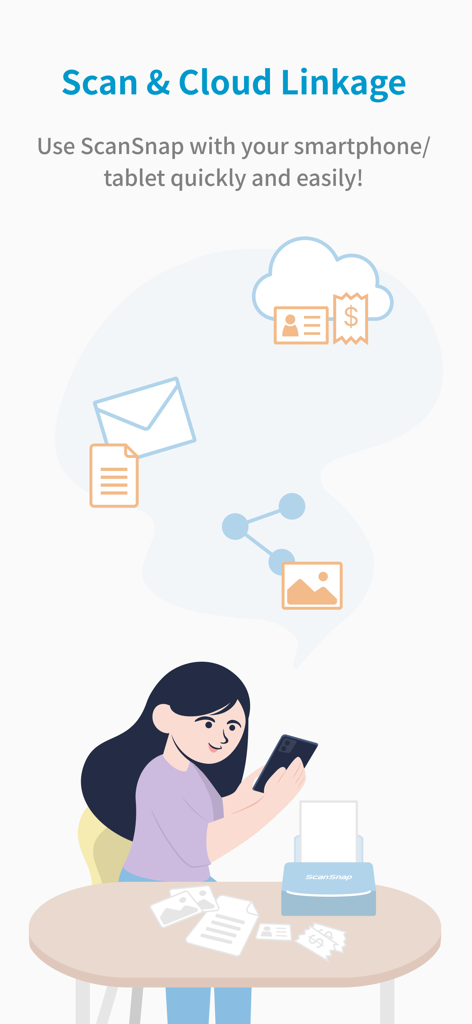
女性がスマートフォンでScanSnap Homeアプリを使用して紙のドキュメントをスキャンし、クラウドに同期している様子を示すイラスト。
女性がスマートフォンでScanSnap Homeアプリを使用して紙のドキュメントをスキャンし、クラウドに同期している様子を示すイラスト。

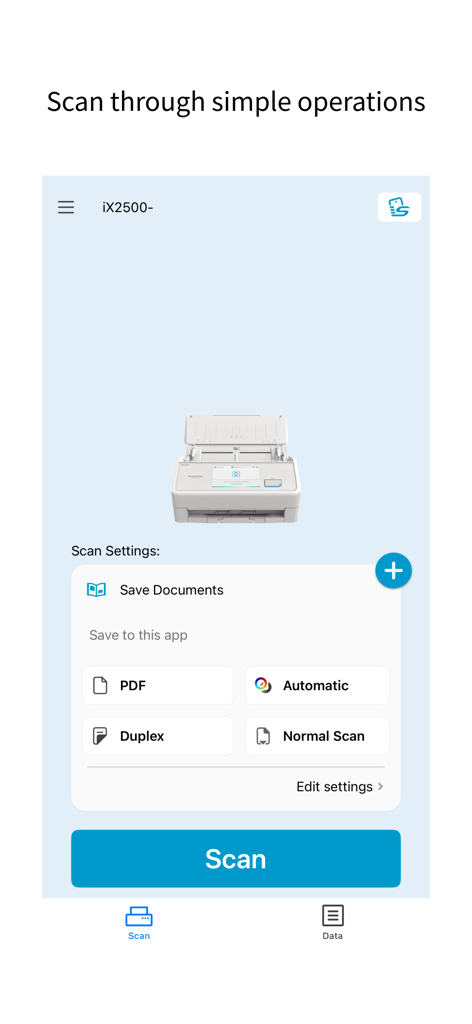
ScanSnap Homeモバイルアプリのインターフェース。ドキュメントスキャンの設定と大きな青いスキャンボタンが表示されています。
ScanSnap Homeモバイルアプリのインターフェース。ドキュメントスキャンの設定と大きな青いスキャンボタンが表示されています。

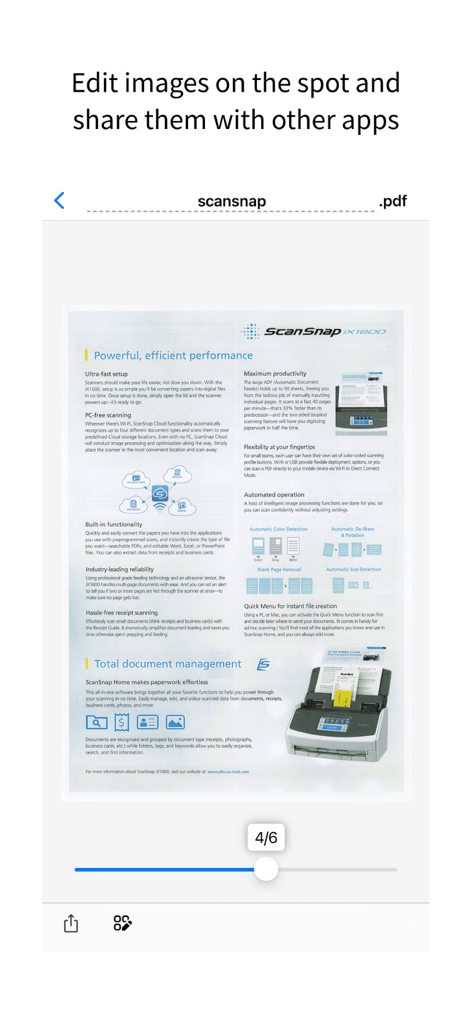
ScanSnap Homeアプリのプレビュー。スキャンされたPDFドキュメントが編集と共有の準備ができています。
ScanSnap Homeアプリのプレビュー。スキャンされたPDFドキュメントが編集と共有の準備ができています。

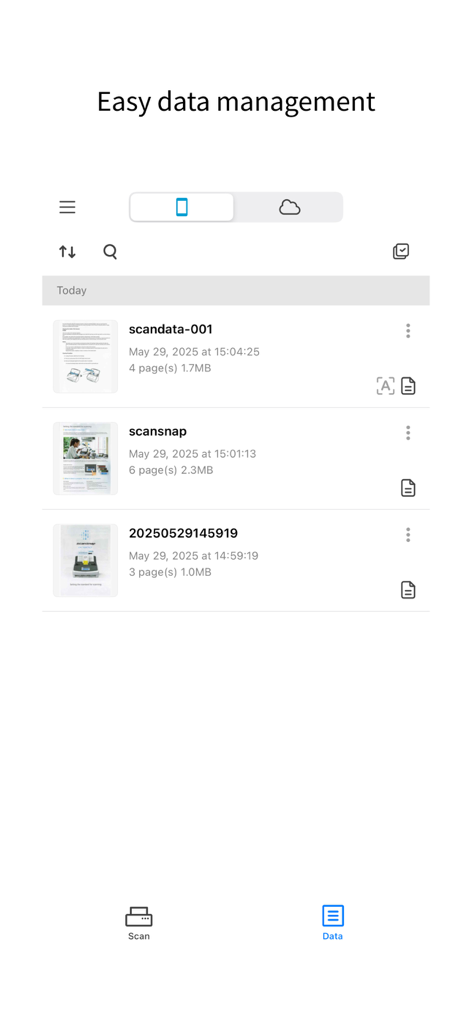
ScanSnap Homeモバイルアプリのインターフェース。整理されたスキャン済みドキュメントのリストが表示されています。
ScanSnap Homeモバイルアプリのインターフェース。整理されたスキャン済みドキュメントのリストが表示されています。

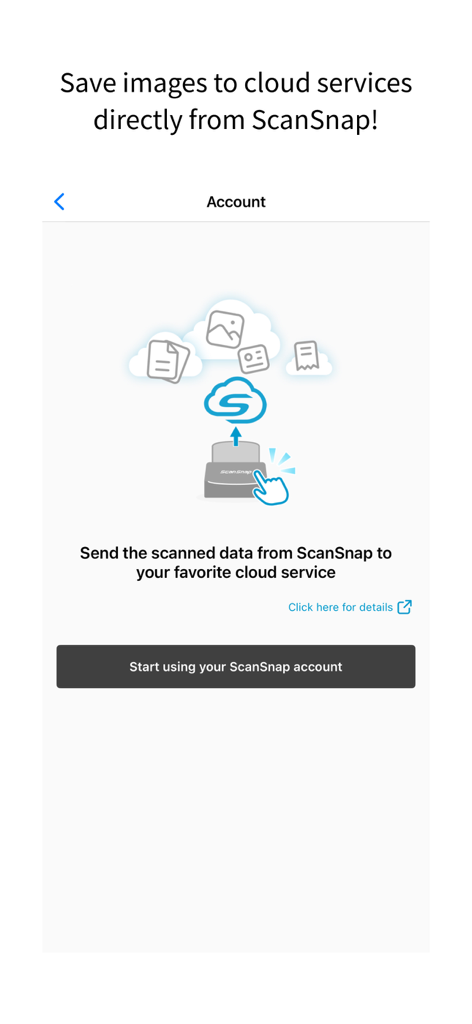
ScanSnap Homeアプリの設定画面。スキャンされたドキュメントを直接クラウドサービスに同期します。
ScanSnap Homeアプリの設定画面。スキャンされたドキュメントを直接クラウドサービスに同期します。

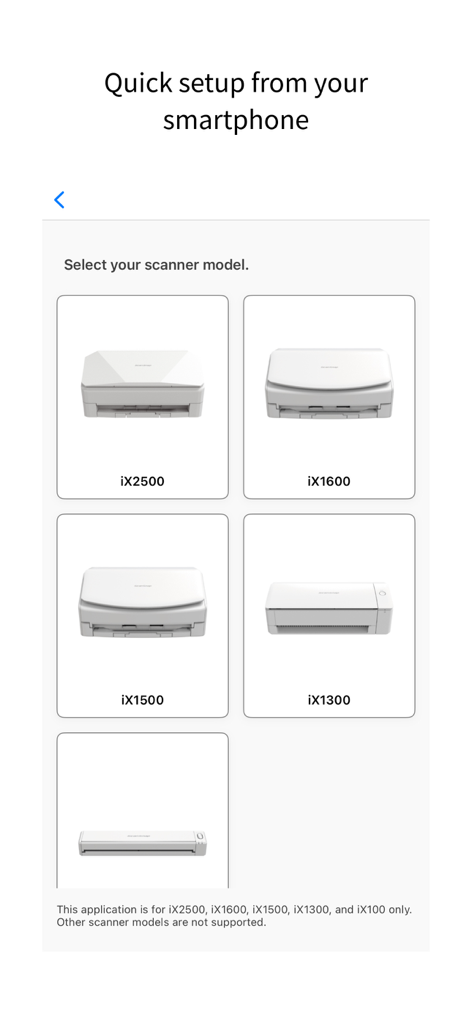
ScanSnap Homeアプリのインターフェース。モバイルセットアップ中にスキャナーモデルを選択します。

ScanSnap Homeアプリのインターフェース。モバイルセットアップ中にスキャナーモデルを選択します。

デスクなしの効率性

このアプリを際立たせるツール、 96K+ 人のユーザーが選択.

🚀

コンピューターフリーの自由

iPhoneまたはiPadで直接すべてをスキャン、編集、整理できます。PCの起動を待つ必要はありません—ワンタップであなたの世界をデジタル化できます。

🧠

インテリジェントな整理

スマートOCRテクノロジーが自動的にファイル名を付け、検索可能なPDFを作成し、あらゆる契約書やレシートを数秒で見つけられるようにします。

📂

シームレスなライフ管理

名刺、レシート、書類を自動的に分類します。お気に入りのクラウドサービスに即座に同期したり、チームと簡単に共有したりできます。

アプリについて

について知っておくべきこと ScanSnap Home.

説明

[What is ScanSnap Home?] ScanSnap Home is a data management app that allows you to easily operate the "ScanSnap" image scanner from your iPhone or iPad. You can efficiently organize and manage scanned documents and images, and find them instantly when needed. Not only can you securely store and manage them on your smartphone or tablet, but you can also seamlessly share them with other apps or cloud services to centrally manage your important data. [Supported Models] iX2500, iX1600, iX1500, iX1300, iX100 [Features of ScanSnap Home] - Scan from your smartphone using the simple operations! Anyone can use ScanSnap features, which range from configuring scan settings to scanning documents from your iPhone or iPad. All you need is your smartphone/tablet to quickly scan documents. No need for a computer! - Simply scan documents to save the optimal scanned images as PDF files or JPEG files on your iPhone or iPad. - Use the OCR function to recognize text in documents to automatically generate file names and create searchable PDF files. - With iX2500, the "ScanSnap Go" feature enables easy connection, simply by bringing a smartphone close to the scanner. After disconnection, profile information is cleared from iX2500, ensuring convenience and security for temporary use in co‑working or public spaces. - Look up and view the scanned images on the app whenever and wherever you like. Once documents are scanned to your smartphone/tablet, you can access these images outside the home or office. - Your scanned images can be easily accessed on the email apps or chat/messenger apps on your smartphone. You can also effortlessly share scanned images with your friends, family, coworkers, or team members. - "ScanSnap Cloud" (a service that enables you to transfer scanned data to cloud services directly) can be configured. Scanned data is automatically identified as one of four types ("Documents", "Business cards", "Receipts", and "Photos") and saved in your desired cloud services for each type. (For details about available cloud services, refer to https://www.pfu.ricoh.com/global/scanners/scansnap/sscloud/#tab-b-04) *The OCR function and ScanSnap Cloud service are only available in regions where the ScanSnap Cloud service is provided. To use them, an environment connected to the internet is required. https://www.pfu.ricoh.com/global/scanners/scansnap/scansnap-cloud/country.html [Use ScanSnap Home if you want to do the following] - Quickly scan documents with your smartphone/tablet without starting up a computer - Save scanned images on your smartphone and access them outside the home or office - Share images scanned from your smartphone with your family, friends, or coworkers - Scan business cards to your smartphone before a business trip to access them during the trip - Manage school handouts on your smartphone/tablet - Scan recipes or notes to your smartphone and check them when shopping or view them on a waterproof device in the kitchen - Use mainly your smartphone/tablet instead of a computer in your daily life - Scan study materials and view them on your tablet when studying [Environment requirements] To use this application, a Wi-Fi network (for connecting directly or via wireless LAN router) and the following device are required. Wi-Fi-supported ScanSnap *The ScanSnap Go feature is available only on iX2500.

最新バージョン

2.3.0

サイズ

141.2 MB

リリース日

2023年6月21日

ペーパーレスワークフローをマスターする

ScanSnapハードウェアとモバイルファーストライフスタイルの架け橋。コンピューターなしで、すぐにスキャン、整理、ドキュメントの保護を開始できます。

ダウンロード: App Store

App information, icons, screenshots, and descriptions displayed on this page are sourced from the Apple App Store and are the property of their respective developers. Download estimates and rankings are based on MWM's proprietary models and may not reflect actual figures. This page is provided for informational and analytical purposes only.

Believe this page infringes your intellectual property? File a dispute