ScanWritr Pro
ScanWritr Pro
ダウンロード: App Store

このページはアプリまたはその開発者の公式ページではなく、情報提供および論評を目的として作成された独立した編集出版物です。明示的に別段の記載がない限り、アプリおよびその開発者は、MWM、Apple、Google Play、アプリのパブリッシャー、またはアプリの開発者と提携、承認、後援、認可、またはその他の公式的な関係はなく、このページのいかなる内容も、アプリがMWMのサービスを使用して開発されたことを意味するものではありません。すべての商標、ロゴ、スクリーンショット、その他のコンテンツはそれぞれの所有者の財産です。


ロゴ: ScanWritr Pro
ダウンロード: App Store

ScanWritr Pro

紙とデジタルのギャップを埋めます。リアルタイムのエッジ検出とシームレスなクラウド統合により、外出先でもプロフェッショナルな文書をスキャン、記入、署名、ファックスできます。

主要数値

ダウンロード

140K+

ユーザー評価

3.0/5

評価数

0

開発元

VANAIA LLC

カテゴリ

Business

対応言語

12

最新バージョン

3.1.9

サイズ

72.9 MB

リリース日

2014年6月8日
機能

モバイルワークフローを強化

忙しいプロフェッショナルのための完全なドキュメントスイート。デスクなしでスキャン、編集、署名、ファックスが可能です。

スマートスキャンとファイル変換

自動クロップで高品質な文書を素早くキャプチャし、Microsoft Office、OpenOffice、または画像を数秒でPDFに変換します。

記入、署名、注釈付け

iPhoneやiPadでフォームに記入し、契約に署名します。ライティングツールを使用して空欄を記入し、消しゴムで作業を仕上げます。

以下のスクリーンショットと説明は、アプリの公式ストアリスティングから直接取得されたものであり、アプリ開発者の所有物です。

アプリストア

スクリーンショット
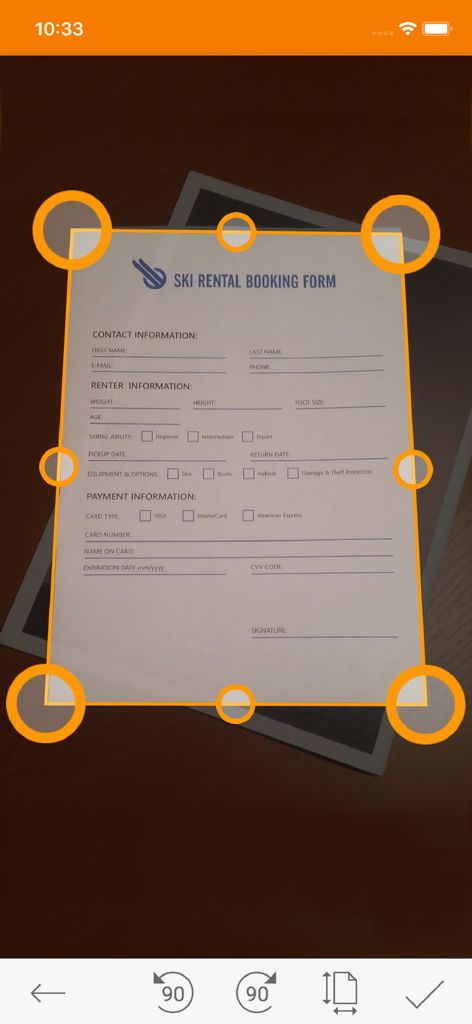
ScanWritr Pro - ScanWritr Proアプリがリアルタイムのエッジ検出と自動クロップ円でドキュメントをスキャンしている様子
ScanWritr Proアプリがリアルタイムのエッジ検出と自動クロップ円でドキュメントをスキャンしている様子

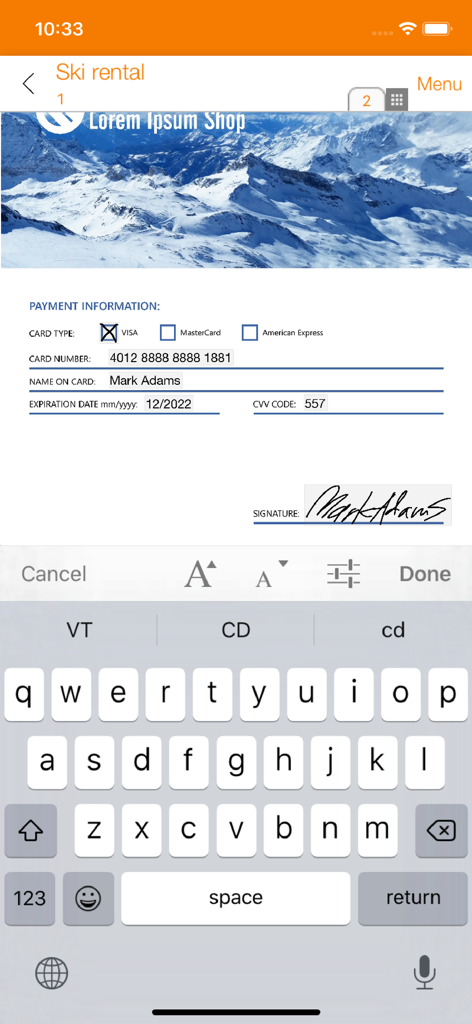
ScanWritr Pro - ScanWritr Proアプリのインターフェースで支払いフォームを編集し、デジタル署名を追加している様子
ScanWritr Proアプリのインターフェースで支払いフォームを編集し、デジタル署名を追加している様子

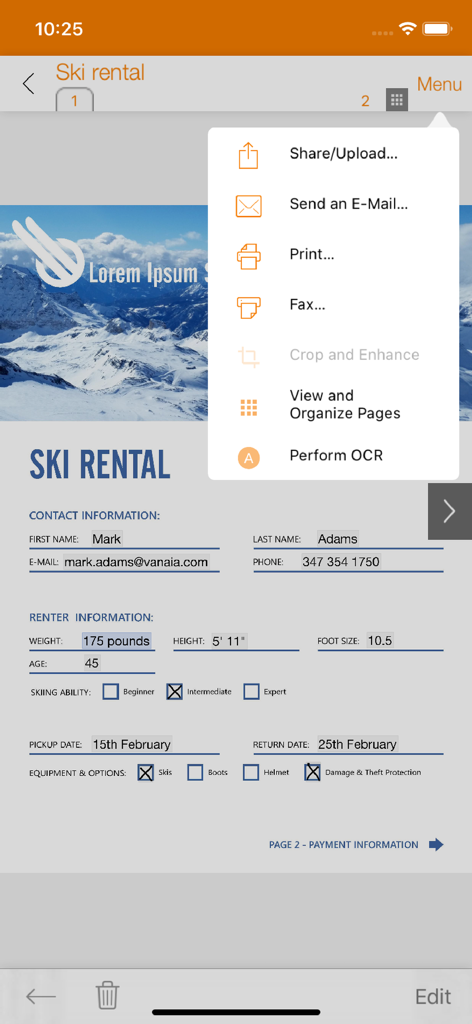
ScanWritr Pro - ScanWritr Proアプリで、ドキュメントの共有、メール送信、印刷、ファックスのオプションが表示されている様子
ScanWritr Proアプリで、ドキュメントの共有、メール送信、印刷、ファックスのオプションが表示されている様子

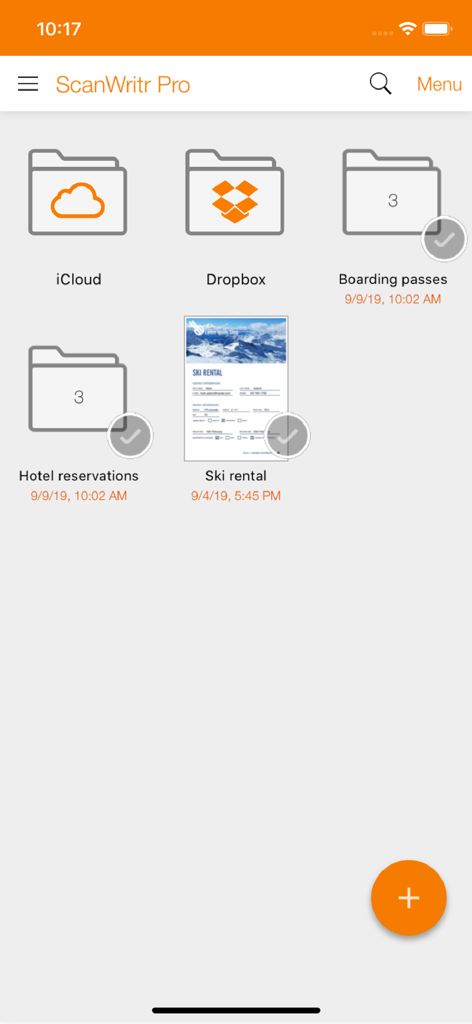
ScanWritr Pro - ScanWritr Proモバイルアプリのインターフェースで、整理されたドキュメントフォルダとクラウドストレージ同期オプションが表示されている様子
ScanWritr Proモバイルアプリのインターフェースで、整理されたドキュメントフォルダとクラウドストレージ同期オプションが表示されている様子

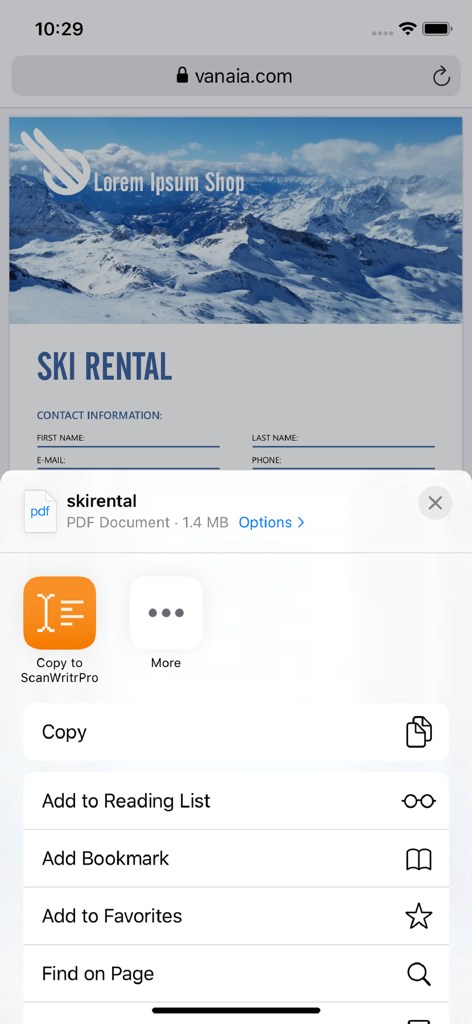
ScanWritr Pro - iOS共有メニューを介してScanWritr ProにPDFドキュメントがインポートされている画面

iOS共有メニューを介してScanWritr ProにPDFドキュメントがインポートされている画面

説明

ScanWritr enables you to: ● Scan documents quickly using camera. ● Convert and open most used document formats easily. ● Organize and store documents into multiple local and cloud archives. ● Edit, fill, sign and annotate documents. ● Improve document quality and retouch. ● Print, fax and email documents to your partners and customers. ● Sync documents between phones, tablets and computers. ● Share notes, pages and tickets with your friends and colleagues. ● Export documents to the most popular apps and services. ScanWritr is perfect for business, educational and home use. It turns your Apple device with a camera into a all-in-one scanner, document editor and arhiving tool, suitable for scanning, organizing, editing, printing, faxing, emailing, syncing with cloud, sharing and exporting of various documents like contracts, articles, business cards, notes, receipts, warranty papers etc. Image capture is done with the help of Real-Time Edge Detection (auto crop). This scanner app also excels in import options. It imports variety of document formats, such as PDF, OpenOffice and LibreOffice documents (*.odt, *.ods, *.odp), Microsoft Office documents (Word, Excel, PowerPoint), Hancom documents (*.hwp), JPEG and PNG images, CSV, and more. ScanWritr enables you to edit scanned and imported documents as an image. You can add signature, annotation, use eraser or pen, and fill out the blanks using writing tool. Convert the scanned document to PDF or JPG, save it to your phone's gallery, send it via e-mail, fax it, print it (with the help of Cloud Print) or synchronize and backup it to Dropbox or iCloud. Support for synchronization of documents with the Dropbox and iCloud cloud storage providers enables you to: ● Share documents with your family members or team members at your work. ● Remote-site backup of your documents. ● Two-way shared folder synchronization. ● Access, edit and convert your documents anytime, everywhere from any device including smartphones, tablets and PCs. ● Transfer documents between your devices (phones, tablets and PCs). Some services (i.e. faxing, converting) require a network connection, for which user's carrier fees may apply. Sending faxes from ScanWritr requires the purcahse of fax tokens. DO YOU HAVE QUESTIONS? If you have any questions or require assistance don't hesitate to email us at support@vanaia.com

Download

ダウンロード: App Store

このページはアプリまたはその開発者の公式ページではなく、情報提供および論評を目的として作成された独立した編集出版物です。明示的に別段の記載がない限り、アプリおよびその開発者は、MWM、Apple、Google Play、アプリのパブリッシャー、またはアプリの開発者と提携、承認、後援、認可、またはその他の公式的な関係はなく、このページのいかなる内容も、アプリがMWMのサービスを使用して開発されたことを意味するものではありません。すべての商標、ロゴ、スクリーンショット、その他のコンテンツはそれぞれの所有者の財産です。








