School Timetable - class study
ダウンロード: App Store

このページはアプリまたはその開発者の公式ページではなく、情報提供および論評を目的として作成された独立した編集出版物です。明示的に別段の記載がない限り、アプリおよびその開発者は、MWM、Apple、Google Play、アプリのパブリッシャー、またはアプリの開発者と提携、承認、後援、認可、またはその他の公式的な関係はなく、このページのいかなる内容も、アプリがMWMのサービスを使用して開発されたことを意味するものではありません。すべての商標、ロゴ、スクリーンショット、その他のコンテンツはそれぞれの所有者の財産です。

ロゴ: School Timetable - class study
ダウンロード: App Store

School Timetable - class study

美しい色分けされた授業、インタラクティブなウィジェット、シームレスなApple Watch同期で、大学生活を最大限に活用しましょう。試験、宿題、忙しい学期を追跡するための最も洗練された方法です。

主要数値

ダウンロード

130K+

ユーザー評価

4.5/5

評価数

200

開発元

Pranoy Chowdhury

カテゴリ

Education

対応言語

1

最新バージョン

20

サイズ

18.3 MB

リリース日

2019年1月5日
機能

あなたの学業生活を、完璧に整理

iPhone、iPad、Apple Watchのエコシステムのために特別に設計された、美しく色分けされたトラッカーで、複雑な学校のスケジュールを管理しましょう。

美しく、視覚的な計画

鮮やかな色分けとカスタムテーマで時間割をパーソナライズし、忙しい週をクリーンで視覚的なダッシュボードに変えましょう。

一目でわかる統合

電話をロック解除せずに、Apple WatchのコンプリケーションとインタラクティブなiOS 17ウィジェットを通じて、次の教室や教授の詳細を即座に確認できます。

以下のスクリーンショットと説明は、アプリの公式ストアリスティングから直接取得されたものであり、アプリ開発者の所有物です。

アプリストア

スクリーンショット
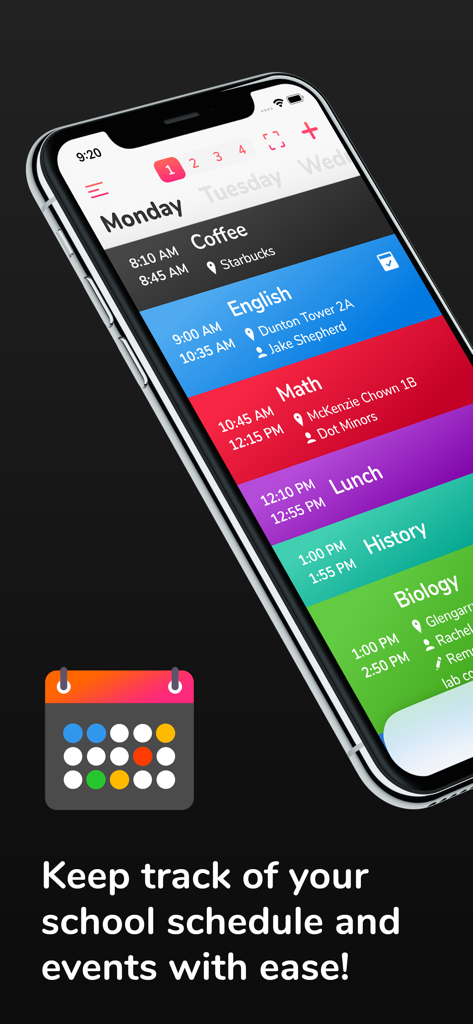
School Timetable - class study - 色分けされた毎日の学校のスケジュール、授業時間と場所を表示するiPhone
色分けされた毎日の学校のスケジュール、授業時間と場所を表示するiPhone

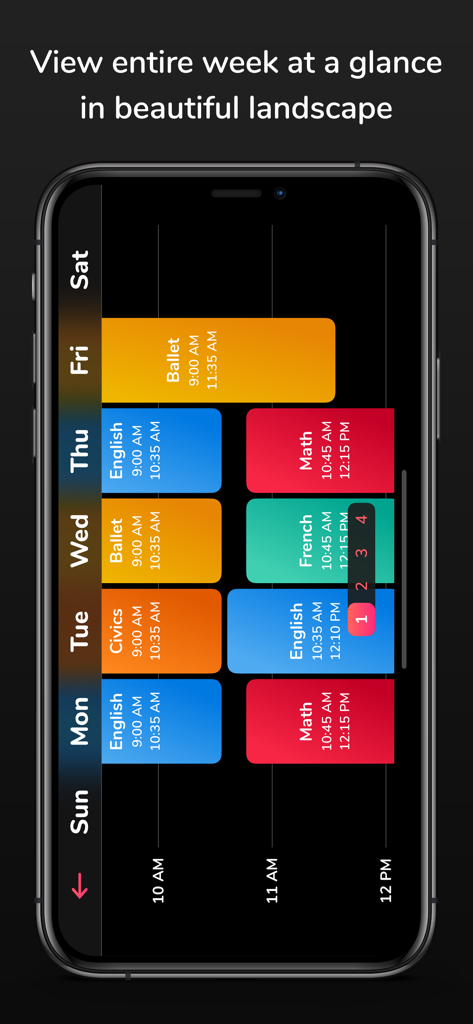
School Timetable - class study - 横向き表示の週ごとの色分けされた学生スケジュール

横向き表示の週ごとの色分けされた学生スケジュール

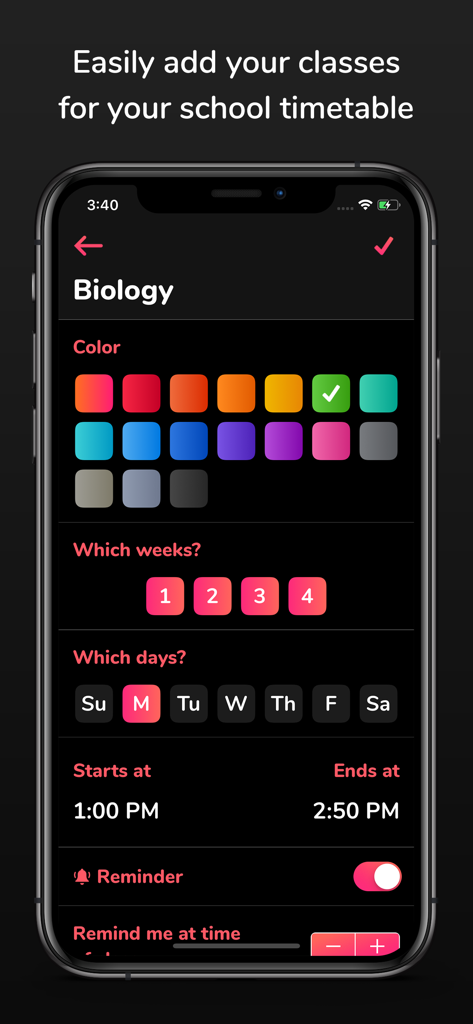
School Timetable - class study - 色分けとスケジュール設定で生物の授業を追加するためのモバイルアプリインターフェース
色分けとスケジュール設定で生物の授業を追加するためのモバイルアプリインターフェース

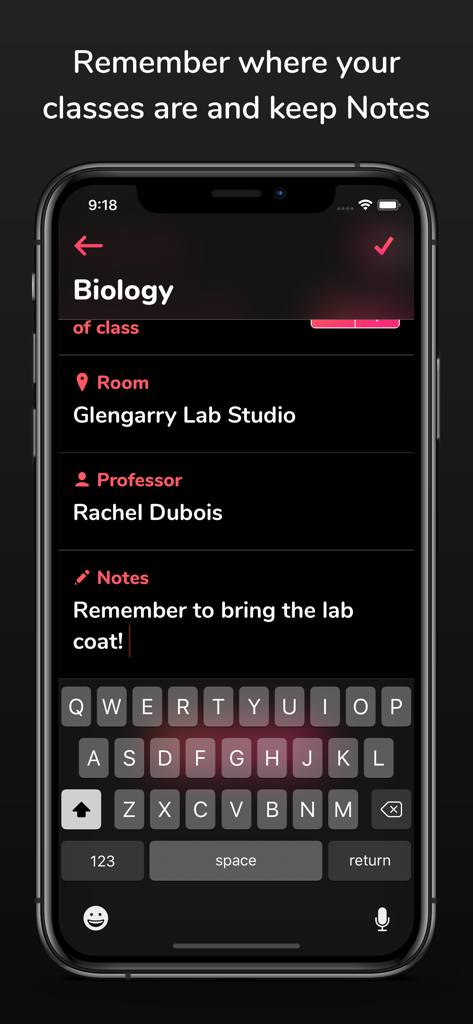
School Timetable - class study - School Timetableアプリ内の生物の授業の詳細(部屋、教授、勉強ノートを含む)を表示するスマートフォンの画面
School Timetableアプリ内の生物の授業の詳細(部屋、教授、勉強ノートを含む)を表示するスマートフォンの画面

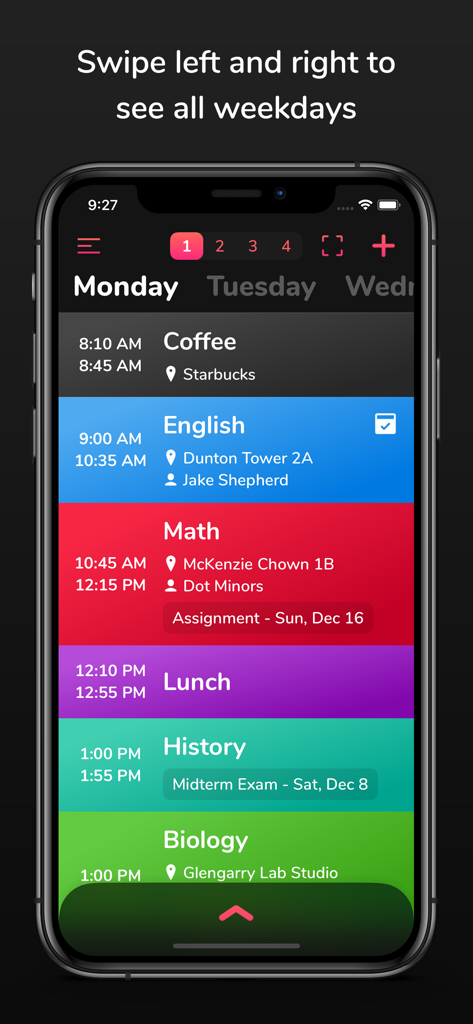
School Timetable - class study - 学生のための授業と場所を示す、School Timetableアプリ上の色分けされた毎日の学校スケジュール
学生のための授業と場所を示す、School Timetableアプリ上の色分けされた毎日の学校スケジュール

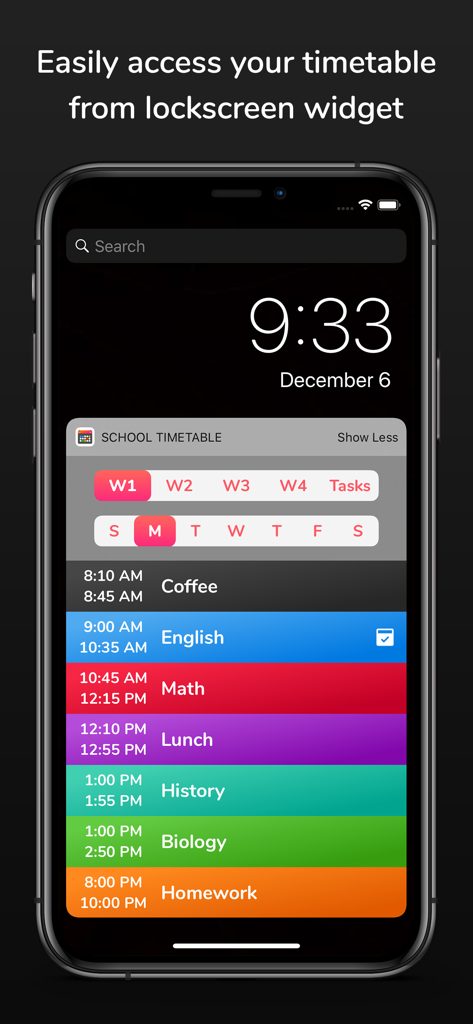
School Timetable - class study - 色分けされた毎日の授業スケジュールウィジェットを表示するiPhoneのロック画面
色分けされた毎日の授業スケジュールウィジェットを表示するiPhoneのロック画面

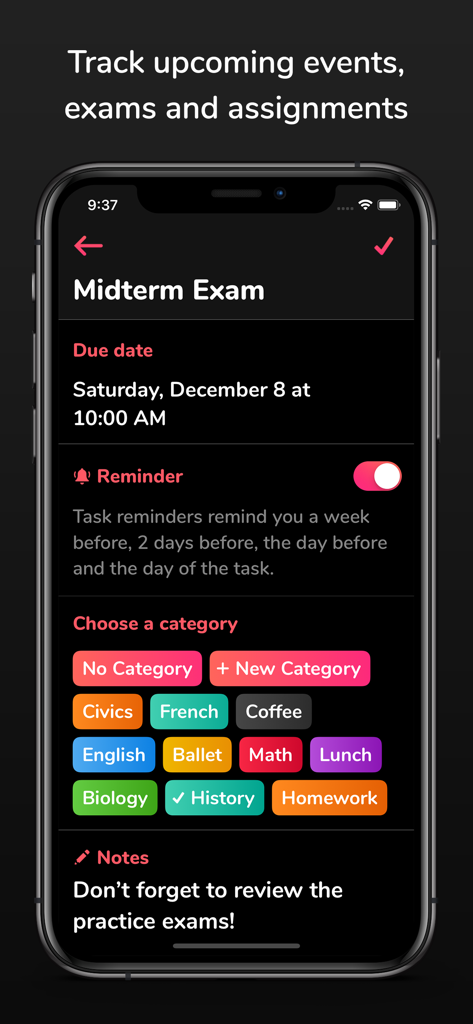
School Timetable - class study - 期日、リマインダー切り替え、色分けされた科目カテゴリを含む中間試験のエントリを表示するモバイルアプリインターフェース
期日、リマインダー切り替え、色分けされた科目カテゴリを含む中間試験のエントリを表示するモバイルアプリインターフェース

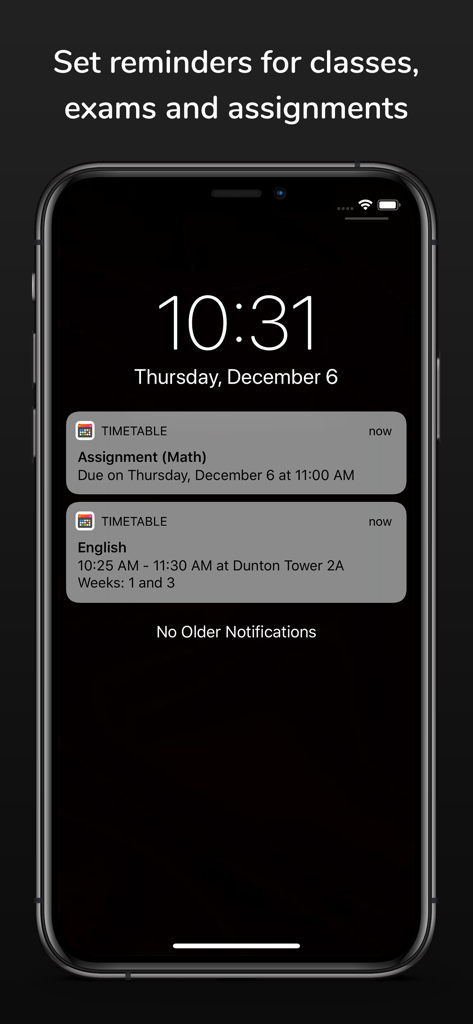
School Timetable - class study - 課題と授業のための学校の時間割通知を表示するiPhoneのロック画面

課題と授業のための学校の時間割通知を表示するiPhoneのロック画面

説明

School Timetable is the most easy to use, yet versatile scheduling app for students of school, college or university. Easily keep track of your weekly school schedule and events like homework assignments, exams and quizzes in this beautiful tracker accompanied by an Apple Watch app. Check out the following features which makes School Timetable the most complete schedule organizer app for students: - Simply swipe left and right to see all weekdays - Color coded classes - Add room and location, professor name, phone number, email and other information for each class with notes - Classes show break times and conflict time to next class - Multiple week timetable - If you have a very mixed up schedule with the same class at different times on different days, no need to add the same class multiple times. Simply add a variation and choose the days and time. Variations can be given a name too! - Reminder notifications can be set to remind you X minutes before the class where X can be set as 5, 10, 15...55 minutes. - Support for Apple Watch app and many complications - Interactive large widget for home screen for iOS 17+ devices. Legacy widget is still supported on older devices which can be added using steps described at the bottom. - Setup reminders for upcoming events, exams and homework assignments. These reminders will remind you a week before, 2 days before, 1 day before and the morning of the event to keep you on top of your game! - Beautiful landscape view of the entire week at once (Just tap the fullscreen landscape button on top) - Accent theme color settings - No need to unlock your phone as it comes with a lockscreen widget for all your classes and tasks - Force touch the Apple Watch app to change weeks and Tasks - Ability to customize the number of weeks between 1-4 and auto-switch weeks - Ability to customize reminder ringtone - Save timetable as image in photos. Tap the full screen button on top right and there you will see the button to save as image. - Export timetable - Search classes, tasks, professor, room, notes etc. Search screen can also be used to edit reminders of all classes and tasks at a common place. - App detects emails, sites, phone numbers and addresses in the notes and opens them in respective apps - multiple email and maps clients are supported - iCloud Backup and Restore! Tap the hamburger menu button on top left and tap "Backup to iCloud" from side menu. On another device signed in with same iCloud account, tap the "Restore from iCloud" button. Steps for legacy widget for older devices: - Now you can strikethrough your tasks when they are done by either tapping the done button next to the task name or swiping horizontally on it. Tasks marked Done won't receive notifications. - The app now supports importing timetable which has been exported from the app. - Updated the UI for selecting colors for classes and themes. Also added many new colors. - NOTE regarding widget on iOS 14+: 1. Unlock phone 2. Swipe left to the widget screen 3. Scroll all the way to the bottom 4. Tap the "Edit" button 5. Don't search for the widget. Scroll to the bottom again. 6. Tap "Customize" at the bottom. 7. Look for "School Timetable" in the list and add it. This should give you the widget. Reviews: "This is dope **insert 2 clapping emojis**" - Sarah "It looks good" - Tom "That's dope dude!!" - Rachel "So clean man, nice **insert thumbs up emoji**" - Nathan If you find this app useful, please leave us a positive rating on the app store as that helps get the word out to others! Thank you for the support! If you have any feature suggestions, bug reports or just wanna say good job, email me at: pran@pranapps.com

Download

ダウンロード: App Store

このページはアプリまたはその開発者の公式ページではなく、情報提供および論評を目的として作成された独立した編集出版物です。明示的に別段の記載がない限り、アプリおよびその開発者は、MWM、Apple、Google Play、アプリのパブリッシャー、またはアプリの開発者と提携、承認、後援、認可、またはその他の公式的な関係はなく、このページのいかなる内容も、アプリがMWMのサービスを使用して開発されたことを意味するものではありません。すべての商標、ロゴ、スクリーンショット、その他のコンテンツはそれぞれの所有者の財産です。